Where to Start
The dealer wanted $240 for a new battery on my 2018 Accord. An aftermarket dashcam hardwired to the always-on 12V was pulling 280mA at rest - the body control module only draws 35mA. At 315mA total parasitic draw, a 60Ah lead-acid is dead in 12 days. Pulled fuses one at a time with a $15 multimeter across the gap. Found the culprit in 20 minutes. Fixed it with a $4 add-a-fuse kit wired to switched power.
The dealer did not even check for parasitic draw - just wanted to sell a battery. This kind of incompetence is why you need to understand your own vehicle systems.
Buying a dashcam isn't just about recording some idiot cutting you off. It's about data integrity and mechanical resilience. You're mounting a sensitive piece of electronics in an environment that sees constant vibration, thermal cycling from 0 degrees F to 120 degrees F, and direct solar load.
Most cheap units will cook themselves or shake apart in six months. Don't fall for the marketing fluff. Focus on the specs that actually matter for survival.
Whether you're slapping one in a new ride or giving an old clunker some digital eyes, the principles are the same. You need a camera that can handle the abuse, capture clear data, and not turn into a parasitic vampire on your electrical system.
We're talking about preventing a $500 insurance deductible, not just getting a funny TikTok video. The market is flooded with garbage, so let's cut through it.
Quick Verdict
- Sensor Quality Over Raw Resolution: A 1080p camera with a good Sony STARVIS 2 sensor will outperform a 4K camera with a garbage sensor in low light, every single time. Pixel count is just one variable. Focus on the sensor type for actual evidence clarity, especially at night.
- Capacitors, Not Batteries: Dashcams get hot. Lithium-ion batteries swell and fail at high temperatures. Capacitors handle thermal cycling better and won't turn your dashcam into a fire hazard.
If it has a battery, it's a cost-cut and a failure waiting to happen.
- Hardwire Kit for Parking Mode: If you want parking surveillance, you need a hardwire kit. This isn't optional. It manages power draw and prevents dead batteries by cutting off when voltage drops below a preset threshold, typically 12V.
Otherwise, you'll be jump-starting your car every other week.
- Mounting Method Matters: Adhesive mounts are generally more stable and reduce vibration compared to suction cups, which lose adhesion in extreme temperatures. Less vibration means clearer footage and less internal stress on the electronics. Consider the shear forces involved in a sudden stop.
- Storage Card Longevity: Use high-endurance microSD cards. Dashcams constantly write and overwrite data, which wears out standard cards quickly.
A cheap card will corrupt footage or fail entirely after a few months of thermal cycling and constant write cycles.
- Simple Interface: You want a dashcam that you set up once and forget. Overly complex menus or constant app syncing are failure points. The goal is reliable recording, not a new hobby.
What to Look For
You're buying a piece of equipment to record critical data, not a toy. Here's what actually matters, explained by how it fails:
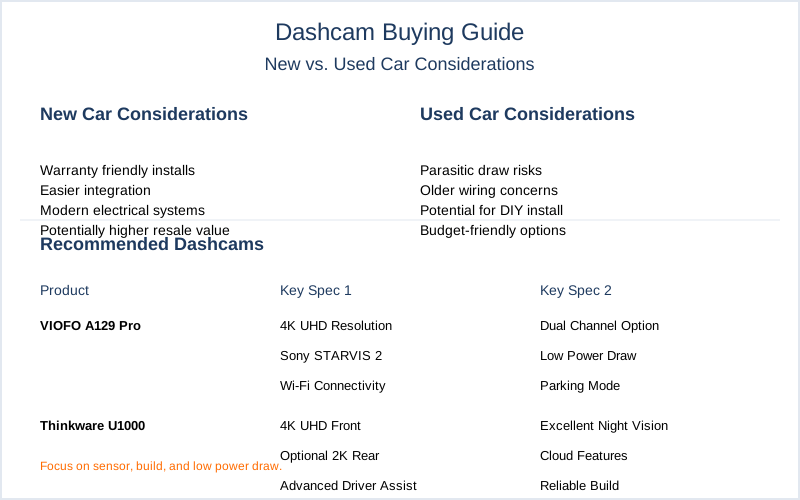
| Feature | Why it matters (Failure Mode) | New Car vs. Used Car Consideration |
|---|---|---|
| Video Resolution & Sensor | Higher resolution (4K) captures finer detail like license plates. But a quality sensor (Sony STARVIS 2) is paramount for low-light performance. Without it, you get pixelated mush at night, making critical data unreadable. Frame rate (30fps vs 60fps) affects motion blur. | New: You might splurge for 4K. Used: 1080p with a good sensor is fine for older vehicles; less power draw. |
| Power Source (Capacitor vs. Battery) | Capacitors handle extreme thermal cycling better. Lithium-ion batteries outgas and swell in a hot car, leading to premature failure, fire risk, and loss of stored settings. This is a chemical stability issue. | New/Used: ALWAYS capacitor. Batteries are a cost-cut that will fail. |
| Parking Mode | Records impacts or motion while parked. Requires a constant power supply, typically from a hardwire kit. Without proper voltage cutoff, it will drain your car's 12V system, leading to a no-start condition. | New: Easier to hardwire neatly. Used: Check fuse box access and wiring complexity. Factor in install cost. |
| Mounting Method | Adhesive mounts (3M VHB) offer superior mechanical bond strength and vibration dampening compared to suction cups. Suction cups lose vacuum seal due to thermal expansion/contraction cycles and UV degradation of the plasticizer, causing detachment. | New/Used: Adhesive is preferred for long-term stability. Less play, less vibration, clearer video. |
| GPS & Wi-Fi | GPS embeds speed and location data - crucial for accident reconstruction. Wi-Fi allows easy footage transfer to your phone. These are convenience features, but GPS data can be legally critical. | New/Used: Equally useful. Wi-Fi can be a parasitic draw if not managed. |
| Storage (MicroSD Card) | High-endurance cards are designed for constant read/write cycles. Standard cards fail quickly due to NAND flash wear-out from repeated data overwrites, corrupting video evidence. | New/Used: Always invest in a high-endurance card. It's cheap insurance. |
| Channels (Front, Rear, Cabin) | Single, dual (front/rear), or triple (front/rear/cabin) cameras. More cameras mean more coverage. Dual is a good baseline for most. Triple is for rideshare or high-risk situations. | New: Easier to route cables neatly. Used: Cable routing can be a nightmare in older cars. |
Our Top Picks for Reliable Performance
Forget the flashy ads. Here are the units that actually hold up to the mechanical stress and thermal abuse of a vehicle interior. My gold standard is reliable data capture, not marketing fluff. You want something that works when you need it, not something that looks cool in the box.
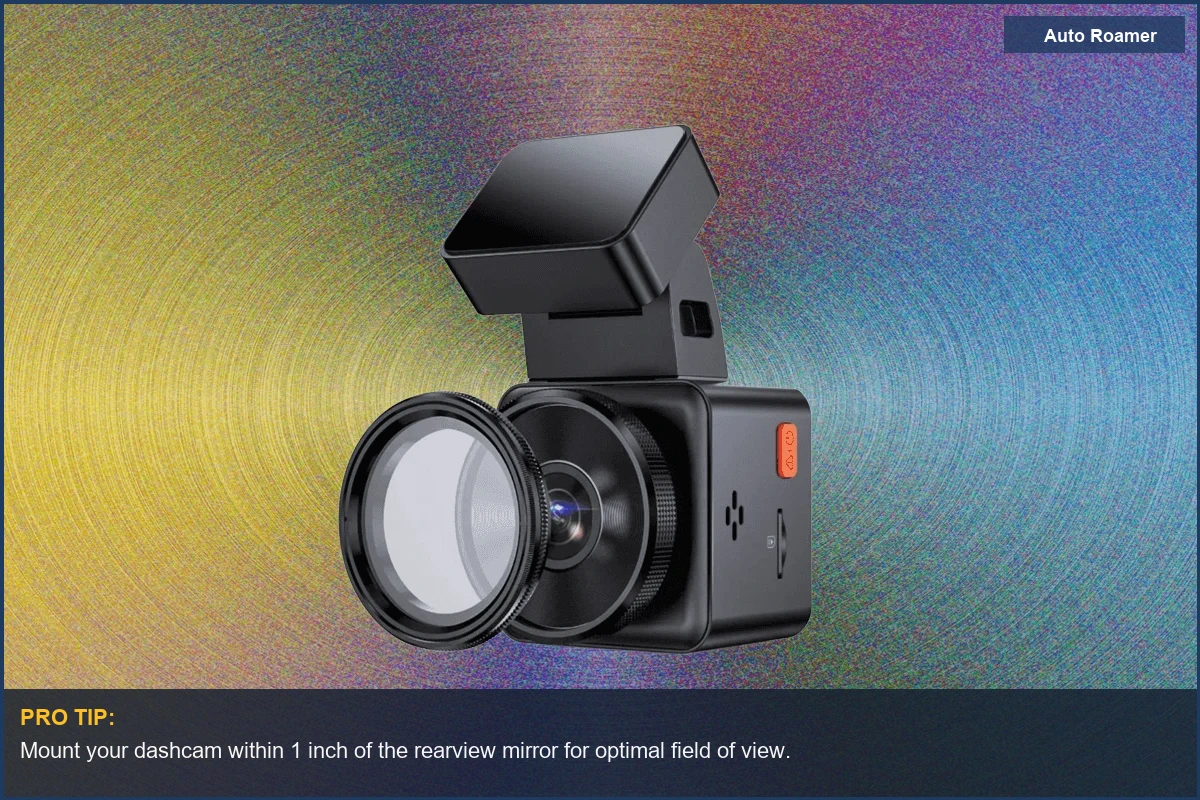
Vantrue E1 Pro (~$150)
- Specs: Single-channel 4K, Sony STARVIS 2 IMX678 sensor, 5GHz Wi-Fi, optional LTE.
- Pros: Excellent night vision, compact form factor, capacitor-based. Good for clear license plate capture.
- Cons: Single channel only; no rear camera. LTE is an extra cost.
- Best-for: Drivers who want top-tier front-facing evidence without the complexity or cost of a multi-camera setup.
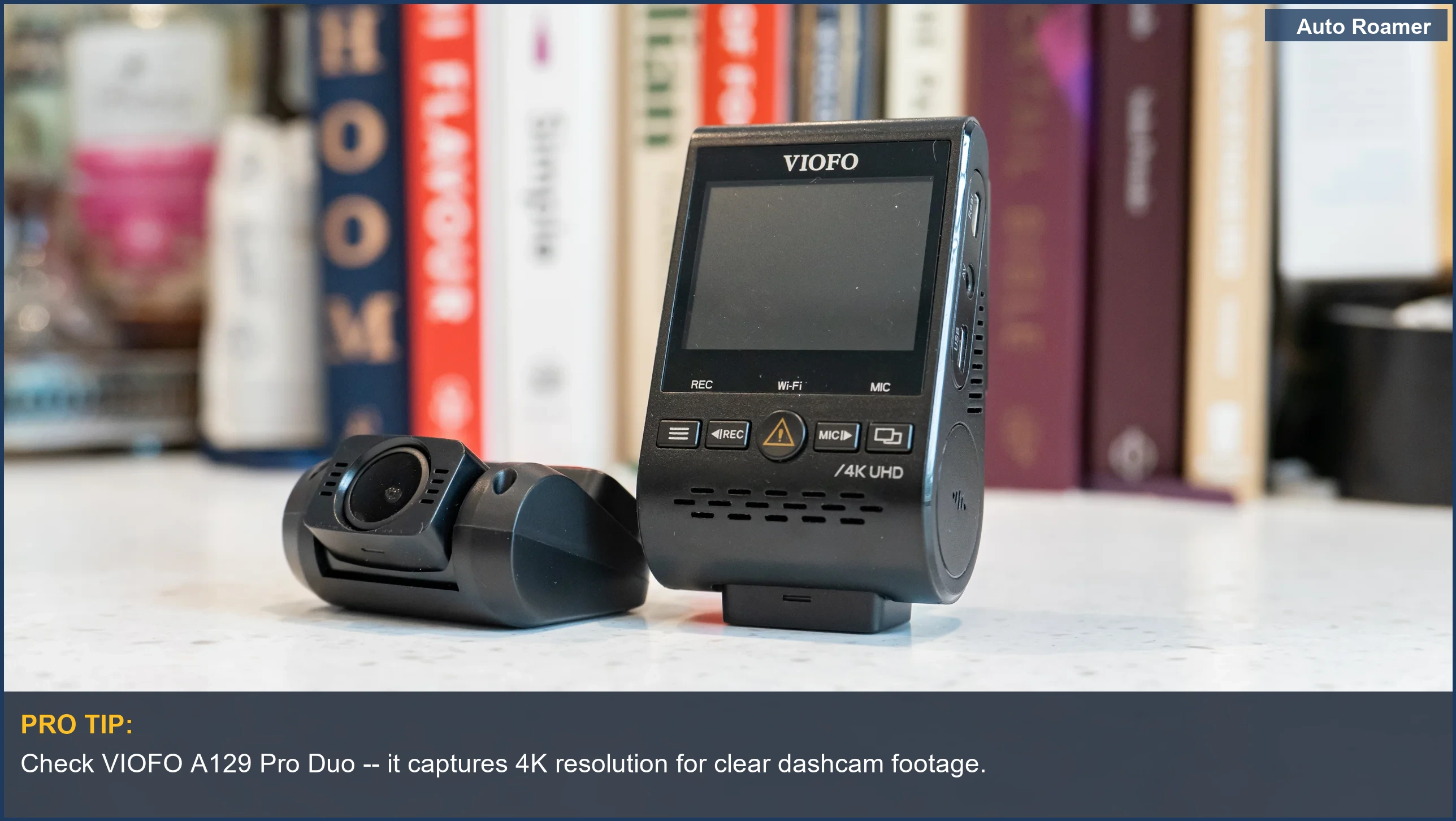
VIOFO A129 Pro Duo (~$250)
- Specs: Dual-channel (Front 4K, Rear 1080p), Sony STARVIS sensors, GPS, Wi-Fi.
- Pros: Solid image quality, reliable, capacitor power, discreet design.
- Cons: Rear camera is 1080p, not 4K.
- Best-for: Most drivers needing dependable front and rear coverage without breaking the bank. A workhorse.
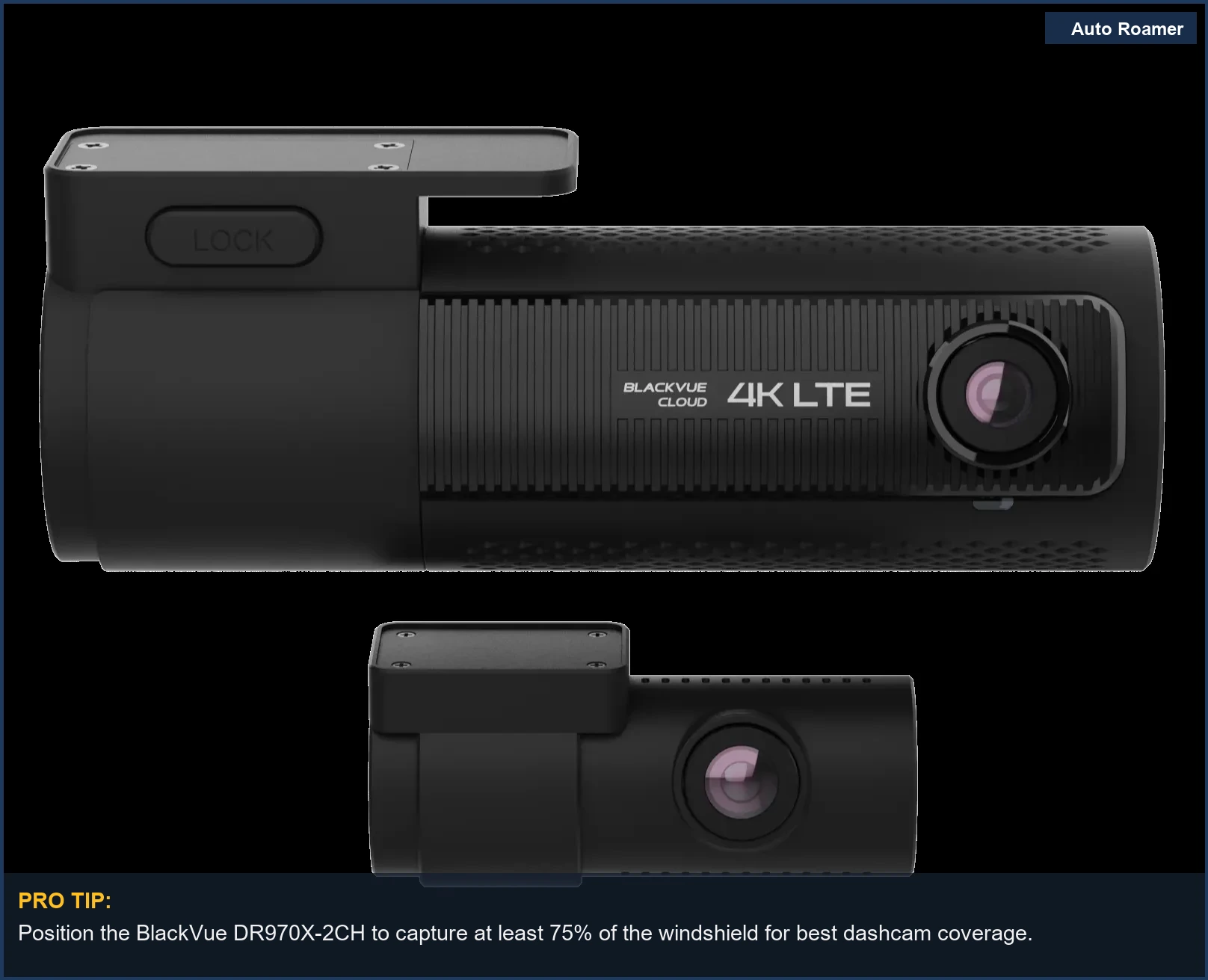
BlackVue DR970X-2CH (~$470)
- Specs: Dual-channel (Front 4K, Rear 1080p), Sony STARVIS sensors, Cloud connectivity, built-in voltage monitor.
- Pros: Excellent parking mode features, robust software, cloud integration for remote viewing. Serious hardware for serious money.
- Cons: Expensive. Rear camera still 1080p. Cloud features require a subscription.
- Best-for: Users who want advanced parking surveillance and remote access, willing to pay for premium features and higher reliability.
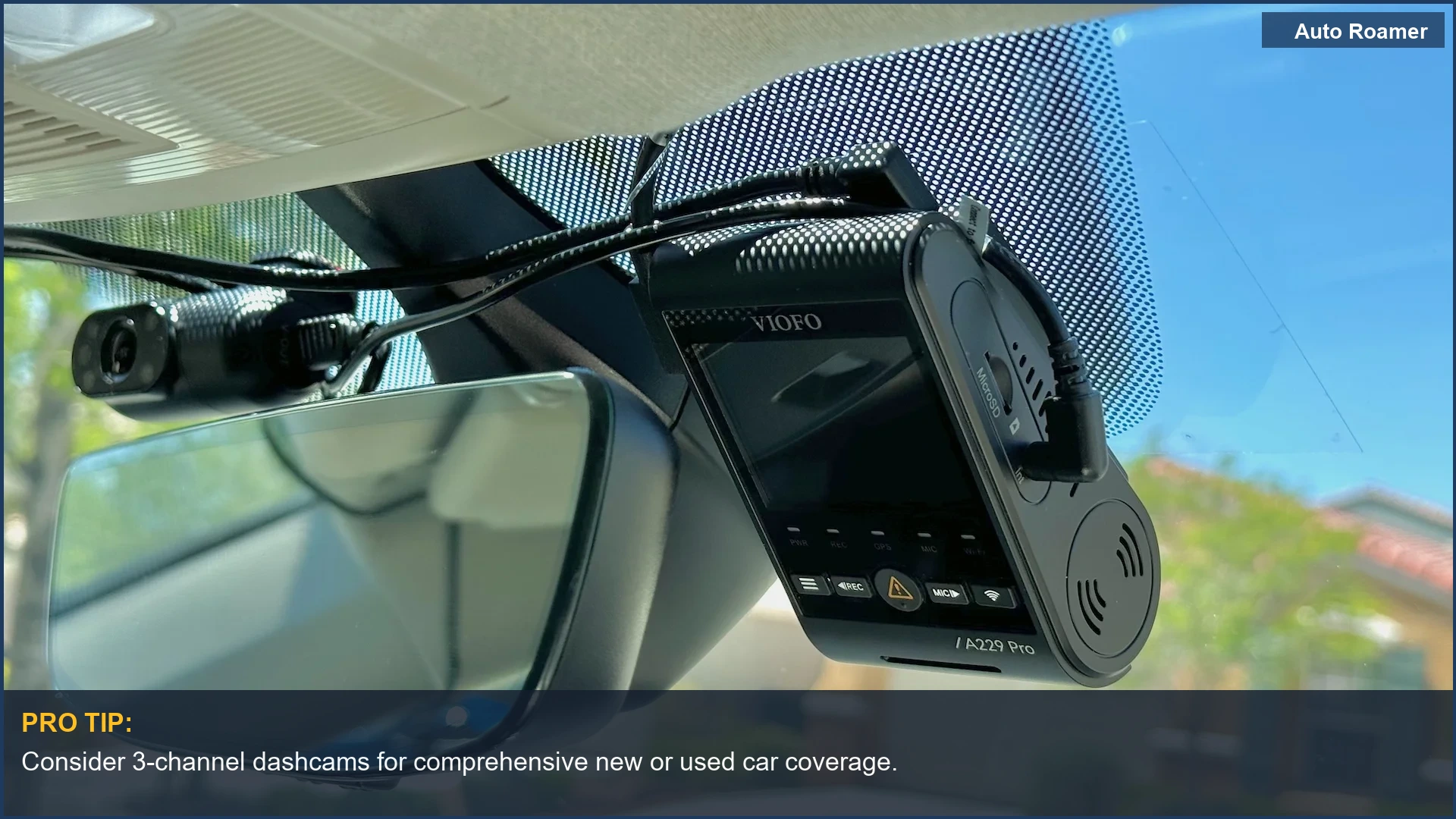
VIOFO A229 Pro 3-Channel (~$370)
- Specs: Triple-channel (Front 4K, Rear 2K, Interior 1080p), Sony STARVIS 2 sensors, GPS, Wi-Fi.
- Pros: Comprehensive coverage for front, rear, and cabin. Excellent sensor suite.
- Cons: More complex installation due to three cameras.
- Best-for: Rideshare drivers, fleet vehicles, or anyone needing full 360-degree recording coverage with high data integrity.
Thinkware U3000 (~$500)
- Specs: Dual-channel (Front 4K, Rear 2K), Sony STARVIS 2, Radar parking mode, Cloud, built-in GPS.
- Pros: Radar parking mode uses less power than motion detection, reducing parasitic draw. Very robust build.
- Cons: Pricey. Radar can be a bit sensitive.
- Best-for: Drivers who prioritize advanced, low-power parking surveillance and don't mind the premium cost for the tech.
Head-to-Head Comparison
Choosing a dashcam isn't like picking out a new pair of socks. It's about evaluating the engineering tradeoffs. Here's how common configurations stack up when you actually consider how they perform under stress. Don't get suckered by marketing hype.
| Feature | Single-Channel (Front Only) | Dual-Channel (Front & Rear) | Triple-Channel (Front, Rear, Cabin) |
|---|---|---|---|
| Coverage | Records forward view only. Misses rear-end collisions, parking incidents from behind. | Covers front and rear. Captures most common accident scenarios. | Full 360-degree coverage including interior. Ideal for rideshare or monitoring passengers. |
| Installation Complexity | Simplest. One camera, one power cable. Minimal routing. | Moderate. Requires routing a second cable to the rear. More labor, more potential for poor cable management. | Most complex. Three cameras, three sets of cables. More power draw, more interference potential if not shielded properly. |
| Cost | Lowest entry point. Typically $80-$200. | Mid-range. Typically $150-$400. | Highest. Typically $300-$600+. More hardware means more dollars. |
| Power Draw (Parking Mode) | Lowest parasitic draw. Less risk of draining your battery overnight if hardwired. | Moderate parasitic draw. Still manageable with a proper hardwire kit. | Highest parasitic draw. Requires robust battery protection to prevent voltage drop below safe starting levels. |
| Data Storage | Least storage needed for footage. Longer recording loops on the same size microSD card. | Requires more storage. Footage from two cameras. | Most storage needed. Rapid fill-up of microSD card. Higher write cycles, faster card wear. |
| Vibration & Mechanical Stress | One unit, less mass, less vibration energy transferred to mounting point. | Two units, more points of failure, more cable stress from vibration. | Three units, maximum complexity, highest potential for mounting failure or cable fatigue from thermal cycling and road vibration. |
Budget vs Premium: Where Your Money Actually Goes
The difference between a $50 dashcam and a $500 one isn't just a prettier box. It's about the bill of materials, the sensor's photon-gathering efficiency, and the long-term reliability of the electrical components. You get what you pay for in terms of data integrity and mechanical resilience. Don't cheap out on something that's supposed to save your ass.
| Feature | Budget (~$50-150) | Premium (~$300-600+) |
|---|---|---|
| Video Quality (Day) | Adequate 1080p, sometimes 2K. License plates readable under ideal conditions. | Sharp 4K or high-quality 2K. Consistent clarity, minimal compression artifacts. |
| Video Quality (Night) | Poor to fair. Significant noise, motion blur, license plates often unreadable. Cheap sensors struggle with low light photon capture. | Excellent. Sony STARVIS 2 sensors minimize noise, maximize detail. HDR provides balanced exposure. |
| Power Source | Usually Lithium-ion battery. Prone to swelling and failure due to thermal cycling inside a hot car. | Capacitor-based. Handles extreme temperatures (0 degrees F to 120 degrees F) without degradation, significantly longer lifespan. |
| Durability & Build | Flimsy plastic, poor cable strain relief. Connectors develop play. Prone to vibration-induced failure. | Robust materials, often metal accents, strong adhesive mounts, high-quality connectors. Engineered for vibration tolerance. |
| Parking Mode | Basic motion detection, often drains battery without proper voltage cutoff. Unreliable. | Advanced buffered recording, radar detection, intelligent voltage monitoring. Minimal parasitic draw. |
| Connectivity | Basic USB, sometimes slow 2.4GHz Wi-Fi. Footage transfer is a chore. | Fast 5GHz Wi-Fi, Cloud integration, GPS, sometimes LTE. Seamless data access. |
| Longevity | 6-18 months typical before thermal or mechanical failure. | 3-5 years or more, designed for continuous operation in harsh automotive environments. |
The Bottom Line
- Prioritize Sensor Over Pixels: A good sensor (Sony STARVIS 2) in a 1080p camera beats a cheap 4K sensor every time for critical detail, especially at night. Raw resolution is just one spec.
- Capacitors are Non-Negotiable: Avoid battery-powered dashcams. The thermal cycling inside a vehicle will cook the battery, leading to premature failure and potential safety hazards. Capacitors are built for this abuse.
- Hardwire for Parking Mode: If you want parking surveillance, a dedicated hardwire kit with voltage cutoff is essential.
Skimping here means a dead car battery and a useless dashcam. Don't rely on the cigarette lighter port.
- Consider Mechanical Stress: Adhesive mounts are generally superior to suction cups for long-term stability and vibration dampening. Less vibration means clearer video and less stress on the internal components.
- Used Car Considerations: For older vehicles, routing cables cleanly for dual or triple-channel systems can be a pain. Factor in installation time or professional cost.
Ensure your 12V system is robust enough for any parasitic draw.
- Data Integrity is Key: Invest in a high-endurance microSD card. Standard cards will fail under constant write cycles, corrupting your evidence when you need it most. This is a critical point of failure.