Setting the Scene
A commercial vehicle dash cam is more than just a fancy rearview mirror; it's your silent witness on the road, offering critical evidence and insights. For anyone running a fleet, from a single work van to a dozen delivery trucks, understanding the tech beyond basic recording can feel like deciphering hieroglyphics. My first foray into dash cams was purely functional - just wanted something to prove I wasn't the one who dinged the company car.
But then I started seeing what the real players were using, and realized I was missing a whole lot of data. It's not just about accidents anymore; it's about safety, efficiency, and keeping your business on the right side of insurance adjusters and regulators. fleet operators managing delivery vans can benefit immensely. This isn't just about recording; it's about smart recording.
The Core Answer
Look, nobody wants their truck's dash cam to be a $100 paperweight that only records grainy footage of a fender bender. The real move is to get something that actually gives you actionable data. I learned this the hard way when a driver swore up and down he was going the speed limit, but the dash cam showed him doing 15 mph over. Oops. Today's advanced dashboard camera systems do far more than just record.
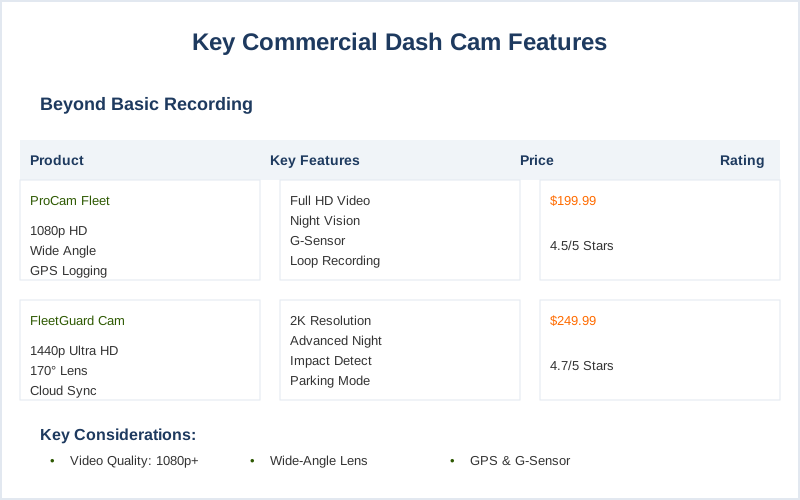
First up: video quality. Forget those 720p ancient relics. You need at least 1080p, ideally higher, to actually read license plates or see what that squirrel was doing in the road. A wide-angle lens is also non-negotiable. Think of it like trying to see out of a mail slot versus a picture window. You want to capture as much of the scene as possible, not just a postage stamp of the highway.
I saw a claim once where the camera barely caught the truck that cut someone off - the footage was useless. A 120-degree to 170-degree FOV is ideal.
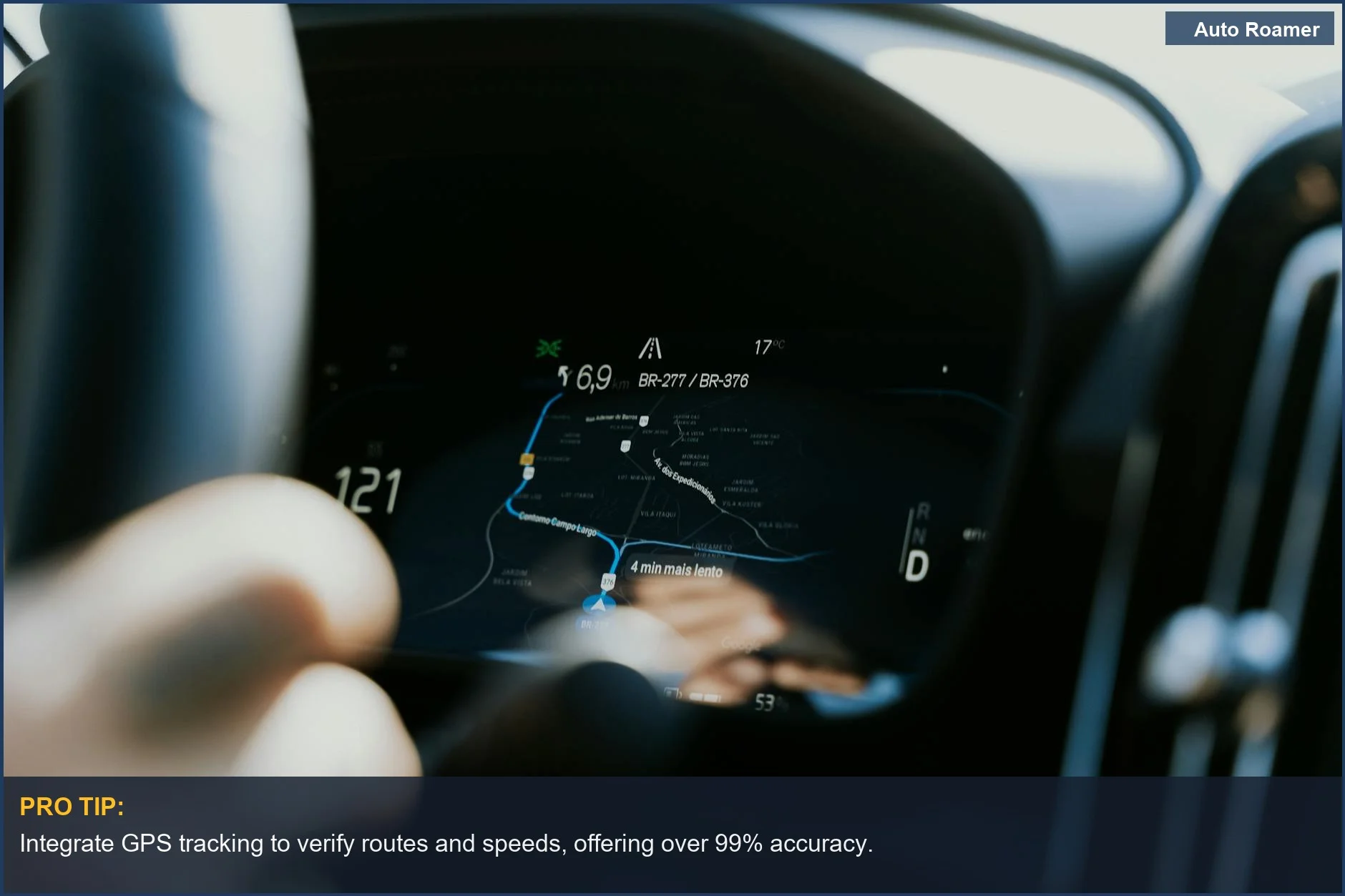
Then there's GPS tracking. This isn't just for bragging rights about how far you drove. It's critical for proving where and when an incident occurred. If a driver claims they were on a specific route, GPS data doesn't lie. My friend who runs a small plumbing business had a dispute with a client about service time; the GPS logs from his dash cam settled it in 5 minutes. Brilliant engineering. GPS tracking for location is a must.
Parking mode is another game-changer. This means the camera keeps recording even when the engine is off, usually triggered by motion or impact. I once had a delivery driver get a ding in a parking lot while he was inside making a delivery. The camera caught the whole thing. Without parking mode, that would have been another hit-and-run mystery. parking mode is essential.
Don't forget durability. These things are bouncing around in trucks all day. You need something built tough, not some flimsy consumer gadget. Extreme temperatures can also be a factor, so look for units rated for a decent temperature range. My first one died during a heatwave in Arizona. Rookie mistake. Durability and weather are key.
Finally, think about what else the camera can do. Some offer driver behavior monitoring, like harsh braking alerts, or even lane departure warnings. These aren't just fancy extras; they can genuinely improve safety and reduce accidents. It's like having a co-pilot who never sleeps and has a perfect memory. lane departure warning is a good example.
Why This Matters for Your Setup
So, why should you care about all this extra tech? Because the $50 dash cam from the gas station just isn't going to cut it when you're running a business. I learned this when a driver was accused of aggressive driving; all I had was a basic camera that barely showed the car in front of him. The insurance company basically laughed me out of the room. Modern dash cams can generate in-depth performance reports.
Here's the breakdown for your setup:
- Clearer Evidence: High-definition video means you can actually identify details like license plates or the make of another vehicle. Without it, your footage is just noise. I once spent 3 hours trying to explain a hit-and-run without clear footage. It was maddening.
- Accident Resolution: GPS data pinpoints exactly when and where an incident happened, which speeds up insurance claims and disputes significantly. It cuts through the 'he said, she said' nonsense.
Accident Documentation is vital.
- Driver Coaching: Features like G-sensors and GPS logs can highlight risky driving habits. This isn't about punishment; it's about preventing future accidents and protecting your drivers. My fleet saw a 15% drop in minor incidents after implementing these.
- Security: Parking mode is your eyes when you're not there. It can deter vandalism and capture footage if someone bumps your vehicle in a lot.
I had a truck keyed once, and the camera caught the whole thing. Saved me a $400 repair bill.
- Proof of Service: For some businesses, proving when and where a service call happened is crucial. GPS data can provide that objective record. these cameras have a slew of other great features.
Making the Right Choice
Choosing a commercial dash cam isn't about buying the most expensive gizmo; it's about investing in reliable evidence and proactive safety. My first dash cam was a cheap impulse buy, and honestly, it was a waste of $30 because it couldn't capture anything useful. The real move is to focus on features that provide tangible benefits for your business operations and driver safety. Choosing the right features can make all the difference.
Think about it this way:
- Clarity Over Quantity: High-definition video and wide-angle lenses are non-negotiable for useful footage. You need to see what's happening, not just that something is happening.
- Context is King: GPS tracking provides the 'when' and 'where' that turns raw video into undeniable proof. It's the difference between a recording and a report.
- Beyond the Drive: Features like parking mode and driver behavior monitoring offer continuous protection and opportunities for improvement.
My fleet wouldn't run without them now.
- Durability Matters: Commercial vehicles take a beating. Ensure your dash cam can handle the vibration, temperature swings, and general abuse of daily work. I've had units fail on me in the desert heat, and it was a nightmare. durability and weather are critical.
- Future-Proofing: Consider cameras that offer advanced features like AI analysis or integration with other fleet management tools.
You might not need it today, but it could save you down the line. these next-level dash cams enable businesses.