The Big Picture
Choosing the right microSD card for your dash cam isn't rocket science, but it's definitely more than just grabbing the cheapest one you see. Think of it like picking the right sleeping bag for a mountain trip; the wrong choice means a miserable night and potentially missing important footage when you need it most. I learned this the hard way after a card failed on me during a fender bender in a parking lot.
The footage was gone, and so was my peace of mind. This is about getting the right storage so your dash cam is a reliable witness, not a paperweight.
The Core Answer
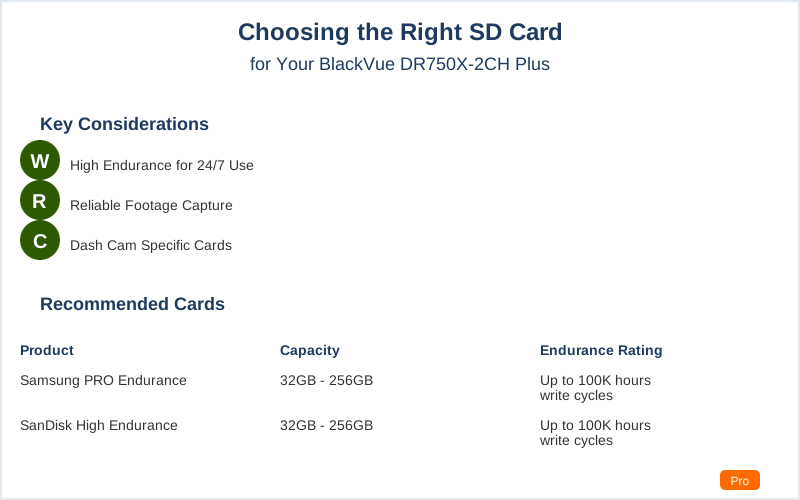
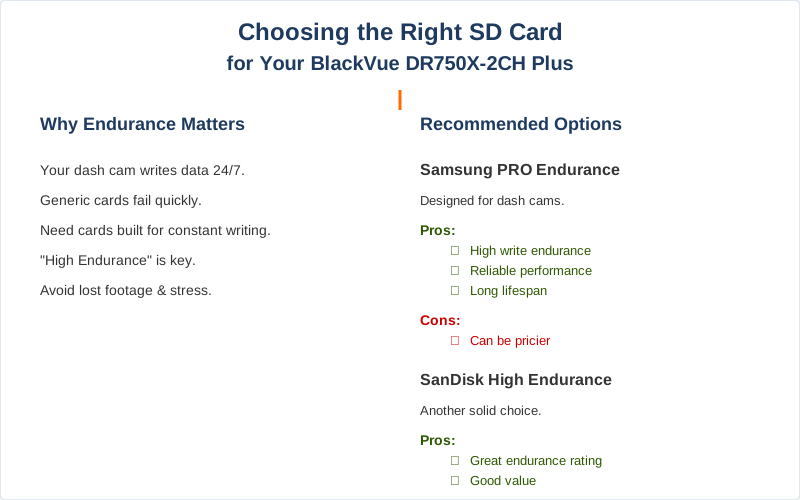
Alright, let's cut to the chase. Your dash cam is constantly writing data, over and over, to that little microSD card. It's not like a regular camera that takes a few hundred photos and then sits. This thing is working 24/7. That's why you need a card designed for 'high endurance.' The real move here is to look for cards specifically marketed for dash cams or surveillance systems.
These are built to handle thousands of hours of writing without throwing a fit.
Most generic cards, like the ones you might use for your phone or a regular digital camera, just aren't up to the task. They'll work for a while, sure, but eventually, they'll start throwing errors or just die. I had a cheap card in my first dash cam setup in my old Toyota Corolla, and after about six months of constant writing, it just stopped recording.
It was a rookie mistake, and the footage from a minor hit-and-run was lost forever. Brilliant engineering, those cards.
So, what actually works? The folks who live and breathe dash cams, the ones who have probably melted a few cards in their day, often point to specific types. Think Samsung PRO Endurance or SanDisk High Endurance. These aren't just fancy labels; they use better internal components designed to withstand constant write cycles.
I've seen forum posts where people have used these cards for over two years with zero issues, while others using generic cards are replacing them every few months. That's the kind of reliability you need.
Capacity is another thing. While a 32GB card might seem fine, your dash cam might be recording in high definition, and that eats up space fast.
For a dual-channel system like the DR750X-2CH Plus, which records front and rear, you'll want at least 128GB to get a decent amount of footage before it starts overwriting the oldest stuff. I once crammed a 64GB card into a system, and it was constantly overwriting events I wanted to keep just a few days later.
The honest version: more space means less worry about losing what matters.
What nobody tells beginners is that even the 'high endurance' cards have a lifespan. They're rated for a certain number of terabytes written (TBW). For a 128GB card, you might see ratings around 100TBW or more. That sounds like a lot, and it is, but it means that eventually, the card will wear out.
For most daily drivers, this takes years, but it's good to know it's not a permanent fix. My current setup has a 128GB card, and after two years, it's still going strong, but I keep an eye on it. this Reddit thread mentions the Samsung Pro Endurance specifically. This Whirlpool forum post also talks about lower capacity cards wearing out faster due to constant writing.
Why This Matters for Your Setup
This isn't just about buying a piece of plastic; it's about ensuring your dash cam is actually doing its job. When a card fails, you lose your evidence. That's a big deal if you're ever in an accident or witness something important.
- Don't be that person: I've seen too many horror stories online where someone's dash cam failed because of a cheap SD card. They missed out on crucial footage for an insurance claim, or worse, couldn't prove their innocence.
The $50 version of an SD card might save you money upfront, but it can cost you way more down the line.
- Check your footage regularly: It's not a set-it-and-forget-it deal. Pull the card out every few months, pop it into your computer using a card reader, and make sure it's still recording and that the files are accessible. Use the BlackVue Viewer software for this.
I learned this after realizing my camera had stopped recording for three days straight because the card was full and couldn't overwrite. That's a classic rookie mistake. This guide walks you through using their viewer.
- Formatting is your friend: Most dash cams have a format function built into the camera or the viewer software. It's a good idea to format the card periodically, maybe once every few months, to keep it clean and error-free.
Don't just delete files; a full format is better. I used to skip this step, thinking it was unnecessary. Then my card started giving me write errors. Lesson learned. The BlackVue Viewer has a format option.
- Heat is the enemy: Cars get hot. Like, 'leave your phone on the dash and it shuts down' hot. Those little SD cards can suffer from heat too. High-endurance cards are usually better built to handle it, but extreme heat can shorten their lifespan.
I always make sure my dash cam isn't in direct sunlight if possible, especially on long road trips in the summer.
Making the Right Choice
- Go High Endurance: This is non-negotiable. Forget the bargain bin cards. You need something built for constant writing. The Samsung PRO Endurance or SanDisk High Endurance are your go-to options. I've seen people recommending these types on Tesla forums and dash cam communities alike.
- Capacity Matters: For a dual-channel system like the DR750X-2CH Plus, aim for at least 128GB. This gives you enough recording time before it starts overwriting footage.
My old 32GB card was a joke for daily driving.
- Don't Fear the Format: Regularly formatting your card using the dash cam's built-in function or the BlackVue Viewer software is crucial for maintaining performance and preventing errors. It's like giving your card a fresh start.
- It's an Investment: Think of the SD card as part of the dash cam system. A cheap card is like putting bald tires on a sports car. You're compromising the whole setup for a few bucks saved.
The peace of mind and reliable footage are worth the extra cost.
- Check Compatibility: While most modern high-endurance cards work, it's always worth a quick check of the dash cam manufacturer's recommendations. BlackVue themselves offer specific cards, but you don't have to buy theirs if you find a comparable high-endurance option from a reputable brand.