The Short Version
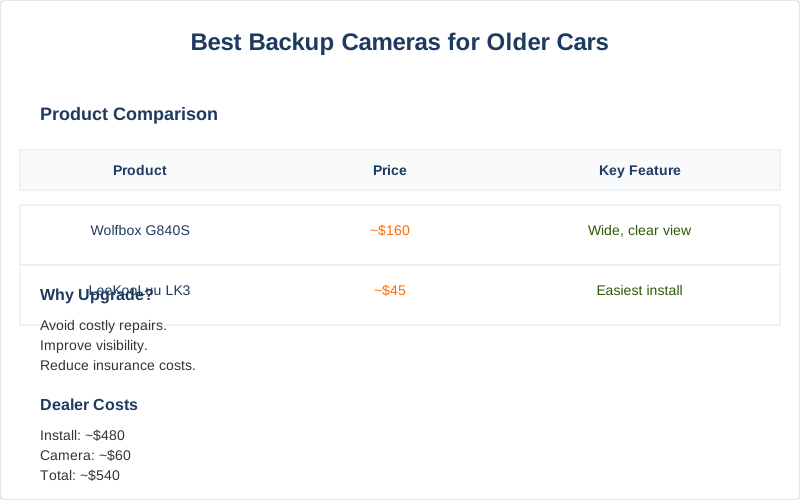
The dealer quoted my buddy $480 to install a backup camera on his 2017 F-150. This truck already had the wiring harness, just no camera from the factory. That's a 30-minute job if you know what you're doing, and the camera itself costs about $60. They wanted to charge him 700% markup on labor and parts. Absolute highway robbery for something that prevents a parking lot fender bender.
Car and Driver's experts agree: aftermarket is the way to go for older rigs.
Before 2018, backup cameras weren't mandated in every new vehicle. So, if you're running an older model, you're backing blind. That's a lot of unnecessary strain on your neck and your bumper's paint job. A simple aftermarket camera can save you hundreds in bodywork and insurance hikes.
I've seen more cracked taillights from poor visibility than I can count.
A cheap camera is better than no camera. The physics is simple: wider field of view, less chance of impact. It's not rocket science, it's basic collision avoidance. Don't let some dealership fleece you for a simple upgrade. Pickup Truck Talk points out that even a basic dash cam can save your bacon; a backup camera is just another layer of protection. This isn't about luxury; it's about minimizing mechanical stress on your vehicle and its surroundings.
Quick Verdict
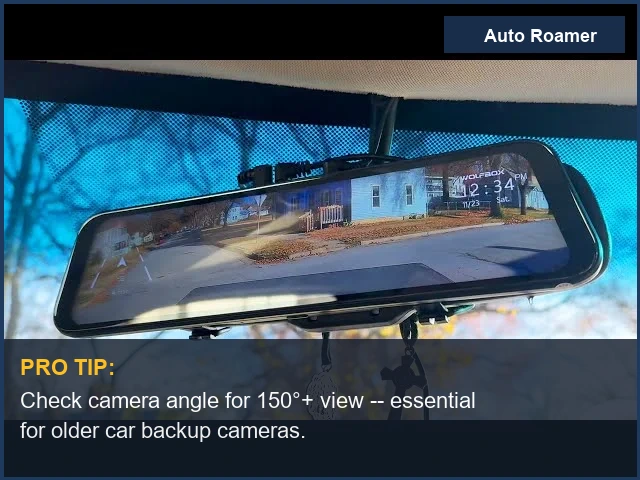
- Best Overall: Wolfbox G840S (~$160) - This mirror-mounted unit is solid. The G840S gives you a wide, clear view, day or night. It's less about fancy features and more about reliable image quality. My go-to for a no-fuss install that actually works. Crutchfield also lists it as a top contender.
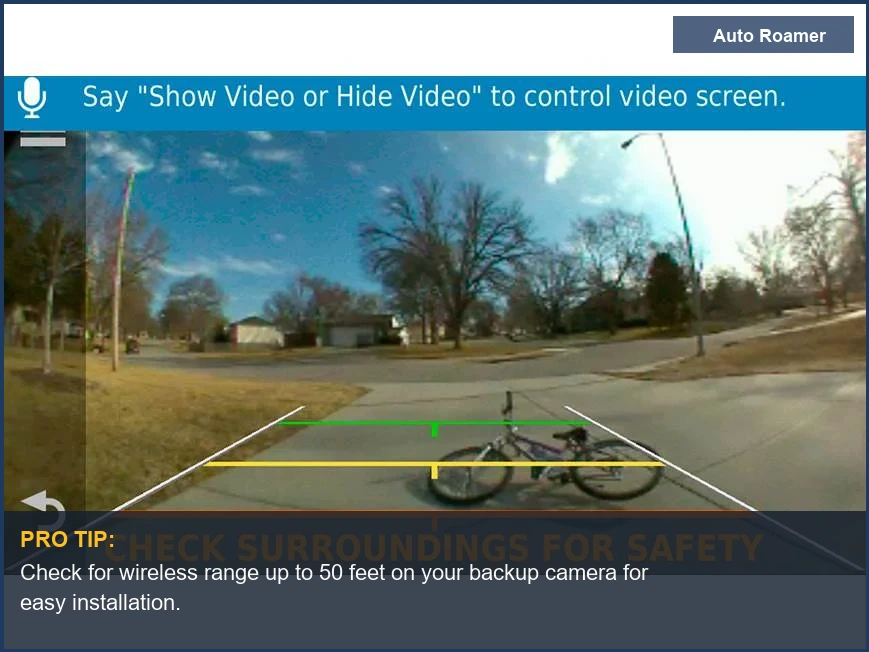
- Easiest Install: LeeKooLuu LK3 (~$45) - If you're allergic to wiring, this is your huckleberry. License plate mount, minimal fuss. The wireless signal holds up surprisingly well for basic parking maneuvers. Just don't expect 4K resolution at this price point.
- Truly Wireless (Battery Powered): EWay W7 (~$80) - No hardwiring needed, just charge it up. Great for trailers or temporary setups. The battery life is decent for intermittent use, but you'll be cycling it on and off.
- Best Ultra-Wide Angle: Garmin BC40 (~$150) - If you need to see everything, this is it. The 160-degree field of view is impressive. Syncs with a compatible Garmin GPS display. It's a bit more specialized, but the image quality is crisp. Reddit users often recommend Garmin for its robust wireless connection.
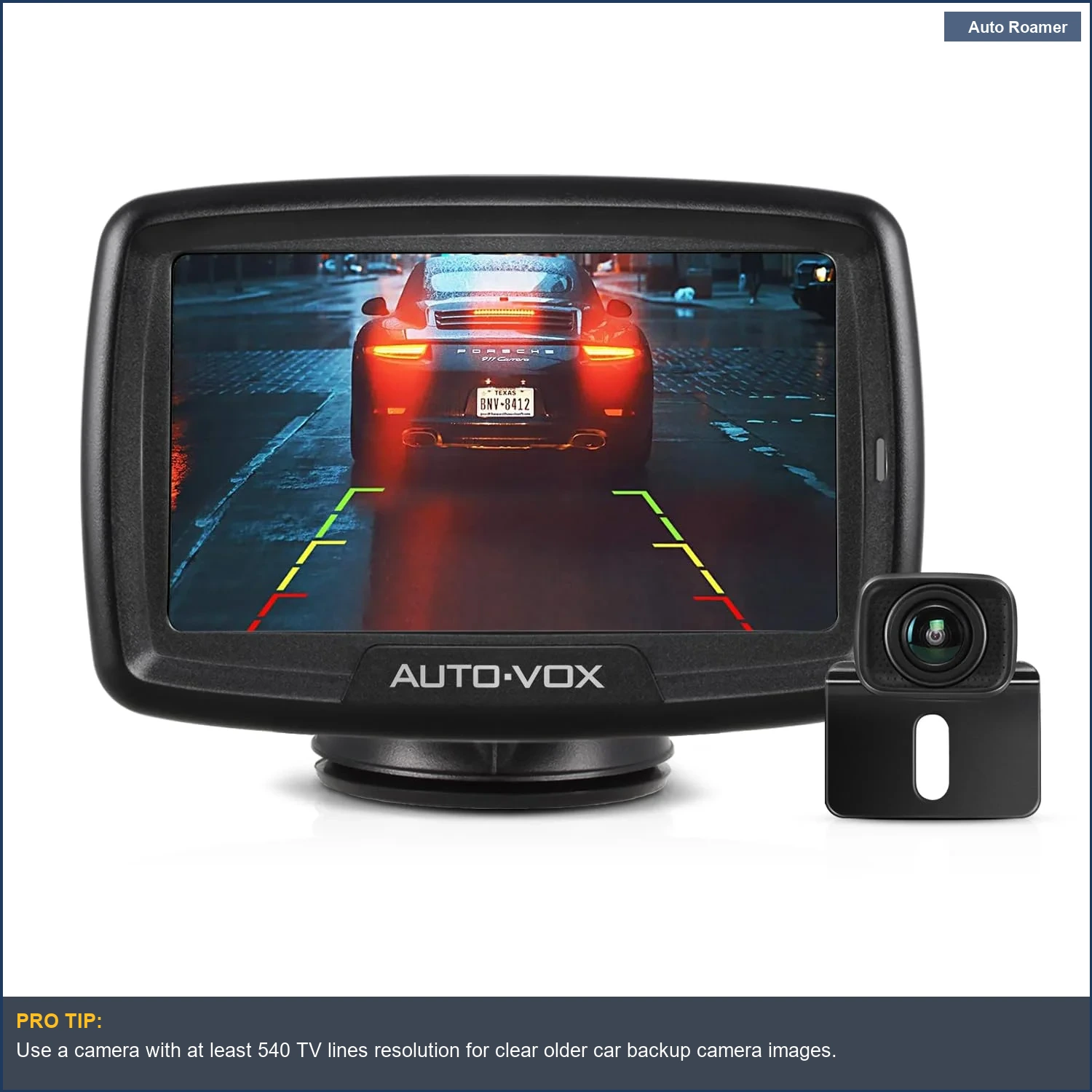
- Best Budget Wired: AUTO-VOX CS-2 (~$100) - Wired connection means zero signal drop. This is crucial for consistent image feed. The install takes a bit more effort, running the cable, but the reliability pays off in reduced failure-rate. No thermal cycling issues with a hard line.
- Best Mirror Replacement: Pyle PLCM7500 (~$70) - Replaces your entire rearview mirror. This cleans up the dash clutter. The display is integrated, which means one less thing to mount. Just make sure the mirror's clamp load is sufficient for your existing mirror stem.
What to Look For
| Feature | Why It Matters (Dirtbag Engineer's View) |
|---|---|
| Resolution (e.g., 720p, 1080p) | Higher pixel count means better detail. 1080p minimizes interpolation artifacts, so you can actually tell a curb from a cat. Crucial for judging distances and avoiding mechanical impact.
This YouTube guide explains resolution well. |
| Field of View (e.g., 120-170 degrees) | Wider angle means less blind spots. You want to see the whole parking space, not just directly behind the bumper. Prevents shear forces on body panels from unseen obstacles. |
| Wired vs. Wireless | Wired: Zero latency, no signal drop.
Reliable circuit integrity. Wireless: Easier install, but susceptible to RF interference and signal degradation. Mechanical stress on wireless components from vibration can cause intermittent connection. |
| Night Vision | IR LEDs or low-light sensors. Crucial for seeing in dim parking lots. Prevents impact damage when ambient light is low.
Without it, you're guessing, which is a poor engineering strategy. |
| Mounting Location | License plate frame, flush mount, or mirror display. License plate is easiest, but can be knocked. Flush mount is cleaner, but requires drilling. Mirror mount minimizes dash clutter. Consider the mechanical bond and vibration resistance.
Texas Diamond Garage emphasizes robust mounting. |
| IP Rating (e.g., IP67, IP68) | Ingress Protection. IP67 means dust-tight and submersible up to 1 meter for 30 minutes. IP68 is better. Prevents moisture intrusion and corrosion on circuit boards, which leads to premature electrical failure. |
Don't skimp on the IP rating. Water ingress is a killer for any exposed electronics.
That little rubber gasket is the only thing between your camera's circuit board and a short circuit from road spray. You want a robust seal against thermal cycling that causes plastic to expand and contract, creating micro-cracks.
Our Top Picks for Reliable Performance
Our Top Picks for Reliable Performance
Wolfbox G840S (~$160)4K front, 1080p rear, 12-inch touchscreen mirror. This thing is a full rearview mirror replacement. It uses a Starvis 2 sensor, which means decent low-light performance. Car and Driver rated it best overall.
Pros: Excellent image quality, wide view, minimal dash clutter, continuous recording. The mechanical stress on your existing mirror mount is the main concern here.
Cons: Pricey, requires running two cables (front cam power, rear cam signal). The rear cam cable can be a pain to route cleanly.
Best For: Anyone wanting a complete visual upgrade, especially if your current mirror is garbage. It's an over-engineered solution for a common problem.
LeeKooLuu LK3 (~$45)
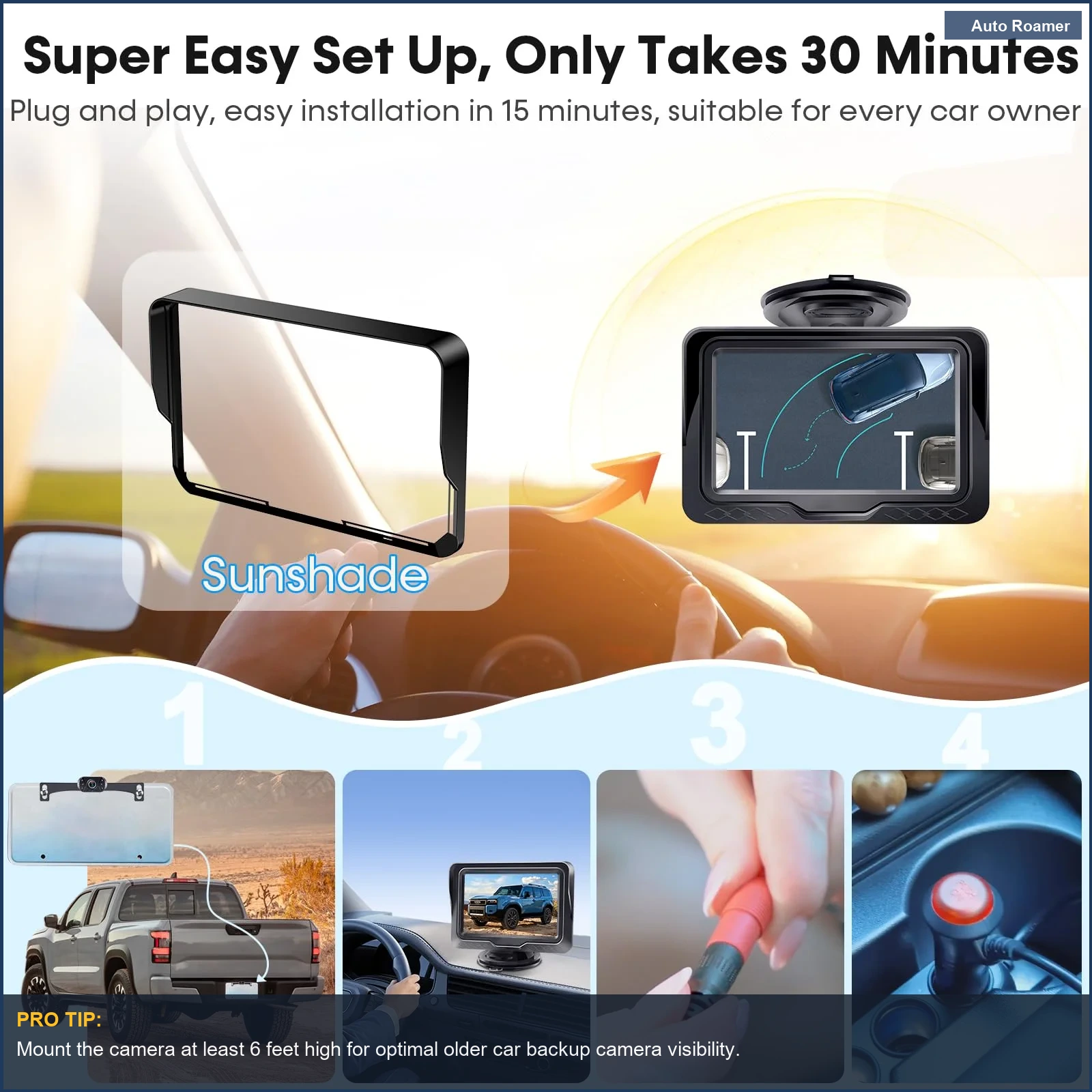
720p, license plate mount, 4.3-inch monitor. This is the definition of a dirtbag engineer's fix. Simple, effective, cheap. Crutchfield calls it the easiest to mount.
Pros: Easiest installation, truly wireless video signal, low cost. The monitor suction cup is surprisingly robust against vibration.
Cons: Lower resolution, wireless signal can occasionally drop (failure-rate is higher than wired), monitor takes up dash space. The plastic mounting tabs have limited fatigue life.
Best For: Minimalists, renters, or anyone who needs a backup camera for less than a tank of gas. It's a 30-minute install, tops.
EWay W7 (~$80)
720p, magnetic mount, 5-inch monitor, rechargeable battery. This is the ultimate temporary solution. No wiring needed for the camera itself.
Pros: Zero hardwiring for the camera, portable, good for trailers or multiple vehicles. Magnetic bond is surprisingly strong on a clean metal surface.
Cons: Battery life is limited (around 5 hours continuous), lower resolution, magnetic mount can slip on dirty surfaces. You'll be charging this thing more often than you think.
Best For: Towing, occasional use, or if you refuse to drill a single hole in your vehicle. Just don't forget to charge it.
Garmin BC40 (~$150)
720p, 160-degree wide angle, integrates with Garmin GPS. This is a specialized unit for Garmin users. Car and Driver notes its ultra-wide angle.
Pros: Seamless integration with existing Garmin devices, excellent wide-angle view, robust wireless connection. The bracket is designed for minimal vibration.
Cons: Requires a compatible Garmin device for display, battery-powered (rechargeable, but still finite). You're tied into the Garmin ecosystem.
Best For: Garmin GPS owners who want to expand their system. The tactile feedback on the Garmin display is a plus.
AUTO-VOX CS-2 (~$100)
720p, wired connection, 4.3-inch monitor. This is a workhorse wired unit. No signal issues, ever. CarAudioNow praises its reliability.
Pros: Rock-solid wired connection (no lag, no interference), decent image quality, IP68 waterproof rating. The cable sheathing is thick, resisting abrasion.
Cons: Requires running a cable from rear to front, which is the most time-consuming part of the install. This means more mechanical stress during routing.
Best For: Those prioritizing absolute reliability over ease of installation. If you want it to work every single time, this is it.
Pyle PLCM7500 (~$70)
480p, mirror-mounted display, wired connection. This replaces your existing rearview mirror with a display. Wirecutter mentions similar mirror-mounted options for dash cams.
Pros: Integrated display, cleans up the dash, usually a more stable mount than suction cups. The display is bright enough to be useful.
Cons: Lower resolution, can be reflective in bright sunlight, replacement mirror might not fit all vehicles perfectly without shims. The clamp load on some mirrors can be iffy.
Best For: Drivers who hate clutter and want a factory-like integrated look without paying factory prices. Just check your mirror stem diameter first.
Head-to-Head Comparison
| Feature | Wolfbox G840S (Premium) | LeeKooLuu LK3 (Budget) |
|---|---|---|
| Resolution | 4K front, 1080p rear | 720p rear |
| Display Size | 12-inch mirror screen | 4.3-inch suction cup monitor |
| Connectivity | Wired camera, wireless app | Wireless video signal (2.4GHz) |
| Installation Difficulty | Medium (cable routing) | Easy (license plate mount) |
| Night Vision | Excellent (Starvis 2 sensor) | Decent (basic IR LEDs) |
| Cost | ~$160 | ~$45 |
The Wolfbox G840S offers superior image clarity and a larger display.
This means better object recognition and reduced eye strain. The wired camera connection ensures signal integrity, eliminating dropped frames due to RF interference. YouTube comparisons often highlight the difference in resolution.
The LeeKooLuu LK3, on the other hand, prioritizes ease of installation. The wireless video signal reduces mechanical stress from cable routing, but introduces potential electromagnetic interference. Its lower resolution means less detailed images, increasing the chance of misjudging small obstacles.
It's a trade-off between installation effort and visual data quality. Forum discussions often debate the reliability of wireless systems.
Budget vs Premium: Where Your Money Actually Goes
| Feature | Budget (~$40-$80) | Premium (~$100-$200+) |
|---|---|---|
| Image Sensor | Basic CMOS, lower light sensitivity. Expect more noise in dim conditions. | Sony Starvis or similar.
Superior low-light performance, less noise, better dynamic range. This directly impacts visibility. |
| Lens Quality | Plastic elements, prone to chromatic aberration and thermal cycling distortion. The focal plane can shift with temperature. | Glass elements, multi-coated. Better light transmission, less distortion.
Maintains optical spec sheet performance across temperature ranges. |
| Weather Sealing (IP Rating) | Often IP67, minimal gasket material. Outgassing from cheap plastics can degrade seals over time. | IP68 or better, robust silicone gaskets, sealed connectors. Designed for long-term resistance to water ingress and thermal expansion.
ZDNET notes the importance of weather resistance. |
| Wiring/Connectors | Thin gauge wire, basic RCA connectors. Poor strain relief, prone to fatigue failure from vibration. | Thicker gauge, shielded cables, robust locking connectors. High-quality insulation resists thermal cycling and abrasion.
ZDNET also highlights connectivity. |
| Display Technology | TFT LCD, lower contrast, poor viewing angles. Can wash out in direct sunlight. | IPS LCD, higher contrast, wide viewing angles, anti-glare coatings. Better visibility under varied lighting conditions. |
The extra cash in premium models buys you better component quality. This translates directly to improved durability and performance.
A cheap plastic lens will scratch, fog, and distort sooner than a glass one. Thermal cycling takes its toll.
The difference isn't just about 'features,' it's about the fundamental material properties and manufacturing tolerances. You're paying for a lower failure-rate and consistent performance in harsh environments. That's why I lean towards wired solutions when possible, for circuit integrity.
The Bottom Line
- Prioritize Reliability: For a backup camera, consistency is key. A wired system will always beat wireless for signal integrity. No dropped frames when you're 2 inches from a pole.
- Consider the Environment: If your car lives in extreme cold or heat, invest in a camera with a good IP rating and quality lens materials. Cheap plastic will crack and fog. Thermal expansion and contraction are real forces.
- Installation Matters: A poorly installed camera is a broken camera.
Secure mounts, proper cable routing to prevent abrasion, and good electrical connections are non-negotiable. Don't let a loose wire vibrate itself to an open circuit.
- DIY Saves Cash: Dealers will charge you $150-$200 an hour for labor. Most of these installs are basic 12V wiring and fishing a cable. You can save at least $200 by doing it yourself with basic tools.
CNET often covers DIY potential for car tech.
- It's Not Just for Parking: A good backup camera reduces neck strain and gives you a better view of merging traffic from a parking spot. It's a functional upgrade that improves your overall driving awareness, not just a gadget.
Ultimately, choose a camera that minimizes potential failure points. Look for robust construction, good weather sealing, and a stable connection.
It's about reducing mechanical stress on your vehicle and improving your visual input, not just adding another screen to your dash. Don't be fooled by flashy marketing; dig into the spec sheet.