
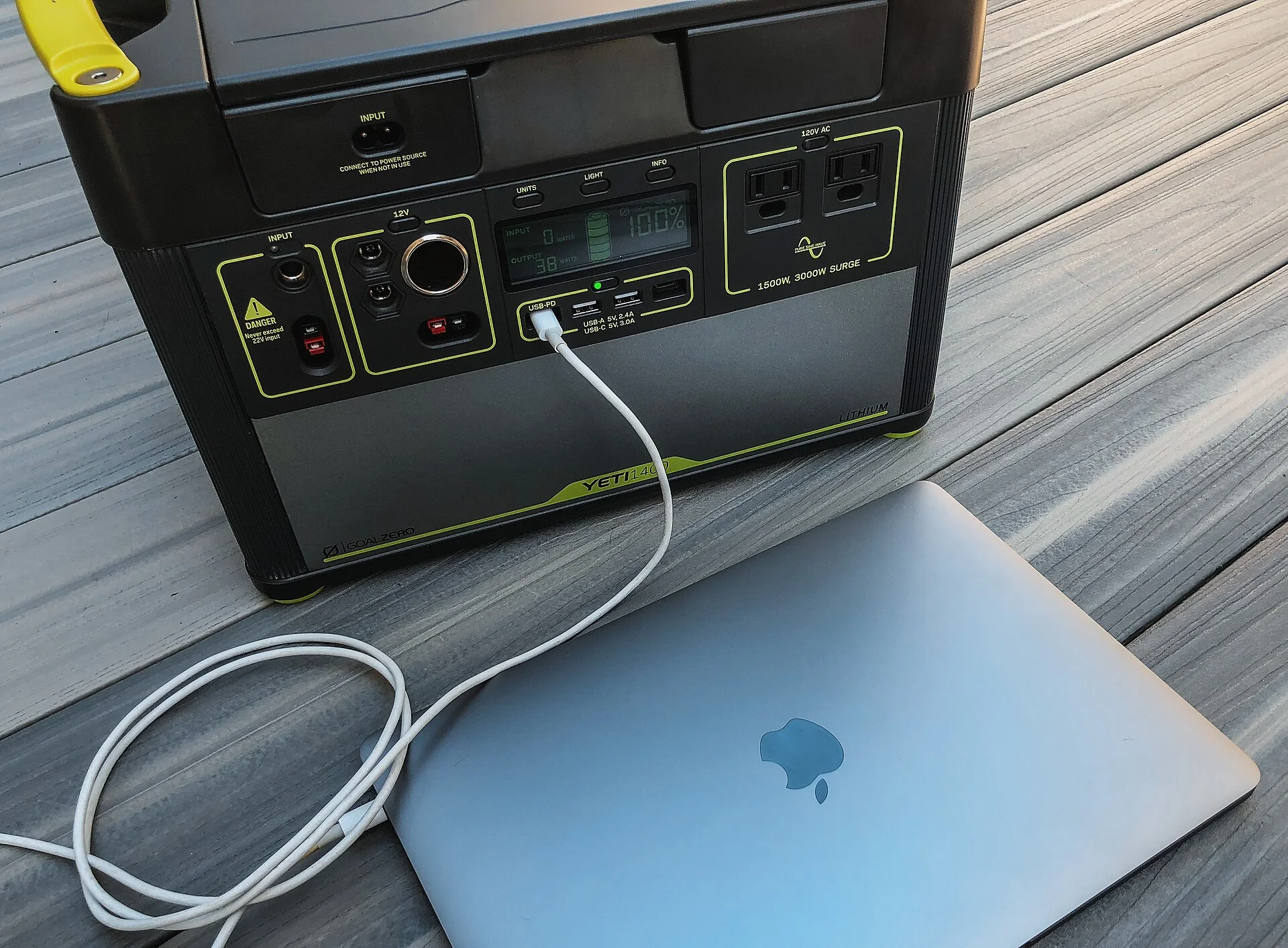
Before you assume it's bricked, it's probably protecting itself
You press the power button on your portable power station and nothing happens. Or it turns on fine, you plug in the wall charger, and the battery percentage just sits there and won't charge. After spending a few hundred dollars on a unit you were counting on for a trip, the instinct is to assume it died. In the large majority of cases, it didn't. What you are almost always looking at is the battery-management system — the protection brain inside every lithium power station — deliberately refusing to power on or charge to keep the cells safe.
That distinction changes everything about how you fix it. A power station is not a simple battery with a switch; it is a managed pack that will shut itself down or block charging the moment a condition falls outside a safe window. The single most common reason a unit appears dead is that it was run all the way flat and went into a deep over-discharge sleep to protect the battery. The next most common isn't a fault at all: a brand-new unit shipped in transport mode, a battery that's simply too cold or too hot to accept a charge, or AC outlets that switched themselves off because the thing you plugged in draws almost no power.
One note up front, in plain honesty: I haven't opened your specific unit on a bench to write this. What follows is how a portable power station's battery-management system, charge inputs, and auto-shutoff logic actually work — drawn from the major makers' owner manuals and support guidance and from how lithium packs behave in general — so you can match your exact symptom to the right fix instead of shipping a working unit back. We'll go cause by cause, easiest first, and finish with a lookup table that points your symptom at its fix.
How a power station's protection brain actually works
To diagnose a dead-seeming unit you only need a clear picture of what's inside. A portable power station is three systems stacked together: a lithium battery pack (usually LiFePO4, sometimes NMC), a battery-management system (BMS) that watches and protects that pack, and the output electronics — an inverter for the AC outlets, plus regulators for the USB and 12V DC ports. The BMS sits between the cells and everything else, and it has the authority to cut the connection in either direction: it will stop the pack from discharging, and it will stop the pack from charging, whenever it sees a condition it's built to guard against.
Those guarded conditions are the whole story of this article. The BMS will disconnect whenever it sees one of these:
- Over-discharge — the pack voltage dropped too low.
- Over-charge — the pack is full.
- Over-current or a short — too much current is being pulled at once.
- Temperature — the pack is too cold or too hot to charge safely.
Lithium chemistry has hard limits on the temperature at which it can safely accept a charge, so a BMS will flatly refuse to charge a battery that is below freezing or above its hot limit, even though the unit looks fine and the charger is plugged in. None of that is a malfunction. It is the protection working exactly as designed, and recognizing it as protection rather than failure is what tells you to satisfy the condition rather than replace the box.
The output side adds its own logic. The inverter that feeds the AC outlets is itself a power draw, so most units only switch it on when you press the AC button, and many switch it back off automatically if the connected load is tiny — a safeguard against leaving an empty inverter humming all night. Knowing that the AC, DC, and USB sections are each switched, and that the BMS overrides all of them, is the mental model that makes every symptom below readable.
It won't turn on: the power button, wake behavior, and a sleeping unit
Start with the simplest version of "won't turn on." Most power stations don't power up on a quick tap; they want a deliberate press-and-hold, often a full one to three seconds, to avoid switching on by accident in a bag. If a short press does nothing, hold the button firmly and watch the screen for any flicker. A display that flashes once and dies, or shows a very low or zero percentage, is telling you the battery is flat rather than the button being broken.
The next layer is sleep. To avoid wasting energy, units put their screen and electronics into a low-power standby after a period of inactivity, and a unit that has sat in a closet for months may be in a deeper sleep still. A normal standby wakes with a button press. A unit that has self-discharged over long storage may have dropped low enough that the BMS has parked it — and then the button alone won't bring it back, because the protection has already cut the pack to stop it draining further. That is the over-discharge case, and it has its own section next, because the fix is to feed it power, not to keep pressing the button.
Before you go further, rule out the dumbest culprit: the screen, not the unit, can be the thing that's "off." Some models dim or blank the display while the unit is still alive and delivering power; check whether a USB device actually charges even with a dark screen. And if the unit only works while the wall charger is connected and dies the instant you unplug it, that's a genuinely depleted or failing pack, which is the one symptom on this page that points toward service rather than a driveway fix.
The number-one cause: a deep over-discharge put it to sleep
If your unit ran all the way to zero — or sat unused for months and slowly self-discharged — the most likely reason it won't turn on is that the BMS took the battery offline to protect it from over-discharge. When a lithium cell's voltage falls below a safe floor, holding it there (or pulling it lower) damages the cell, so the management system disconnects the pack and effectively plays dead. Press the power button and you get nothing, because the part that would respond has been intentionally cut off.
The fix for the great majority of these is simple and worth trying before anything else.
Plug the unit into its AC wall charger and leave it alone — then be patient.
The charge input is wired to reach the BMS even when the pack is parked, so applying external power is what wakes the protection and lets it begin a careful recovery charge. Be patient. A deeply discharged unit may show no display and no lights for several minutes — sometimes longer — before it acknowledges the charger and the screen comes back. Don't conclude it's dead because nothing happens in the first thirty seconds.
A few makers add a specific revival step for a unit that's been flat a long time: hold the power button (or a button combination) for several seconds while the charger is connected, or leave it on the charger overnight to let it trickle back above the wake threshold. Check your model's manual for the exact gesture. The reason this whole situation is preventable matters too: lithium packs lose a little charge every month in storage, so a unit left at a low state of charge can self-discharge into this sleep over a winter. Storing it around half full and topping it up every few months keeps it from ever parking itself, a habit worth building if you care about long-term power station battery life.
It won't charge because it's too cold or too hot
Here's the cause that catches the most people off guard: the unit turns on, the charger is plugged in, the input looks connected — and the battery still won't charge, because it is outside its safe charging temperature. Lithium chemistry cannot safely accept a charge when it's too cold; pushing current into a near-freezing lithium cell plates metallic lithium and permanently damages it, so the BMS simply refuses. LiFePO4 packs, the type in most modern stations, typically won't charge below roughly freezing (0°C / 32°F), and many block charging a little above that to stay safe. The unit isn't broken; it's declining to hurt itself.
The hot end has the same logic. Leave a power station baking in a sealed car, or run it hard and then immediately try to charge it, and an over-temperature cut-off can block charging until the pack cools. Heat is also genuinely bad for lithium longevity, which is its own reason to keep a unit out of a hot car — we cover the risks of leaving a power station in a hot car separately, but for charging purposes the short version is that a too-hot pack waits until it's back in range.
The fix is patience and a better location. Bring a cold unit indoors and let it warm to room temperature before expecting it to charge; bring a hot one into shade or air conditioning and let it cool. Don't try to force it. Some higher-end units include internal heating or temperature-managed charging to widen the window, but the safe rule for everyone is to charge the battery at comfortable room temperature. If your unit refuses to charge outdoors in winter but charges fine once it's been inside for an hour, you didn't fix anything — you just gave the BMS the temperature it was waiting for.
A brand-new unit that's dead out of the box: transport mode
If the unit is new and won't turn on the moment you unbox it, don't return it yet. Many power stations ship in a transport or shipping mode — a deliberately dormant state the factory sets so the battery stays stable and inert during weeks of warehousing and freight. In that mode the unit ignores a normal button press because, as far as it's concerned, it hasn't been activated for use yet. People unbox a perfectly good unit, get nothing, and assume they received a dud.
Waking it is usually trivial once you know the trick, and the trick varies by maker. The two common activations are a long press-and-hold of the power button (longer than the normal on gesture), or simply plugging it into the AC wall charger, which the unit treats as the signal that it has arrived and should come alive. A few models use a specific button combination. The owner's manual or quick-start card states the exact one for your unit, and it's worth reading that single line before deciding the box is broken.
The same dormant behavior can reappear after you store the unit for a long time, because a deep sleep and a transport mode look identical from the outside: a unit that won't respond to the button. The practical response is the same in both cases — connect the AC charger and give it a few minutes — which is why "plug it in and wait" is such a reliable first move across almost every won't-turn-on complaint.
It won't charge from the wall: input port, cable, and charge-rate switch
When a unit powers on but won't take a wall charge, work through the input the same way you'd trace any dead circuit. Start at the source: confirm the wall outlet is live with another device, then confirm the brick or built-in charger is the right one for this unit — a mismatched or third-party adapter can be the wrong voltage and simply won't be accepted. Many stations charge through a dedicated AC-input port that is not the same as the AC output sockets; plug the charger into the labeled input, not an outlet.
Then suspect the cable and the connection itself.
- A barrel plug or input connector that's loose, bent, or dirty makes intermittent contact, so the unit charges only at a certain angle or not at all — reseat it firmly.
- Try a different known-good cable if your model uses a detachable one.
- Look at the port for debris or a damaged pin.
If the screen shows an input of zero watts with the charger connected, the unit isn't seeing power coming in — that's a source, adapter, cable, or port problem, not a battery problem.
One feature trips up a lot of owners: the charge-speed switch. Some units have a physical slow/fast (or "quiet"/standard) charging switch, or an app setting that caps the input current; set to its slowest position the unit can look like it's barely charging or pause when warm. Check for such a switch or setting and put it where you expect. And remember that a unit near a temperature limit may show the charger connected yet hold the charge until it's back in range — so if the wall side all checks out, loop back to the temperature cause before blaming the hardware.
It won't charge from solar: the voltage window, polarity, and shade
Solar charging fails for a different and very specific set of reasons, and most of them are about the panel meeting the unit's input requirements rather than the unit being broken. Every power station's solar input has a working voltage window — a minimum it needs before its MPPT charge controller will engage, and a maximum it must never exceed. If your panel's output voltage in the real conditions you're in falls below that minimum, the controller never starts and you see zero solar input even in sunlight. This is why a small or partly shaded panel can show nothing while a larger one charges fine.
Shade is the quiet killer here.
Solar cells are wired in series within a panel, so a shadow across even part of the panel — a branch, a pole, the edge of your vehicle — can collapse the whole string's voltage below the unit's start threshold. Aim and placement matter more than people expect; our guide on how to angle a portable solar panel for the fastest charge explains why squaring the panel to the sun and clearing shadows can be the difference between zero and a real charge. If you're choosing a panel to begin with, matching it to your unit's window is the whole game — our solar panel for car camping roundup covers compatible options.
After voltage, check the basics: polarity and the connector. A reversed connection (positive and negative swapped, easy to do with adapter cables) means no charge and on some units a fault warning. Confirm the panel's connector matches the unit's solar input — many use XT60 or an MC4-to-XT60 adapter — and that any inline plug is fully seated. Finally, set expectations: panels rarely make their rated wattage in the field, so a "slow" solar charge is often normal physics, not a fault. Our explainer on how long a solar generator charge lasts puts realistic numbers to it. For wiring a panel cleanly to your unit, a solar charging cable with the right connector is the usual missing piece.
It turns on but the outlets are dead: the AC button and low-load shutoff
A surprising number of "my power station doesn't work" complaints are really "the outlets are off," and that's usually by design. The AC, DC, and USB sections are typically switched independently, each with its own button, because the inverter and regulators draw power themselves and the unit doesn't run them unless you ask. If your AC appliance gets nothing, the first check is whether you actually pressed the AC button and its indicator is lit — a powered-on unit with the AC section off will happily run a USB phone charger while every wall socket stays dead.
The second, sneakier cause is low-load auto-shutoff. To avoid wasting battery on an idle inverter, many units automatically switch the AC output back off if the connected load is below a threshold — often somewhere around the single-digit to low-tens of watts. Plug in something tiny, like a small charger, a low-watt light, or certain electric blankets, and the outlet powers up for a few seconds and then clicks off, looking like a fault. It isn't. The unit decided nothing meaningful was drawing power and stood the inverter down. Most units let you disable this auto-shutoff in the app or with a setting if you genuinely need to run a very-low-draw device.
Two more output gotchas:
- High-draw appliances — if the AC turns on but trips off the instant you start a kettle, heater, or compressor, that's over-load or surge protection, not a dead unit; the device exceeds the inverter's rating.
- Surge-assist — some units have a motor-startup surge feature that must be enabled.
None of this is the battery failing; it's the output logic doing its job, the same way a vehicle's cigarette-lighter inverter limits shape what you can run from a 12V socket.
Resetting the unit and updating its firmware
When the unit powers on but behaves strangely — a frozen display, an input or output that won't switch, a percentage that's clearly wrong, a phantom error — a reset is the right next move before assuming hardware failure. Like any small computer, the controller in a power station can occasionally lock up, and clearing it restores normal behavior. The mildest reset is simply turning the unit fully off and on again. If that doesn't clear it, most makers document a harder reset: holding the power button for an extended time, or a specific button combination, to force the electronics to restart.
If your unit pairs with a phone app, that's both a diagnostic tool and a fix. The app often shows the real reason for a refusal — a temperature warning, an over-load event, a specific error code — that the small on-unit screen doesn't spell out, which turns guessing into knowing. The app is also where you toggle the settings that cause apparent faults: the charge-rate cap, the low-load AC auto-shutoff, the standby timeout, and surge assist. Check those before deciding anything is broken.
Firmware matters more than you'd think. Manufacturers ship updates that fix exactly these kinds of charging quirks, false cut-offs, and display glitches, so a unit that misbehaves on old firmware can come right with an update applied through the app. Make a habit of updating when you set the unit up. And keep your expectations honest: a reset and a firmware update fix software-side misbehavior, not a genuinely worn-out battery — if the pack itself is degraded, no reset brings the capacity back.
How to diagnose a dead power station in ten minutes
Put the causes in order and the whole thing becomes a short, no-guessing routine. Work it top to bottom and stop when the unit comes back — most people are done within the first few steps.
- Press and hold the power button. A deliberate one-to-three-second hold, not a tap. Watch for any screen flicker that tells you it's alive but flat.
- Plug in the AC wall charger and wait. This is the universal first move: it wakes a unit that's in over-discharge sleep or transport mode. Give it several minutes — a deeply flat unit may show nothing at first — then look for the screen and an input wattage.
- Check the temperature. If the unit has been in the cold or the heat, bring it to room temperature and try charging again. A cold or hot battery will refuse to charge until it's back in range.
- Verify the input is being seen. With the charger connected, does the screen show input watts? Zero watts means a source, adapter, cable, or port problem; check the outlet, use the correct charger and input port, and reseat the cable.
- Check the section buttons. If it's on but an outlet is dead, confirm the AC (or DC/USB) button is pressed and lit, and rule out low-load auto-shutoff by plugging in something that draws real power.
- Reset and check the app. Power-cycle, then do the documented hard reset if needed. Open the app for the real error code and to clear any setting (charge cap, auto-shutoff) that's causing the symptom; update firmware while you're there.
The single most useful habit through all of this is to read what the unit is telling you: the displayed input and output wattage, the state of charge, and any error code separate a battery problem (won't wake, dies off the charger) from an input problem (zero input watts) from an output problem (outlet off or auto-shut). Most owners who think their unit is dead are actually looking at one of the protection states above, and naming which one is most of the fix.
Quick reference: match the symptom to the fix
Once you know a dead-seeming power station has only a handful of causes, diagnosing yours collapses into a short lookup. Find the row that matches and start with the fix beside it:
| What's happening | Most likely fix |
|---|---|
| Won't turn on at all, button does nothing | Plug in the AC charger and wait several minutes — it's likely in over-discharge sleep or transport mode. |
| Brand-new, dead out of the box | Transport (ship) mode — long-press the power button or connect the AC charger to activate it. |
| Turns on but won't charge, cold day or cold unit | Low-temperature cut-off — warm it to room temperature, then charge. |
| Turns on but won't charge after a hot car or heavy use | Over-temperature cut-off — let it cool, then charge; keep it out of hot cars. |
| Charger connected but screen shows zero input watts | Source, adapter, cable, or port issue — check the outlet, use the right charger and input port, reseat the cable. |
| Solar connected but no solar input in sun | Panel voltage below the MPPT start window or shaded — clear shade, aim the panel, check polarity and the connector. |
| On, but AC outlets are dead | Press the AC button (must be lit); if a small load clicks off after seconds, that's low-load auto-shutoff — disable it or use a bigger load. |
| AC trips off the instant a kettle/heater starts | Over-load — the appliance exceeds the inverter's rating; run a lower-watt device. |
| Frozen screen, phantom error, wrong percentage | Power-cycle, then do the hard reset; check the app for the error and update firmware. |
| Only works while plugged in, dies instantly when unplugged | Genuinely depleted or failing pack — the one symptom that points toward service. |
Run it from the top and most people land in the first four rows. The reason the table is short is that a power station has only a few things that can stop it: a protected battery, a temperature limit, a charge input, and a set of switched outputs — so there's no hidden cause to chase, just a question of which protection to satisfy first.
Plug it in, wait, and check the temperature — you'll usually fix it
A portable power station that won't turn on or charge looks like an expensive failure and almost never is one. In the large majority of cases it's a deep over-discharge that put the battery to sleep, a temperature cut-off blocking the charge, transport mode on a new unit, the wrong charge input or a loose cable, or outlets that switched themselves off — every one of which you can resolve yourself, usually with nothing more than a wall outlet and some patience.
Work it in order. Press and hold the button, plug in the AC charger and give it real time to wake, bring the unit to room temperature, confirm the input shows watts, and check that the right output section is switched on. The unit's own screen and app are your best instrument: the input and output wattage, state of charge, and any error code tell you whether you're looking at a battery, an input, or an output problem, which is most of the diagnosis.
The one symptom to take seriously is a unit that runs only while plugged in and dies the instant you unplug it — that points to a genuinely depleted or failing pack and a warranty conversation rather than a driveway fix. Short of that, a "dead" power station is one of the friendlier problems your gear will ever hand you: the protection brain is doing its job, and your job is just to give it the condition it's waiting for. If you're shopping for a unit that's easier to live with, our guide to the best portable power station for car camping calls out the models with the most forgiving charging and clearest displays.