First, the Basics
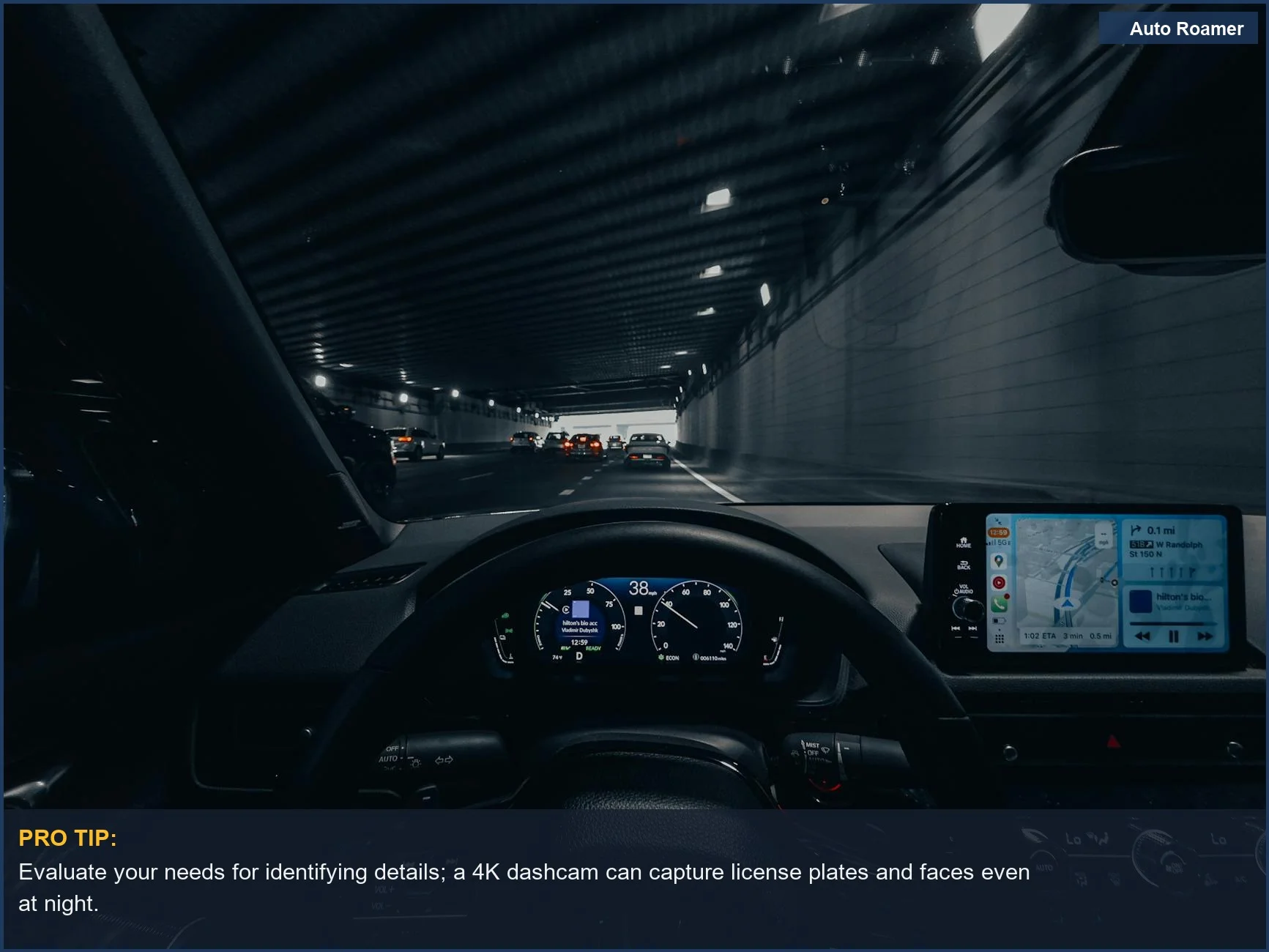
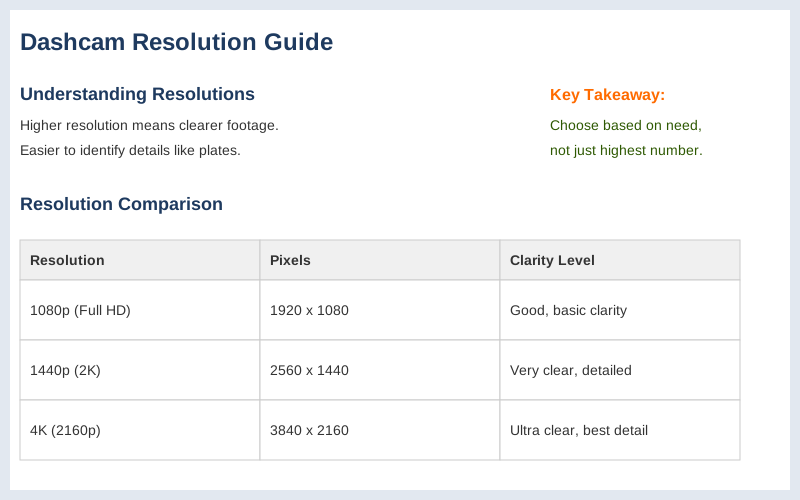
The resolution on your dashcam is basically how many tiny dots make up the picture. More dots mean a clearer image, which is handy if you need to prove a license plate number in a fender bender. The most common ones you'll see are 1080p, 2K (which is the same as 1440p), and 4K.
Each has its own deal, and picking the right one is less about chasing the highest number and more about what you actually need to see on the road. I learned this the hard way after a near-miss where my old dashcam footage looked like a blurry watercolor painting of a car. The resolution determines the quality of the video footage captured by your dash cam.
The higher the resolution, the clearer the footage will be, making it easier to identify details. It's a pretty straightforward concept, but the specs can get confusing fast. The more pixels an image has, the higher the resolution and the clearer the image. Think of it like trying to read a tiny sign from across a football field versus standing right next to it. My first dashcam was like trying to read that sign from the nosebleeds.
Brilliant engineering, that was.
The Core Answer
The core answer is that resolution is measured in pixels, like 1920 x 1080 for 1080p. This tells you how many horizontal and vertical dots make up the image. Higher numbers mean more detail. Today's most common dash cam resolutions are 1080P, 2K (1440P), and 4K (2160P).
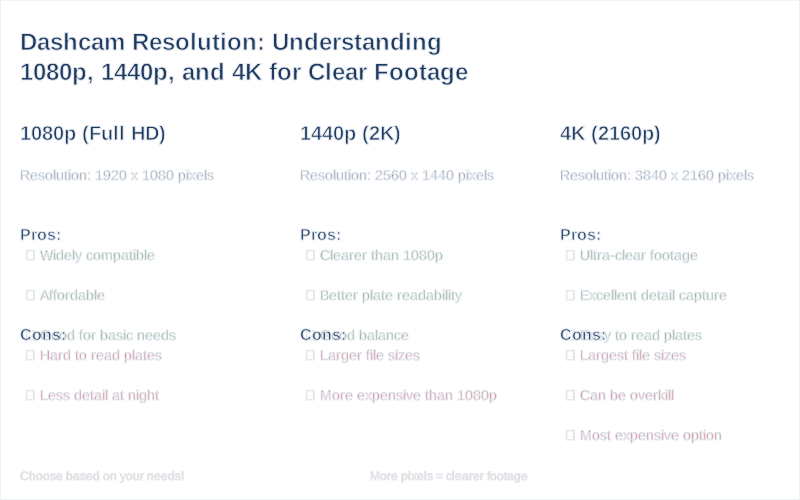
1080p is your basic Full HD. It's perfectly fine for most situations, like capturing that your car was indeed in the intersection. However, trying to make out a license plate at night or from a distance? Good luck. The downside of 1080p is that it may not be able to capture small details, like license plates or road signs, from a distance, especially at high speeds.
2K, or 1440p, is a step up. It has more pixels than 1080p, giving you a sharper image. This is where you start to have a real shot at reading those pesky license plates. 2K resolution offers a noticeable improvement in sharpness compared to 1080P. It's a solid middle ground, offering better detail without completely blowing up your storage space. My second dashcam was 2K, and the difference was night and day compared to my first $50 eBay special.
4K is the king of clarity. It has the most pixels, meaning the most detail. You can zoom in on footage and still see what's going on. Exceptional clarity, capturing even the smallest details (e.g., distant license plates, road signs). The catch? Those huge files take up a lot of space on your memory card, and they need more processing power.
My buddy tried to run a 4K dashcam on an older head unit, and it choked like a bad Wi-Fi signal during a crucial download. The real move here is understanding that more resolution means bigger files, which means you need a bigger memory card. While 4K resolution provides ultra-clear footage, it requires more storage space and a more powerful processor.
Ultimately, the "best" resolution depends on your needs. If you just need general recording, 1080p is fine. If you want to be able to identify critical details like license plates, 2K is a good sweet spot. If you want the absolute best quality, even at the cost of storage, go 4K. Some dash cam videos look really unclear and grainy... while some look as if they're part of a Nature Documentary. It's all about finding that balance.
Why This Matters for Your Setup
Why this matters for your setup is all about what you expect to get out of your dashcam. If your goal is just to have a record that you were driving, then 1080p is probably going to be fine. It's the $50 version of video quality. Best for: Drivers who only need basic trip recording and want a budget-friendly option.
However, if you've ever been in a situation where you needed to prove who was at fault, or identify a hit-and-run driver, then you'll quickly realize the limitations of lower resolutions. I once had a minor fender bender in a parking lot, and the other driver tried to blame me. My old 720p dashcam footage was so grainy, it looked like a potato was filming. The other driver's lawyer just laughed.
The resolution difference is the amount of detail you'll be able to make out, and larger file sizes of video clips.
For most people, 2K resolution strikes the right balance. It's significantly clearer than 1080p, making it much easier to read license plates and other important details, but it doesn't create massive video files that eat up your storage. Crystal-clear 4K front and 1080P rear video resolution for detailed recordings. This means you can store more footage on a standard memory card. It's the game-time decision for most drivers who want good quality without breaking the bank on storage.
4K is the premium choice. You get the best possible image quality, which is great for super-detailed evidence or if you just like having the clearest possible view of your drives. But be prepared for larger files. I saw a guy with a 4K dashcam who only bought a 32GB card, and he was constantly deleting old footage. That's a rookie mistake. You need at least a 128GB card, maybe even 256GB, to make 4K practical for daily use.
Higher resolutions like 2.5K and 4K offer enhanced detail and sharper footage.
Making the Right Choice
When you're deciding on dashcam resolution, think about what you absolutely need to see. Do you need to identify every single car that passes you, or just have proof that you were involved in an incident? Each resolution offers a different level of detail, and the best choice depends on how you plan to use your dash cam.
If you're on a tight budget, 1080p is the most affordable option. It's better than nothing, and it's widely available. 1080P Dash Cams: Budget-Friendly Basics. However, don't expect to read distant license plates with it.
For a solid balance of quality and practicality, 2K (1440p) is often the sweet spot. It provides noticeably better detail for identifying key information without drastically increasing file sizes. The most commonly used resolutions are 1080p and 2K, while 4K resolution provides ultra-clear footage.
If you want the absolute highest quality footage and have the storage capacity to handle it, 4K is the way to go. Just remember that bigger files mean you'll need larger memory cards. 2K resolution offers a noticeable step up in clarity compared to 1080p. The video appears sharper, and smaller details like license plates, road signs, and faces are easier to distinguish.