
Your dashcam shutting off in the heat isn't a failure — it's self-defense
You park in the sun, run an errand, come back, and the dashcam is dark — or it bleeps a 'high temperature' warning and powers itself off. The first assumption is that it's broken or cheap. Almost always, it isn't. A dashcam that shuts down in hot weather is usually doing exactly what it was designed to do: protect itself before the heat does permanent damage.
Every dashcam has an operating-temperature ceiling, and most have a built-in thermal cutoff that powers the unit off once it reaches that ceiling. When a parked car turns into an oven, the cam hits the limit, trips the cutoff, and waits for things to cool down. It's the same logic as a laptop or phone that throttles or shuts off in the sun — annoying, but a feature, not a fault.
The reason summer is so brutal is that two heat sources stack on top of each other. There's the oven your parked car becomes in direct sun, and there's the heat the camera generates itself while it records, runs Wi-Fi and GPS, and — on many models — charges a lithium battery. Put a small electronic device that makes its own heat onto the single hottest surface in the car (the windshield, in full sun) and a shutdown is almost predictable.
The good news is that this is one of the more fixable dashcam problems, because you have real levers on both sides of the equation. You can lower the ambient heat the cam sits in, lower the heat the cam makes, and — if you're still shopping — choose a model built to tolerate heat in the first place. This guide walks the why and then the how, including the single hardware difference (battery versus supercapacitor) that separates the cams that quit in July from the ones that don't.
One honesty note up front: I haven't baked a specific camera on a specific dashboard for this article. What follows is how dashcam thermal protection, parking mode, and the two power-cell types actually work, drawn from manufacturer operating specs and well-documented hot-car physics — so you can read your own shutdown pattern and fix the right thing instead of returning a camera that was never broken.
Why the windshield is the hottest seat in the car
To see why summer triggers a shutdown, start with where the cam lives. A car parked in direct sun is a greenhouse: sunlight pours in through the glass, heats every surface, and the heat can't escape. On a 95°F (35°C) day, the cabin air can climb past 120–130°F (49–54°C) within an hour, and dark surfaces in direct sun — the dashboard, the inside of the windshield — run far hotter still, often 150–170°F (65–77°C). Those are the well-documented numbers behind every 'never leave a child or pet in a parked car' warning.
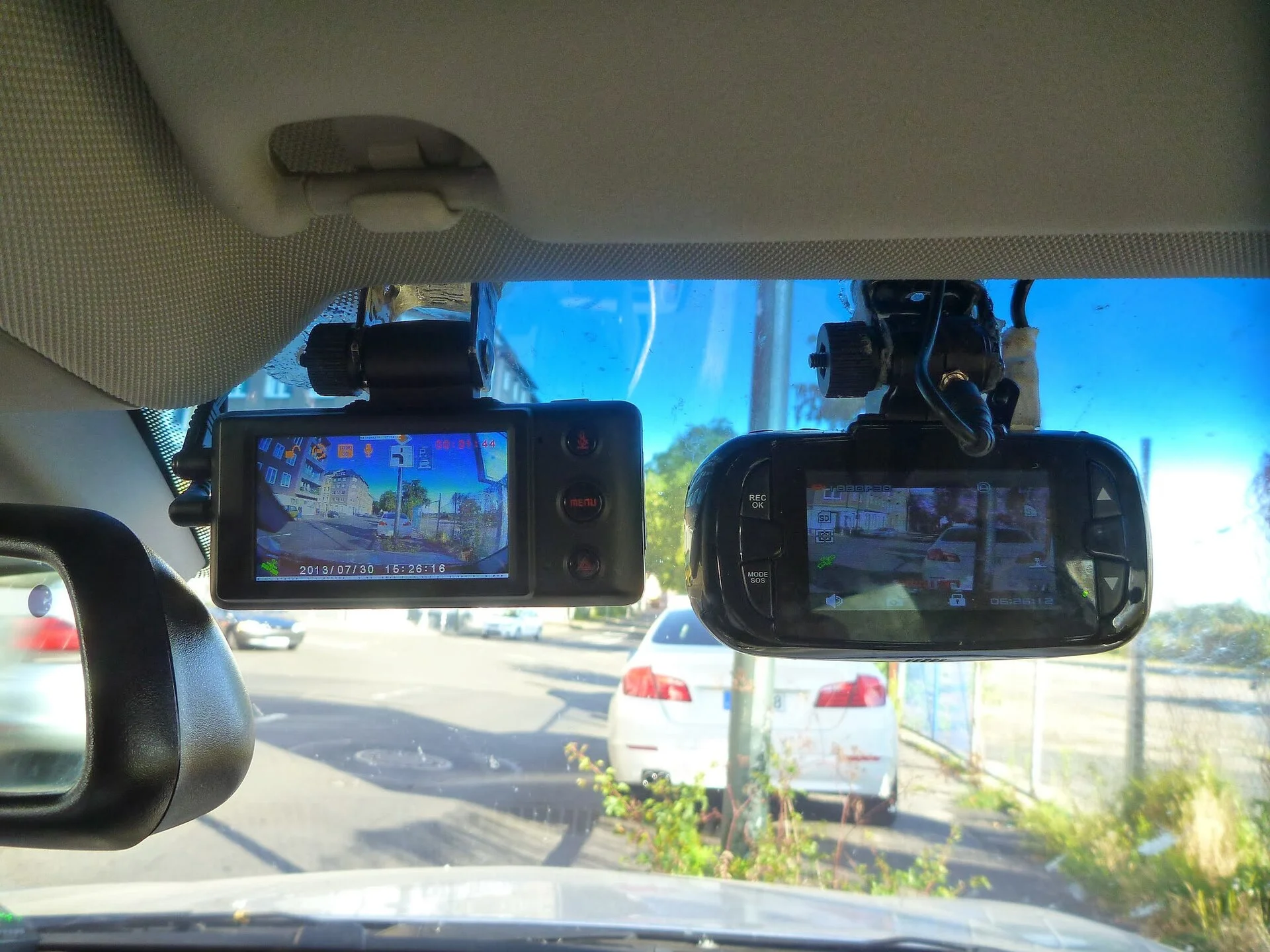
Now look at where a dashcam mounts: stuck to the inside of the windshield, high up, frequently in a spot that catches direct sun for hours. That's not the cabin-air temperature — it's the glass-surface temperature, the hottest microclimate in the whole vehicle. The cam is effectively pressed against a hot plate.
Against that, look at what dashcams are actually rated for. Most manufacturers publish an operating range that tops out around 140–150°F (60–65°C); many list the operating ceiling at exactly 60°C. A few rugged or supercapacitor models stretch to about 158°F (70°C). Compare that ceiling to a 150–170°F windshield surface and the math is obvious: a sun-baked mounting spot can exceed the camera's rated limit with room to spare. The cam isn't weak; it's being asked to run hotter than anything in its class is built to survive.
This is also why the problem is so seasonal and so location-specific. The same camera that runs flawlessly all winter, and runs fine in a shaded garage in July, trips its cutoff in an open parking lot at noon. Nothing about the camera changed — only the temperature of the surface it's glued to. Understanding that the windshield is its own heat zone, separate from the air you feel when you open the door, is the key to every fix later in this guide.
It's worth knowing the heat hurts more than the processor, too. The microSD card has its own thermal limits, and sustained heat is one of the quiet reasons cards corrupt or drop frames before the camera fully shuts off — which is why our rundown of what extreme temperatures do to dashcam components is worth a read alongside this one.
Two heat sources stacking: the sun outside and the chip inside
The windshield oven is only half the story. A dashcam is a little computer, and computers make heat. Even sitting in a comfortable cabin, the image processor, the sensor, the Wi-Fi radio, and the GPS module all give off warmth as they run. In a cool environment that self-heat is harmless. Stacked on top of a 150°F windshield, it's the few extra degrees that push the cam over its cutoff threshold.
Some settings generate noticeably more internal heat than others, and these are exactly the levers you can pull later:
- Resolution and frame rate. Recording 4K, or high frame rates like 60fps, works the processor harder and runs the chip hotter than 1080p/30fps. The sharper the footage, the more heat the cam makes to produce it.
- Wi-Fi. Leaving the cam's Wi-Fi hotspot on so your phone app stays connected keeps a radio powered and warm all day, even when you're not looking at it.
- GPS. A constantly-polling GPS logger adds a small but real amount of continuous heat.
- Battery charging. On battery-based cams, charging a lithium cell generates heat of its own — the worst possible thing to be doing inside an already-hot enclosure, and the subject of the next section.
The thing to internalize is that thermal shutdown is rarely caused by one factor alone. It's additive. A cam that would survive a hot day doing nothing but 1080p recording can tip over the edge because it's also running 4K, also holding a Wi-Fi connection, also charging its battery, in a spot that's also in direct sun. Every one of those is a few degrees, and the cutoff doesn't care which combination got it there.
That additive nature is good news, because it means you don't have to eliminate the heat entirely — you just have to shave off enough of it to drop back under the ceiling. Knock the windshield temperature down with shade, drop the cam's own output a notch, and turn off the radios it doesn't need, and a cam that was shutting off daily often stops doing it. We'll line those moves up shortly.
The lithium-battery problem (and why supercapacitor cams don't quit)
If you only learn one thing from this guide, make it this: the single biggest reason a dashcam can't take the heat is the kind of power cell inside it. Dashcams store a little energy on board so they can finish saving the current clip after power is cut, and so they can run parking mode. That on-board cell comes in two flavors, and they behave completely differently in summer.
Lithium-ion (or Li-polymer) batteries. Cheaper and very common in budget dashcams. The problem is that lithium batteries hate heat: their safe operating and charging window is roughly 32–113°F (0–45°C), far below what a sun-baked windshield reaches. Push a lithium cell past that and it degrades fast, can swell, and in a worst case becomes a fire risk. To protect you (and itself), a battery cam in the heat will often shut down early and aggressively — the cutoff is doing its job. A swollen or puffy battery is the warning sign that heat has already done damage.
Supercapacitors. Premium dashcams — the Viofo, BlackVue, Thinkware, and higher-end Nextbase lines among them — skip the battery and use a supercapacitor instead. A supercapacitor stores far less energy (enough to safely close the last file), but it tolerates heat dramatically better, with operating ceilings commonly rated to about 158°F (70°C) and no swelling or fire behavior. This is the entire reason serious dashcam buyers in hot climates insist on supercapacitor models. It is the most reliable single fix for chronic summer shutdowns, and it's a hardware choice you make at purchase, not a setting.
So when a forum thread says 'just buy a supercapacitor cam,' this is what's behind it. The capacitor cam isn't immune to heat — nothing is, and a 170°F windshield will still bother it — but it raises the ceiling, removes the fire-risk failure mode entirely, and removes the battery-charging heat from the enclosure. If you live somewhere that bakes and you're tired of returning cameras, the cell type is the spec to shop on first. Our look at dashcam power cells and batteries digs further into the trade-offs.
Parking mode in summer: the worst-case scenario
A huge share of 'my dashcam shuts off in hot weather' complaints are really parking-mode complaints, and once you see why, it's obvious. Parking mode keeps the cam recording while the car is off and unattended — exactly the situation where the car is sitting in a lot, in the sun, with the engine off, the air conditioning off, and zero airflow, for hours.
That's the perfect storm. In normal driving, the cabin is air conditioned and moving air helps the cam shed heat. In parking mode, all of that is gone: peak ambient greenhouse heat, no cooling, and the cam still working — recording, often holding a Wi-Fi link, and on battery models, possibly charging. It's the hottest environment the cam ever faces combined with it actively making more heat. No surprise the cutoff trips.
There are a few ways to take the pressure off parking mode in summer without giving it up entirely:
- Use buffered motion/impact-triggered recording instead of continuous. Many cams can sit in a low-power standby and only spin up to record when they detect motion or a bump, which generates far less heat across a long hot afternoon than recording every second.
- Lower the parking-mode resolution/bitrate. Parking footage rarely needs 4K; dropping it cuts the chip's heat output.
- Set the auto-power-off temperature. Many cams let you choose the cutoff threshold — set it sensibly so the cam parks itself before damage, rather than fighting to record at 150°F.
- Accept that long midday parks in full sun may simply pause parking mode. A cam that powers down at the peak and resumes as the car cools is protecting itself; that's preferable to a cooked battery.
If reliable all-day parked recording in a hot climate is a hard requirement, the realistic answer is a supercapacitor cam with a proper hardwire or external-power setup and a shaded mounting spot — not a budget battery cam asked to record continuously on a dashboard in July. Match the expectation to the hardware and the shutdowns stop being a mystery.
Is the shutdown a defect, or protection? How to tell
The practical question under all of this is: do I have a faulty camera, or a normal one protecting itself? The distinction matters because the fixes are completely different — and because returning a perfectly good cam won't help if the next one shuts off the same way.
Signs it's normal thermal protection (the common case):
- It only happens when the car has been parked in the sun or driven on a very hot day — never in cool weather or a shaded garage.
- It shows a 'high temperature' or overheat message, or simply powers off and then powers back on normally once things cool down.
- It comes back to full health after cooling — no lasting glitches, no corruption once it's cool.
Signs something is actually wrong and worth a warranty conversation:
- The battery is visibly swollen, puffy, or the cam casing is bulging — heat has already damaged a lithium cell; stop using it.
- It shuts off in mild or cool conditions where heat shouldn't be a factor at all.
- It never fully recovers — persistent corruption, refusing to boot, or recording gaps that remain after it's cooled down.
One more thing to rule out, because it masquerades as overheating: a hardwire kit's low-voltage cutoff. If your cam is hardwired for parking mode, the kit is supposed to shut it off when the car battery drops to a set voltage so it doesn't drain your starter battery. That cutoff can look identical to a thermal shutdown — cam goes dark while parked — but the cause is voltage, not heat. If the shutdowns track long parks regardless of temperature, suspect the voltage cutoff; if they track heat specifically, it's thermal. Knowing which one you're chasing keeps you from buying the wrong fix.
Seven ways to stop the summer shutdowns
Because the cause is additive heat, the fixes are about shaving degrees off both sides — the heat around the cam and the heat the cam makes. You rarely need all seven; stack the easy ones first and most people stop the shutdowns there.
- Move the cam out of direct sun. Mount it tucked behind the rear-view mirror rather than high and exposed on the glass. The mirror's own shadow keeps the cam noticeably cooler, and the view is barely affected. This is the highest-value free fix.
- Use a windshield sunshade when you park. A reflective windshield sun shade dramatically lowers the glass and dashboard temperature behind it — just position it so it shades the cam without blocking the lens if parking mode is recording.
- Park in shade or a garage whenever the choice exists. Obvious, but it removes the single biggest heat input outright.
- Crack the windows. Even an inch of opening lets the trapped greenhouse heat vent and meaningfully lowers cabin temperature on a parked car.
- Drop the resolution or frame rate in summer, especially for parking mode. 1080p/30 runs cooler than 4K/60 and is plenty for capturing a plate.
- Turn off Wi-Fi and GPS when you don't need them. Each is continuous self-heat you can switch off; leave Wi-Fi on only when you're actively pulling clips to your phone.
- Set the auto-power-off / high-temperature cutoff sensibly if your cam offers it, and consider pausing continuous parking mode during long midday parks in full sun.
For a hardwired parking-mode setup, a solar-assisted or external-power approach can also reduce the heat the cam dumps into its own enclosure by changing how it's powered while parked. But if you've stacked the shade, mounting, and settings fixes and a battery cam still quits every hot afternoon, you've hit the hardware ceiling — and the next section is for you.
Choosing a heat-tolerant dashcam for hot climates
If you live in Arizona, Texas, Florida, the desert Southwest, or anywhere the car routinely bakes, the smartest move is to buy for heat from the start rather than fight a cam that was never built for it. Three specs do almost all the work.
- Supercapacitor, not battery. This is the headline spec for hot climates. A supercapacitor dash cam tolerates heat far better than a lithium battery model, removes the swelling/fire failure mode, and keeps charging heat out of the enclosure. Nearly every reputable hot-climate recommendation starts here.
- A high rated operating temperature. Check the published operating range and favor models rated to about 70°C (158°F) rather than the more common 60°C ceiling. Those extra degrees of headroom are exactly what keeps the cutoff from tripping on a hot afternoon.
- A high-endurance microSD card. The card sees the same heat the cam does, and standard cards corrupt under sustained high-temperature continuous recording. A high-endurance microSD card is built for the heat and write-cycle load of a dashcam; pairing one with a heat-tolerant cam removes the other common hot-weather failure. See our dashcam SD card requirements for sizing and endurance ratings.
Brand-wise, the names that come up repeatedly for heat tolerance are the supercapacitor lines from Viofo, BlackVue, and Thinkware, plus the higher-end Nextbase models — not because cheaper cams are bad, but because the budget tier is where the heat-intolerant lithium battery lives. You're paying for the capacitor and the wider temperature rating, which are precisely the two things that decide whether a cam survives your summer.
If you already own a battery cam and it's working everywhere except the hottest parked afternoons, you don't necessarily need to replace it — the shade, mounting, and settings fixes may be enough. But if reliable parked recording through a brutal summer is non-negotiable, budget for the supercapacitor model up front. It's cheaper than buying a battery cam twice.
Quick reference: match your shutdown pattern to the fix
Once you know heat shutdowns are additive and protective, diagnosing yours collapses into a short lookup. Find the pattern that matches and start with the fix beside it:
| What's happening | Most likely fix |
|---|---|
| Shuts off only on hot parked days, recovers when cool | Normal thermal protection — add shade + a sunshade, move the cam behind the mirror. |
| Shuts off mainly in parking mode | Switch to buffered motion-trigger, lower parking bitrate, set the temp cutoff. |
| Budget cam, quits every hot afternoon despite shade | Hardware ceiling — move to a supercapacitor model. |
| Battery looks swollen or puffy | Heat damage already done — stop using it, replace it. |
| Runs hot AND high-res with Wi-Fi/GPS on | Drop to 1080p/30, turn off Wi-Fi/GPS when idle. |
| Goes dark on long parks regardless of temperature | Suspect the hardwire kit's low-voltage cutoff, not heat. |
| Card errors/gaps before full shutdown | Swap to a high-endurance microSD card rated for heat. |
Run it top to bottom and most people land in the first three rows. The reason the table is short is that heat shutdown has only a handful of inputs — ambient heat, self-generated heat, and the power-cell's thermal ceiling — so there's no hidden fifth cause to chase, just a question of which lever buys you the most degrees fastest.
And unlike a wiring or connection fault, a heat fix tends to stay fixed for the season: shade the cam, lighten its workload, and (if needed) move to the right hardware, and the cam simply stops hitting its ceiling. You set it up for summer once and stop thinking about it.
Set it up for summer once, and it stops quitting
A dashcam that powers off in hot weather is one of the least alarming problems on the list, even though a dark screen in the parking lot looks like a dead camera. In almost every case the cam is alive and deliberately protecting itself: it hit its temperature ceiling, tripped its cutoff, and is waiting to cool down. The fix is to stop asking it to run hotter than it was built for.
Work both sides of the heat equation. Lower the heat around the cam — park in shade, use a windshield sunshade, crack the windows, and mount the cam tucked behind the rear-view mirror out of direct sun. Lower the heat the cam makes — drop the resolution in summer, switch parking mode to buffered motion recording, and turn off Wi-Fi and GPS when you don't need them. For most people, stacking those free fixes ends the shutdowns.
And if you're shopping, or your budget battery cam simply can't take your climate, buy for heat: a supercapacitor model rated to around 70°C, paired with a high-endurance microSD card, is the combination that survives a parked car in July. The capacitor is the single most important spec, because it removes both the low heat ceiling and the swelling-battery failure mode in one decision.
The only time a hot-weather shutdown is a real defect is when the battery swells, the cam quits in cool conditions, or it never recovers after cooling. Short of that, you're not looking at a broken camera — you're looking at a camera doing exactly what it should, in a spot that's simply too hot. Cool the spot, and it records all summer.