The honest answer: this budget buys 1080p, not 4K
Let me save you the disappointment up front: nothing under $50 shoots true 4K. If a cheap listing claims '4K,' it's interpolated marketing, not a real 2160p sensor - genuine 4K cameras like the Miofive S1 sit near $100, per VIOFO's 2026 roundup and current street pricing. What $50 actually buys is a solid 1080p or 1296p camera that reliably records your drive, locks a clip when it feels an impact, and holds up as insurance evidence. That's not a consolation prize - for most drivers it's all a dash cam needs to do.
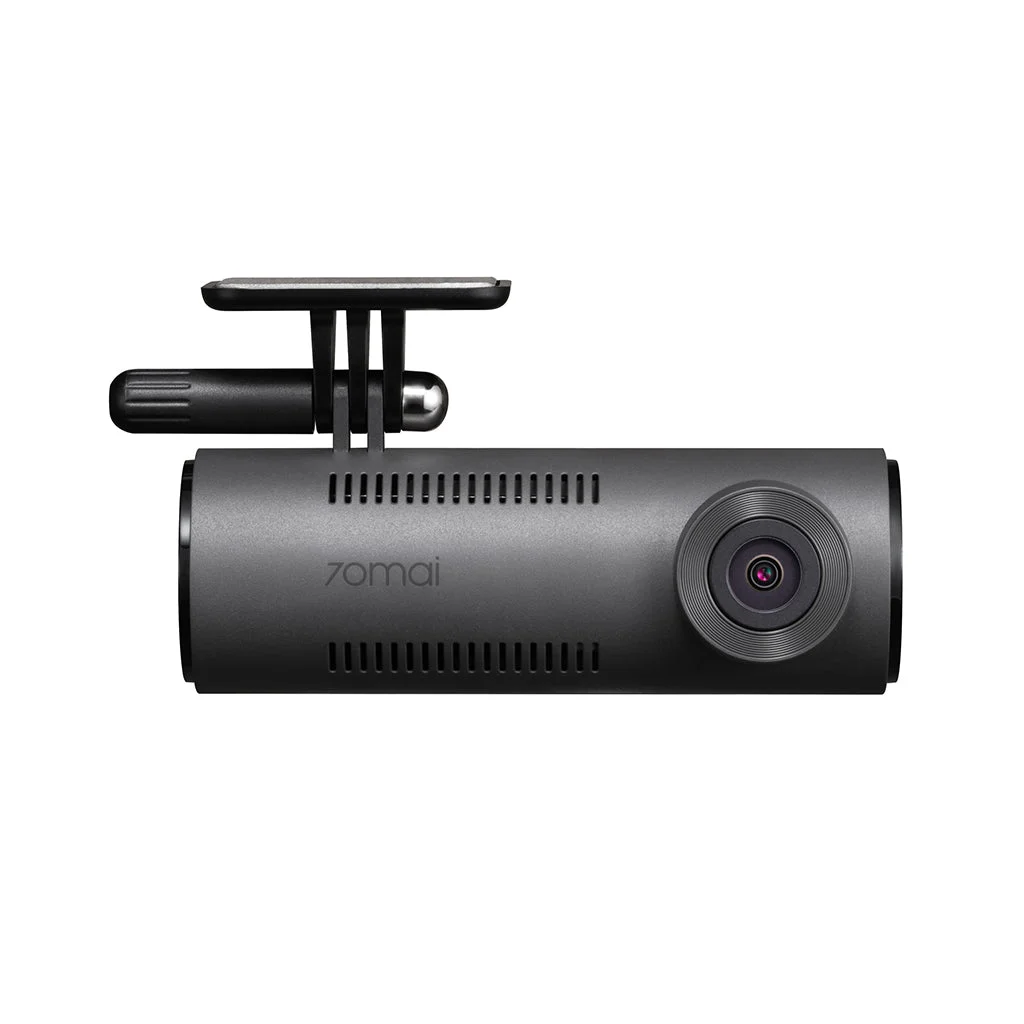
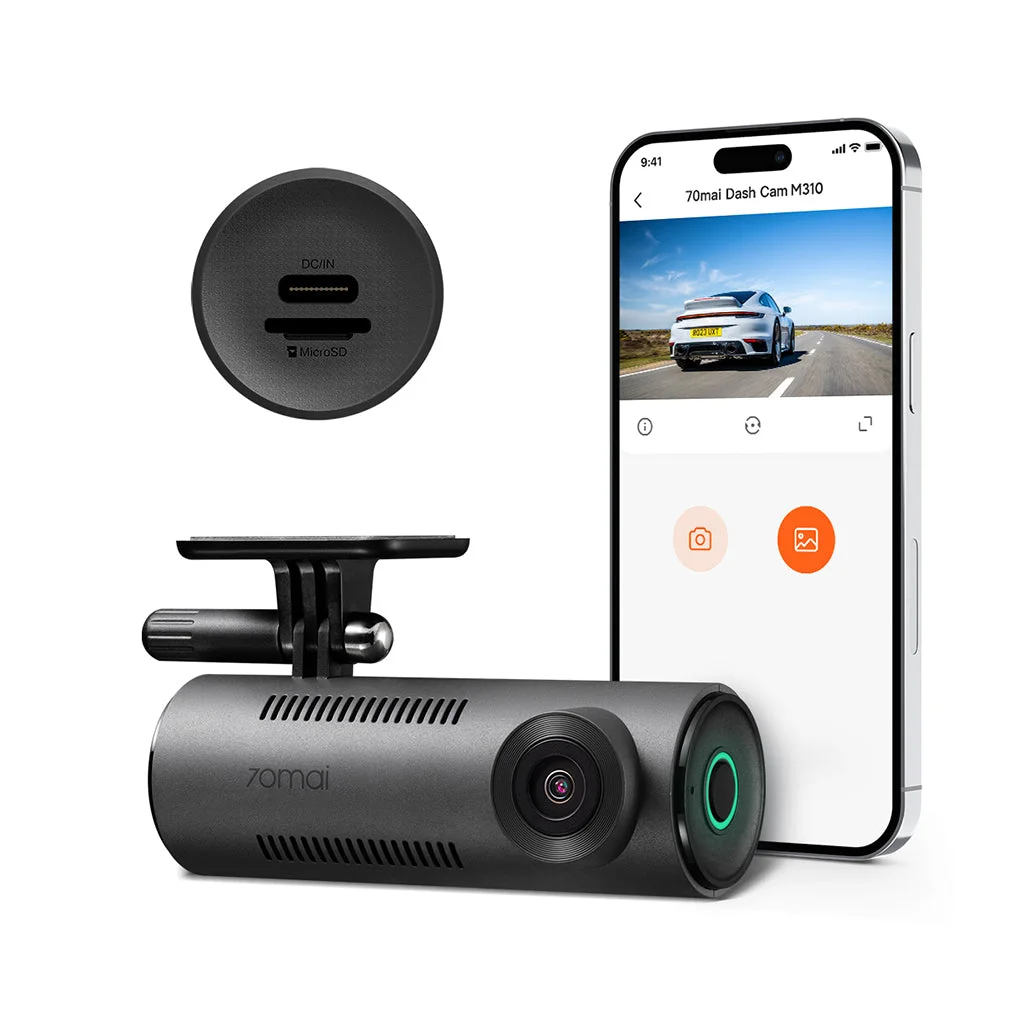
The best all-round pick in this tier is the 70mai M310, which records 1296p QHD (2304x1296 at 30fps) through its 2K SC3336P sensor and connects to a phone app, per 70mai's product page. But the right cam depends on what you're protecting against, and before you buy anything, three hidden costs decide whether a $40 sticker stays a $40 camera:
- Resolution limits - the tier tops out at 1296p, so plan around 1080p-1296p clarity, not 4K.
- The memory card - many cheap cams ship empty, so a microSD card is a near-mandatory add-on that records nothing until you buy it.
- Parking-mode power - watching your car while it's parked needs a hardwire kit the cigarette-lighter plug can't replace.
The table above ranks five cameras that genuinely work, and the sections below walk each of those three costs in turn - plus the sensor, field-of-view and rear-camera choices that separate them. Know them going in and you won't feel cheated later.
Top pick: the 70mai M310 does the most for the money
If you buy one camera off this page, make it the 70mai M310. It records 1296p QHD - a step above plain 1080p - through its SC3336P sensor, supports microSD cards from 16GB up to 256GB, and pairs with the 70mai phone app over WiFi so you can pull clips without unplugging anything, all per 70mai's official M310 page. It also adds WDR night vision, a 130-degree field of view and voice control, per 70mai - a genuinely complete feature set for a camera that routinely street-prices in the mid-$30s to mid-$40s.
The one honest caveat, and it matters for anyone parking in the sun: the M310 runs on a small 300mAh internal lithium battery, per 70mai - not the heat-tolerant supercapacitor found on pricier cameras. Lithium cells degrade and can swell over months in a car that bakes to 140 degrees Fahrenheit in summer, which is the single biggest reason a cheap cam dies young.
Park in shade when you can, hardwire it if you want parking mode, and the M310 is the value play of the whole group - more real capability per dollar than anything else under $50. For a first dash cam, it is the smart buy.
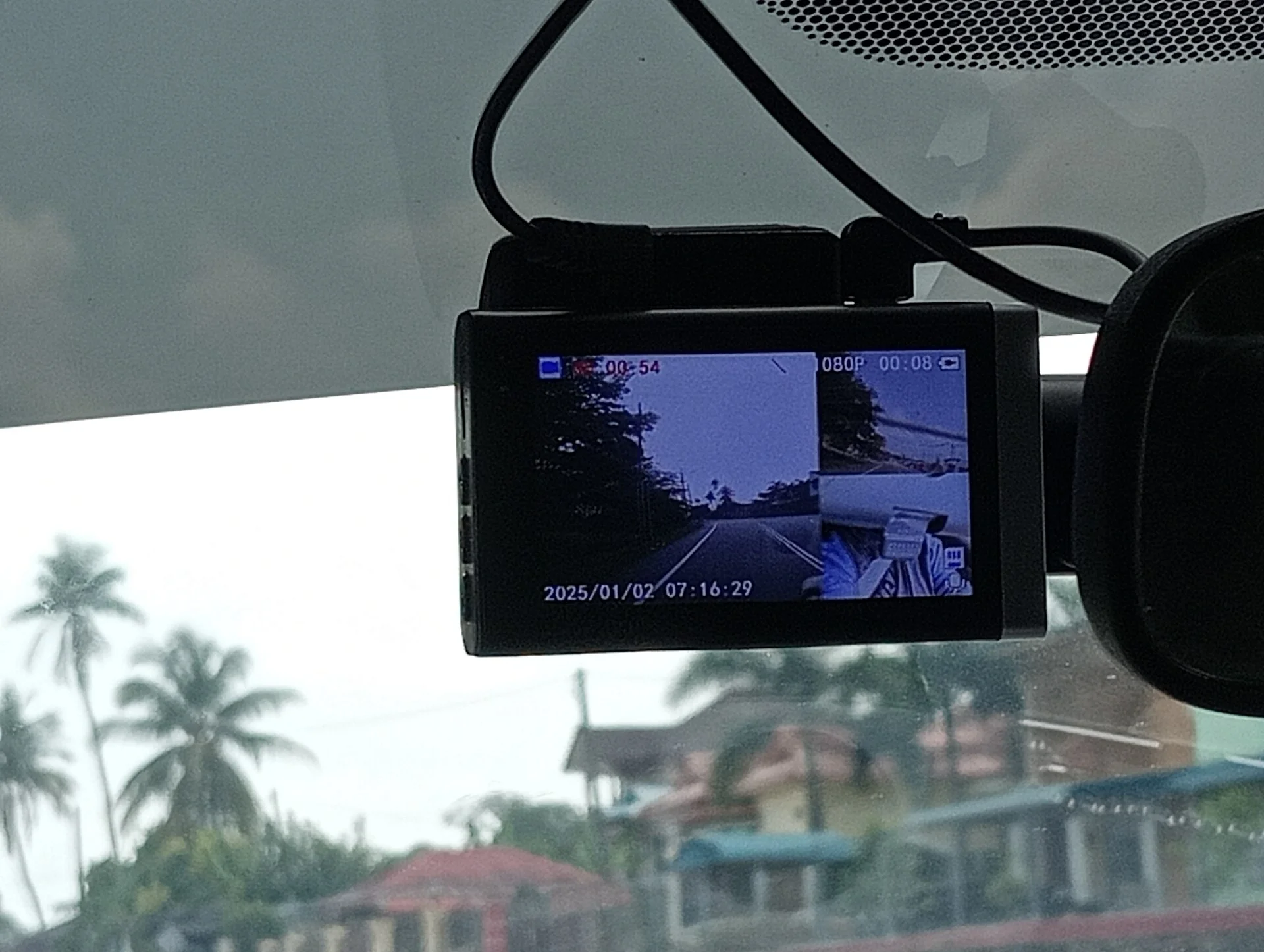
The runners-up, and who each one is for
The M310 wins overall, but three others earn a spot depending on what you need, and one is the cheapest camera here worth owning:
- Its real differentiator is what is not inside it: no lithium battery at all, just an RTC circuit, so there is no cell to swell in a car that bakes all summer - the single most common way a cheap cam dies. The trade is that it needs continuous USB-C power to run at all, so budget for the hardwire kit from day one.
- AKASO C200 - a plain 1080p FHD camera and the rock-bottom pick. It skips the frills but records a clean, usable loop and auto-locks on impact, per AKASO; it's the one to buy when the budget is truly $30-and-not-a-penny-more.
- NHOPEEW front-and-rear kit - the only two-camera setup in the group: a 1080p front camera on a 150-degree lens plus a waterproof rear camera on a 120-degree lens, with a 3-inch IPS screen and a 64GB card in the box, per NHOPEEW. Rear coverage is the single most useful upgrade for rideshare drivers and anyone worried about being rear-ended, and getting it under $50 is rare.
The fifth, the APEMAN C450A, records 1080p through a wide 170-degree lens that covers roughly five lanes ahead, per APEMAN's product page - useful width, but its model line has thin, on-and-off Amazon availability, so treat it as a wide-coverage alternative rather than a sure thing. Match the camera to the risk you actually carry and you won't over-buy.
Front-and-rear vs a single lens: when the second camera earns its place
Most budget cameras are single-channel - one lens watching the road ahead. That covers the crash you drive into, but not the one that happens behind you, and rear-end hits are among the most common. A front-and-rear kit like the NHOPEEW two-camera setup records 1080p ahead and adds a second, waterproof camera watching behind you, and its variable-sensitivity G-sensor locks the clip the moment it detects a collision, per NHOPEEW - so a tailgater who hits you is on record from the angle that proves it.
A second channel is the upgrade that matters most for specific drivers:
- Rideshare and delivery drivers - the rear camera covers the car behind at every pickup and drop-off, where fender-benders and disputes cluster.
- Street parkers - rear coverage catches the car that clips your bumper pulling out of a tight space.
- Larger vehicles on trips - drivers loading up an SUV for a road trip or camping run get eyes on the blind zone behind a tall tailgate, where a single front cam sees nothing.
The NHOPEEW runs an F1.8 aperture for low light and includes the 64GB card in the box, per NHOPEEW - so night footage holds up, and you are not buying a card before the first drive. The trade is a second cable to route back to the rear glass, but for the risk it covers, a front-and-rear setup is the single most useful step up you can take without leaving the budget tier.
Resolution, plainly: what 1080p vs 1296p really changes
The plain-English version: 1080p tells you a crash happened. 1296p is more likely to tell you WHO did it. If your reason for buying a camera is proving fault in a hit-and-run, the small step up to 1296p is the upgrade worth chasing inside this budget.
What you're NOT getting is 4K, and that's fine. The jump from 1296p to 4K sharpens plates further, but it also roughly quadruples file sizes and pushes the price past $100, per VIOFO's 2026 roundup. For city commuting, rideshare, and ordinary fender-bender documentation, 1296p is the sweet spot where clarity and cost meet - and chasing true 4K here is money that would do more good on a bigger memory card.
Field of view: what 130 versus 170 degrees actually covers
Wider isn't automatically sharper. Spreading the same sensor across 170 degrees means each object - including the license plate you care about - gets fewer pixels and more edge distortion than a tighter 130-degree frame puts on the car directly ahead. The M310's narrower angle is part of why its 2K footage reads plates so cleanly straight down the road.
Pick by the threat you're documenting: choose the wide 170-degree lens if you worry about cross-traffic and side-swipes at intersections, and lean toward the tighter, higher-resolution frame if reading the plate of the car in front of you is the whole reason you're buying a camera.
Night footage: the aperture matters more than the megapixels
Here's the buyer signal almost nobody explains at this price: after dark, the lens aperture and the camera's night processing decide your footage far more than the resolution number on the box. A high pixel count on a cheap sensor still produces a bright, noisy, smeary night image; a wider aperture (a lower f-number) pulls in more light and keeps plates legible under streetlights. That's the difference between usable and useless night video.
So read the aperture and night-mode spec before you buy. Here's how the picks compare on the numbers their makers actually publish:
- The 70mai M310 shoots at F2.0 with WDR night vision, per 70mai - a slightly narrower aperture, offset by 2K resolution and stronger daytime detail.
The honest shopping tell: a budget listing that names a specific aperture and a WDR mode is making a verifiable claim about night performance; one that only shouts a resolution number and stays silent on the glass is hiding the part that matters after dark. When two cheap cams look identical on paper, buy the one that publishes its aperture - and if night driving is your main reason for a camera, that single spec is worth more than a few extra pixels of daytime resolution.
Screen or app: how you actually aim and review the camera
Budget cameras split into two camps for how you set them up and watch footage, and it's worth knowing which you're buying before it arrives. Some have a built-in LCD; the 70mai M310 does not - it's app-only, relying on the 70mai phone app over WiFi plus voice control to start, stop, and review recording, per 70mai.
- Cameras with a screen - the AKASO C200, NHOPEEW front-and-rear kit and APEMAN C450A each carry a 3-inch LCD, per each maker, so you can aim the lens and replay a clip right in the car without a phone.
Neither is wrong; it's a preference. If you like glancing at a screen to confirm the camera is framed and running, buy one with an LCD. If you'd rather a minimal camera and don't mind managing it from a phone, the app-only M310 is the tidier install. Either way, confirm the framing the day it arrives - a camera aimed at the sky records nothing useful. See also dash cam vs phone camera.
The hidden cost #1: you probably need to buy a memory card
Here's the first surprise that turns a $40 cam into a $55 one: many budget cameras don't include a microSD card in the box. The Nextbase Piqo, for instance, ships without one, per Digital Camera World's review - and a dash cam with no card records nothing. Budget another $10-15 for a card and check the camera's maximum supported size before you buy the biggest one you can find.
Buy a card the camera can't address and it simply won't record. Two rules keep you out of trouble:
- Speed: use a Class 10 (U1) or faster card so it can keep pace with the continuous video stream.
- Endurance: choose a high-endurance card if the brand offers one - dash cams write around the clock and burn through ordinary cards.
A cheap camera on a cheap, wrong-sized card is a false economy that fails you on the day you need the clip. The card isn't an accessory here; it's the part that makes the camera a camera. For a step up from budget models, see Garmin vs Nextbase.
The hidden cost #2: parking mode isn't free
The second surprise catches everyone who wants their camera watching while they're away: parking mode does not run off the cigarette-lighter plug. That socket dies when the engine's off. To record while parked, the camera needs constant power, which means a hardwire kit or an OBD power cable wired to a fused circuit - a separate $15-25 part and a bit of trim-popping to install, per Digital Camera World.
The 70mai M310's 24-hour parking surveillance, for example, specifically requires buying a separate hardwire kit; it's not enabled by the lighter adapter alone, per 70mai. So if the reason you want a cam is catching the person who dings your door in a lot, price the hardwire kit into your budget from the start. And know the mechanism: parking mode is usually G-sensor triggered, meaning it wakes and records when it feels an impact or motion rather than filming continuously, which is what lets it sip power without draining your starter battery. It's a genuinely useful feature - just not a free one, and pretending otherwise is how budget buyers end up disappointed.
How loop recording and the G-sensor actually protect you
Every camera here uses the same two-part system, and understanding it keeps you from losing the one clip that matters. Loop recording continuously overwrites the oldest unlocked footage so the card never fills up - your camera is always recording, always recycling. The G-sensor is the safety net: when it detects the jolt of a collision, it auto-locks the current clip so the loop can't overwrite it, per AKASO.
That combination is why a dash cam works unattended, but it has one failure mode worth knowing: on a truly minor tap the G-sensor sometimes won't trigger, and on a rough road it can over-trigger and lock a pile of clips that fill the protected space. The habit that saves you is simple - after any incident, stop and manually save or pull the clip off the card before you keep driving, because a long enough loop will eventually recycle even locked footage on a small card. The cheapest camera in the world protects you perfectly right up until the moment its loop erases the proof, so treat the card like evidence the instant something happens.
Where spending more actually pays off (and where it doesn't)
As the guy who hates paying for anything twice, here's the honest map of when to stay under $50 and when to spend up. Stay cheap if you want basic loop recording and impact-locking for ordinary commuting - a 1080p or 1296p budget cam does that job as well as a $200 one, and the footage holds up the same in an insurance claim. The sensor and lens are 'good enough' at this price for the core mission.
Spend more only for specific, nameable reasons:
- A supercapacitor instead of a lithium battery if your car lives in extreme heat - supercaps tolerate the temperature swings that kill cheap lithium cells, per VIOFO.
- True 4K if you genuinely need to read plates two lanes over, which pushes the price past $100, per VIOFO's 2026 roundup.
- A polished phone app or cloud features if that convenience is worth the premium to you.
Everything else - the housing, the mount, the basic night footage - is roughly a wash between a $40 cam and a $120 one. Buy the cheap camera, spend the difference on a good memory card and a hardwire kit, and you'll have a better-protected car than the person who blew the whole budget on the camera and skipped the parts that make it work.
The bottom line for a budget buyer
Buy the camera, then budget $25-40 more for the two parts that make it real: a Class 10 microSD card sized to the camera, and - if you want parking protection - a hardwire kit. That's the true cost of a '$40 dash cam,' and it's still a bargain.
None of these will shoot true 4K, none use a supercapacitor, and none will watch your car for free - and knowing all three of those going in is what separates a happy budget buyer from a frustrated one. Match the cam to your real risk, feed it a proper card, and a sub-$50 camera will quietly do its one job for years.
Among the value options, the budget Cobra SC 250R is worth a close look.