The Short Version
The Tesla Model 3's built-in Sentry Mode is a decent start, but it's not a full solution. That internal storage system, the USB stick, has a typical failure-rate of 20% in the first year due to constant read/write cycles and thermal cycling. You need a dedicated dashcam if you want reliable video evidence when some bozo backs into your fender in the Walmart parking lot, or worse, blames you for their incompetence on the highway.
I've seen too many cheap USB drives corrupt footage when it actually matters.
Quick Verdict
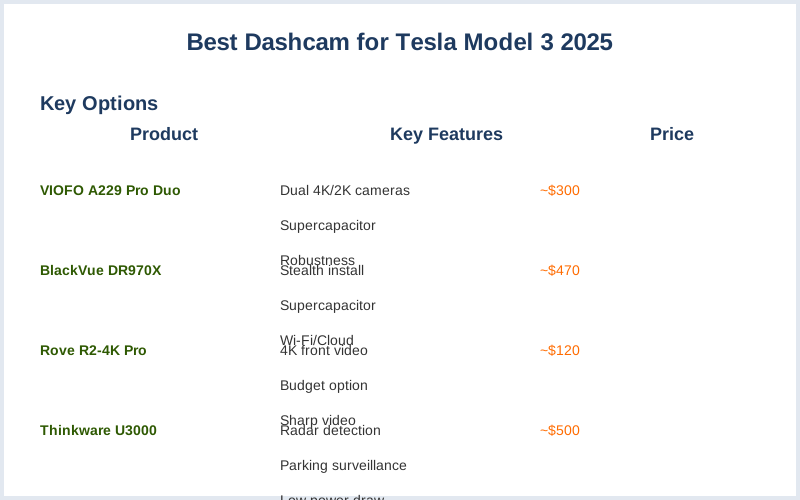
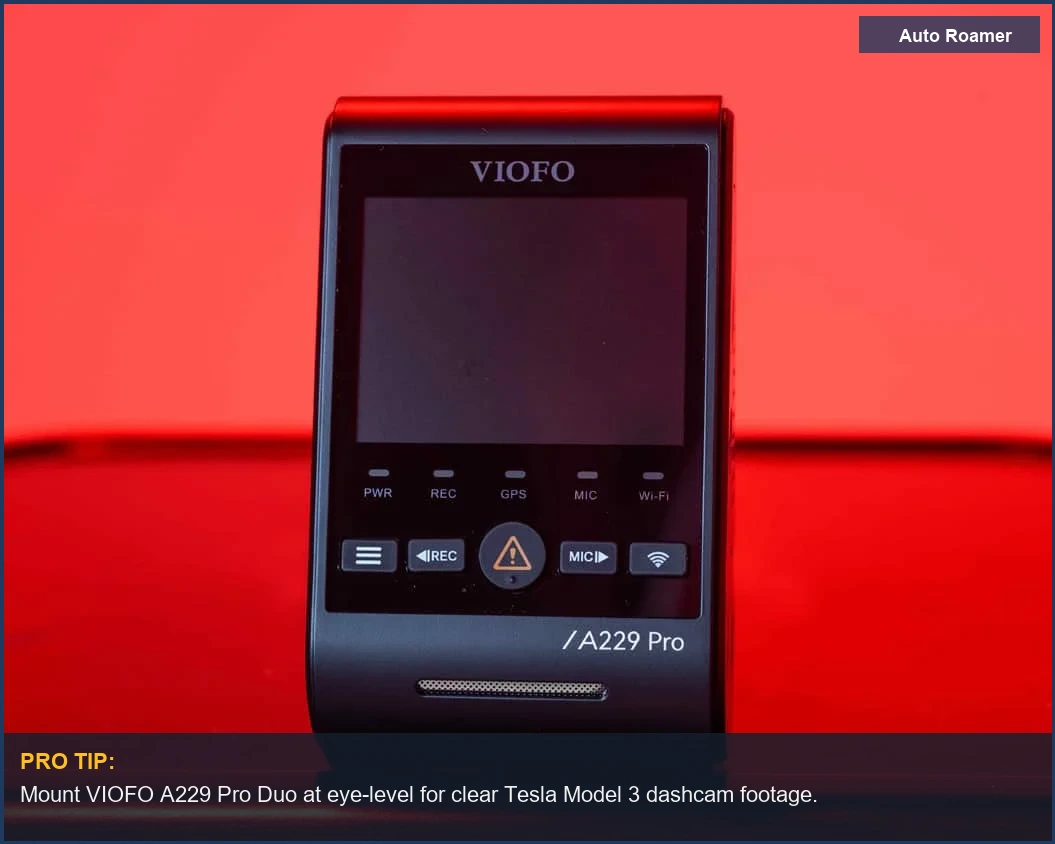
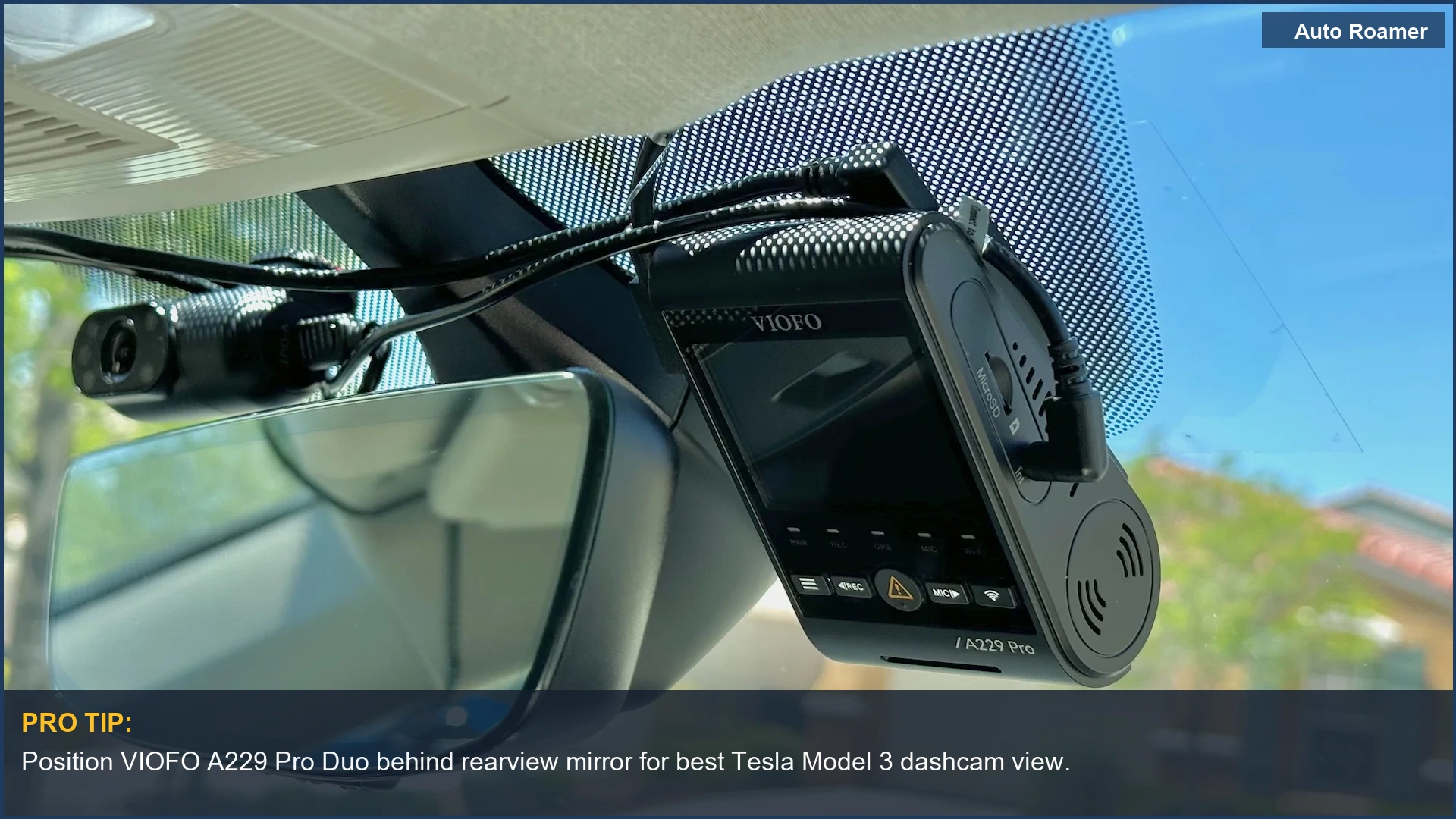
- Best Overall for Robustness: VIOFO A229 Pro Duo (~$300) - This unit runs a supercapacitor, not a lithium-ion battery, so it handles the 150 degrees F interior cabin temps without outgassing or swelling. Dual 4K front and 2K rear cameras give you the coverage you need. Wirecutter also rated it as a top pick.
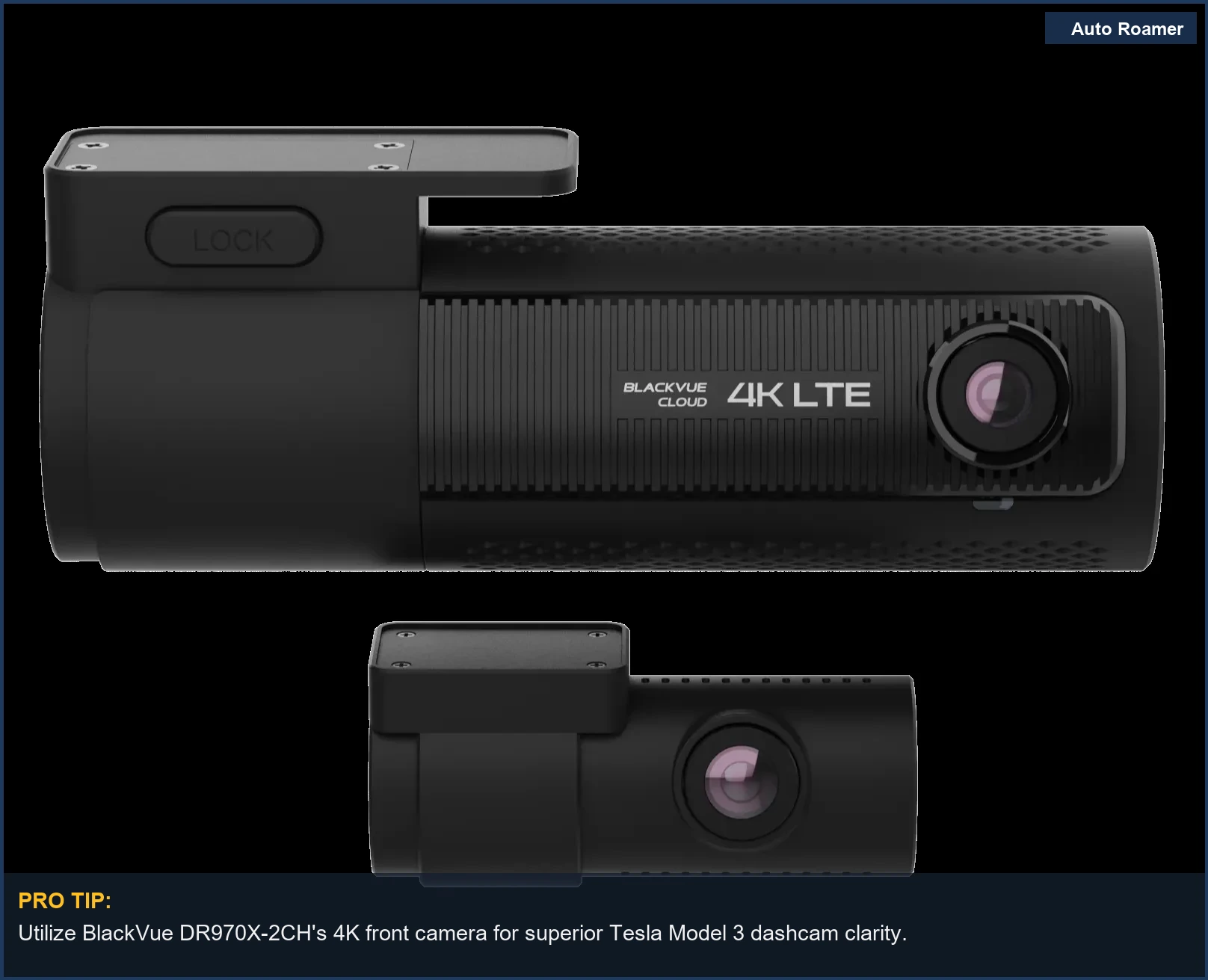
- Best for Stealth Installation: BlackVue DR970X-2CH (~$470) - Its cylindrical form factor tucks neatly behind the rearview mirror, minimizing visual obstruction. Uses a supercapacitor for thermal resilience. Wi-Fi and cloud connectivity are solid, if you're into that sort of thing.
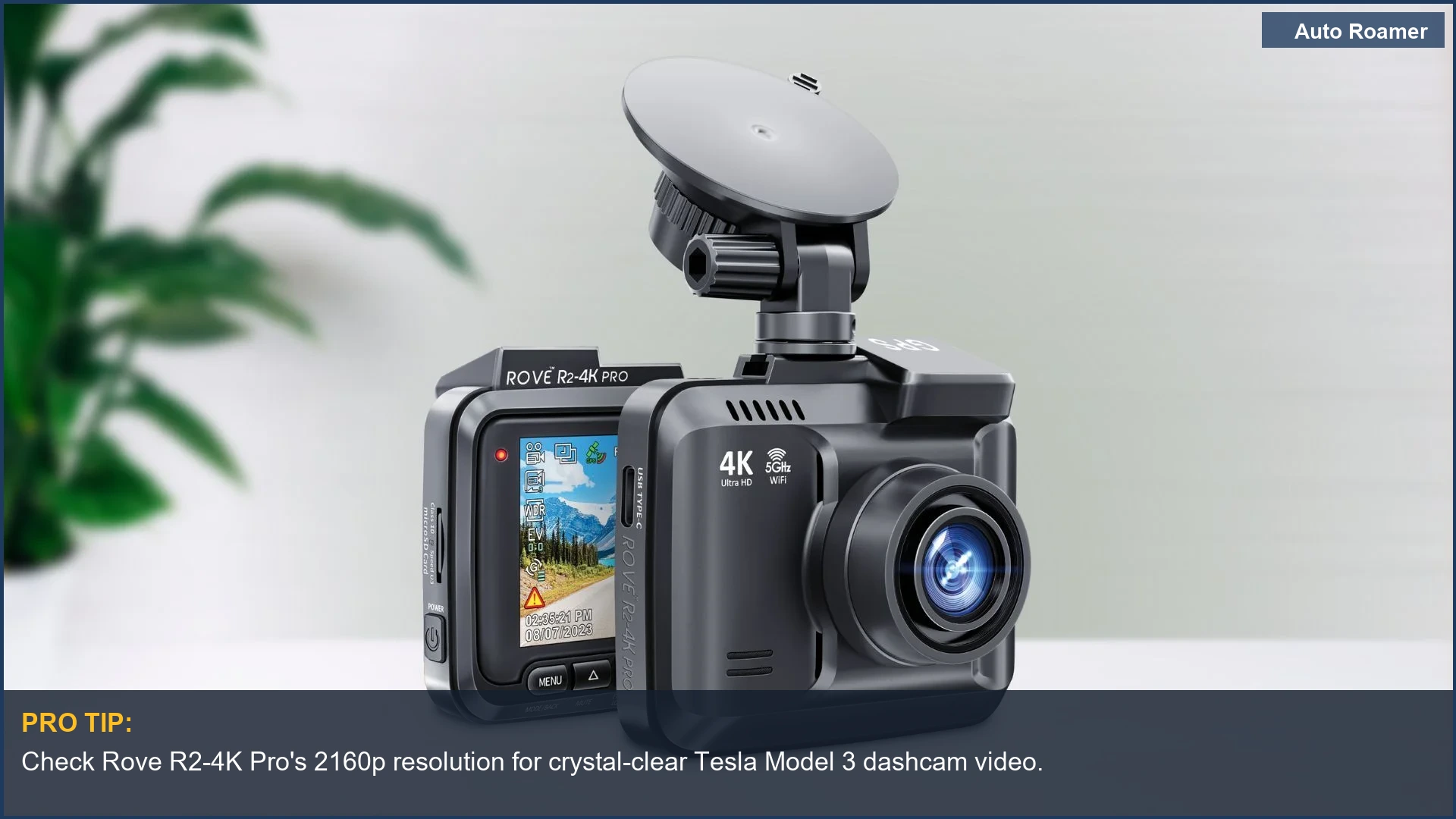
- Best Budget Option with 4K: Rove R2-4K Pro (~$120) - For the price, you get 4K front video. It's a battery-based unit, so watch those summer temps. The PCMag review highlights its sharp 4K video, which is true, until the battery swells.
- Best for Parking Surveillance: Thinkware U3000 (~$500) - Integrated radar detection triggers recording only when motion is near, minimizing power draw and extending parking mode duration. This reduces unnecessary thermal cycling on the internal components.
- Best for Simplicity: 70mai A810 (~$150) - A single 4K front camera that's easy to install. No complicated wiring, just plug and play. It's a decent option if you're just looking for basic front-facing coverage and don't care about the rear. Car and Driver noted its utilitarian design.
What to Look For
The Specs That Save Your Ass, Not Just Your Wallet
Don't fall for marketing fluff. I look at the components and the physics behind their operation. Here's what actually matters:
| Feature | Why It Matters (Physics/Engineering) | Dirtbag Engineer's Take |
|---|---|---|
| Capacitor vs. Battery | Lithium-ion batteries degrade rapidly with thermal cycling, especially above 120 degrees F, leading to swelling and failure. Capacitors tolerate wider temperature ranges (up to 200 degrees F) with minimal degradation. | Batteries *will* swell in a hot car. It's not 'if,' it's 'when.' Capacitors are the only sensible choice for longevity. Pay the extra $50. |
| Video Resolution (4K vs. 1080p) | Higher pixel density allows for greater detail in post-capture analysis. License plate recognition at speed or distance requires sufficient pixel information to overcome motion blur and optical distortion. | 1080p is usually fine for a fender-bender. But if you need to catch a plate at 40 MPH, you're gonna want that 4K. Don't skimp on evidence. |
| Parking Mode Power Management | Efficient power draw is crucial for preventing parasitic draw that drains the 12V battery. Features like low-voltage cutoff or radar detection minimize continuous recording, reducing stress on the battery's charge cycles. | A cheap parking mode will kill your 12V battery in a week. Your Tesla already has enough parasitic draw. Look for smart power management that doesn't just record air. |
| Mounting Mechanism | Adhesive mounts (3M VHB) provide superior shear strength and vibration dampening compared to suction cups, which can lose vacuum seal due to thermal expansion/contraction of the windshield glass. | Suction cups are for rental cars. They fall off. Every time. Use a proper adhesive mount; the mechanical bond is solid. |
| Storage Media (SD Card) | High-endurance microSD cards (e.g., SanDisk Max Endurance) are designed for continuous read/write cycles. Standard cards have a lower Program/Erase cycle rating, leading to premature failure and data corruption. | Your cheap SD card will die. It's a guaranteed failure mode. Spend $30 on a high-endurance card. Otherwise, your footage will be gone when you need it most. |
Our Top Picks for Reliable Performance
Our Top Picks for Reliable Performance
I don't recommend anything that won't stand up to daily abuse and thermal cycling. These units are built to last, or at least fail gracefully.
VIOFO A229 Pro Duo (~$300)
Specs: Front 4K (Sony STARVIS 2), Rear 2K (Sony STARVIS 2), Supercapacitor, GPS, Wi-Fi.
Pros: Excellent low-light performance thanks to the STARVIS 2 sensors. Supercapacitor resists thermal degradation. Known for robust features and video quality.
Cons: Wiring the rear camera can be a pain in the ass if you're not comfortable pulling trim.
Best for: Anyone serious about video quality and longevity in harsh environments.
BlackVue DR970X-2CH (~$470)
Specs: Front 4K, Rear 1080p, Supercapacitor, Cloud connectivity, Parking mode with motion detection.
Pros: Very discreet form factor. Solid cloud integration for remote viewing and alerts. Many Tesla owners opt for BlackVue due to reliability.
Cons: Higher price point for similar video quality to VIOFO.
Cloud subscription adds recurring cost.
Best for: Users who prioritize stealth and remote monitoring.
Thinkware U3000 (~$500)
Specs: Front 4K, Rear 2K, Supercapacitor, Built-in radar for parking mode, GPS, Wi-Fi.
Pros: Radar-based parking mode significantly reduces power draw, extending battery life. Advanced 4K sensor provides top-notch video.
Cons: Pricey. The radar module adds bulk to the front unit.
Best for: Maximum parking surveillance duration without killing your 12V battery.
70mai A810 (~$150)
Specs: Front 4K (Sony STARVIS 2), 1080p rear option, Battery-powered, GPS.
Pros: Great value for a 4K front camera with a STARVIS 2 sensor. Car and Driver praised its clean, utilitarian design.
Cons: Uses a battery, which is a known thermal failure point.
Best for: Budget-conscious drivers who need solid front-facing video and can tolerate the battery's inherent limitations.
Rove R2-4K Pro (~$120)
Specs: Front 4K, Battery-powered, GPS, Wi-Fi.
Pros: Excellent 4K video quality for the price. PCMag highlighted its sharp video and reasonable price.
Cons: Battery-powered.
Expect reduced lifespan in hot climates.
Best for: Entry-level 4K recording if you're willing to accept the battery compromise.
Head-to-Head Comparison
Head-to-Head Comparison: Where the Rubber Meets the Road
Let's cut through the marketing. Here's how the top contenders stack up in the metrics that actually matter for your Tesla Model 3.
| Feature | VIOFO A229 Pro Duo | BlackVue DR970X-2CH | Thinkware U3000 |
|---|---|---|---|
| Front Resolution | 4K | 4K | 4K |
| Rear Resolution | 2K | 1080p | 2K |
| Power Source | Supercapacitor | Supercapacitor | Supercapacitor |
| Parking Mode | Buffered (hardwire required) | Buffered (hardwire required) | Radar-based (hardwire required) |
| Thermal Resistance (Max Op Temp) | 170 degrees F | 170 degrees F | 170 degrees F |
| Discreetness | Good - compact front unit | Excellent - cylindrical, tucks well | Fair - larger front unit due to radar |
| Connectivity | Wi-Fi | Wi-Fi, Cloud (LTE module optional) | Wi-Fi, Cloud (LTE module optional) |
| Price (Approx.) | $300 | $470 | $500 |
The VIOFO gives you the best bang for your buck on resolution and thermal stability. BlackVue is for those who want that clean, factory look and don't mind the premium. Thinkware is the undisputed king of parking mode efficiency, but you pay for that radar tech. Your choice depends on what failure mode you're trying to prevent most.
Budget vs Premium: Where Your Money Actually Goes
Budget vs Premium: Where Your Money Actually Goes
You can spend $100 or $500 on a dashcam. The difference isn't just a bigger number on the box; it's fundamental engineering choices that directly impact failure rates and thermal resilience. This isn't about 'features' so much as it is about avoiding predictable mechanical and electrical failures.
| Feature Category | Budget (~$100-150) | Premium (~$300-500) | Dirtbag Engineer's Analysis |
|---|---|---|---|
| Power Source | Lithium-ion battery | Supercapacitor | The battery *will* swell. It's a matter of time and thermal cycling. A supercapacitor has a vastly superior operational temperature range and lifespan. Wirecutter emphasizes the supercapacitor's benefits. |
| Image Sensor | Older generation Sony STARVIS or generic CMOS | Latest Sony STARVIS 2 | Newer sensors handle low-light conditions and high dynamic range better. This means legible license plates at night, not just blurry headlights. Critical for evidence. |
| Video Resolution | 1080p (sometimes interpolated 4K) | Native 4K front, 2K rear | Interpolated 4K is marketing garbage. Native 4K gives you actual pixel data for zooming in on details. If you can't read the plate, what's the point? |
| Connectivity | Basic Wi-Fi (2.4GHz) | Dual-band Wi-Fi (2.4/5GHz), Cloud optional | Faster Wi-Fi means quicker footage downloads to your phone. Cloud connectivity is a nice-to-have for theft alerts, but you're paying for a subscription. |
| Parking Mode | Basic motion detection, constant recording | Buffered recording, radar detection, low-voltage cutoff | Premium parking modes actually protect your 12V battery from parasitic draw. A cheap unit will drain it in days, adding thermal stress to your vehicle's critical systems. |
| Mounting Hardware | Suction cup or basic adhesive | 3M VHB adhesive, sometimes quick-release | Suction cups are a joke. They lose their seal with temperature fluctuations. A proper VHB adhesive mount maintains a consistent mechanical bond, minimizing vibration and detachment. |
The Bottom Line
The Bottom Line: Don't Cheap Out on Evidence
- Supercapacitors are Non-Negotiable: If your dashcam has a battery, it's a ticking thermal bomb. The 150 degrees F interior of a parked Tesla in direct sun will kill it. Don't waste your money on a unit that will fail in six months.
- 4K Front, 2K Rear is the Standard: You need enough pixel density to read license plates and identify faces. Anything less is just recording blurry shapes.
VIOFO A229 Pro Duo's 4K+2K setup is a solid benchmark.
- Hardwiring is Essential for Parking Mode: Relying on the Tesla's USB for parking mode is a fool's errand. A dedicated hardwire kit with low-voltage cutoff prevents parasitic drain on your 12V battery.
- High-Endurance SD Cards Save Your Ass: A generic microSD card will corrupt your critical footage when you need it most.
Invest $30 in a card rated for continuous write cycles.
- Dealer 'Solutions' are Scams: They'll charge you $150 to 'diagnose' a dead battery that was actually killed by your cheap dashcam's parasitic draw. Do your own research, prevent the failure mode, and save hundreds.