The Model 3 Gives You No Vents and One Piece of Glass
Every universal phone mount sold in the last decade assumes one of three things: a dashboard you can stick something to, a windshield you can suction to, or an air vent with a slat stiff enough to hang weight from. A Tesla Model 3 offers none of them. The dash is a single soft-touch beam with a wood or fabric insert running its whole width, the vents are a hidden full-width slot with no louvres a clip can grab, and the windshield sweeps back so far that anything suction-cupped to it sits either out of reach or squarely in your view.
What the car does have is a large, rigid, free-standing centre touchscreen on a fixed stalk — and that is why the entire Model 3 mount category converged on the same idea: clamp or magnetise something to the edge of the screen itself. It is the only surface in the cabin that is stiff, vertical, within arm’s reach, and already where your eyes go for navigation and speed.
That convergence creates a problem the mount listings never talk about. Hanging a phone off the side of a screen puts the load in shear, on a bezel that was never designed as a structural mounting point, in a car whose suspension is tuned firm. Whether a given mount works for you is therefore not really a question of features. It is a question of whether its grip — magnetic or mechanical — beats what your specific phone weighs when the road gets rough. So that is where this guide starts, before it names a single product.
Grip-Load Math for a Model 3 Screen Mount
Mount listings all shout the same two words — strongest magnet — and none of them tell you the number that actually matters: how much hold your phone needs. That is answerable with arithmetic, using published phone masses and a case allowance, so here it is worked out.
Grip-load math: the pull force a Model 3 screen mount has to beat, phone by phone. No spec sheet prints this, so here is the arithmetic done for you. A screen-edge mount holds your phone in shear — the phone hangs off a vertical sheet of glass, and the only thing fighting gravity plus road input is the magnet (or a clamp). The formula is deliberately simple: required hold = (phone mass + case mass) × safety factor, with a 30 g allowance for a silicone-class case.
The three safety factors are 3× (smooth interstate), 5× (normal city driving with expansion joints) and 8× (broken pavement, hard braking, a pothole you did not see). Masses are the manufacturers’ published figures.
| Phone (published mass) | With a 30 g case | Hold needed at 3× | Hold needed at 5× | Hold needed at 8× |
|---|---|---|---|---|
| iPhone 17 Pro Max | 263 g | 789 gf | 1315 gf | 2104 gf |
| iPhone 16 Pro Max | 257 g | 771 gf | 1285 gf | 2056 gf |
| Galaxy S25 Ultra | 248 g | 744 gf | 1240 gf | 1984 gf |
| A 200 g mid-size phone (reference) | 230 g | 690 gf | 1150 gf | 1840 gf |
Read the 8× column first, because that is the one that decides whether your phone ends up in the footwell. An iPhone 17 Pro Max in a case needs roughly 2104 gf of hold to stay put through a bad hit — and the strongest Tesla mounts on the market advertise 2,000 gf to 2,400 gf of pull force, so a heavy phone sits right at the edge of what even a premium magnet array claims.
Drop to a 200 g mid-size phone and the same mount has more than double the margin it needs. That is the whole reason this page splits its picks by grip type rather than by price: the heavier your phone, the less the magnet marketing matters, and the more a mechanical clamp starts to look like the honest answer.
Two practical conclusions fall out of the table. First, phone mass barely varies across the flagship class — 218 g to 233 g covers almost every big phone sold today — so if you carry any Pro Max or Ultra, you can treat roughly 2000 gf as your floor and stop reading magnet marketing altogether.
Second, the case is not a rounding error: 30 g is more than a tenth of the total load, and a thick rugged case both adds mass and pushes the phone further from the magnets, which weakens the very grip you just made heavier. If you run an armoured case, the mechanical-clamp option below is not a compromise pick. It is the correct one. Worth settling before you commit to magnets at all: whether magnetic mounts actually harm a phone has a clearer answer than the internet suggests.
Screen Bezel, Behind the Screen, or the Driver-Side Dash Line: Where a Model 3 Mount Can Live
Once you accept that the cabin gives you almost nothing to work with, there are four distinct geometries, and they trade off against each other in ways that show up on day two of ownership rather than in the listing photos.
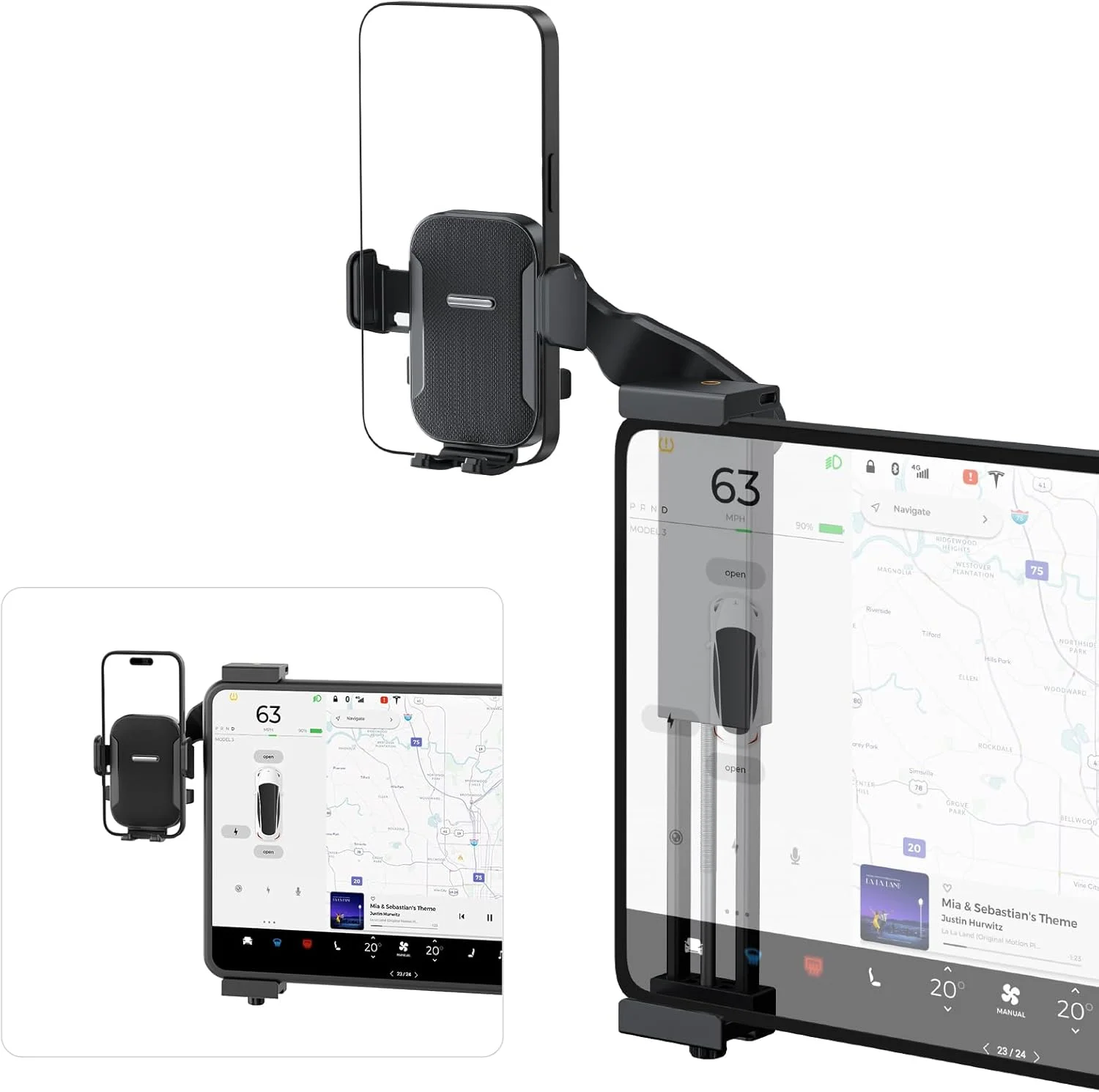
Bezel-clamped, phone beside the screen. The mount grips the top and bottom edges of the display and holds your phone off to one side. This is the most secure arrangement because the load path runs through a rigid frame rather than through magnets alone, and it is the only one that works with any phone, any case, no MagSafe required. The cost is width: your phone now sits outboard of the screen, which on the driver’s side nudges it toward your line of sight and on the passenger side puts it out of easy reach.
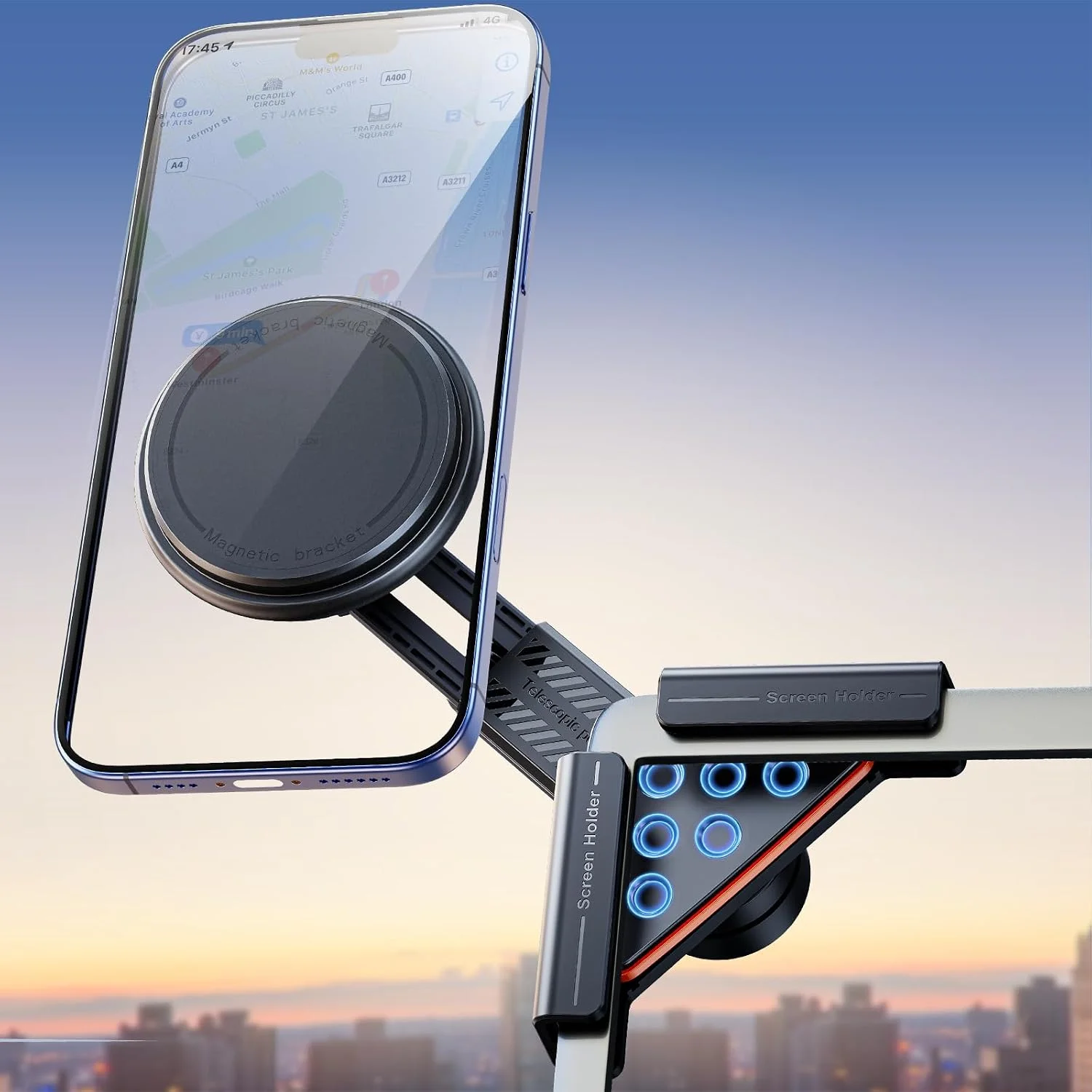
Magnet on the bezel, phone overlapping the glass. The mount is small and the phone sits partly over the screen’s edge. It is the tidiest look and the fastest one-handed grab, but it covers part of the display — and on a Model 3 the left column of that display is the map, so overlap on the wrong side means you traded your navigation view for your phone’s.
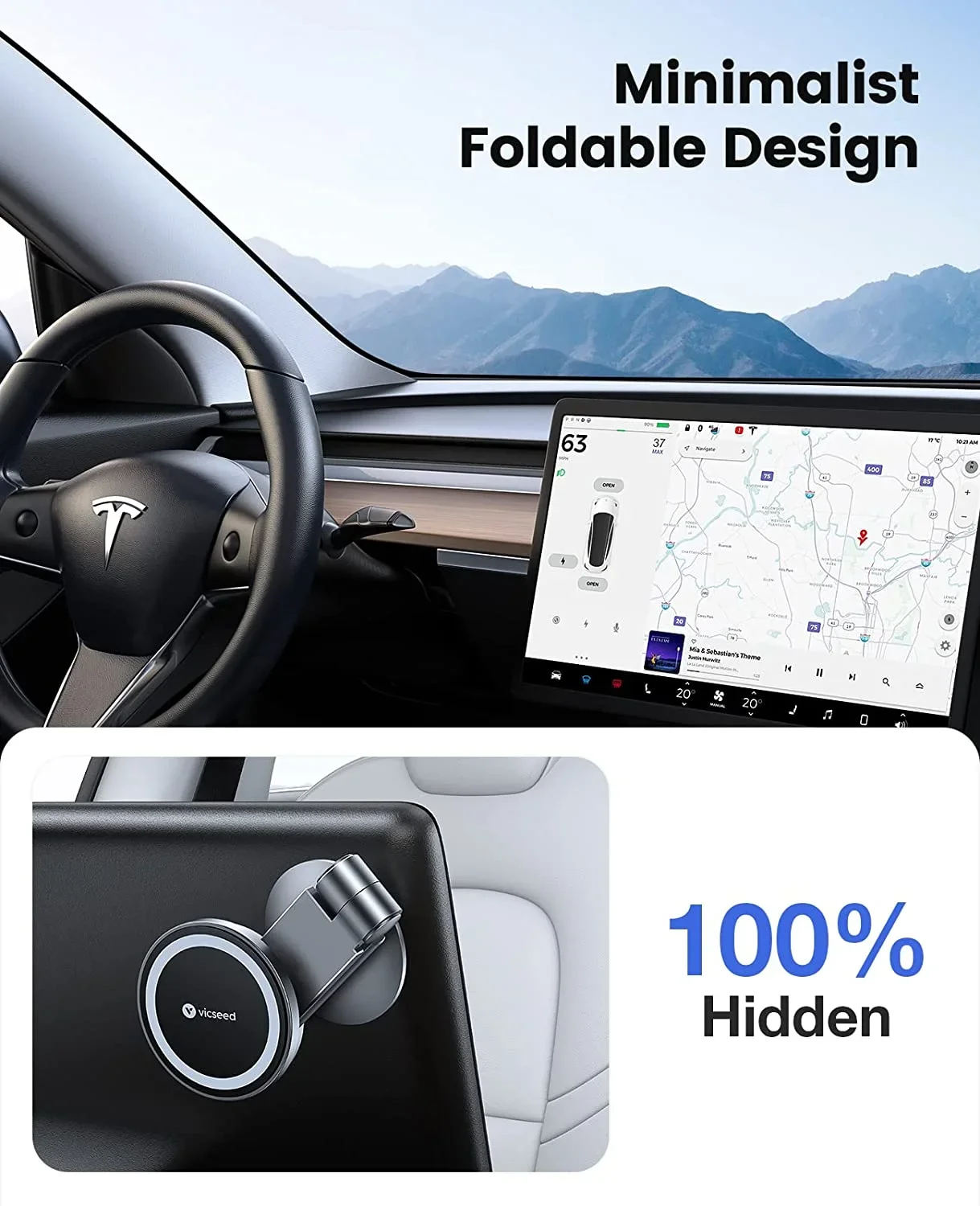
Hidden behind the screen, folding out. An arm tucks behind the display and swings out only when you want it. Nothing is visible when the phone is in your pocket, which suits anyone who likes the car’s bare interior, but every folding joint is one more place for vibration to show up as a shaking phone at highway speed.
On the driver-side dash line, away from the screen entirely. A few mounts anchor to the driver-side trim and vent seam instead of the display, putting the phone up near the A-pillar sightline rather than at your elbow. It is the only geometry that leaves the whole screen visible, and the only one where a charging cable has a short, tidy run to the console port.
The six picks below cover all four, doubled up where the choice is genuinely close — and each was re-checked as buyable before it earned its place here. If you are cross-shopping outside the Tesla-specific category, our guide to phone-model mount compatibility covers the same grip questions for ordinary cars.
Lamicall N55: The Light-Touch Magnet for a Model 3 Bezel
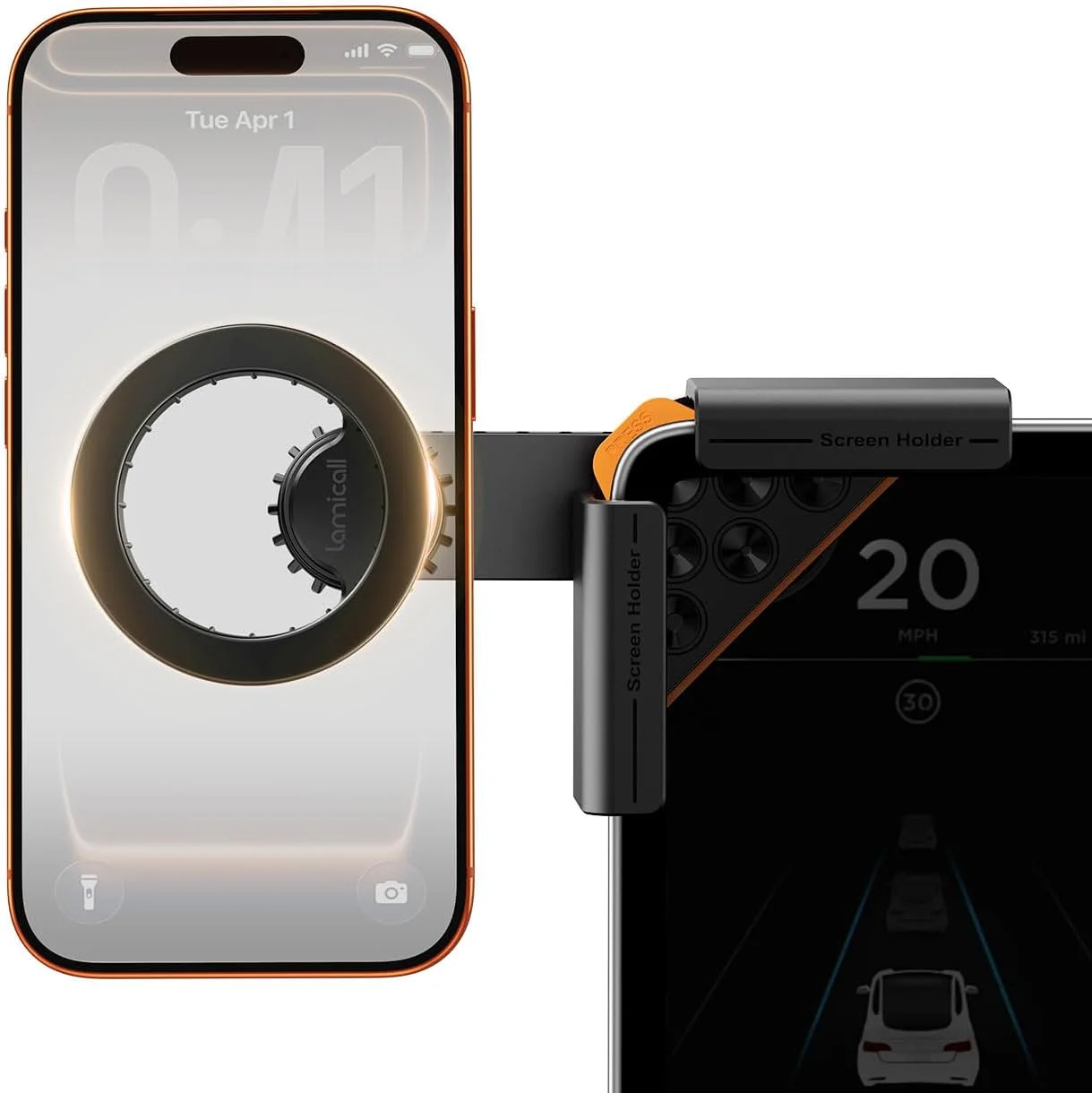
Lamicall is one of the few recognisable names in this category, and its Tesla mount takes the small-magnet-on-the-bezel approach: a one-click locking arm that grips all four corners of the console screen, with an N55 ring magnet doing the phone-holding. N55 is the highest commonly available neodymium grade, which is the right spec to want here given the numbers in the table above.
Two details make it the sensible default rather than just the cheap one. The arm carries a 180-degree rotating joint plus a ball joint, so you can flip between portrait and landscape without unclipping anything, and the package includes a metal ring for phones without native MagSafe — which matters if you are on Android and were about to discover that “MagSafe mount” quietly means “iPhone mount”.
The honest limitation is stated by Lamicall itself: this mount does not support wireless charging. It is a holder, not a charger. If your phone spends long drives navigating with the screen lit, plan on running a cable to the console — or skip to the Qi2 pick further down.
Teefeet No-Glue Clamp: When You Want Mechanical, Not Magnetic
This is the pick for everyone whose phone landed in the awkward part of the grip-load table. The Teefeet mount is a mechanical clamp: the arms tighten around the upper and lower bezels of the Model 3 screen and a locking knob sets the clamping force by hand, with no adhesive anywhere in the design. Because the grip is a screw thread rather than a magnetic field, phone mass and case thickness stop being variables. A 233 g phone in an armoured case is held exactly as firmly as a bare mid-size one.
You give up speed for that certainty. A magnet mount is a one-handed slap and go; a clamp is two hands and a couple of seconds at each end of the trip, which is genuinely annoying if you dock and undock several times a day. The mounting arms and ball joints rotate a full 360 degrees, so at least the viewing angle is not part of the compromise.
Pick this one if you drive broken pavement, carry a heavy phone, run a thick case, or simply do not want to spend the ownership period wondering whether today is the day the magnet loses.
DICMKY 360-Degree Swivel: Landscape Video Without Blocking the Model 3 Map
The DICMKY mount is the minimalist magnetic option — a compact screen-edge holder with a 360-degree swivel, fitted for Model 3 and Model Y including the Highland and Juniper refreshes. Its reason to exist on this page is rotation quality rather than raw hold: the swivel lets you park the phone in true landscape, which is what you actually want when a passenger is watching something at a Supercharger, and then flick it back to portrait for navigation without touching the mount.
Because it is a magnet mount, run it against the table above before you buy. It is a comfortable choice for a mid-size phone and a slim case, and a marginal one for a Pro Max in armour — the same caveat that applies to every magnetic pick here, stated plainly rather than buried.
Fitment is the other thing worth checking twice. The listing spans Model 3 model years from 2022 to 2026, covering both the pre-refresh bezel and the Highland one, which is unusual in this category; plenty of Tesla-specific mounts fit one screen generation and not the other, and a mount that does not match your bezel’s exact depth is a mount that rattles. Installation is a spring-loaded lever rather than a knob, so it goes on and comes off without tools.
TEMAI Qi2 15W: The Driver-Side Charging Mount That Leaves the Screen Alone
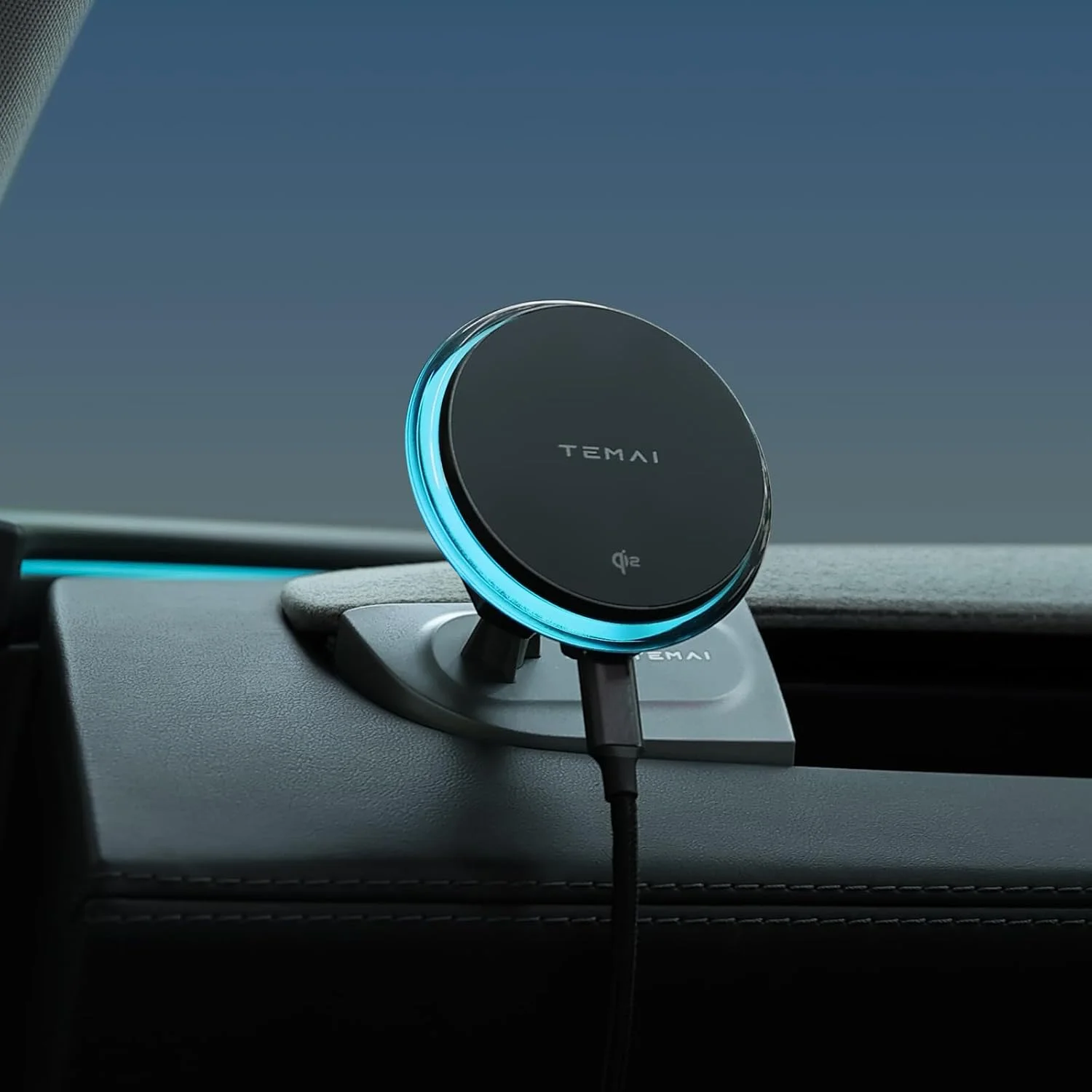
The Model 3’s built-in wireless pad lives flat in the console, which is fine for topping up and useless for navigating. This is the pick that fixes both, and it is the odd one out here: rather than clamping the display, it is shaped to the driver-side vent structure of the 2024-2025 Model 3, which puts the phone up on the A-pillar sightline and leaves the entire centre screen unobstructed.
The charging spec is the reason to care. It is Qi2-certified at 15 W — the full-speed magnetic tier, not the 7.5 W half-rate that older third-party magnetic car chargers deliver to iPhones. A phone running turn-by-turn navigation at daytime brightness can consume power faster than a half-rate pad supplies it, so you arrive with less battery than you left with; a true 15 W feed reverses that on any drive longer than a few minutes. Power comes over a USB-C cable from the car’s own port, and two magnetic rings are included for Android phones with no native magnet array.
Two costs. That cable has to run somewhere, which partly undoes the clean look that drew you to a Tesla interior in the first place. And charging generates heat right where the magnets are — heat is the one thing neodymium genuinely dislikes — which is worth remembering if you park in full summer sun with the phone still docked.
ESR HaloLock and VICSEED: The Two Picks That Stayed Buyable
This guide previously recommended six mounts. When every listing was re-checked in July 2026, four of the six had gone permanently out of stock — the quiet failure mode of the whole Tesla accessory market, where small brands appear, sell for a season, and vanish. Two survived, and they survived on merit.
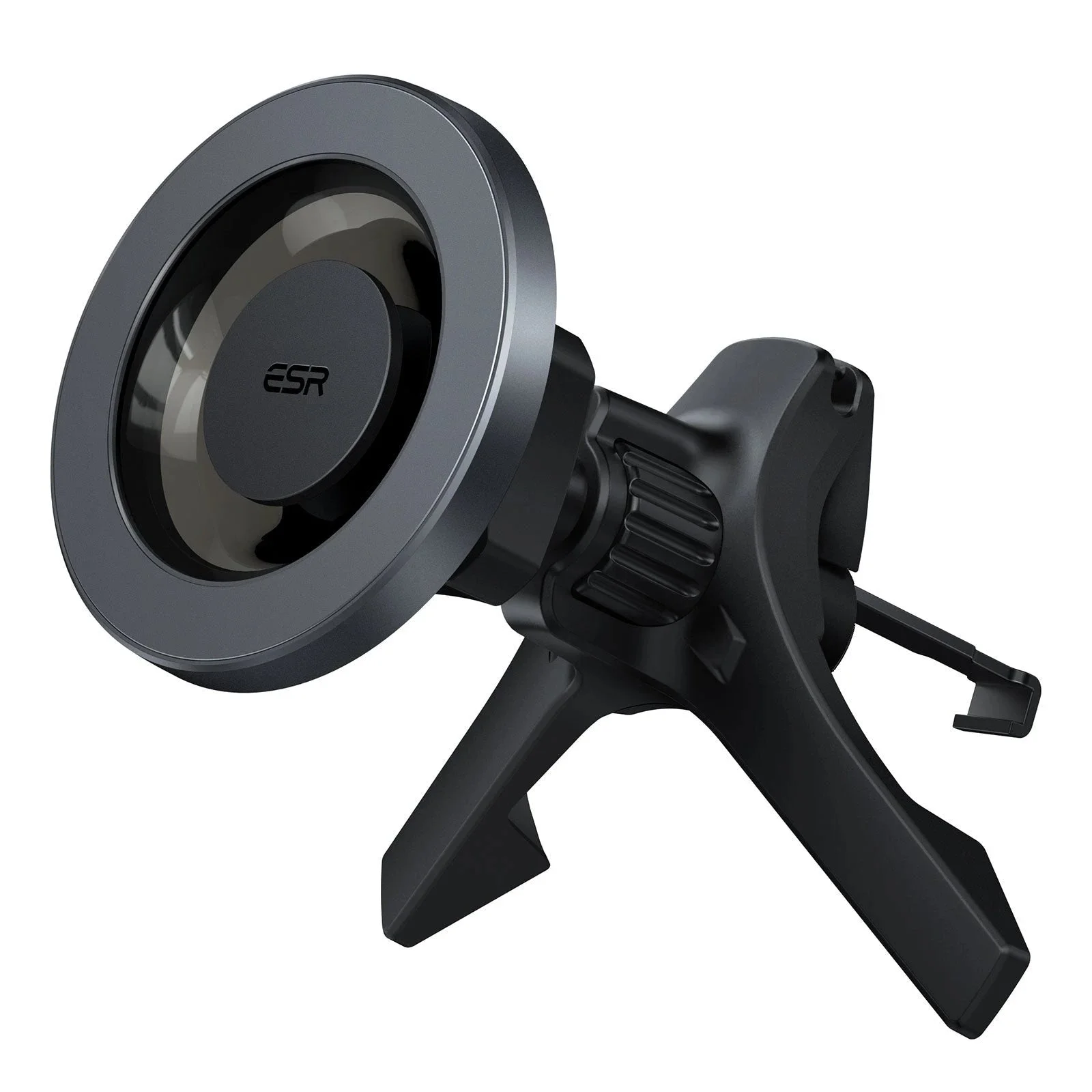
ESR HaloLock is the strong-magnet answer from a brand with an actual product line behind it rather than a single listing. It sits on the screen edge, holds hard, and is the one to reach for if you want a magnetic mount but the grip-load table made you nervous.
VICSEED’s foldable hidden mount is the behind-the-screen geometry done properly: the arm tucks away entirely when you are not using it, so the cabin looks factory-stock, and folds out to a MagSafe head when you need it. It is the most expensive way to solve this problem and the only one that leaves no trace when the phone is in your pocket.
Longevity is worth weighting in a category this volatile. A mount from a brand that still exists in two years is also a mount whose replacement pads, rings and arms you can still buy.
Picking a Model 3 Mount by Phone Weight and Driving Habit
Work down the table, not the price list. If you carry a Pro Max or an Ultra in a protective case, your phone plus case is around 257 g to 263 g, you need roughly 2000 gf of hold to be comfortable on bad pavement, and you should be choosing between the Teefeet mechanical clamp and the strongest magnet you can find — the ESR HaloLock being the safe version of that bet.
If your phone is nearer 200 g and your case is slim, every magnetic pick here has margin to spare, and the decision collapses to how you want the cabin to look: Lamicall for the cheapest competent answer, DICMKY if you rotate to landscape often, VICSEED if you want the mount invisible when it is not in use.
If your phone drains faster than it charges on long navigation legs, take the 15 W Qi2 mount and accept the cable. And whichever you choose, check the listing photograph against your own screen generation before ordering — Model 3 bezels changed with the Highland refresh, and fitment, not magnet grade, is the most common reason one of these ends up going back. The same fitment logic applies if you are kitting the car out in one go — see our Model 3 dash cam picks.
The complete lineup also includes Lamicall Tesla Phone Mount, Teefeet Adjustable Tesla Phone Mount, DICMKY 360-Degree Swivel Tesla Screen Mount, TEMAI Qi2 15W MagSafe Tesla Charging Mount, ESR HaloLock Magnetic Tesla Touchscreen Phone Hold, VICSEED Foldable Hidden MagSafe Tesla Mount — each compared on the same specs and reviewer consensus.