The Big Picture
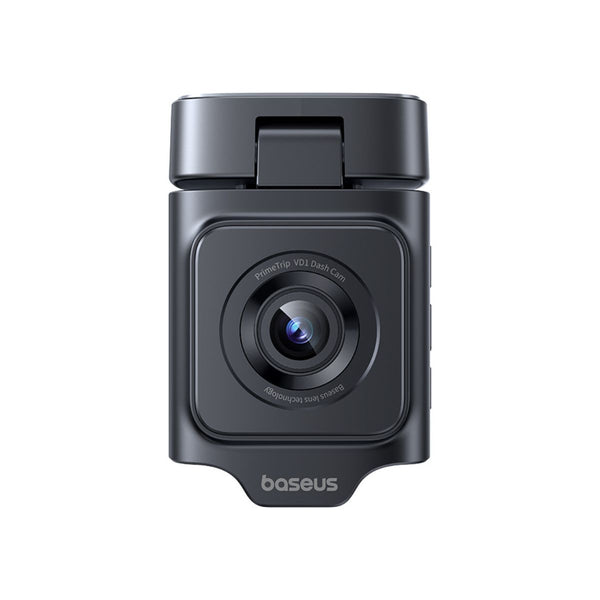
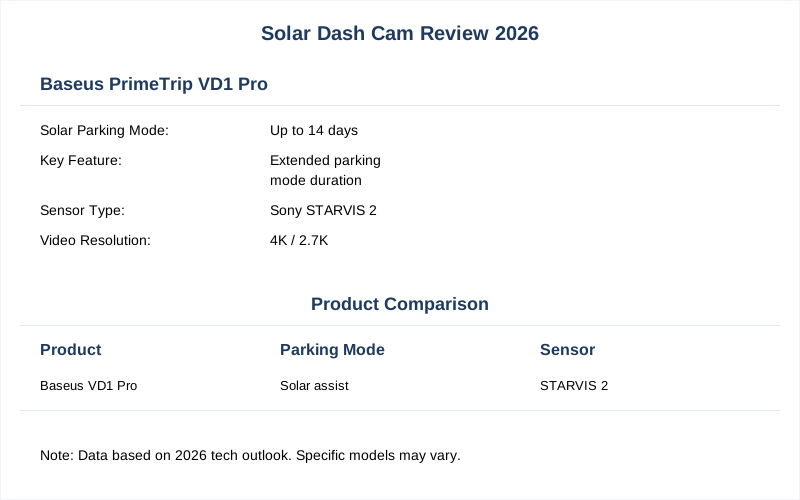
The idea of a solar-powered dash cam sounds like snake oil, right? I've seen enough 'innovative' tech that just adds another failure point. But the Baseus PrimeTrip VD1 Pro, with its tiny solar panel, claims to power parking mode for up to 14 days without draining your main battery Yahoo News. This is a game-changer for avoiding hardwiring, which is usually a pain in the ass.
Key Features to Consider
Key Features to Consider
Forget the marketing fluff. When I look at a dash cam, I'm thinking about raw data and mechanical resilience. Here's what actually matters:
| Feature | Why It Matters (Dirtbag Engineer's View) |
|---|---|
| Video Resolution (4K, 2.7K, 1080p) | More pixels mean better license plate capture. At 4K, you're looking at 3840x2160 pixels. Critical for identifying the idiot who just clipped your bumper. Don't cheap out here. |
| Sensor Type (Sony STARVIS 2) | This isn't about 'image quality.' It's about photon capture efficiency. A Sony STARVIS 2 sensor is significantly better at low-light performance. Without it, night footage is just pixelated garbage. |
| Parking Mode (Buffered vs. Motion-only) | 'Motion-only' means it starts recording *after* impact. Useless. 'Buffered' saves the 10-15 seconds *before* the event. That's the difference between evidence and guessing. |
| Solar Panel Output (mA) | The Baseus VD1 Pro's panel is small. It's not designed for continuous driving power. It's for topping off the internal battery for parking mode, extending standby from days to weeks TechRadar. Understand its limitations. |
| Internal Battery Type (Li-ion vs. Capacitor) | Li-ion batteries swell and fail under thermal cycling in a hot car. Capacitors are more stable, but have less capacity. Choose based on your climate and parking habits. |
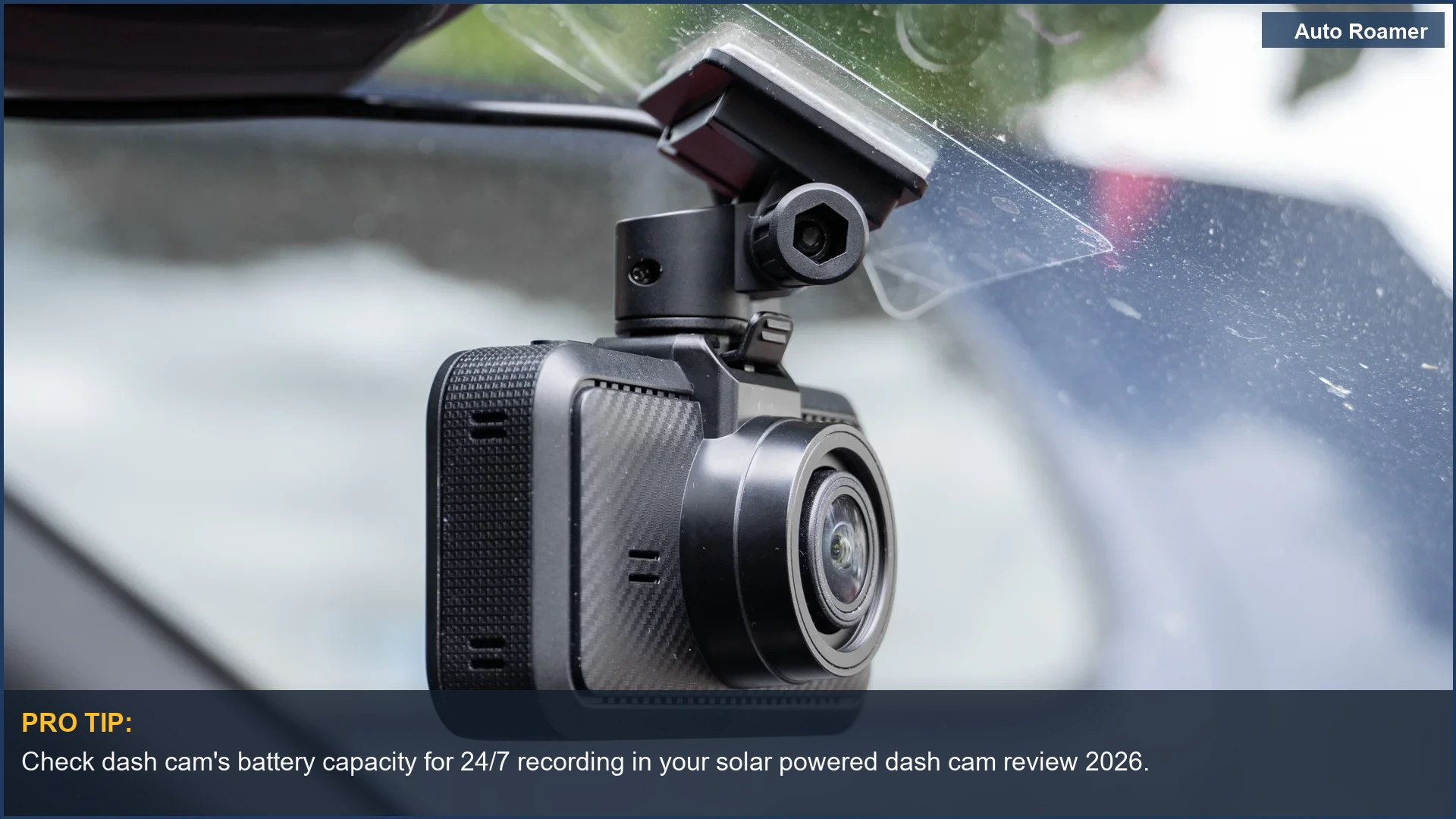
| Mounting Mechanism | Suction cups fail in heat. Adhesive mounts leave residue. I prefer a solid 3M VHB tape mount with a wide surface area. Less vibration, less chance of the camera falling off and smacking your dashboard. |
| Thermal Management | A cheap camera will overheat in direct sunlight. This leads to component degradation, premature failure, and corrupted files. Look for good ventilation or a metal heat sink, not just plastic. |
Most manufacturers gloss over the actual physics. They just want to sell you a box. I'm telling you what fails and why.
The internal battery's thermal cycling is a huge factor. A camera baking in a windshield at 150 degrees F will kill a lithium-ion battery in two years, tops. Capacitors are the way to go for longevity.
Parking mode without hardwiring is the main draw for solar. It means less messing with your car's electrical system, which is where most owners screw things up. No parasitic draw worries if the solar keeps it topped off.
Our Top Picks
Our Top Picks
Alright, let's cut to the chase. Here are the dash cams that don't make me want to throw them against a wall. I've focused on units with solid engineering, not just flashy features that break in a month.
-
Baseus PrimeTrip VD1 Pro (~$120)
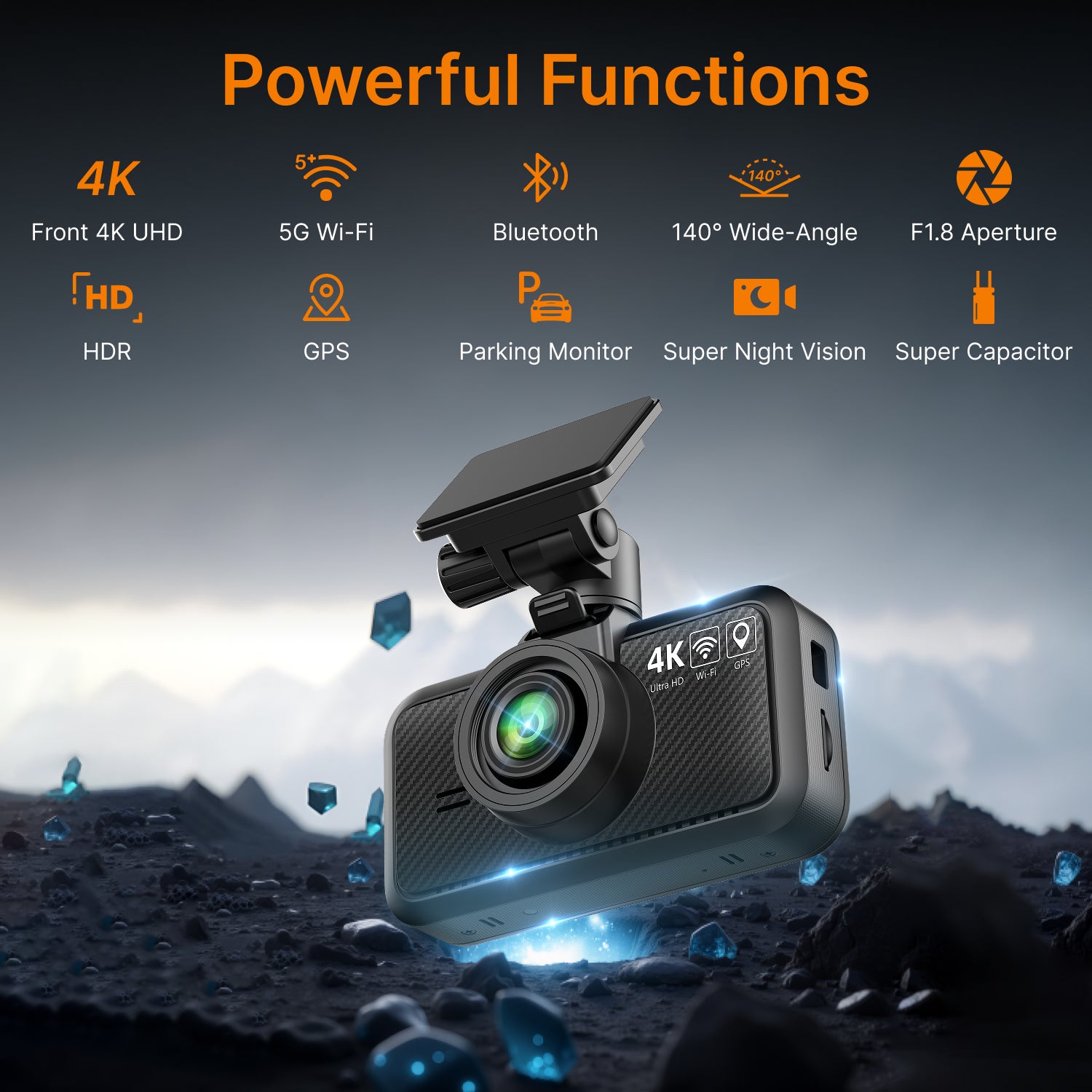
- Specs: Front 4K, Rear 1080p, integrated solar panel for parking mode, internal battery.
- Pros: Solar panel for extended parking surveillance Yahoo News, eliminates hardwiring for parking mode, decent video quality for the price.
- Cons: Solar only powers parking mode, not continuous driving. Battery life for driving still relies on 12V.
- Best-for: Drivers wanting parking mode without touching their car's wiring.
-
Viofo A229 Pro (~$250)
- Specs: Front 4K (Sony STARVIS 2), Rear 2.7K (Sony STARVIS 2), GPS, Wi-Fi.
- Pros: Excellent 4K video clarity, especially at night due to the STARVIS 2 sensors. Solid build quality, reliable capacitor power.
- Cons: No integrated solar. Requires hardwiring for parking mode. Higher price point.
- Best-for: Pure video quality and reliability, willing to hardwire for parking.
-
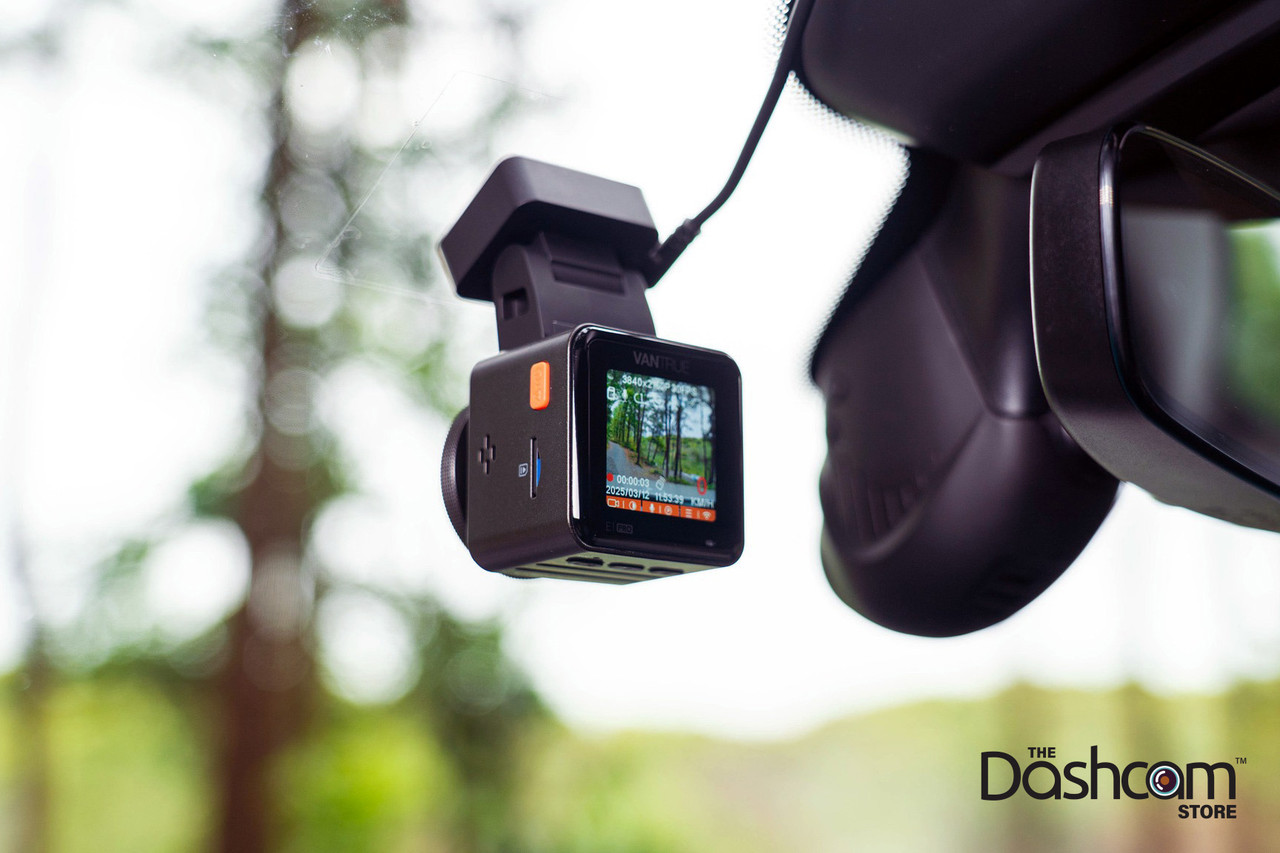
Vantrue E1 Pro (~$150)
- Specs: Single-channel 4K (Sony STARVIS 2 IMX678), 5GHz Wi-Fi, optional LTE support.
- Pros: Top-tier 4K front footage for its price, compact design DashcamTalk. Good night vision.
- Cons: Only front camera, no solar integration.
- Best-for: Users who only need a high-quality front camera and don't care about rear or solar.
-
70Mai A810 (~$180)
- Specs: Front 4K (Sony STARVIS 2), optional 1080p rear, built-in GPS, ADAS.
- Pros: Good balance of features and price Car and Driver. Reliable performance, decent night vision.
- Cons: No solar. Parking mode requires hardwire kit.
- Best-for: Mid-range option with solid performance, if hardwiring isn't an issue.
-
Miofive S1 (~$90)
- Specs: 2.5K resolution, Wi-Fi, compact size.
- Pros: Budget-friendly, simple operation. Small footprint on the windshield.
- Cons: Lower resolution than competitors, no solar, basic features. Not a STARVIS 2 sensor.
- Best-for: Entry-level users on a tight budget who need basic recording.
Remember, 'solar-powered' often means 'solar-assisted for parking mode.' Don't expect continuous operation without a 12V connection while driving. That's just physics. The energy density of those tiny panels isn't there yet.
Budget vs Premium Options
Budget vs Premium Options
I've seen plenty of cheap dash cams fail in under a year. The difference between a $50 unit and a $200 unit isn't just features; it's component quality and thermal resilience. You get what you pay for when it comes to circuit integrity.
| Category | Budget (~$50-$100) | Premium (~$150-$300+) |
|---|---|---|
| Video Quality | Often 1080p, sometimes 'upscaled' 2K. Poor night vision due to cheap sensors. License plates are blurred at 20 feet. | True 4K with Sony STARVIS 2 sensors. Crisp details, even at night. Recognizable faces and plate numbers. |
| Power Source | Lithium-ion batteries that swell and die from thermal cycling. USB mini-B connection that wiggles loose. | Capacitor-based for heat tolerance. USB-C for robust connection. Some offer solar assist for parking mode. |
| Mounting Hardware | Weak suction cups that lose vacuum in summer heat. Adhesive pads that fall off after a few thermal cycles, leaving residue. | Robust 3M VHB tape, secure click-in or magnetic mounts. Minimal vibration transfer to the lens. |
| Build Material | Cheap, thin ABS plastic. Prone to cracking from UV exposure and thermal expansion. Poor heat dissipation. | Higher-grade plastics, sometimes with metal heat sinks. Better thermal management, less outgassing. |
| Parking Mode | Often 'motion detection' only, missing crucial pre-impact footage. Drains car battery if hardwired without proper voltage cut-off. | Buffered parking mode (records before impact). Advanced voltage monitoring to prevent battery drain. Solar assist options. |
| Longevity | 1-2 year failure rate, usually from battery or connection issues. | 3-5+ year lifespan, components designed for automotive environments. |
A $50 dash cam is not an investment; it's a disposable item. The internal components, especially the capacitors and lens elements, are simply not built to withstand the thermal extremes of a vehicle interior. You'll replace it three times before a premium unit even blinks.
Setup and Installation Tips
Setup and Installation Tips
Don't be a hero. Read the damn instructions, then ignore half of them for a better, more secure install. Here's my process:
-
Clean the Windshield (Acetone, not Windex): You want zero grease or film where the adhesive mount goes. Windex leaves residue. Use isopropyl alcohol or, if you're feeling brave, a tiny bit of acetone on a RAG. Let it fully flash off. This ensures proper adhesion and minimizes the chance of the mount rattling loose due to mechanical stress.
-
Pre-Position and Test: Before peeling the adhesive, hold the camera up. Make sure it doesn't block your view and the lens has a clear shot. Check the cable routing options. This avoids pulling the adhesive off later, which weakens the bond's shear strength.
-
Mounting (3M VHB Tape is Gold): If your camera comes with a suction cup, throw it out. Use a 3M VHB adhesive pad. Apply firm, even pressure for 30 seconds. The bond strength increases over 24 hours. Don't hang the camera on it immediately. Trust me, a suction cup failing at 80 degrees F and smacking your dash is annoying ATT Yahoo.
-
Cable Routing (Zip Ties and Trim Tools): Run the power cable along the top of the windshield, tucking it under the headliner. Use a plastic trim tool to gently pry open gaps. Route it down the A-pillar (behind the airbag, if possible - check your car's manual) and to the 12V socket. Zip ties are your friend to prevent cable sag and vibration damage. Don't just let the cable dangle; that's an invitation for fatigue failure.
-
Power (Switched 12V or Hardwire Kit): For basic operation, use a switched 12V socket (turns off with the car). If you want parking mode, you'll need a hardwire kit connected to both a constant 12V and a switched 12V, with a low-voltage cut-off. This prevents your car battery from dropping below 11.8V, which is critical for starting. The Baseus solar unit helps avoid this mess for parking mode, which is a rare advantage.
Don't overtighten anything. Plastic threads strip faster than a cheap stripper on a Tuesday. The goal is secure, not permanently fused.
Care and Maintenance Tips
Care and Maintenance Tips
Most people install a dash cam and then forget about it until they need footage. That's a mistake. These things are exposed to brutal thermal cycling and vibration. A little preventative maintenance goes a long way to ensure circuit integrity.
-
Check Mounting Adhesion (Monthly): Give the camera a gentle wiggle. If there's any play, the adhesive is failing. Re-clean and re-mount before it falls off completely. A weak bond increases vibration transmission, which can damage internal components like the lens assembly.
-
Clean the Lens (Microfiber Only): Dust, fingerprints, and road grime accumulate. Use a clean microfiber cloth. Never use paper towels or harsh chemicals; they'll scratch the lens coating, degrading video quality. Think about the refractive index changes from micro-scratches.
-
Format the SD Card (Quarterly): SD cards are flash memory, and they wear out. Regular formatting (in the camera, not your computer) helps maintain file system integrity and prolongs the card's life. A corrupted card means lost footage when you need it most. This is a critical failure point. I've seen too many 'evidence' videos that were just blank files.
-
Inspect Cables (Annually): Check for fraying, kinks, or pinched spots, especially where cables enter connectors. The constant vibration of a vehicle can cause fatigue failure in copper strands. A damaged cable can lead to intermittent power, corrupting recordings or preventing the camera from turning on at all.
-
Monitor Internal Battery/Capacitor (Periodically): If your camera has a screen, check the battery indicator. If it's always dead, your internal power source is failing. For Li-ion, this often means swelling. For capacitors, it means reduced capacity. This affects parking mode duration or even the ability to save the last file after power loss Car and Driver.
Ignoring these simple steps guarantees a premature failure. Your dash cam is a data recorder. Treat it like one.
Final Recommendations
Final Recommendations
So, after sifting through the marketing BS and actual engineering, here's the deal on solar-powered dash cams:
-
Solar is for Parking Mode, Period: Don't buy a solar dash cam expecting it to power continuous recording while you're driving. The tiny panel doesn't have the wattage for that. It's a clever hack to extend parking surveillance without hardwiring, which is its main utility YouTube.
-
Prioritize Sensor Quality: If you're spending over $120, demand a Sony STARVIS 2 sensor. This is non-negotiable for actual usable footage, especially at night. Everything else is just pixels.
-
Capacitors Over Li-ion: The thermal cycling inside a car will kill lithium-ion batteries. Capacitors are more resilient to temperature extremes, meaning longer device lifespan and more reliable operation. This impacts your long-term cost-per-fix.
-
Mounting Matters: Secure adhesion prevents vibration fatigue. Don't cheap out on the mount or be lazy with installation. A wobbly camera means blurry footage and eventual mechanical failure.
-
Baseus PrimeTrip VD1 Pro is a Solid Contender: For its price point and the solar-assisted parking mode, it offers a compelling package for those who hate fiddling with wiring. It's a niche product that solves a real pain point.
Ultimately, a dash cam is an insurance policy. Don't skimp on the policy that protects your ass when some idiot decides to redecorate your bumper. The cost of a good camera is pennies compared to a disputed insurance claim.