
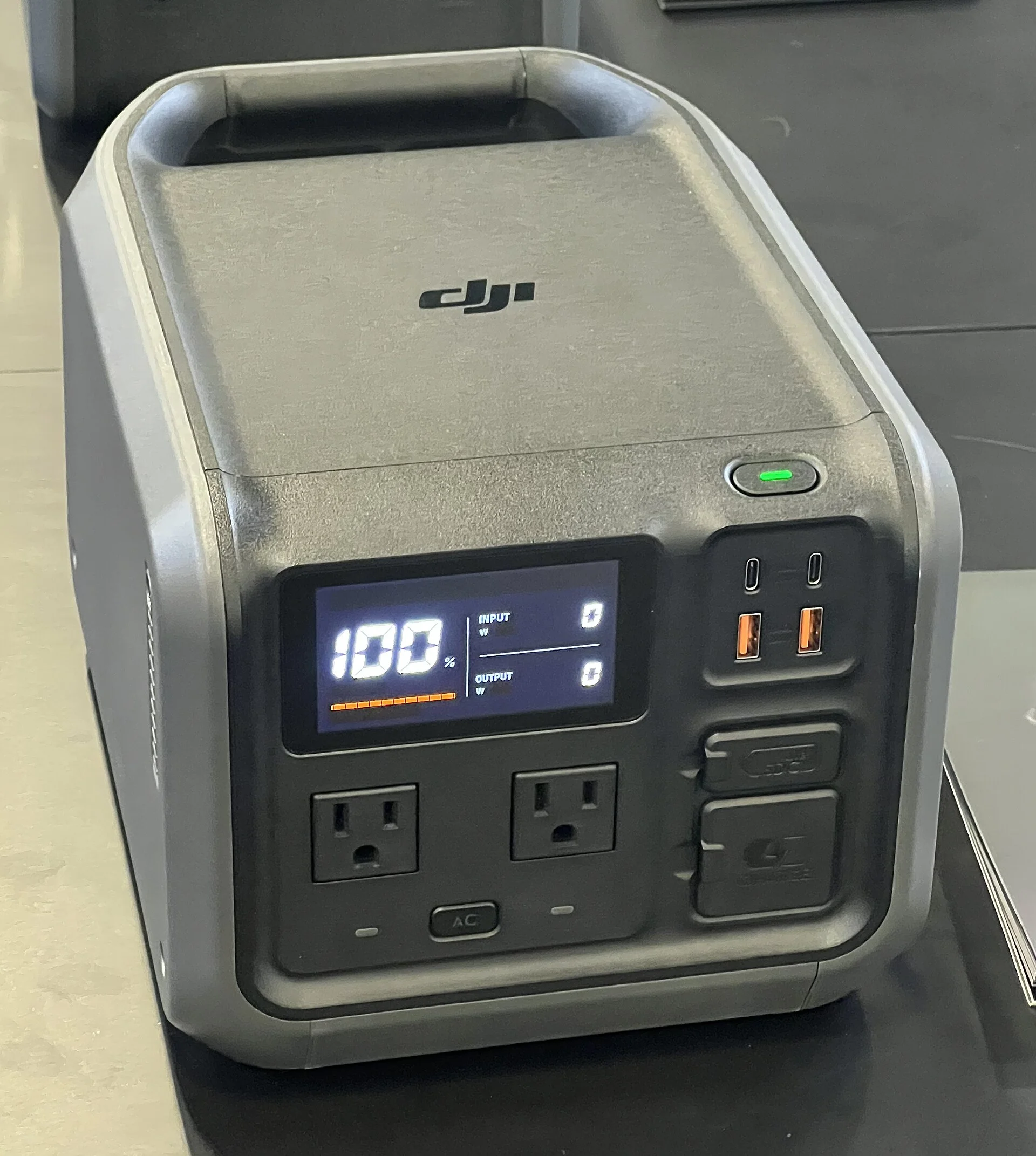
First: A Stall Near the Top Is Often Just Balancing
A power station that races to the high nineties and then crawls, or seems to stick just short of full, is usually not broken. The last few percent of charge is slow because the BMS performs cell balancing near the top of charge, and passive balancers work in the milliamp range while chargers deliver amps. In other words, the unit deliberately slows the charge to nudge individual cells into line, and that trickle takes time.
Balancing exists to keep the pack healthy. A lithium battery is a stack of cells, and they do not all fill at exactly the same rate; without balancing, the strongest cell would hit full while others lagged, and capacity would drift down over time. So near the top the BMS holds back, letting the laggards catch up in the milliamp range while the display appears frozen. It looks like a stall; it is maintenance.
The tell is that the number is still creeping, just slowly, and eventually reads full or nearly full if you leave it connected. A brief trickle or hold at the top is normal. Before assuming anything is wrong, give a charge that has reached the high nineties plenty of extra time to finish - the slow final stretch is the system protecting your investment, not failing to do its job.
The Storage or Eco Cap: It Is Stopping on Purpose
The next thing to rule out is a charge cap the unit is holding deliberately. For battery longevity, manufacturers recommend keeping daily charge between roughly 20% and 80% and storing long-term at about 60%, so units intentionally left at a storage or eco cap of 60-80% will not sit at 100%. A station that always stops at the same round number is almost certainly obeying one of these limits, not failing to reach full.
Brands build this in on purpose. Bluetti recommends storing at approximately 60% state of charge for inactivity beyond about two weeks, turning the unit fully off, and recharging every 3 months to prevent over-discharge. Some units ship in or default to a storage mode that caps the charge to protect the cells during shelf time, and that cap looks exactly like a charging fault if you do not know it is there.
The fix is to find and change the mode rather than to chase a hardware problem. A unit stuck at 60% or 80% that is otherwise healthy is following a storage or eco rule. Switch it out of storage mode - usually in the companion app or a front-panel setting - and it will charge the rest of the way. If it reaches 100% once the cap is lifted, the cap was the whole story.
The App Charge Limit You Forgot You Set
Closely related, and even easier to miss, is a user-set charge ceiling. Many power stations let users set a maximum charge limit such as 80%, and the cycle-life ratings in the specs assume charging only to that limit - which is exactly why a unit may deliberately stop short of 100%. If you or a previous setting enabled an 80% cap to extend battery life, the unit is doing precisely what it was told.
This is the setting people forget. It is often buried in an app menu labeled something like charge limit, battery care, or longevity mode, and once enabled it quietly holds every charge to that ceiling. Months later the unit stops at 80% and looks defective, when the real cause is a checkbox toggled long ago and out of sight.
Open the companion app and read the charge-limit setting directly. If it is capped, you have two honest choices: raise it to 100% when you need the full capacity for a trip, or leave it capped and accept the tradeoff, because that cap genuinely lengthens the battery's life. Either way, it is a decision, not a repair - and the unit was never failing to charge.
Cold Blocks the Last of the Charge
Temperature can stop a charge cold - literally. Charging a LiFePO4 battery below 0C causes lithium plating on the anode and permanent capacity loss, so most units block charging below freezing while still allowing discharge. A station left in a cold vehicle or a winter tent may refuse to charge, or stop partway, precisely because the BMS is protecting the cells from the damage cold charging would do.
The behavior can be confusing because discharge still works. The unit will happily run your gear off its remaining charge in the cold, so it does not seem dead - it just will not take a full charge. Even above freezing, cold slows the chemistry, so a chilly-but-not-frozen pack may charge sluggishly and top out below where you expect. Charging is generally restricted to roughly 0-45C.
The fix is warmth. Bring the unit indoors, into a warmed cabin, or into a sleeping-bag-insulated space and let it come up to room temperature before charging. Most units are designed for a 0-40C (32-104F) operating range, and once the pack is back inside that band the block lifts and the charge completes. A station that suddenly charges to full once warm was cold-locked, not broken.
Heat Throttles the Charge Too
The opposite extreme also caps a charge. When internal temperature climbs toward the ceiling, the BMS throttles or halts charging to protect the cells, so a unit charging hard in a hot environment may slow to a crawl or stop before 100%. Discharge is typically possible up to about 45C, but charging is the more temperature-sensitive operation, and the unit guards it more tightly.
Fast charging makes this worse because it generates its own heat on top of a hot ambient. A station charging quickly in a sunlit tent or a warm car can drive its own internal temperature up until the BMS pulls the input back to keep things safe. The charge appears to stall near the top not because the cells are full, but because the unit is too hot to keep pushing current.
Cool the unit and clear its vents. A hot car is the classic trap - cabin temperatures can far exceed the 40-45C charge and operate ceilings - so move the station into shade and moving air and let it come down. As internal temperature drops, charging resumes and completes. If the last few percent only go in once the unit is cool, heat throttling was the cause.
Weak Input That Can't Reach the Top
Sometimes the unit is willing but the input is too feeble to finish the job. Solar in particular is variable: a panel in weak or intermittent sun may deliver enough to hold or slowly raise the charge but never quite push it to full, especially as the balancing stage near the top demands a steady trickle. The charge climbs when the sun is strong and stalls when clouds roll in.
Car charging has its own ceiling. A 12V accessory socket delivers modest power, and with the engine off there is no alternator replenishing the vehicle battery, so a car-only charge can top out low. The unit is not failing - the source simply cannot supply enough to complete a full charge, particularly through the slow final balancing phase. A plug-in watt meter on the wall charger, or the app's live input reading, shows exactly how much is actually going in.
Prove it by changing the source. Put the unit on a solid wall charge and see whether it reaches 100%. If it fills from the wall but never from a small panel or a car socket, the input was the limit, not the battery. Matching the charger to the job - a bigger panel, more sun, or wall power for the final top-up - is the fix.

Aging: When 100% Honestly Means Less
Over enough cycles, a full charge simply holds less than it once did, and that is expected. LiFePO4 units are commonly rated for about 3000 charge cycles to 80% remaining capacity, versus roughly 500-800 cycles for typical lithium-ion, so an LFP station stays near full capacity for years. But a well-used unit that once ran your gear all weekend on a full charge and now runs it a little less is showing normal aging, not a charging fault.
The numbers put this in perspective. The Jackery Explorer 1000 v2's LFP battery is rated to retain over 70% of original capacity after 4000 charge cycles, corresponding to a lifespan exceeding 10 years of typical use, and Anker's InfiniPower units are designed for a 10-year life with cell ratings measured under controlled ~25C conditions. Reaching 100% on the display still means 100% of whatever the aged pack now holds.
There is no fix for genuine aging, only good habits that slow it - the 20-80% daily range and 60% storage guidance above exist to stretch those cycles. Distinguish this from the earlier causes: aging shows as less runtime from a full charge, not as an inability to reach full. If the unit still reads 100% but runs down faster than it used to, you are watching chemistry, not a defect.
Is the Reading Wrong, or the Charge?
A skeptic checks the gauge before trusting it. Battery percentage on these units is an estimate the BMS calculates, and that estimate can drift out of step with the true state of charge, especially on a pack that is rarely run through a full cycle. A unit that seems stuck a few points short may be charged more fully than the number admits - the display, not the battery, is off.
The standard cure is a calibration cycle. Running the unit down low and then charging it uninterrupted to full lets the BMS re-reference the top and bottom of the pack, which often resolves a gauge that reads a stubborn number just short of full. Manufacturers frequently recommend this exact routine for a percentage that looks frozen, precisely because it is a reading problem more often than a charging one.
Watch behavior during the cycle. If a low-to-full calibration charge ends at a clean 100% and the unit then reports capacity normally, the gauge had simply drifted. If it still refuses to pass a certain point with the source strong, the mode correct, and the temperature fine, then you have ruled out the easy explanations and it is time to consider a real fault.
When It's a Real BMS or Cell Fault
Only after balancing, caps, temperature, input, aging, and calibration are all ruled out is a genuine hardware fault the honest conclusion. The signature is a unit that stops well short of full on a strong wall charger, at a comfortable room temperature, with no storage or charge-limit cap set, and no improvement from a calibration cycle. When every rule and condition is clean and it still will not charge, a cell or the BMS may have failed.
A failing cell drags the whole pack, because the BMS stops the charge when any single cell hits its limit even if the others are not full - so a weak or imbalanced cell can cap the displayed charge below 100%. That is not user-serviceable: the pack, the BMS, and the balancing circuitry live inside a sealed enclosure and require manufacturer service to diagnose or replace.
Reaching this point last is the whole discipline. The cheap explanations - a slow balancing trickle, a storage cap, an app limit, a cold or hot lockout, a weak charger, a drifted gauge - sit at the top of the list, and the one real hardware failure sits at the very bottom. If you have honestly worked through them and the unit still cannot reach full, document the behavior and let the manufacturer take it from there.
The Verdict: Short of Full Is Usually a Rule, Not a Fault
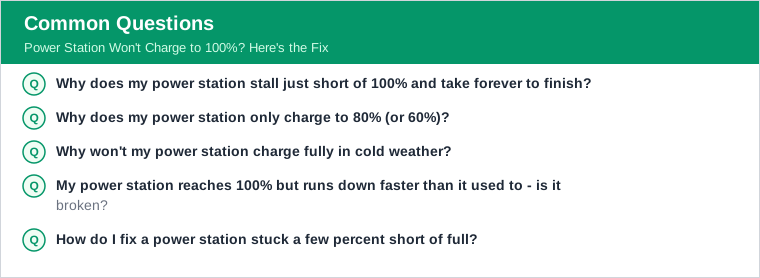
A power station that will not reach 100% is, far more often than not, following instructions. The last few percent crawl because the BMS is balancing cells in the milliamp range. A storage or eco cap holds the charge at 60-80% on purpose. An app charge limit you set months ago quietly stops it at 80%. Cold below 0C blocks charging outright, and heat near the 40-45C ceiling throttles it.
Work those first, then check the practical stuff: a weak solar or car source that cannot finish the job, normal aging that means a full charge simply holds less after thousands of cycles, and a drifted gauge that a calibration cycle will re-reference. Each of these is a setting, a condition, or a habit - not a broken unit.
Only a healthy-temperature unit on a strong charger, with no caps set and no help from calibration, that still stops short is a real BMS or cell fault - and that one goes to the manufacturer. Diagnose in that order and you will explain almost every won't-reach-full complaint without a return, and you will know for certain the rare time a pack has genuinely failed.