The short answer: your radio and your transmitter are almost certainly on different frequencies
If you plugged in an FM transmitter, started a song, and got nothing but silence or hiss from the speakers, the single most likely reason is the most boring one: your car radio and the transmitter are not tuned to the same FM station. An FM transmitter is a tiny radio broadcaster. It takes the audio from your phone and beams it out on one FM frequency — say 88.1 — and your car stereo only hears it if the stereo is manually tuned to that exact same 88.1. They are two separate dials, and both have to match. Get that one thing right and the large majority of “no sound” complaints disappear in under a minute.
The second half of that fix is just as important: the frequency you both land on has to be empty. If a real radio station is already broadcasting on 88.1 in your area, its signal fights your little transmitter and the strong station usually wins — you hear the station, or a garbled mush, instead of your music. So the real instruction isn’t “pick a number,” it’s “find a dead, static-only spot on the dial and set both devices to it.”
That said, “no sound” and “won’t connect’ cover a few genuinely different faults, and it’s worth separating them before you start fiddling. One: the transmitter is powered and paired but you hear nothing — almost always a frequency mismatch or an audio-routing problem. Two: the transmitter won’t pair with your phone at all. Three: the transmitter won’t even power on. This page walks all three in order, cheapest and most likely first, so you fix it instead of returning a perfectly good gadget. Everything here is built on how these devices are documented to work and the patterns owners report over and over — not a bench test I’m pretending I ran.
First, the 30-second triage: powered, paired, or playing?
Before you change a single setting, figure out which of three states you’re actually in, because each one sends you to a different fix. Look at the transmitter and your phone and ask three questions in order.
Is it powered? The transmitter should show a lit display (usually a glowing FM frequency like 88.1) or at least an LED the moment the car’s 12-volt socket is live. No light at all means you have a power problem, not an audio problem — jump to the power section. Is it paired and connected? If it uses Bluetooth, your phone’s Bluetooth screen should list the transmitter as Connected, not just Paired, and many units beep or announce “connected” out loud. Is audio actually leaving your phone? Start a song and confirm the phone thinks it’s playing — the progress bar is moving and the media volume is up.
Those three checks split the whole problem cleanly. Powered + connected + playing, but the speakers are silent? You’re in the frequency-or-routing branch, which is by far the most common. Powered but won’t connect to the phone? That’s the pairing branch. No power at all? That’s the socket-and-fuse branch. Naming your branch first is the difference between a one-minute fix and twenty minutes of poking at the wrong thing.
Cause #1 (and most likely): the frequency isn't matched, or it isn't empty
This is the answer for most people who say their transmitter plays nothing. Fixing it is a deliberate two-step, and the order matters.
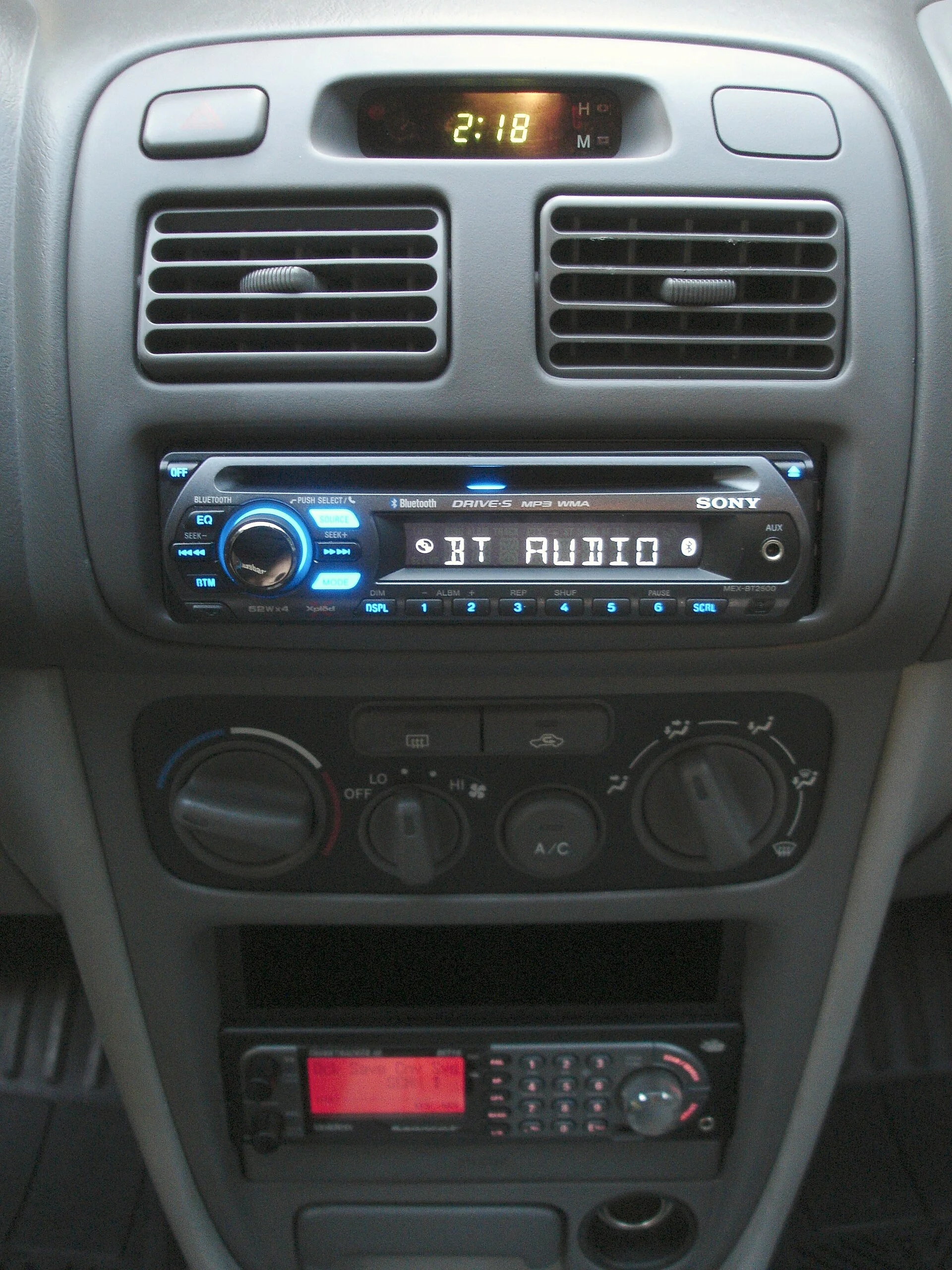
Step one: find a truly empty frequency. Turn off the transmitter for a moment (or unplug it) so it isn’t broadcasting, then use your car radio to hunt for a spot on the FM band that plays nothing but steady static — no faint music, no voices, no station fading in and out. The far ends of the dial are usually your best bet: in the US the low end (87.7–88.3) and a few isolated gaps tend to be clear. An occupied frequency is the number-one reason a “matched” setup still fails, because the local station drowns out the transmitter.
Step two: set BOTH devices to that exact frequency. Tune the car stereo to, say, 88.1, then set the transmitter’s display to 88.1 as well. They must read the same number. This is the step people skip — they change one and assume the other followed. It doesn’t; you set each one by hand.
A few things that trip owners up here:
- Stale or wandering presets. If you saved 88.1 as a radio preset weeks ago and a station has since started broadcasting there, your “known good” frequency is now occupied. Re-scan for an empty one rather than trusting an old preset.
- City driving. A frequency that’s dead at home may be packed downtown where dozens of stations crowd the dial. Long highway trips that cross markets can need a re-tune partway through.
- Mono vs. stereo quirks. A weak or crowded signal sometimes plays but sounds thin, one-sided, or drops out — that’s really a strength/interference problem.
Once you have sound but it’s noisy, hissy, or fading, you’ve solved the “no sound” problem and moved on to a signal-quality one — which is its own topic. We walk through clearing that up in how to fix FM transmitter interference, including why a good empty frequency is the foundation for clean audio.
The Bluetooth side: 'paired' is not the same as 'connected'
If your transmitter uses Bluetooth and it won’t link to your phone — or links but passes no audio — the cause is usually one of a handful of well-worn pairing problems. The first is a vocabulary trap: paired and connected are different states. Pairing is the one-time handshake that introduces the two devices; connecting is the live link that actually carries music. A transmitter can be remembered (paired) yet not currently connected, so your phone’s Bluetooth list shows it but no sound flows. Open the Bluetooth screen and confirm it explicitly says Connected.
The most common real-world snag is that your phone is connected to something else. Phones happily hold one active Bluetooth audio link at a time, so if your earbuds, a smartwatch, or the car’s own built-in stereo grabbed the connection first, the transmitter sits idle. Turn off or disconnect the other device, then connect the transmitter. If your car has its own Bluetooth and it keeps stealing the link, that’s a different rabbit hole — and if that built-in connection itself keeps dropping, see why car Bluetooth keeps cutting out.
The second classic is a full or corrupted pairing memory. Cheap transmitters remember only a few devices, and once that list fills, new phones either won’t pair or pair erratically. The cure is to clear it: on the phone, “forget” the transmitter, and on the transmitter, reset its Bluetooth memory (often a long-press of the play/pause or call button, or a dedicated reset — check the manual). Then pair fresh, with the phone sitting right next to the unit. A clean re-pair fixes a surprising share of “it just stopped working” cases.
A few more honest gotchas: pair while the car is in park and the phone screen is unlocked, because some phones gate pairing behind the lock screen; keep the phone within a foot or two during the handshake; and if the unit has been sitting powered with a half-finished pairing, unplug it for ten seconds to force a clean restart before you try again.
Powered and connected but still silent: it's an audio-routing problem
Here’s the maddening one: the transmitter is lit, the phone says Connected, the radio is on the right empty frequency — and still nothing. Nine times out of ten the audio is simply not being sent from the phone to the transmitter, or it’s being sent at zero volume. Walk the volume and routing chain.
There are two or three separate volume controls, and any one at zero kills the sound. The phone’s media volume, the transmitter’s own volume (many have buttons or a knob), and the car stereo’s volume all stack. Set all three to a normal level — a muted phone is the most common culprit, and on iPhones the side switch or focus modes can quietly mute media. Confirm you’re playing media, not a call. Phones route call audio and media audio over different Bluetooth profiles; if you only ever hear navigation prompts or phone calls but never music, the media link isn’t engaged — more on that below.
Check which output the app is using. Tap the audio-output button inside your music or podcast app (and in the phone’s control center) and make sure the transmitter, not the phone speaker or a forgotten pair of earbuds, is selected. Apps sometimes latch onto the last output and ignore a newly connected device until you point them at it. Try a different app. If one app is silent but another plays, the problem is that app’s output setting, not the transmitter.
One more subtle routing trap on aux-cable and USB models: the transmitter usually has an input mode — Bluetooth, AUX, USB/TF card — and it only plays the source it’s currently set to. If it’s sitting in AUX mode with nothing plugged into the aux jack, Bluetooth audio goes nowhere even though the phone is connected. Press the mode/source button until the display shows the input you’re actually using.
When it won't power on at all: start at the 12-volt socket
No lit display, no LED, no beep — the transmitter isn’t getting power, and that’s almost always the car’s socket rather than the device. The transmitter draws its power through the cigarette-lighter / 12V socket, and that little chain has several weak links.
Is the socket live? On many cars the 12V socket is only powered when the ignition is on or in accessory mode — turn the key (or push the car to ACC) and watch for the transmitter to wake. To rule the socket in or out, plug a phone charger you know works into the same socket; if the phone doesn’t charge, the socket or its fuse is the problem, not the transmitter. Check the fuse. The cigarette-lighter circuit has its own fuse in the car’s fuse box, and a blown one is a common, cheap fix — a basic fuse assortment and your owner’s manual’s fuse diagram sort it out in minutes.
Look at the contacts. Cheap transmitters can sit loose in a worn socket so the spring contact and side tabs don’t make solid contact; wiggle it, or gently bend the side contacts out a touch for a firmer grip. A socket clogged with dust, ash, or a snapped-off old fuse from a previous adapter will also block contact — clear it before blaming the device. Test the transmitter elsewhere. If you have a second car or a 12V adapter at home, try the unit there. Springs to life in another socket? Your car’s power path is the fault. Stays dead everywhere? Now it’s genuinely the transmitter, and a sub-$25 device is rarely worth repairing — see the best car FM transmitters for a replacement that won’t do this again.
Aux and USB models: wrong input mode, loose cable, or playback set to the card
Not every transmitter is Bluetooth-first. Plenty take a 3.5 mm aux cable or play MP3s off a USB stick or microSD card, and these have their own brand of “no sound.” The fixes are quick once you know where to look.
- The input mode is wrong. As noted above, multi-input units cycle through Bluetooth / AUX / USB / card with a mode button. If the screen shows “USB” but you’re trying to stream over Bluetooth, you’ll get silence. Press mode until it matches your source.
- The aux cable isn’t fully seated — or is the wrong type. A 3.5 mm plug that’s pushed in only partway makes intermittent or one-channel sound; push it home until it clicks. A worn or low-quality cable is a frequent silent culprit, so try a known-good aux cable. Also make sure both ends are audio jacks — some phone cases or adapters interfere.
- USB/card playback is empty or unreadable. If you’re playing from a stick or card, the transmitter can only read certain formats (usually MP3/WMA) off a FAT32-formatted drive. An NTFS-formatted stick, lossless files it can’t decode, or an empty folder all read as “no sound.” Reformat to FAT32 and load plain MP3s to test.
- The USB port is charge-only. Many transmitters add a USB port purely to charge your phone — it does not read music. Plugging a music stick into the charging port does nothing; look for a separate, labeled media/TF slot.
If you find yourself fighting cables and card formats often, that’s a sign the device doesn’t match how you actually use it. The features worth looking for in a car FM transmitter guide covers which input types are worth paying for.
Sound on calls but not music (or the reverse): Bluetooth profiles explained
A specific and confusing version of “no sound” is when one kind of audio works and another doesn’t — you hear phone calls or navigation crystal clear, but music is dead, or vice versa. That split is a dead giveaway that the problem is Bluetooth profiles, not the connection itself.
Bluetooth carries different audio over different channels. Music and other media ride a profile called A2DP (high-quality, one-directional streaming), while phone calls and voice use a separate hands-free profile (HFP, lower fidelity, two-way for the mic). A transmitter and phone can negotiate one profile successfully and fail the other, which is exactly why calls can come through while music stays silent.
If that’s your symptom, the link is fine — the media profile just didn’t engage.
The fix is usually a clean re-pair: forget the device on the phone, reset the transmitter’s pairing, and pair again so both profiles get negotiated fresh. It also helps to make sure the transmitter firmware (if it’s updatable) is current, and that you’re not running an app that grabs the call/voice channel and holds it. Cheap transmitters are simply worse at juggling both profiles than a dedicated Bluetooth car adapter, which is one of the honest reasons to consider that upgrade if profile gymnastics keep biting you.
Still nothing? Range, antenna, and when the transmitter is just too weak
If you’ve matched an empty frequency, confirmed the pairing, and walked the volumes — and you get only faint, buried, or wildly inconsistent sound — you may be bumping into the physical limits of a cheap transmitter rather than a setting you can flip. These are low-power broadcasters by law, and the gap between a good unit and a bad one is large.
The power cord is often the antenna. On many models the 12V power cable doubles as the broadcast antenna, so a cable that’s coiled tightly, tucked behind metal trim, or wrapped around other wiring radiates poorly. Let it hang relatively straight and keep it away from thick metal where you can. Position matters. A transmitter buried deep in a console pocket behind a phone, coins, and a charger has more to fight through than one out in the open. Other electronics interfere. Cheap USB chargers, especially no-name ones in a nearby socket, spray RF noise that smears a weak FM signal — the same culprit behind much of the static covered in the interference guide.
And sometimes the honest answer is that the device is the problem. FM transmitters are a compromise technology — they exist for cars too old for a Bluetooth aux adapter — and the cheapest ones broadcast so weakly that no amount of fiddling gives clean, full sound. They’re also not universally happy in every car’s radio environment, a point we get into in whether FM transmitters work with all car models. If you’ve worked the whole checklist and the sound is still poor, upgrading the unit — or switching to a direct adapter if your car has an aux input — is the move that actually ends the frustration.
The fix order, cheapest first: a no-sound triage you can run in five minutes
Put it together and the whole diagnosis is a short, ordered checklist. Run it top to bottom and stop at the step that brings the music back:
- Find an empty FM frequency and set BOTH the radio and the transmitter to it. This alone fixes most “no sound” cases. The frequency must be dead-static empty and identical on both.
- Confirm the phone is Connected, not just Paired — and not connected to your earbuds or the car’s built-in stereo instead. Disconnect the other device.
- Walk the volumes and the output. Phone media volume up and un-muted, transmitter volume up, and the app pointed at the transmitter as its output. Confirm you’re playing media, not a call.
- Check the input mode (aux/USB models). Press the mode button until it matches your actual source; seat the aux cable fully.
- No power at all? Fix the socket. Test the 12V socket with a known-good charger, check the fuse, and clean/firm up the contacts.
- Re-pair from scratch. Forget it on the phone, reset the transmitter’s Bluetooth memory, and pair fresh up close — this clears stale pairings and stuck profiles (the call-works-but-music-doesn’t case).
- Improve the antenna/position, then judge the hardware. Straighten the power cable, move the unit into the open, kill noisy nearby chargers — and if it’s still weak, replace the transmitter or switch to a direct adapter.
The reassuring bottom line is the one this page opened with: a silent FM transmitter is far more often a frequency mismatch, a stolen Bluetooth connection, or a muted phone than a broken device. Match an empty station on both ends first, confirm the audio is actually being sent, and you’ll have music playing again long before you consider buying a replacement.