First, the Basics
The first time I tried to get clear dashcam footage at night, it looked like a blurry mess. My $60 camera on a highway outside of Chicago in December was picking up more glare from my own dashboard than actual road details. I figured it was just how it was, but then I saw some YouTube videos with crystal-clear night shots and realized I was missing something.
It turns out those fancy settings aren't just for show; they're the difference between useful evidence and an expensive paperweight. This Reddit thread even mentioned how a simple filter could mess things up. It's all about how the camera tells the story of the light, or lack thereof, it sees. Understanding how these settings work is the first step to not looking like a rookie.
The Core Answer
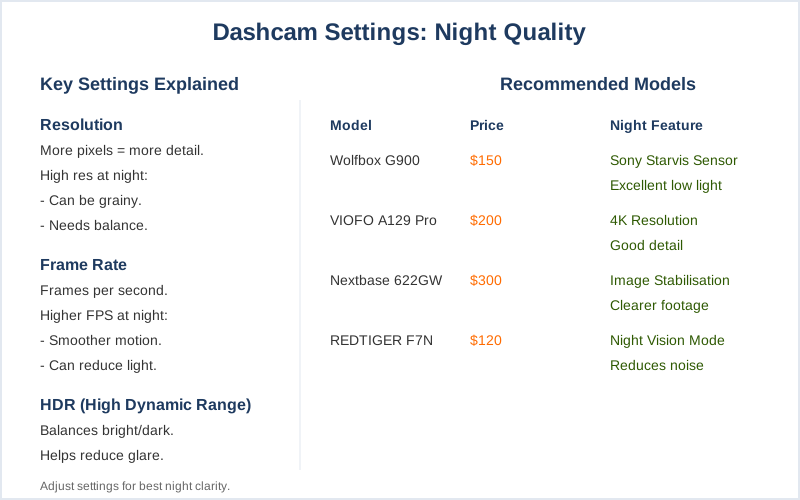
Look, nobody tells you that fiddling with your dashcam's settings is the actual game-time move for night footage. It's not just about buying the most expensive camera; it's about making the one you have work. Your camera has a few key dials it can turn, and they all affect how much light it grabs and how it processes it. Resolution and frame rate are the big ones. Think of resolution like the number of pixels.
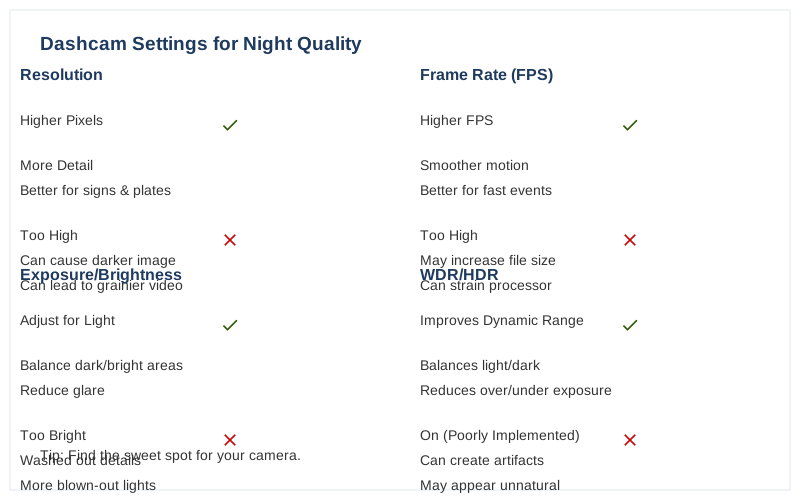
More pixels mean more detail, which is great for reading signs or, you know, license plates. But cranking resolution all the way up can sometimes make the camera work harder, and in low light, that can actually lead to a darker, grainier image. It's a balancing act. The real move is finding the sweet spot that gives you enough detail without turning your video into a grainy mess. Frame rate is how many pictures the camera takes per second.
A higher frame rate means smoother motion, which is awesome for capturing fast-moving cars. But like high resolution, it can also mean less light gets captured per frame, making the video darker. Some people find that 30 frames per second (fps) is a good compromise for night driving. It's enough to see motion clearly without making the image too dim. Your camera might also have specific 'night mode' settings.
This isn't magic; it's usually the camera automatically adjusting its exposure settings. Exposure is basically how long the camera's sensor is open to light. Longer exposure means more light, but also more blur if things are moving. This is why license plates are notoriously hard to capture at night; they're moving too fast for the camera's slow exposure. It's a rookie mistake to expect perfect plate captures in every situation without understanding this.
Some advanced cameras might let you manually adjust exposure, but most beginner models will have an auto mode. For those, you're often stuck with the camera's best guess. The honest version is that the camera's built-in algorithms do a lot of the work, but understanding what they're trying to do helps you choose the right settings.
Sometimes the camera just 'dulls down the amount of light', and that's where understanding these settings can help you push it a little further. It's not about tricking the camera, it's about telling it how you want it to see.
Why This Matters for Your Setup
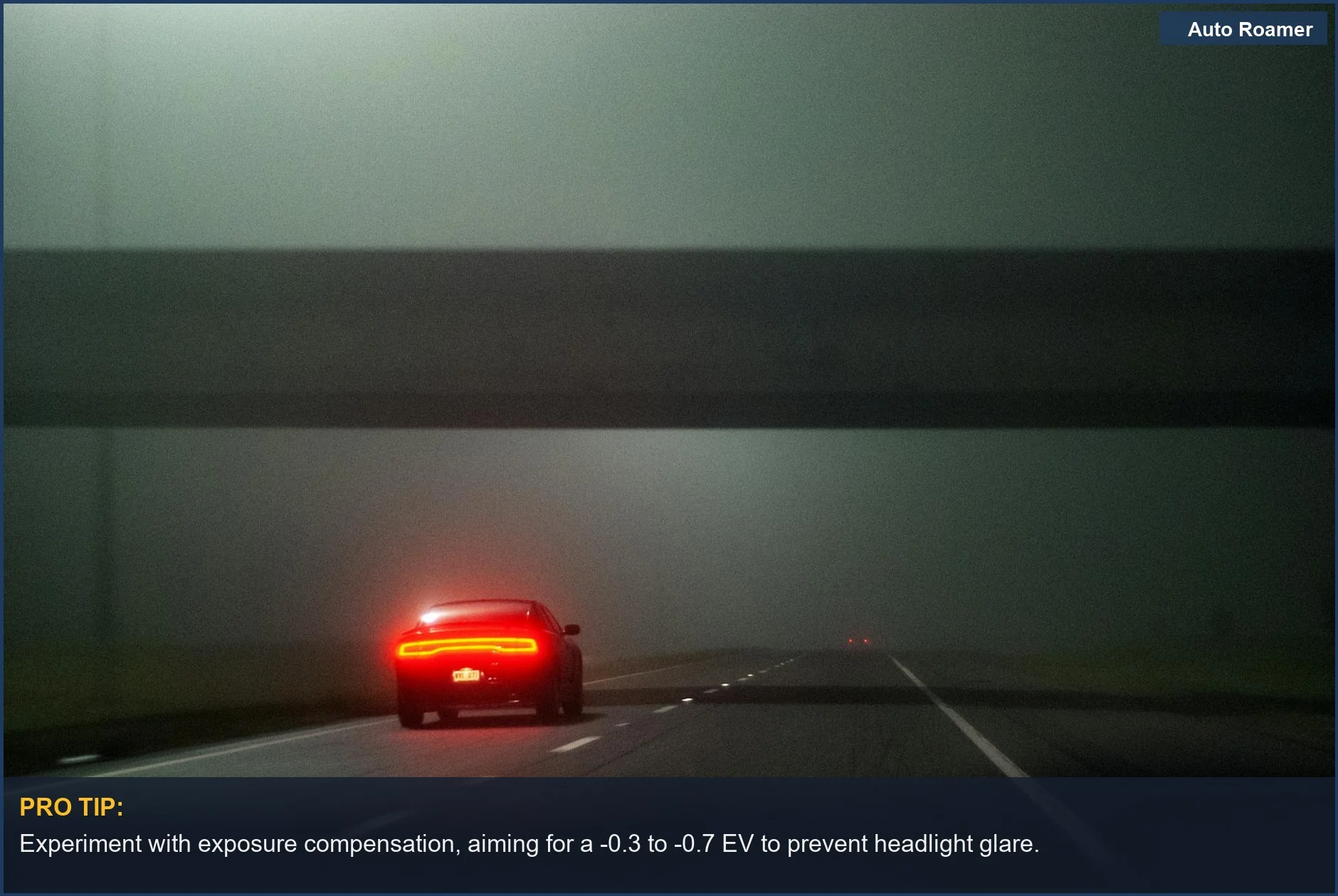
Why does this even matter? Because when you're in a fender bender, or worse, you need that footage to actually show what happened. I learned this the hard way after a close call on I-81 in Pennsylvania one foggy evening. My dashcam footage was useless, just a glowing blob of headlights and taillights. If I'd known about adjusting settings, I might have had a chance to prove I wasn't the one who swerved.
The $50 version of a dashcam might be cheap, but if its night footage is garbage, it's worthless. It's not about having the fanciest gear; it's about knowing how to use what you've got. Understanding how the camera handles light is key. Here's the breakdown:
- Resolution: Higher resolution means more detail, but can sometimes make low-light footage darker.
Think of it like trying to see a fly in a dimly lit room - more detail is good, but not if the light is too low.
- Frame Rate: Higher frame rates capture smoother motion, but again, can reduce the amount of light captured per frame. It's a trade-off between seeing movement clearly and seeing enough light.
- Exposure: This is how long the camera's sensor is exposed to light. Longer exposure captures more light but can cause motion blur.
This is why reading license plates at night is tough.
- Night Mode: Many cameras have an auto 'night mode' which tries to optimize these settings for low light. It's not always perfect, but it's a starting point.
- Clean Windshield: This sounds obvious, but a dirty windshield adds glare and reduces light. My first camping trip had a bug-splattered windshield that made driving at night a nightmare. Keep it clean!
Making the Right Choice
So, what's the takeaway? Don't just plug in your dashcam and forget about it, especially if you drive at night. Those settings you might have ignored are actually crucial for getting usable footage. Trying to capture license plates at night is one of the hardest tests for any dashcam, and understanding the limitations of exposure is key.
My own field notes tell me that fiddling with frame rate and resolution can make a difference, even if it's just a small one. The goal is a balance between clarity and brightness. Here's the real move:
- Experiment: Don't be afraid to tweak settings. What works for one camera might not work for another.
- Check Footage: Regularly review your night footage.
If it's too dark or too blurry, adjust your settings.
- Know the Limitations: Even with the best settings, extreme darkness or glare can be a challenge. Don't expect miracles.
- Cleanliness Counts: A clean windshield is your first line of defense against glare and light loss.