

Start Here: The One Feature You Can Never Upgrade
Before you compare a single spec sheet, settle one question: how does the adapter physically push audio into your car? That output method is the only feature on the box you can never change after purchase, and it sets the hard ceiling on how good your setup can ever sound. Codecs, multipoint pairing, microphone quality, passthrough charging — every other feature layers on top, but none can lift a ceiling the output method has already fixed.
There are three routes. An aux-out adapter plugs into a 3.5 mm jack and feeds a clean analog signal — the best sound. An FM-out adapter broadcasts on an empty radio frequency, so it works in literally any car, at the cost of fidelity. A USB adapter connects to a media-capable USB port and can pass track data. Match that to your dashboard first; sort the rest second.
- Have a 3.5 mm aux jack? An aux-out adapter is the answer — best sound, lowest price.
- Only a radio? An FM-out adapter is your only Bluetooth route.
- A recognized USB media port? A USB adapter is tidy and battery-free.
The seven features worth understanding are the output method, the Bluetooth version, the audio codec, multipoint pairing, microphone and call quality, the power source with passthrough charging, and auto-reconnect behavior. This guide is assembled from manufacturer specifications, the Bluetooth SIG's published figures, and audio-engineering references rather than first-hand evaluation of any one unit — treat it as a framework for reading a spec sheet, not a verdict on a single product.
Aux-Out vs FM-Out vs USB: The Output Method Decoded
The output method decides your ceiling because it determines whether the audio arrives as a clean wired signal or a re-broadcast radio wave. These three approaches are genuinely different, and they are not interchangeable.
A quick way to rank them on raw sound: aux-out is best, USB media is close behind, and FM-out sits last because it is the only one that converts your audio into a radio broadcast and back again. That ordering holds on almost every car, which is why the output method — not the brand on the box — is the first thing to pin down before you weigh any other feature.
An aux-out adapter sends a direct analog signal into the 3.5 mm auxiliary input on your head unit. Nothing is re-broadcast or squeezed through the radio tuner, so it is the lowest-noise, best-sounding option. The only requirement is that your stereo actually has an aux jack — common from the mid-2000s onward.
An FM-out adapter broadcasts audio on an unused FM frequency you tune your radio to. It is the universal fallback because every car has an FM radio, even a 1995 model with no aux and no USB. The trade-off is fidelity: the signal is compressed into a radio broadcast and is vulnerable to static from real stations, especially in cities where the airwaves are crowded.
A USB adapter connects to a USB port the car treats as a media source, drawing power from that port so there is no battery to recharge. On supported head units it can pass track names and let the stereo's buttons drive playback. The catch is compatibility: some USB ports are charge-only and will not recognize a media dongle at all.
The hinge most guides miss: the newest and oldest cars both often lack a 3.5 mm aux jack, for opposite reasons. Pre-mid-2000s cars never had one; many post-2018 cars dropped it in favor of USB and CarPlay. If yours is at either extreme, an aux-out adapter may be off the table before you start.
Because this choice is irreversible, decide it before anything else. If you are torn between the wireless-to-aux route and a radio broadcast, our Bluetooth adapter vs FM transmitter comparison settles the sound-quality question in detail, and how to choose a Bluetooth car adapter walks the full decision.
Bluetooth Version: What 5.0 Actually Buys You
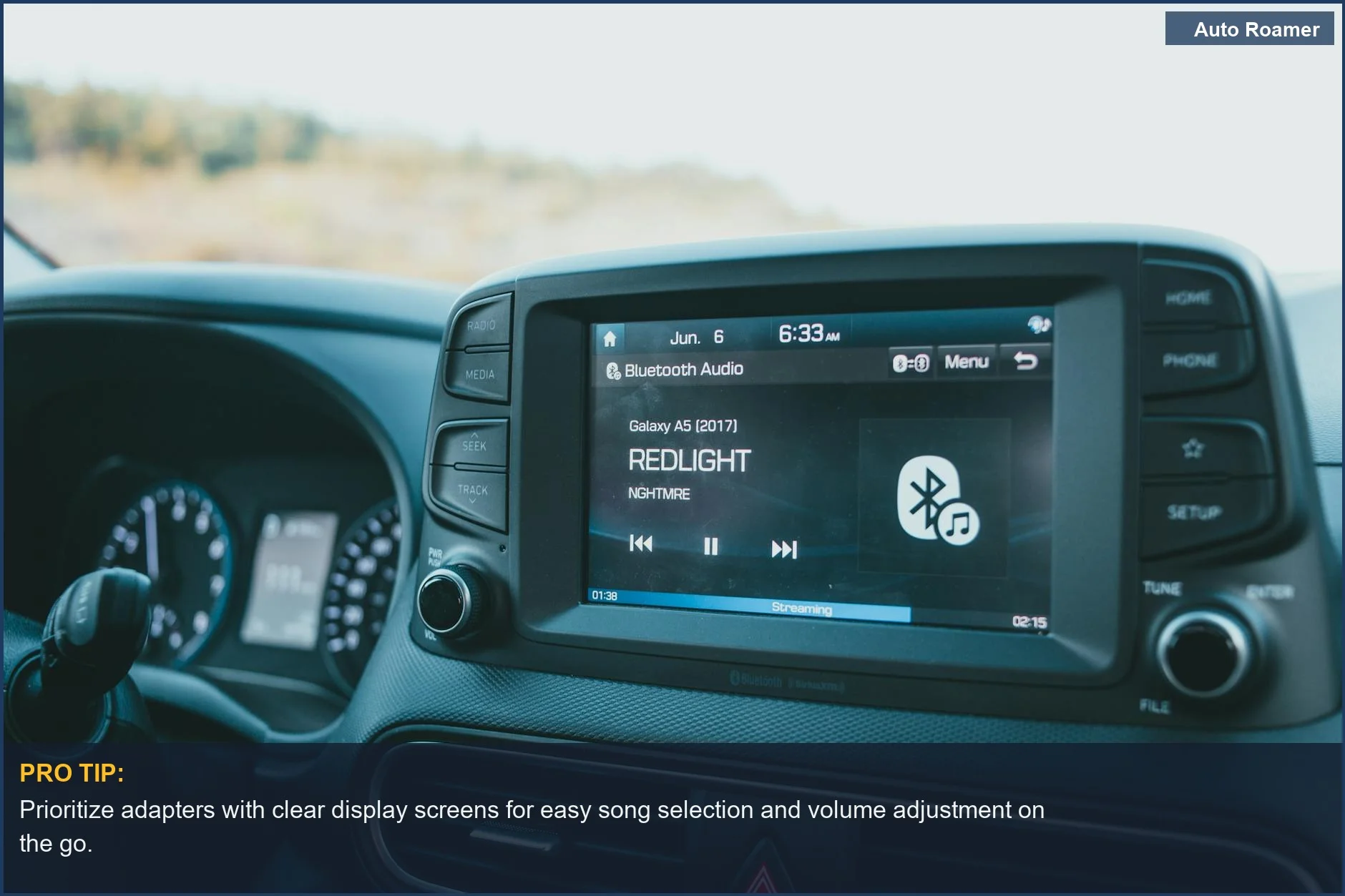
The Bluetooth version on the box governs the link — how stable, efficient, and far-reaching the wireless connection is — not the sound. The jump worth caring about is to Bluetooth 5.0.
The technology operates in the crowded 2.4 GHz ISM band, the same airspace as Wi-Fi and every phone and fitness tracker in the cabin. According to the Bluetooth SIG, Bluetooth Low Energy runs at a base 1 Mb/s and a faster 2 Mb/s PHY introduced in the Bluetooth 5 generation, which is what gives newer adapters more headroom to hold a connection cleanly in that congestion. In practice a 5.0-or-newer adapter means fewer dropouts, a link that re-establishes faster, and (on battery models) longer runtime between charges.
- Bluetooth 5.0+: stable link, lower power draw, better interference handling — the sensible minimum.
- Bluetooth 4.x and older: functional but more prone to stutter and shorter range; fine for a cheap backup, not a daily driver.
- Version vs sound: the version controls reliability and range, never fidelity — do not read a high version number as high sound quality.
What the version does not do is set audio quality — that is the codec's job, covered next. It is entirely possible to have a rock-solid Bluetooth 5.3 link carrying only basic audio, or an older link carrying a better codec. For most buyers the advice is simple: treat 5.0 as the floor, and do not pay a premium for the newest sub-version, because the audible day-to-day gap between 5.0 and 5.3 in a car is small.
Range matters only at the edges. Inside the cabin your phone sits inches from the adapter, so extended range is irrelevant most of the time. Where it helps is the moment you step away — a newer link may keep playing as you pump gas and reconnect more gracefully when you return. A minor convenience, not a buying reason, and it costs nothing once you have already chosen a 5.0-or-newer model.
There is a second, quieter payoff to a newer version: power. A more efficient link draws less energy, which on a battery-powered adapter translates directly into more hours of playback between charges, and on any adapter into a connection that holds steady instead of dropping when the cabin fills with competing 2.4 GHz traffic. None of that changes the notes coming out of your speakers, but it is the difference between an adapter you forget about and one you fight with. When two models are otherwise equal, the newer Bluetooth version is the free tiebreaker.
Audio Codecs and Latency: SBC, AAC and aptX
If the output method sets the ceiling and the Bluetooth version sets the stability, the codec decides how much of that potential quality actually survives the wireless trip. A codec is the method used to compress audio for transmission and decompress it on the other end, and the common three behave differently.
SBC is the mandatory baseline every Bluetooth audio device supports. It works fine for most listeners, but it is the most heavily compressed — audio-engineering references such as SoundGuys put its practical ceiling around 320 kbps, so it gives up the most detail. AAC tends to sound cleaner at similar rates (capped near 250 kbps) and is the codec Apple devices favor, so iPhone users often get a better result when both ends support it. aptX targets higher fidelity at roughly 352 kbps, with aptX HD reaching about 576 kbps for those who chase detail.
The detail that trips buyers up: a codec only takes effect if both your phone and the adapter support it. An aptX adapter paired to a phone that only speaks AAC falls back to the best codec they share — often plain SBC. Confirm your phone's codec support before paying an aptX premium; many phones do not speak it, in which case the premium buys nothing.
Latency — the delay between source and sound — is the codec's other axis. For music it is irrelevant; you cannot hear a fraction of a second of delay on a song. For navigation prompts and especially video on a phone propped on the dash, lag can throw audio out of sync with the picture. aptX Low Latency is engineered for under 40 milliseconds, low enough to preserve lip-sync; if you only stream music and take calls, you can ignore that spec entirely.
One honest caveat specific to cars: road noise, engine drone, and modest factory speakers all mask fine detail, so the audible gap between SBC and aptX shrinks at highway speed. Codec support pays off on a high-end system with quality speakers; on a basic factory setup, a solid connection and a good mic matter far more than chasing the best codec.
You may also see LDAC or LHDC advertised on a few high-end adapters; they aim for even higher bit rates, but car support is rare and, as with aptX, both ends must agree, so they are a bonus rather than a target for most buyers.
One more factor lives below the codec: the adapter's own digital-to-analog conversion. Two adapters can both claim aptX and still sound different, because the quality of the chip that turns the digital stream back into an analog signal for the aux jack varies. This is invisible on a spec sheet and is a real reason a reputable brand can be worth a few dollars more than a no-name unit listing the same codec. For picks that list their codecs explicitly, our guide to the best Bluetooth car adapters applies exactly these criteria to real models.
Multipoint vs Dual-Device Pairing
Most adapters can remember several phones they have paired with before, but that is not the same as connecting to more than one at once. The feature worth understanding is multipoint, and the difference matters in a two-phone household.
Dual-device memory means the adapter stores a list of paired phones and reconnects to whichever it sees first when you start the car. Handy for a car driven by two people on different days — each phone is already paired, so no re-setup — but only one phone is actually connected at a time.
Multipoint pairing is the stronger feature: the adapter holds an active link to two phones simultaneously. Music can play from one while the other stays ready to route an incoming call to the car's speakers and mic. For couples who both want hands-free calls without swapping connections, or a work-and-personal two-phone setup, multipoint makes the experience seamless.
It is less common and usually appears on slightly pricier models, so if it matters, scan the spec sheet for the exact word multipoint rather than assuming that 'dual pairing' or 'connects to multiple devices' means the same thing. They usually do not.
Multipoint has one small habit worth knowing: when a call lands on the second phone, some adapters pause music on the first automatically and resume it when the call ends, while others require a manual tap. It is a minor difference, but it is the kind of behavior that decides whether a two-driver household finds the adapter effortless or slightly clumsy — and, like auto-reconnect, it shows up in owner reviews far more reliably than on the box.
Quick translation: 'pairs with multiple devices' almost always means it remembers them and connects to one at a time. 'Multipoint' means it connects to two at once. If a two-phone household needs both phones live for calls, only multipoint delivers it.
Microphone and Call Quality: The Feature for Hands-Free
For anyone who takes calls in the car, the microphone is arguably the most important feature on the device — and the one most likely to disappoint if you ignore it. An adapter can stream music beautifully and still make you sound like you are calling from inside a wind tunnel, because handling outgoing voice in a moving, noisy cabin is genuinely hard.
Two things drive call quality. The first is the microphone itself: a small mic on a dongle sitting low near the dash is physically far from your mouth and close to road and engine noise, which is why budget adapters so often earn poor reviews for calls specifically. The second is noise cancellation (frequently branded cVc or 'echo cancellation') — processing that strips road, wind, and engine rumble from the outgoing signal so the other person hears you, not your tires.
Placement is the practical lever. Some adapters put the mic on the main unit hidden down by the stereo; others put it on an inline remote or a separate module you can clip closer to you. Closer to your mouth is almost always better.
A concrete example makes the point. A battery puck sitting in a cupholder has its mic pointed at the ceiling from two feet below your face, competing with the fan and the tires; an inline mic clipped near the sun visor sits close to your mouth and hears mostly you. Same Bluetooth version, same codec, wildly different call — which is why call quality is the one feature you genuinely cannot infer from the headline specs and have to read owner reviews for.
- Music matters most? Weight codec and output method; the mic is secondary.
- Calls matter most? Weight mic placement and noise cancellation; an aptX codec you will rarely use is the wrong thing to pay for.
- Both? Look for a model that names noise cancellation explicitly and supports your phone's best codec.
If hands-free calling is a real part of your day — commuting, work calls, rideshare — prioritize a well-placed, noise-cancelling mic even over a fancier music codec. And if your existing link keeps dropping mid-call, our fix for a car Bluetooth connection that keeps cutting out covers the usual culprits.
Passthrough Charging, Power Source and Auto-Reconnect
Two practical features decide how an adapter feels to live with: where it gets power, and how gracefully it reconnects. Neither headlines a spec comparison, but both quietly determine whether you love or resent the thing after a month.
Power source falls into two camps. A battery-powered adapter clips to a vent or sits in a cupholder, is self-contained, and moves easily between cars — but it must be recharged and will die mid-drive if you forget. Published battery life commonly ranges from roughly 8 to 16 hours of playback. A hardwired or 12V-powered adapter draws continuously from the car, so it never needs charging and is always ready, at the cost of occupying a port and being less portable.
This is where passthrough charging earns its keep. Many FM-out and USB adapters that plug into the 12V socket include a spare USB port so the adapter can power itself and charge your phone at the same time — the phone that is streaming to it. Without passthrough, a single 12V socket forces you to choose between running the adapter and charging your phone. If your car has only one power outlet, passthrough charging is close to essential; a couple of dedicated car USB chargers solve the same problem from the other direction.
Auto-reconnect is the last quality-of-life feature, and the one that shows up loudest in owner reviews. A good adapter re-links automatically within a few seconds of you opening the door, no menu-diving required. A poor one forces you into Bluetooth settings to tap reconnect every single trip.
There is a related install choice on the powered side worth flagging. A hardwired adapter spliced into the head unit's power stays permanently mounted and reconnects the instant the ignition turns, while a socket unit only wakes when the outlet goes live — usually the same moment, but on some cars the outlet stays powered with the engine off, which can leave an adapter slowly pulling from the battery. If you keep the car for years, a clean always-powered mount is the set-and-forget choice; if you value flexibility, accept the small daily ritual of a battery unit.
Auto-reconnect is partly the Bluetooth version (newer links re-establish faster) and partly the adapter's firmware, and it rarely appears on a spec sheet. Scan owner reviews for the words 'reconnect' and 'pairing' before you buy — a cheap adapter that reconnects flawlessly beats a fancy one you have to coax awake every morning.
Matching Features to Your Car and Avoiding Pitfalls
All of this comes together when you map the features onto the car you actually drive. The goal is not the most-featured adapter — it is the one whose strengths line up with your situation, which often means deliberately not paying for capabilities you will never touch.
Start with the car, then layer your use on top:
- Has a 3.5 mm aux jack? Buy an aux-out adapter for the best sound at the lowest price.
- Only a recognized USB media port? A USB adapter gives tidy, battery-free playback and sometimes steering-wheel control.
- Nothing but a radio? An FM-out adapter is your only path — prioritize strong FM performance, easy frequency selection, and passthrough charging.
Then weight by use: a heavy caller weights the microphone and noise cancellation; a true audiophile on a modern phone weights codec support; a two-phone household weights multipoint. If you keep one car long-term, a 12V-powered unit is lower hassle; if you hop between rentals, a battery unit's portability wins.
A handful of pitfalls catch buyers repeatedly:
- Paying for aptX you cannot use — the codec only works if your phone speaks it too.
- Assuming 'multiple devices' means multipoint — usually it just remembers several phones.
- Ignoring the mic because the music demo sounded great, then sounding terrible on calls.
- Choosing a battery unit and forgetting to charge it — or overlooking passthrough charging on a one-outlet car.
- Buying an FM-out adapter when a 3.5 mm aux jack was available, sacrificing sound for no reason.
Decide the output method, set Bluetooth 5.0 as your floor, match the codec and microphone to how you drive, and the rest is detail. A thoughtfully chosen adapter in the $20 range can serve you as well as one near $100; the difference is fit, not price. Still weighing wireless CarPlay instead? Our wireless CarPlay adapter guide covers that separate path.