
First, Know This: A Running Fan Is Usually the Unit Working
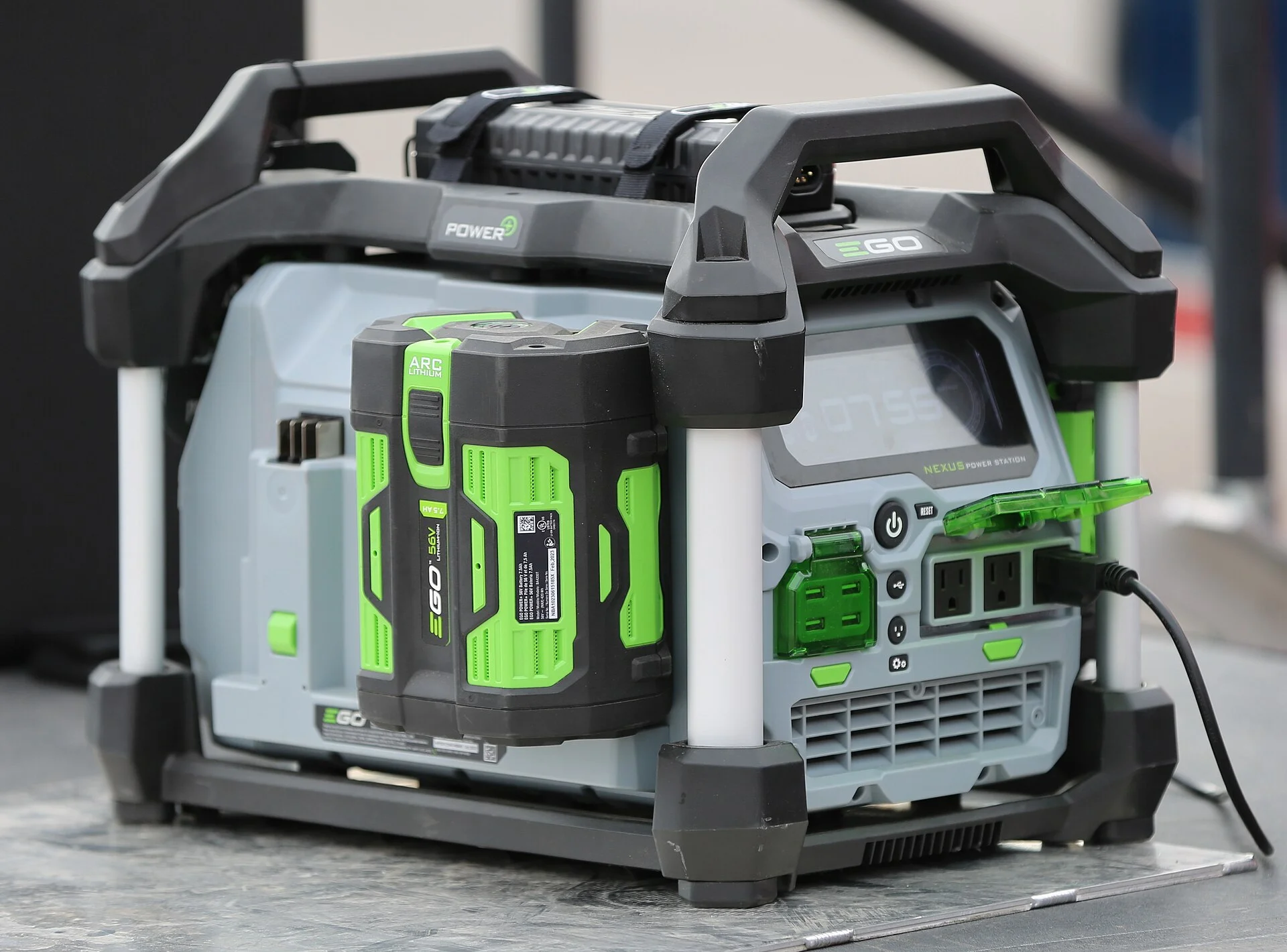
The instinct when a power station's fan runs and runs is to assume something is wrong. Most of the time the opposite is true: the fan is the visible sign that the cooling system is doing exactly what it should. A power station's battery-management system activates the fan whenever it detects elevated internal temperature, so continuous fan operation under load or heat is expected, not a fault.
It helps to think in terms of energy. Every watt the unit converts or stores generates a little waste heat, and the fan exists to move that heat out before it can shorten the battery's life. When there is heat to remove - because you are charging, drawing a big load, or sitting in a warm cabin - the fan runs. When there is not, it stops. A fan that spins whenever the unit is busy is a healthy fan.
That reframing matters because the wrong conclusion is expensive. Owners who assume a whirring fan means a defect sometimes look for ways to silence it, when the honest fix for most cases is to leave it alone. The rest of this guide walks the normal reasons a fan runs non-stop, then the narrow set of genuine faults - a known firmware bug, clogged vents, or a real over-temperature event - that are actually worth chasing.
Reason One: You Are Charging
The most common reason a fan runs steadily is that the unit is charging. Cooling fans run for thermal management during charging as well as during high-load discharge, because pushing energy into the cells produces heat that has to go somewhere. Fast charging produces more heat than slow charging, so a unit topped up quickly from the wall will run its fan harder than one trickling in from a small solar panel.
This trips people up because the fan noise and the charging can feel unrelated - the screen shows a rising percentage, the room is cool, and yet the fan is loud. The heat is internal, generated by the charging circuitry and the cells themselves, and the fan is responding to that internal temperature rather than the air around it. It is normal for the fan to be at its busiest during the fastest part of a charge.
If the fan quiets down once the unit is unplugged and idle, charging heat was the whole story. There is nothing to fix. If you want a quieter charge, many stations offer a slower or eco charging mode in their app that lowers the input rate and, with it, the heat and the fan speed - a setting change, not a repair.
Reason Two: A Load Near the Rating
The second normal cause is a heavy discharge. A unit running a load near its rated capacity - for example a 600W station powering a 500W appliance - will keep its fan running continuously, and that is normal. The closer the load sits to the inverter's ceiling, the more waste heat the electronics shed, and the harder the fan works to keep up.
The chemistry and design reward this behavior. These units lean on LiFePO4 cells specifically for thermal stability, but the inverter and battery still warm under sustained high draw, and the fan is what keeps internal temperature inside the safe band. A station quietly powering a phone will barely spin its fan; the same station running a cooler, a kettle, or power tools will run the fan flat out. Both are correct.
The test is simple: note what the unit is powering. If the fan runs whenever a big appliance is connected and settles when you unplug it, the load is the cause and the fan is protecting the unit. Reducing the draw - fewer devices, or a lower-wattage appliance - is the only thing that will slow the fan, because the heat is a direct product of the watts you are pulling.
Reason Three: The Post-Charge Cooldown
A fan that keeps running once a charge finishes surprises a lot of owners, but it is deliberate. The fan can keep running for a period once charging completes to cool the battery and the BMS back down to a resting temperature. The energy went in, the cells warmed, and the unit is simply flushing that heat out before it goes idle. It is the same logic as a car radiator fan that runs on for a minute once you park.
The give-away is that the fan slows and then stops on its own after a while, with no load connected and nothing charging. If you catch the unit in that window it can look like a fan that will not quit, when in fact it is on a countdown governed by internal temperature. Give it time and it goes quiet.
There is nothing to do here but wait, and nothing to fix. Trying to force the unit off mid-cooldown just interrupts a protective cycle. If the fan runs for a few minutes once a charge completes and then falls silent, you have watched normal thermal management from start to finish.
Reason Four: Ambient Heat Woke the Fan
Warm surroundings alone can keep a fan running even with no load and no charging. Most portable power stations are designed for an operating range of 0-40C (32-104F), and the closer the ambient climbs toward the top of that band, the sooner the BMS decides the internal temperature needs active cooling. A unit sitting in a sunny tent, a hot cabin, or against a warm surface is starting from a higher baseline, so its fan cycles on more readily.
This is why a station can be silent indoors and run its fan constantly on a hot day doing nothing. A hot car is the extreme case - cabin temperatures can far exceed the 40-45C charge and operate ceilings on their own, which drives the fan hard and risks a shutdown on top of it. The fan is trying to hold the line against heat coming from outside the unit, not inside it.
The fix is environmental. Move the station into shade, off hot surfaces, and into moving air, and give its vents room to breathe. As the ambient drops, the fan's job gets easier and it slows or stops. A fan that goes quiet the moment you move the unit somewhere cooler was reacting to the heat around it all along.
When Continuous Really Is Normal - and Why Not to Fight It
Pulling the normal cases together: a power station fan is meant to run whenever there is heat to move, which means during charging, under a load near the rating, through a post-charge cooldown, and in warm ambient. In all of these the correct action is none. A non-stop fan is usually normal cooling rather than a defect, and treating it as a fault leads people toward changes that do real harm.
The most damaging of those is disabling the fan. Owners should never disable the cooling fan, because it protects against thermal runaway, permanent capacity loss, and battery damage. A silenced fan does not make the heat go away; it just removes the one thing keeping internal temperature in check, and the cost shows up as a battery that ages fast or, in the worst case, a thermal event. Noise is the price of protection.
So before assuming a repair is needed, account for the obvious. Is the unit charging, working hard, cooling down, or sitting in the heat? If any of those is true, the fan is right to run. Only when none of them explains it - a cool room, no load, nothing charging, and a fan that still will not settle - is it time to look at the narrow set of genuine faults below. For clearing dust from the intake, keep a can of compressed air in the kit.
The Firmware Bug Exception
Occasionally a non-stop fan really is a bug rather than physics. Some complaints trace to firmware - an early EcoFlow River Max firmware bug that caused the fan to run continuously was fixed by a 2021 update - so a fan that runs even when the unit is cool, idle, and uncharged may be a software problem waiting on a patch. This is worth checking precisely because it mimics a hardware fault so convincingly.
The check costs nothing. Connect the unit to its companion app and look for a pending firmware update; installing it resolves this class of fan problem when it is the cause. It is a good first move for any app-connected station whose fan behavior does not match the normal reasons above, because a five-minute update can end a fault that would otherwise look like a failing fan.
Firmware also governs some fan and thermal thresholds, so keeping the unit current occasionally improves fan behavior even without an obvious bug. If a firmware update quiets a fan that was running with no heat load, the problem was code, not cooling - and no hardware needed touching.
Dust and Blocked Vents: The One You Can Actually Fix
The most common physical cause of a genuinely overworked fan is restricted airflow. Adequate ventilation clearance around the intake and exhaust vents is required for the fan-based cooling to work; blocked vents cause heat buildup, continuous fan running, or premature thermal shutdown. When the fan cannot move enough air, it compensates by running longer and faster to shed the same heat.
Two things restrict airflow: obstruction and dust. A unit shoved into a tight cabinet, pressed against gear, or vent-side to a wall recycles its own hot exhaust and keeps the fan pinned. And over time, dust-clogged vents choke the intake so the fan has to work overtime for the same cooling. Both make a healthy fan behave like a struggling one.
The fix is maintenance, not replacement. Leave clear space around every vent, keep the unit out of enclosed pockets, and clear the intake and exhaust of dust with compressed air. If the fan slows once the vents are clear and the unit has room to breathe, restricted airflow was making it run non-stop - a genuine fault, but an easy one.
When a Non-Stop Fan Signals a Real Problem
After the normal causes and the easy fixes, a small set of symptoms points to a real fault. The clearest is a fan running at full tilt on a cool unit with no load, no charge, and clean, unobstructed vents, especially if the app reports an elevated internal temperature or a protection state. That combination suggests a temperature sensor, a failing fan bearing, or an internal fault rather than normal cooling.
Watch for corroborating signs. A fan that is loud in a new, grinding, or rattling way - not just busy - can indicate a worn bearing or an obstruction inside the fan itself. A unit that runs its fan hard and then triggers a thermal shutdown when it clearly should not be that hot points to a cooling system that is no longer keeping up. These are the cases where the fan noise is a symptom, not the normal soundtrack.
At that point the move is manufacturer support rather than a teardown. The battery, BMS, and fan sit inside a sealed enclosure, and a genuine cooling fault is a warranty matter. Reaching this conclusion honestly - only after ruling out charging, load, cooldown, ambient heat, firmware, and dust - means you are not returning a unit that was simply doing its job.
The Verdict: A Busy Fan Is Doing Its Job
A power station fan that will not stop is, in the large majority of cases, cooling working as designed. It runs during charging, under a load near the rating like a 600W unit driving a 500W appliance, through a post-charge cooldown, and whenever the ambient climbs toward the top of the 0-40C (32-104F) band. In every one of those situations the fan is protecting the battery, and the right response is to leave it alone.
Never silence the fan to quiet it - that trades a little noise for real damage. Instead, account for the heat: reduce the load, slow the charge, or move the unit somewhere cooler with clear vents, and the fan follows. Then rule out the two genuine, fixable faults - a firmware bug cured by an update, and clogged or blocked vents cleared with compressed air and some breathing room.
Only a cool, idle, clean-vented unit whose fan still runs flat out - or one that grinds, rattles, or shuts down on heat it should handle - is a real problem, and that one belongs with the manufacturer. Work the list in that order and you will correctly ignore most non-stop fans, fix the few you can, and escalate only the rare unit that has genuinely failed.