
Why This Miofive Review Starts With Healthy Skepticism
Miofive is the dash cam brand that keeps showing up when you search for 4K on a budget — a newer, Amazon-native name undercutting the established players with spec claims that read almost too good for the price.
I'm the guy who fixes everything in my own garage because I won't pay shop rates, and I treat product claims the way I treat a quote from a transmission shop: assume nothing, check everything.
So this review is built the honest way. I haven't strapped every Miofive to a windshield for a year — nobody publishing a review this week has. What I can do is read the spec sheets the way a wrench reads a parts diagram, line up what owners consistently report, and check where the dedicated dash cam outlets agree.
The short version of what's ahead: the image-quality praise is mostly earned, the built-in storage is a genuine bet with two sharp edges, and the brand's biggest weakness has nothing to do with the camera itself.
That weakness is a paper trail. Miofive simply hasn't existed long enough to prove how its cameras, firmware, and support hold up in year three — and year three is where a dash cam earns its keep.
A dash cam is also the one gadget you buy hoping you never need the footage. The day you do need it, every design decision in this review stops being a spec-sheet debate and becomes the difference between a clean claim and a shrug.
One ground rule before we start: every claim here is attributed — to a published spec, to owner reviews, or to a named outlet. Where something can't be verified, I'll say so plainly. If you want a cheerleader, the marketing copy is right there on the listing.
Who Miofive Actually Is — and Why the Brand's Age Matters
Miofive is a young brand, launched in the early 2020s, that built its business on Amazon rather than through the enthusiast-forum route Viofo and BlackVue took. That origin story shapes nearly everything about how it designs and sells cameras.
Marketplace-native brands live and die by the listing page. The result is hardware that demos beautifully — bright 4K sample clips, clean app screenshots, a box that photographs well — because that's exactly what converts a shopper scrolling past forty other dash cams.
None of that makes the product bad. It makes the product optimized for the first week of ownership, and it leaves the long haul as an open question you answer with other people's experience instead of the brand's history.
A young brand also means the spare-parts channel, the accessory ecosystem, and the firmware archive are all thin. With a ten-year-old brand you inherit a decade of documented fixes. With a newer one, you're part of the test group — unpaid, naturally.
Here's the part I genuinely respect: Miofive didn't take the white-label shortcut of stamping a logo on the same camera six other brands sell. The signature design choices — built-in storage instead of an SD card, an app-first workflow — are the company's own bets, for better and worse.
The dash cam press has taken those bets seriously enough to cover them. Dashcamtalk and Professional Pickup both maintain dedicated Miofive reviews, which is more scrutiny than most marketplace brands ever earn, and a useful sanity check on the listing-page promises.
The flagship drawing most of that attention is the dual-camera Miofive S1 Ultra, with its claimed front-and-rear 4K recording. We'll get to whether the claims hold up — but first the lineup, because the model names blur together fast.
The Lineup: the Original 4K, the S1, and the S1 Ultra
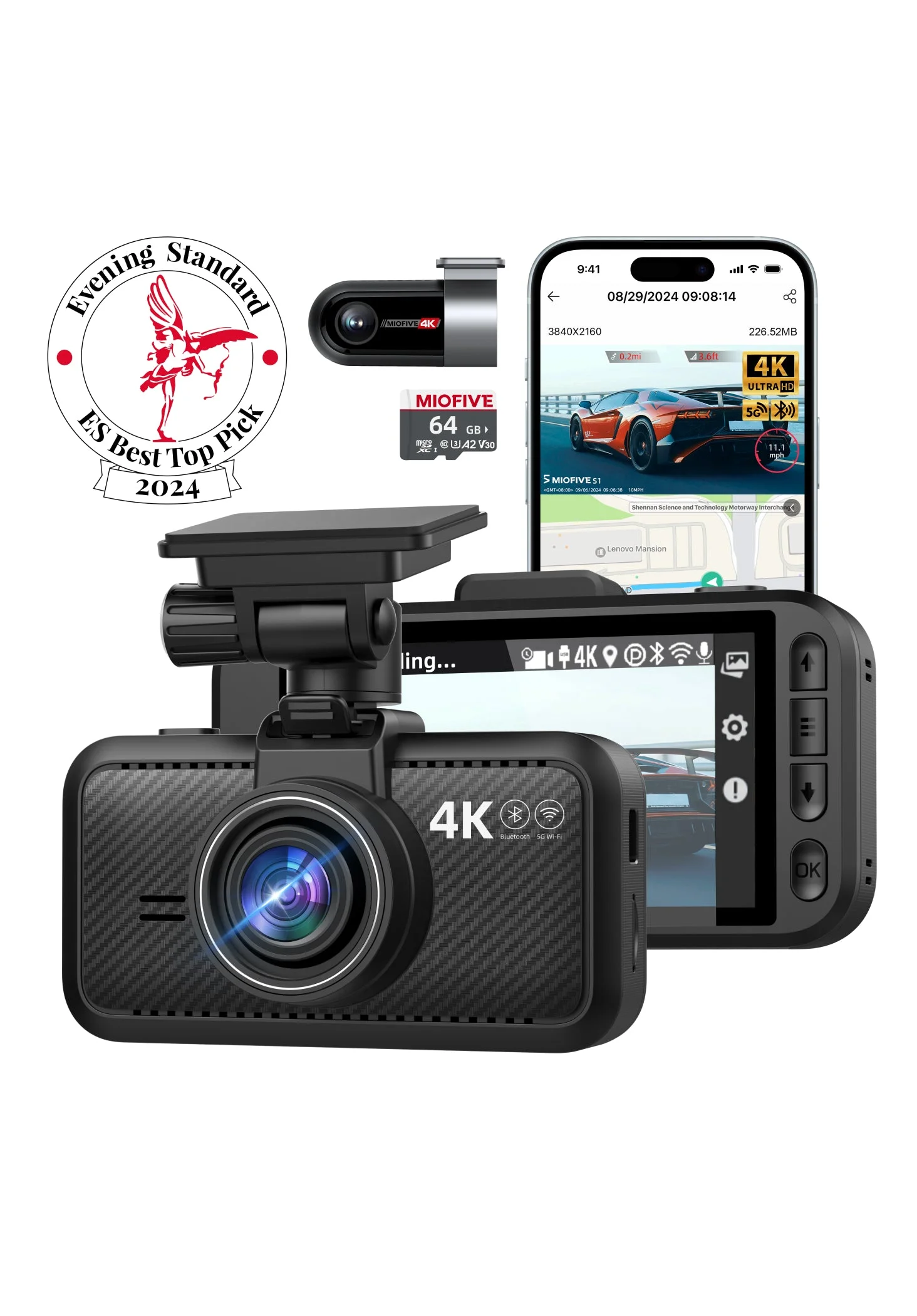
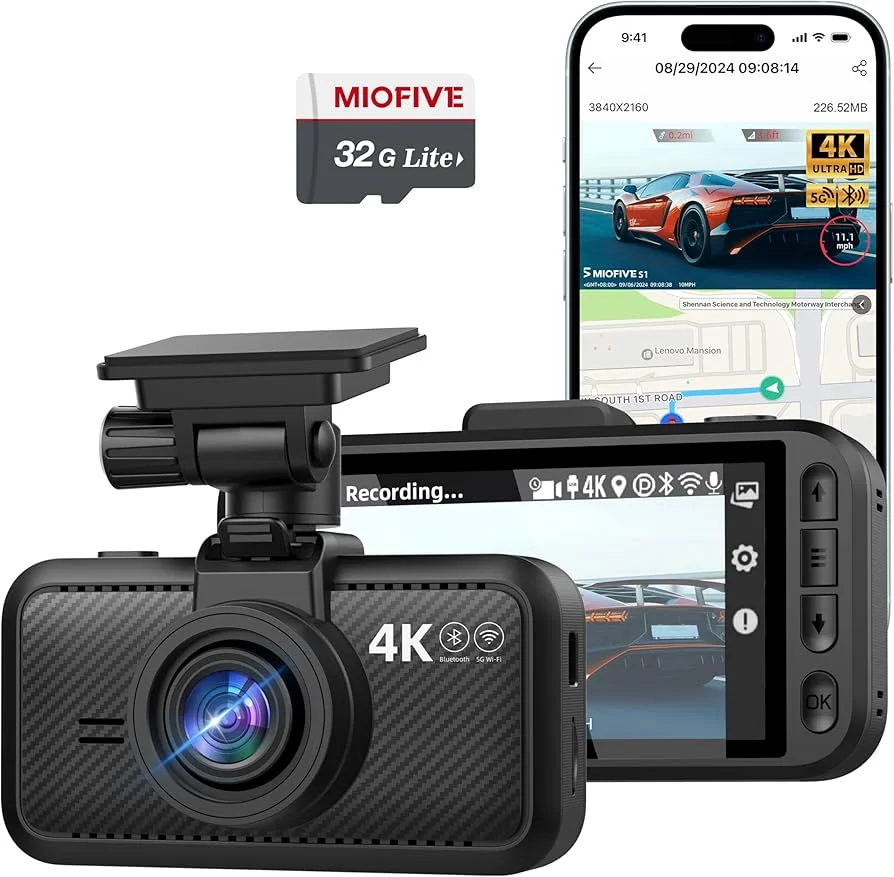
The camera that put the brand on the map is the original Miofive 4K dash cam — a single-channel, front-only unit whose spec sheet lists 4K recording and 64GB of built-in eMMC storage in place of a memory card slot.
That no-card decision was unusual when it shipped, and it's still the brand's calling card. Every conversation about Miofive eventually circles back to it, so it gets its own section below.
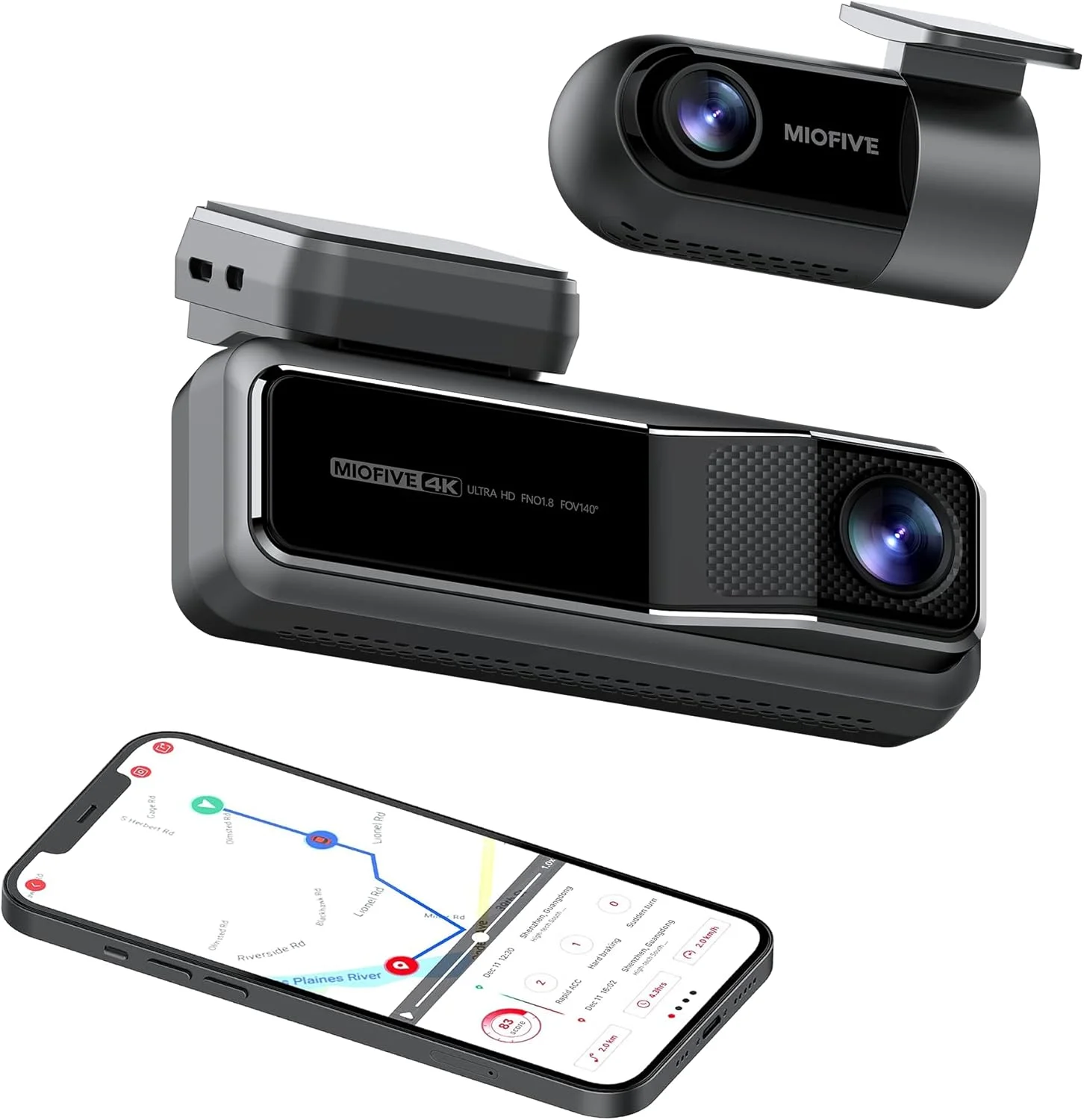
The step up is the Miofive S1, the more affordable dual-channel option — a front camera plus a rear unit for the drivers who learned the hard way that half the incidents worth recording happen behind you.
The flagship S1 Ultra is the headline act: claimed 4K recording on both the front and rear channels, with the listed built-in storage stepping up to 128GB. Dual 4K at this brand's price territory is rare, which is precisely why the claim deserves scrutiny instead of applause.
Here's the lineup at a glance, using only the listed specs:
| Model | Channels | Headline claim | Listed storage | Price tier |
|---|---|---|---|---|
| Miofive 4K | Front only | 4K front recording | 64GB eMMC | Budget |
| Miofive S1 | Front + rear | Dual-channel coverage | Built-in eMMC | Mid-range |
| Miofive S1 Ultra | Front + rear | Claimed 4K both channels | 128GB eMMC | Top of lineup |
A resolution number on a box is a starting point, not a verdict. Bitrate, sensor size, and processing decide whether that 4K label produces readable plates or just larger files of the same mush. The spec sheet giveth, and the compression taketh away.
Pricing moves around with sales, but the pattern holds steady: the original 4K sits in budget territory, the S1 in the middle, and the Ultra at the top of the brand's range — still undercutting the flagship Viofo and BlackVue duals it wants you to compare it against.
That undercut is the entire pitch. The question a frugal buyer should actually ask isn't whether the Miofive is cheaper — it's what the discount buys you and what it quietly costs you. The next four sections take that question one bet at a time.
Image Quality for the Money: Where the Praise Is Earned
Start with the part the brand gets right, because it's the reason Miofive is worth reviewing at all: the footage. Owners consistently report daytime video that punches above the price — crisp detail, readable plates at sane distances, and color that doesn't look like a 2014 phone camera.
The dedicated reviews land in the same place. The broad read across Dashcamtalk's and Professional Pickup's Miofive coverage matches the owner consensus: image quality for the dollar is the brand's strongest card, and it isn't close.
The listed 4K resolution on the front channel means real pixel headroom for cropping — and cropping is the whole game. Nobody rewatches dash cam footage for fun; you zoom in on one corner of one frame hunting for seven characters on a plate.
If you want the deeper math on why resolution helps until it doesn't, I walk through it in our dash cam resolution guide. The short version: 4K earns its keep in daylight, and then night falls.
Low light is where every budget 4K camera gets humbled, and owner reports on Miofive follow the usual physics: clean footage under streetlights, softer detail and motion smear on dark roads. That's not a Miofive defect — it's what small sensors do when photons get scarce.
No spec sheet will confess to the night failure modes, so check sample footage for the specifics owners actually complain about:
- Headlight glare from oncoming traffic washing out detail
- Plate blowout at night — bright plates turning into unreadable white rectangles
- Motion smear and softer detail on dark, unlit roads
Hunt down raw owner clips — not the listing-page reel, which was filmed on the one perfect overcast day of the year.
The honest summary on footage: in daylight, you're getting more camera than you paid for. At night, you're getting exactly what you paid for. For most commuters, that trade is acceptable — just make it with your eyes open.
The eMMC Bet: Built-In Storage Cuts Both Ways
Now the brand's signature decision: no SD card slot. Miofive solders the storage — eMMC flash — straight onto the board. The spec pages list 64GB on the original 4K and 128GB on the S1 Ultra, and there is nothing for you to buy, format, or lose.
Here's why that's genuinely smart: cheap and counterfeit SD cards are the single most common cause of dash cam failures. Corrupted files, dropped recordings, endless format prompts — owner forums are full of cameras blamed for what a $9 card did.
Miofive deleted that entire failure category. Owners consistently report the set-it-and-forget-it experience is real: the camera records, loops, and never nags about a card. For the buyer who wants an appliance instead of a hobby, that's a legitimate selling point.
Now the other edge of the blade. Soldered storage takes back three things a card-based camera gives you for free:
- Capacity you can grow — when the loop window is too short for your commute or a road trip, there is no bigger card to swap in. The listed capacity on the day you buy is the capacity forever.
- Easy handoffs after an incident — with a card-based camera, you can pull the card and hand the footage to a cop, an insurer, or your own laptop. With eMMC, retrieval runs through the app or a cable: fine at home, clumsy on a roadside.
- Cheap wear parts — every dash cam overwrites itself constantly, exactly the workload that consumes write cycles. When a removable card wears out, you spend a few bucks; when soldered eMMC wears out, the camera is the consumable.
Cheap card, expensive card reader — backwards from how I'd design it.
How long does that take? Honest answer: nobody outside Miofive knows yet, because the brand is too young for a fleet of five-year-old units to testify. That's the recurring theme of this review, and it's not the last time it comes up.
An App-First Dash Cam Is Convenient Until It Isn't
The second house bet: the app is the front door. Setup, settings, firmware updates, and wireless clip downloads all run through Miofive's phone app over the camera's Wi-Fi. The camera records on its own — but nearly everything else assumes your phone is involved.
When it works, it's the good kind of modern. Owners consistently report that pairing is quick, the listed 5GHz Wi-Fi makes clip transfers tolerable instead of glacial, and reviewing footage on a phone screen beats squinting at a two-inch display or fishing out a card reader.
The app also does the quiet work that used to require a manual: emergency clips land in a protected folder, settings live in plain English, and firmware arrives over the air instead of via a zip file and a prayer.
But remember what's missing: the escape hatch. On a card-based camera, the app can be terrible and you lose nothing — pull the card and walk away. On a no-card Miofive, the app and the cable are the only doors to your footage.
That makes the app a load-bearing wall, and app stores are not kind to load-bearing walls. An update that breaks pairing, an OS version that changes Wi-Fi permissions, a server-side login change — any of these turns a five-minute clip pull into an evening of forum spelunking.
The grumpiest Miofive owner reviews are almost never about the camera or the footage. They're about a phone that won't see the camera's Wi-Fi on the one day the footage mattered. Read those reviews before you buy; they're the realistic worst case.
My frugal-guy translation: the app-first design is a real convenience that costs nothing — right up until it costs everything. If you're the person whose Bluetooth never pairs on the first try, weight that honestly in your decision.
The Track-Record Question: Miofive vs the Established Names
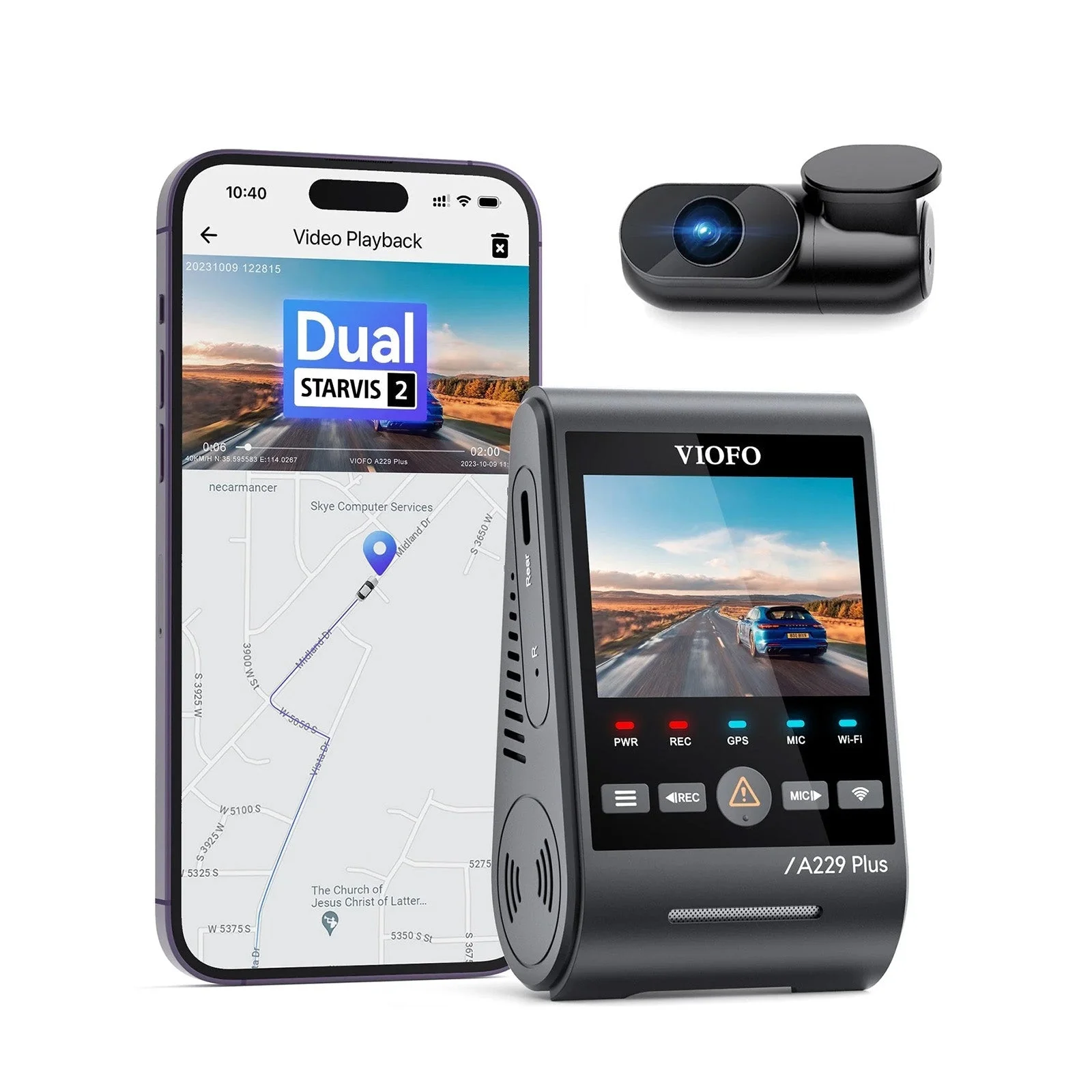
Every Miofive conversation eventually arrives here: should you just pay more for a Viofo? It's the right question, and the honest answer depends on what you think you're buying.
Viofo earned its reputation the slow way — years of firmware updates posted publicly, a forum community on Dashcamtalk that has documented every quirk and fix, and a parts-and-accessories ecosystem that treats the camera like a platform instead of a sealed gadget.
That history is worth real money. When a Viofo misbehaves, someone has already had your exact problem, posted the fix, and the firmware that addresses it is archived where you can find it. That's not marketing — that's accumulated, searchable proof.
Miofive has none of that depth yet — not because it failed, but because it hasn't existed long enough to build it. Firmware support so far has been active by owner accounts, and the brand answers support tickets. But 'so far' is doing heavy lifting in that sentence.
The established players also expose more of the enthusiast controls — bitrate options, fine-grained parking-mode tuning, removable storage you can size to your paranoia. Miofive's philosophy is the opposite: fewer decisions, fewer doors, fewer things to misconfigure. Pick your temperament.
Notice what I'm not saying. I'm not saying the Miofive hardware is worse — the footage consensus suggests the optics and sensors compete well above their price. I'm saying the warranty on your confidence is shorter, and you should price that honestly.
A dash cam is insurance you install yourself. With insurance, the underwriter's history is part of the product. Miofive sells a genuinely good policy from a company that opened its doors a few years ago — that's not a dealbreaker, but it belongs in the math.
Parking Mode, Heat, and the Spec-Sheet Fine Print
Two practical topics decide whether any dash cam survives contact with real ownership: what it does while you're parked, and what summer does to it. The fine print here matters more than the resolution number on the box.
Miofive's cameras advertise parking surveillance, and the same physics applies to them as to everyone else: real 24/7 parking mode needs constant power, which means a hardwire kit wired to your fuse box rather than the cigarette-lighter plug in the box.
Budget accordingly — the kit is cheap, the hour of fishing trim panels is the real price. If you've never set one up, our parking mode explainer covers what the modes actually do and which ones quietly drain batteries.
The eMMC design adds one parking-mode wrinkle worth thinking through: parking events write to the same fixed storage as everything else. A camera that guards a street-parked car around the clock is consuming its soldered write cycles at the maximum possible rate.
Heat is the other quiet killer. A windshield-mounted camera lives in the worst climate in your car — we've covered what extreme temperatures do to dash cam components, and the summary is that dashboards reach temperatures that age electronics in dog years.
Miofive's published materials describe heat-tolerant design in line with its competitors, and owner reports haven't flagged an unusual pattern of heat failures. That's genuinely good news — held to the same caveat as everything else here: the oldest units in the wild just aren't very old.
The practical advice costs nothing, and it works in order of effort:
- Mount the camera behind the windshield's tint band.
- Park nose-out of the sun whenever you can.
- Treat any always-on parking mode as a trade between surveillance and component lifespan.
That's true for every brand; it's just truer for sealed storage.
Who Should Buy a Miofive — and Who Should Pay More
Strip the marketing away and Miofive is a specific tool for a specific buyer. Get on the right side of that line and it's a genuinely smart purchase; get on the wrong side and you'll resell it at a loss within a year.
Buy the Miofive if:
- You want an appliance — a camera you install once, never feed cards, and check through an app a few times a month. The set-and-forget pitch is the one part of the marketing that owners consistently confirm.
- Daylight image quality per dollar is your deciding spec. The footage consensus is real, and on a commuter budget the price gap against the flagship duals buys a hardwire kit and a tank of gas.
- You've already been burned by an SD card. Anyone who has watched a camera silently fail to record for three months because of a worn-out card understands exactly what problem the eMMC design deletes.
Pay more for an established brand if:
- Footage retrieval under pressure is the point — rideshare drivers, fleet use, anyone who may need to hand evidence to an insurer on a roadside. The removable card is a feature precisely when your day is going badly.
- You keep electronics until they die. The unknown lifespan of soldered storage and a short firmware history matter most to the buyer planning on year five — that buyer is funding a longevity experiment, and the established names already published their results.
And if you're choosing between a front-only original 4K and a dual-channel setup, settle that question first — our front-and-rear dash cam guide covers why the rear camera ends up mattering more than most people expect. Lineup decisions beat brand decisions.
The Verdict: A Good Camera With a Short Paper Trail
Here's where I land after lining up the specs, the owner consensus, and the dedicated coverage: Miofive is a legitimate brand selling genuinely competitive hardware, and the skepticism this review started with mostly resolves in the company's favor — with one honest asterisk.
The footage praise is earned. Daylight 4K that owners and reviewers consistently rate above the price tier is the hard part of building a dash cam, and Miofive got the hard part right. Plenty of older brands never have.
The eMMC bet is a real trade, not a gimmick. It deletes the most common failure in the category and replaces it with a slower, rarer one — fixed capacity and finite write cycles on storage you can't replace. Reasonable people will price that trade differently.
The app-first workflow is the same shape: a daily convenience balanced against a single point of failure on the worst day. Know which kind of owner you are before you decide how much that risk costs.
The asterisk is time. Firmware support, heat endurance, storage lifespan, the company's attention span — every long-term question in this review gets the same answer: so far, so good, and 'so far' is short. That's not a flaw you can engineer away; only calendars fix it.
So the verdict, plainly: if you want maximum daylight image quality per dollar in a set-and-forget package and you accept the no-card trade-offs, the S1 Ultra and its siblings deserve a spot on your short list.
If you need proven year-three reliability or roadside footage handoffs, pay the premium for the established names and don't look back. Either way, you're making the decision the way I'd make it in my own garage — eyes open, claims checked, and not a dollar spent on faith.