
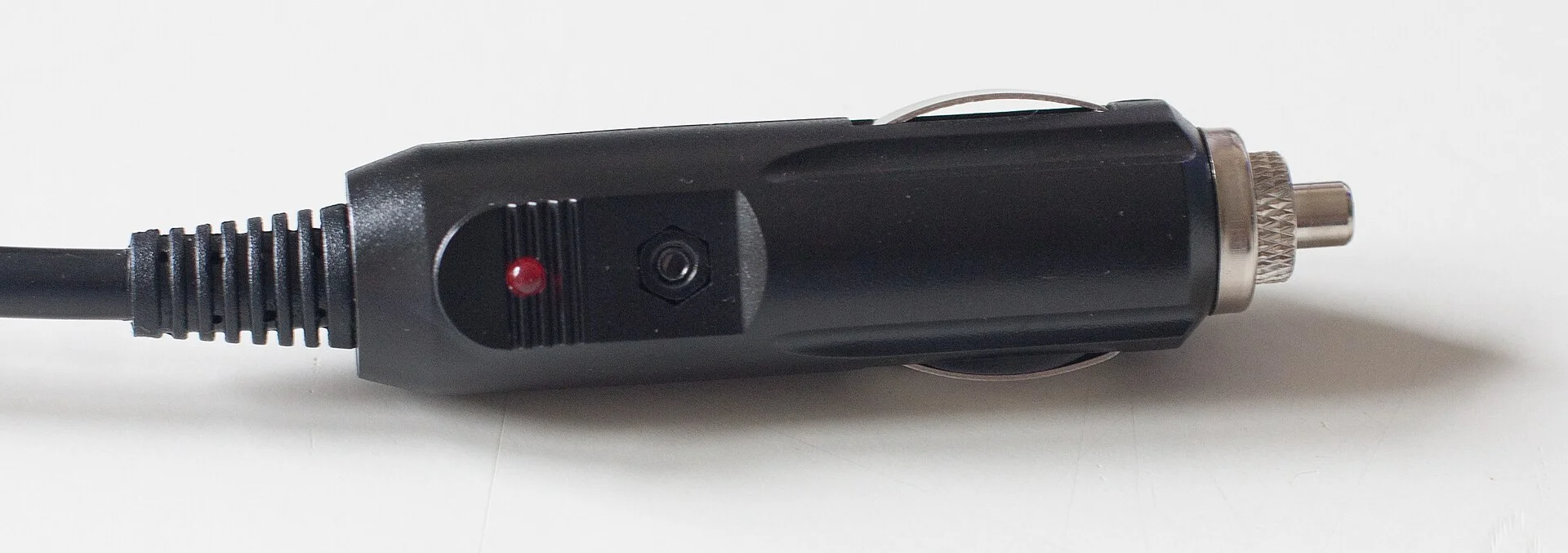
The most likely cause: not enough power
Start here, because it's the answer far more often than a broken camera: a dash cam that keeps restarting is usually being starved of steady power, and I start every one of these diagnoses at the plug. A connector can look fully seated but sit slightly loose, and the constant vibration of driving makes it disconnect and reconnect, which forces the camera to reboot, per BlackboxMyCar. Worse, a generic cigarette-lighter adapter may simply not supply enough current - when the camera draws more than the adapter can give, the 12V line dips low enough to shut it down, and it cycles.
The quick check: push the power plug firmly into the socket until it's genuinely locked, as BlackboxMyCar advises, and use the camera's original charger rather than a random 5V USB adapter - Cansonic specifically recommends always using the supplied car charger, because third-party ones often can't hold voltage. If the reboot loop stops, you've found it, and you've spent nothing. This one fix ends more restart loops than every other cause on this page put together, which is exactly why it goes first.
A 60-second power test to confirm it before anything else
Before you touch a setting, prove or rule out the power theory with a test that takes under a minute. Start the engine, plug the camera into a different 12V socket than the one it normally lives in, and watch it run for a full minute while you gently wiggle the cable at the plug end. If it reboots when you wiggle, the connector or the cable is the fault - and a $3 cable is the usual culprit. If it runs rock-steady in the new socket, the original socket or its fuse is weak.
Then swap the cable itself if you have a spare, because the thin conductor inside a cheap replacement USB cable is a classic hidden cause: it drops enough voltage over its length that the camera browns out under load even though the plug looks fine. BlackboxMyCar points at exactly this class of loose-and-underpowered connection as the leading reason a camera cycles. Doing this 60-second test first saves you from reformatting cards and updating firmware to chase a problem that was always a $3 cable - which is why I never skip it.
- Reboots when you wiggle the cable - the connector or cable is the fault.
- Steady in a different socket - the original socket or its fuse is weak.
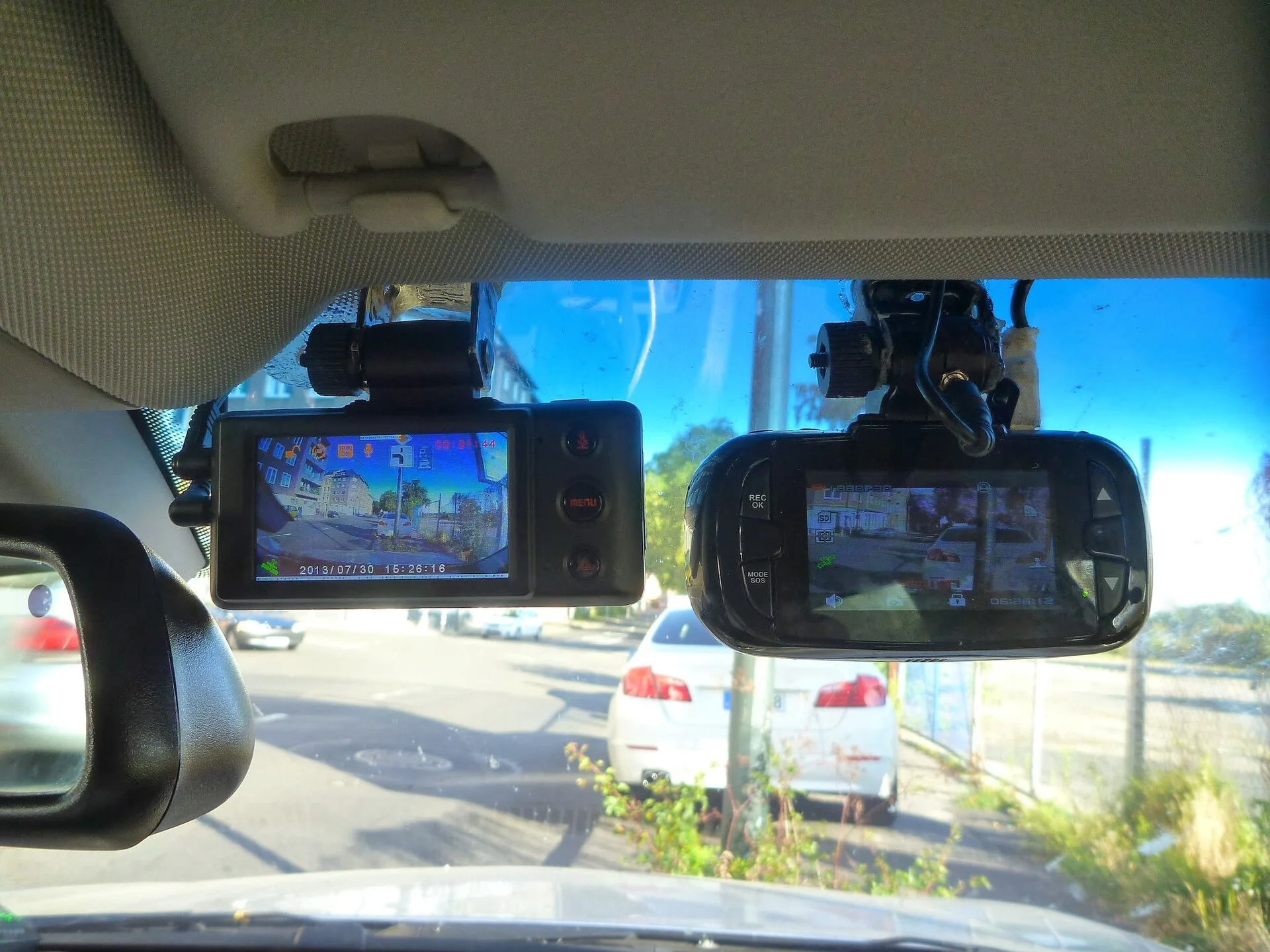
The diagnosis tree: 6 causes, worked in order
If reseating the plug didn't cure it, run the causes in likelihood order. Each has a distinct tell, so you can skip to yours:
- Reboots the moment you park and leave -> parking mode without a hardwire kit - the single most common configuration mistake.
- Reboots while driving, often with a card error -> the memory card can't keep up, per BlackboxMyCar and MASIGO.
- Reboots on hot days, in direct sun -> overheating; MASIGO puts the ceiling around 149 degrees Fahrenheit.
- Reboots on every trip regardless of card or heat -> out-of-date firmware.
- Reboots after everything above is ruled out -> a failing internal power component.
The first two cover the vast majority of cases and cost nothing to fix. Only the last one is a genuine hardware failure. Let me take them in that order.
Parking mode without a hardwire kit: the classic reboot loop
This one catches almost everyone, so check it before you blame the hardware. If parking mode (sometimes called parking monitor) is switched on but the camera is only plugged into the cigarette-lighter socket, the camera will turn on and off continuously. BlackboxMyCar explains the mechanism plainly: without a dedicated hardwire kit wired to the battery, enabling parking mode confuses the camera, which keeps cycling until its internal power is entirely drained. The tell is timing - the reboots start the moment the engine goes off and you walk away, not while you're driving.
You have two honest choices. If you don't actually need to record while parked, go into the settings and turn parking mode OFF - free, and it stops the loop immediately. If you do want parked protection, the camera needs constant power from a fused circuit, which means installing a hardwire kit like the VIOFO HK4 wired to a 12V fuse tap. That's the one spot in this whole guide where the fix genuinely requires a purchase, because the cigarette-lighter socket dies when the engine is off and there's no free workaround - a hardwire kit is the part, not an upsell.
The memory card: format it, then replace it if needed
If the camera reboots while you're driving - often flashing a card error just before - the memory card is the prime suspect. A corrupt or malfunctioning card can trigger sudden shutdowns and constant restarts, and a full or low-speed card makes the camera freeze and reboot when the write speed can't keep up with the video stream, per BlackboxMyCar and MASIGO. Dash cams write continuously, all day, every day, which is brutal on a card never designed for that duty.
Fix it in two steps. First, format the card in the camera's own menu, or on a computer if the camera can't - and for cards 64GB and larger, choose exFAT, not FAT32, because Cansonic notes FAT32 is only stable up to 32GB and a mismatched format alone can cause the loop. If the reboots come back within days of a fresh format, the card is worn out. Replace it with a high-endurance card such as the Samsung PRO Endurance - a card rated for the constant-write cycle rather than the occasional photo, which a persistent SD card error loop is usually telling you the old card can no longer handle.
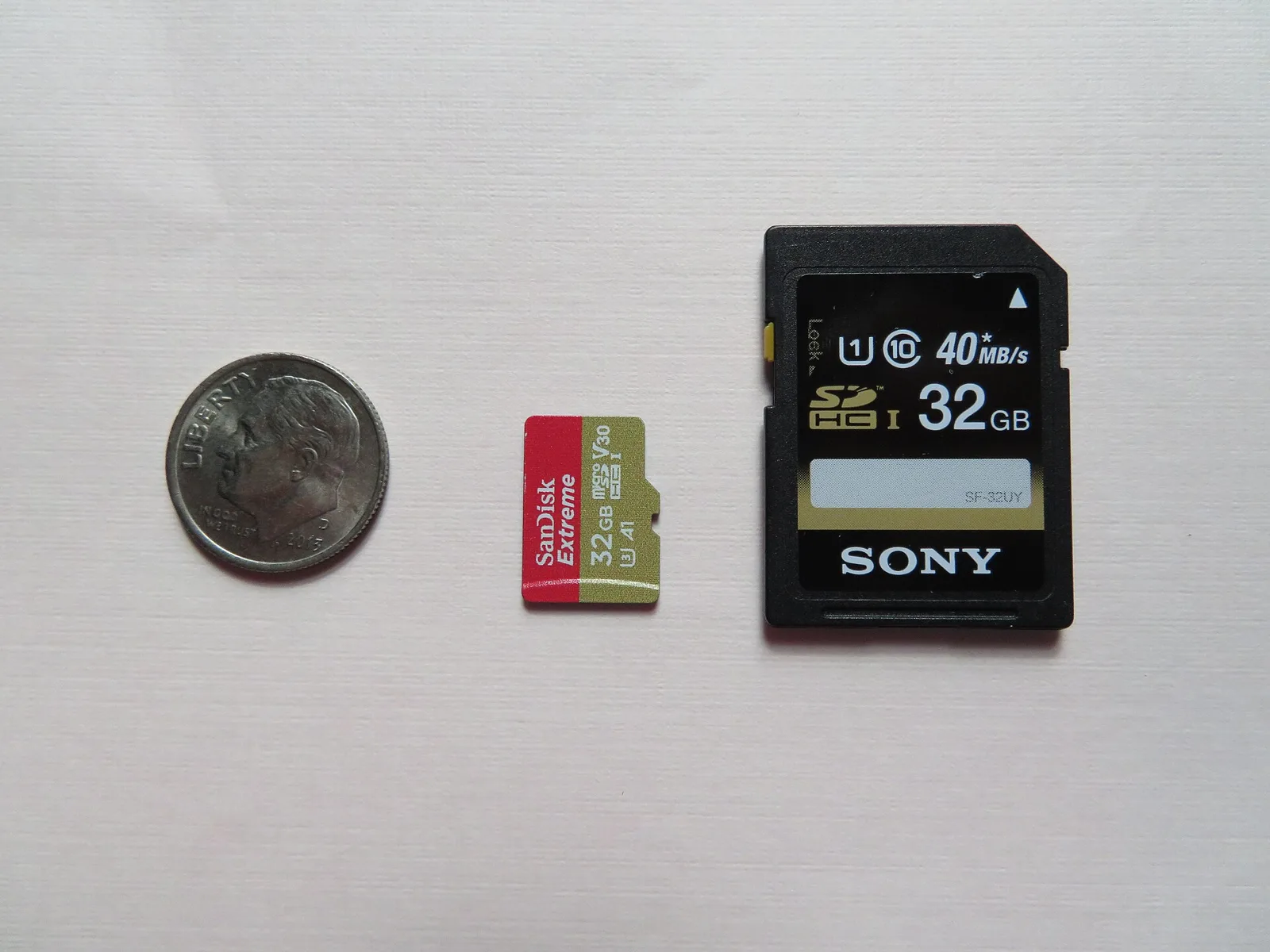
Which cards cause the loop, and how to read the class marks
Not every card that fits will keep up, and the markings on the card tell you whether yours can. The write speed a dash cam needs is real: a 1080p camera streams video continuously, and a 4K one streams several times that, so a slow card falls behind, the buffer overflows, and the camera freezes and reboots to recover. Look for a U1 or U3 speed class and a V-rating (V10, V30) on the card - Cansonic recommends stepping up to a fast, high-endurance card as the fix when a card-driven loop keeps returning.
There are two more card traps worth naming. A counterfeit high-capacity card - common in cheap online listings - reports a fake size and corrupts data past its real limit, which reads exactly like a reboot loop; buy from a reputable seller and format in-camera to expose a fake. And a card that's simply full of locked event files can't loop-record, so clear old protected clips periodically. When a fresh format and a genuine high-endurance card both fail to stop the cycling, you've correctly ruled the card out and can move down the tree.
Overheating reboots: heat, not a fault
If the restarts only happen on hot days or after the car has sat in the sun, the camera is protecting itself. Dash cams overheat especially in direct sunlight or where airflow is restricted, and overheating triggers automatic shutdowns to prevent damage, per BlackboxMyCar; MASIGO puts the tolerance ceiling around 149 degrees Fahrenheit, which a closed car in summer exceeds within an hour of parking.
The fixes are mostly free: park in shade, crack a window, and move the camera out of the direct sun band at the top of the glass if you can. This overlaps with a full thermal shutdown, so if your camera doesn't just reboot but powers off and stays off in the heat, work through our dedicated fix for overheating dash cams. And know the root reason a cheap camera reboots in heat when a pricier one doesn't: budget cams ride on a small lithium battery, which sags and cuts out as it warms, where a supercapacitor holds steady - so if heat is your recurring cause, that's a hardware limit you'll only fully escape by moving up a tier.
If the reboots are seasonal - only in summer, only in the sun - you're chasing heat, not a fault. Shade fixes more of these than any setting.
Already hardwired? Check the cut-off voltage setting
If your camera is already wired in with a hardwire kit and still cycles when parked, the culprit is often a setting, not the hardware. Hardwire kits and their apps have a low-voltage cut-off - the battery level at which the kit stops feeding the camera to protect your starter battery, commonly adjustable around 11.8 to 12.2 volts. Set it too high and the kit cuts power the moment the resting battery dips, the camera shuts down, the voltage recovers, the kit powers it back up, and you get a slow reboot loop while parked.
The fix is to lower the cut-off voltage a notch (or shorten the parking-mode timer) so the kit isn't tripping on a healthy battery's normal rest voltage. This is the mirror image of the no-hardwire loop from earlier: there, parking mode had no constant power at all; here, it has power but a trigger-happy guardian keeps yanking it. Both show up as the same on-and-off cycling in a parked car, which is why timing - and checking whether a kit is even installed - is the first thing to establish.
Rule of thumb: if a parked, hardwired camera cycles, suspect the cut-off voltage setting before you suspect the camera.
Firmware: the free fix people skip
When the camera reboots on every trip regardless of card, plug, or temperature, update the firmware before you give up on it. Makers ship stability fixes, and an out-of-date firmware is a genuine, documented cause of random restarts - MASIGO lists a firmware update among its four core fixes for a restarting dashcam. It's a 10-minute job with the camera's app or a downloaded file on the card, and it costs nothing.
Do the cheap, reversible checks first - plug, parking mode, card, heat, firmware - in that order. Every one of them is free or nearly so, and together they resolve the large majority of restart loops. Only when all five fail should you conclude the hardware is dying.
One firmware caveat worth knowing: update from the maker's own site or app, matched to your exact model, and don't interrupt it. A half-flashed firmware can brick a camera that was only rebooting - so if you're going to do it, do it on a full charge with the engine running, not on a dying battery in a parking lot.
The socket and fuse: the failure hiding upstream of the camera
One cause people never check because it's not in the camera at all: the 12V socket and its fuse. A cigarette-lighter socket that's worn, corroded, or has a slightly bent center contact makes intermittent connection, so the camera gets power in stutters and reboots each time the contact breaks - the same symptom as a loose plug, but the fault is in the car. If the camera runs perfectly in a different socket during the 60-second test above, this is your answer.
Two quick checks close it out. Try a phone charger in the suspect socket and see if your phone shows the same charging-and-dropping behavior; if it does, the socket or its fuse is the problem, not the camera. And on many cars that socket only has power in accessory or run mode, so a camera wired to a switched circuit will cycle every time the car changes state - which is a wiring choice to fix, not a broken camera. Clearing the upstream socket before you condemn the camera is how you avoid returning a perfectly good unit.
- Runs fine in another socket - the original socket or fuse is weak.
- A phone charger stutters in the same socket - the socket, not the camera, is at fault.
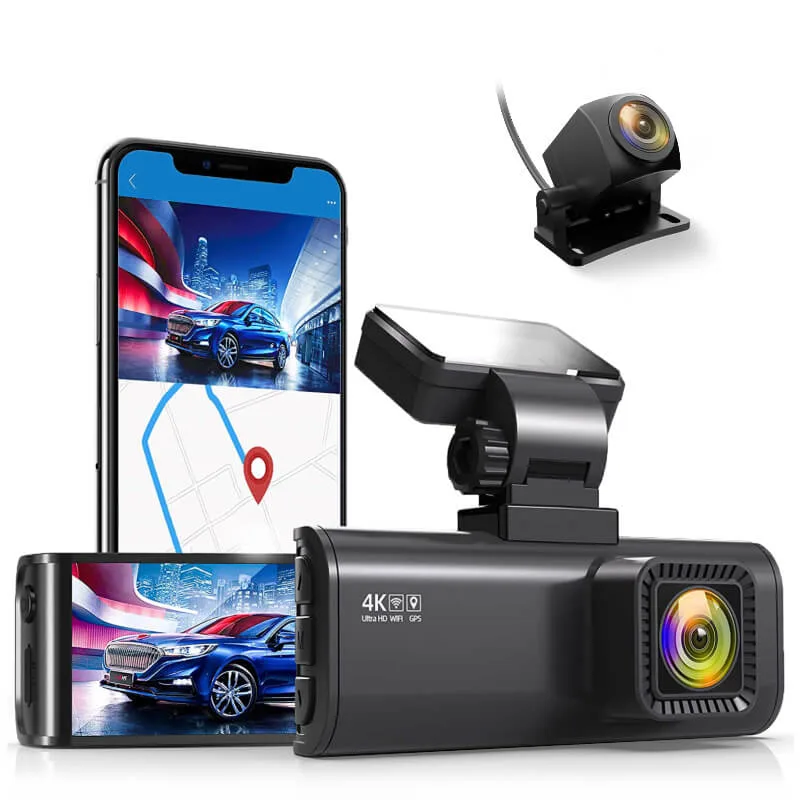
The honest dead-end: a failing supercapacitor
Here's the one cause that isn't a setting, and I'd rather tell you straight than have you chase it for a week. Dash cams use an internal supercapacitor or small battery to ride out the split second between engine-off and parking power, and to smooth the little voltage dips of normal driving. When that component fails - and heat is what kills it - the camera can no longer hold voltage through those dips and reboots constantly no matter what you do.
The tell is elimination: you've reseated the plug, used the original charger, turned parking mode off or hardwired it, formatted and replaced the card, ruled out heat, and updated the firmware, and it still cycles on every drive. At that point it's not a setting you can fix from the outside - it's a warranty claim if the camera is covered, or a replacement if it isn't. Reaching that conclusion after the five free checks is a real diagnosis, not giving up, and it saves you from buying cards and cables to fix a capacitor that's simply worn out.
The supercapacitor is the one part a user can't service - reaching this by elimination is the honest end of the road, not a failure to try.
The two parts that actually fix a power or card reboot
Two of the causes above - a parked-camera loop and a worn-out card - are the only ones where the fix costs money, so here's exactly what each part is for. If you're chasing a parking-mode loop and you genuinely want parked recording, a hardwire kit like the VIOFO HK4 gives the camera the constant, fused 12V power the lighter socket can't. If your reboots track a card error that returns after a format, a high-endurance card like the Samsung PRO Endurance survives the continuous writing that kills ordinary cards. Everything else on this page - the plug, parking mode, heat, firmware - is a free fix, and you should exhaust those first.
Quick reference: match the reboot to the fix
The short version, so you can act fast:
- Reboots randomly, plug feels loose - reseat firmly, use the original charger.
- Reboots only when parked - turn off parking mode, or hardwire it for constant power.
- Reboots while driving, card error shows - format in-camera (exFAT for 64GB+), replace with a high-endurance card if it returns.
- Reboots on hot days - it's overheating; shade, ventilate, relocate.
- Reboots on every trip regardless - update firmware.
- Still reboots after all of it - the supercapacitor is failing (warranty or replace).
Nine of ten restart loops are power or card, and both are cheap or free to resolve. If your camera also loses its clock between drives, that points at the same internal-power weakness - see why it resets the time and date - and if you're fighting battery drain from a hardwired install, that's the related power-side diagnosis to read next.