
The Decision: Traction Pack or the 12-Volt Battery
Every dash cam power question on a Kia PV5 Camper reduces to one choice, and it is not which adapter to buy. It is which of the van's two batteries the camera drinks from.
The PV5 is an EV, so it carries a traction pack measured in tens of kilowatt-hours and a conventional 12 V auxiliary battery that runs the lights, the locks, the computers and anything you plug in. A typical 12 V auxiliary battery holds something under 1 kWh — a 60 Ah battery at 12 V is 0.72 kWh. So the traction pack holds somewhere around fifty times the energy of the little one sitting next to it.
Which makes the obvious answer wrong. The pack is enormous and it is asleep most of the time your camera needs power; the 12 V battery is tiny and it is the one that stays awake. Everything below is the consequence of that inversion.
Head to Head: V2L Against a Hardwired 12-Volt Tap
Three power sources, five questions. This is the whole page in one table.
| Question | V2L outlet | 10-pin mirror tap | Fuse-tap hardwire |
|---|---|---|---|
| Which battery | Traction pack | 12 V auxiliary | 12 V auxiliary |
| Energy behind it | Tens of kWh | Under 1 kWh | Under 1 kWh |
| Live with the van asleep | Usually not — the outlet powers down | No — ignition switched | Yes, on a constant tap |
| Cuts factory wiring | No | No — it plugs into an existing connector | No — the tap sits in the fuse box |
| Install effort | None — plug a lead into the socket | Minutes, one trim panel | An hour, fuse box plus a routed cable |
| Main failure mode | Outlet drops when the van sleeps | No parking mode at all | Flat 12 V battery without a cut-out |
Read the third row first. It is the only row where the three options genuinely differ in capability rather than convenience, and it decides the purchase. Everything else on this page explains why that row reads the way it does.
Why an EV's 12-Volt Battery Is the Fragile One
A combustion car recharges its 12 V battery from an alternator whenever the engine turns. An EV has no alternator. It tops the 12 V battery up from the traction pack through a DC-DC converter, and that converter runs when the vehicle's computers decide it should — not continuously, and not on your schedule.
Three consequences that matter to a camera:
- A full traction pack does not guarantee a healthy 12 V battery. The two are separated by a converter that has to be commanded on. A van showing plenty of range can still have a 12 V battery too flat to wake the contactors, and that is the classic EV no-start.
- The parasitic load arithmetic is unforgiving. A dual-channel dash cam in parking mode draws roughly 3 to 6 W. At 12 V that is around 0.3 to 0.5 A. On a 60 Ah battery you should not take below half, so you have about 30 Ah to spend — 30 divided by 0.4 is somewhere near 75 hours. Three days parked, in other words, and that is before the van's own standby loads take their share.
- Deep cycling is what actually kills it. A starter-type 12 V battery is not built to be discharged deeply and recovered. Repeatedly taking it low shortens its life long before it strands you once.
That is the case for the low-voltage cut-out, and it is why any hardwire kit without one is the wrong kit regardless of price. The cut-out watches the 12 V rail and disconnects the camera at a set threshold, leaving enough behind to wake the van.
The 10-Pin Mirror Connector: What It Actually Gives You
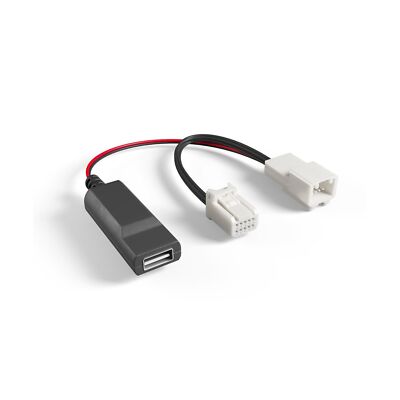
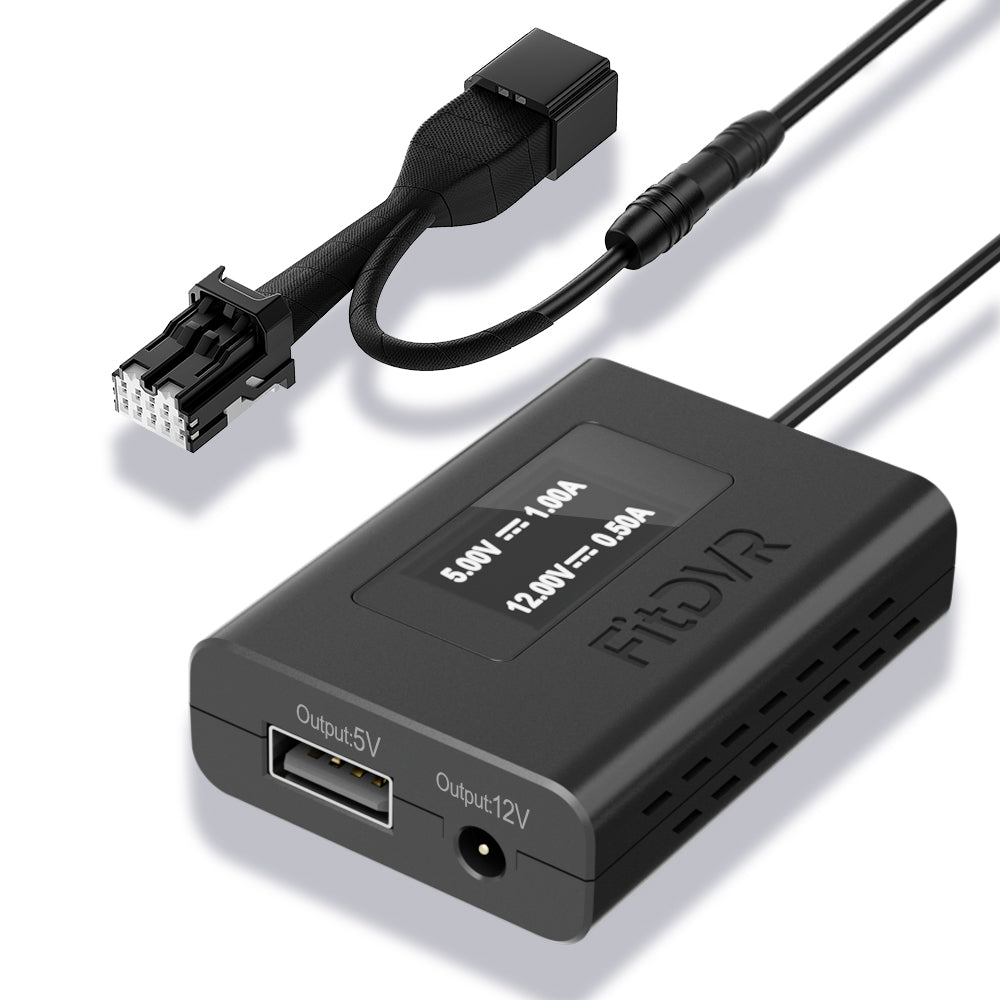
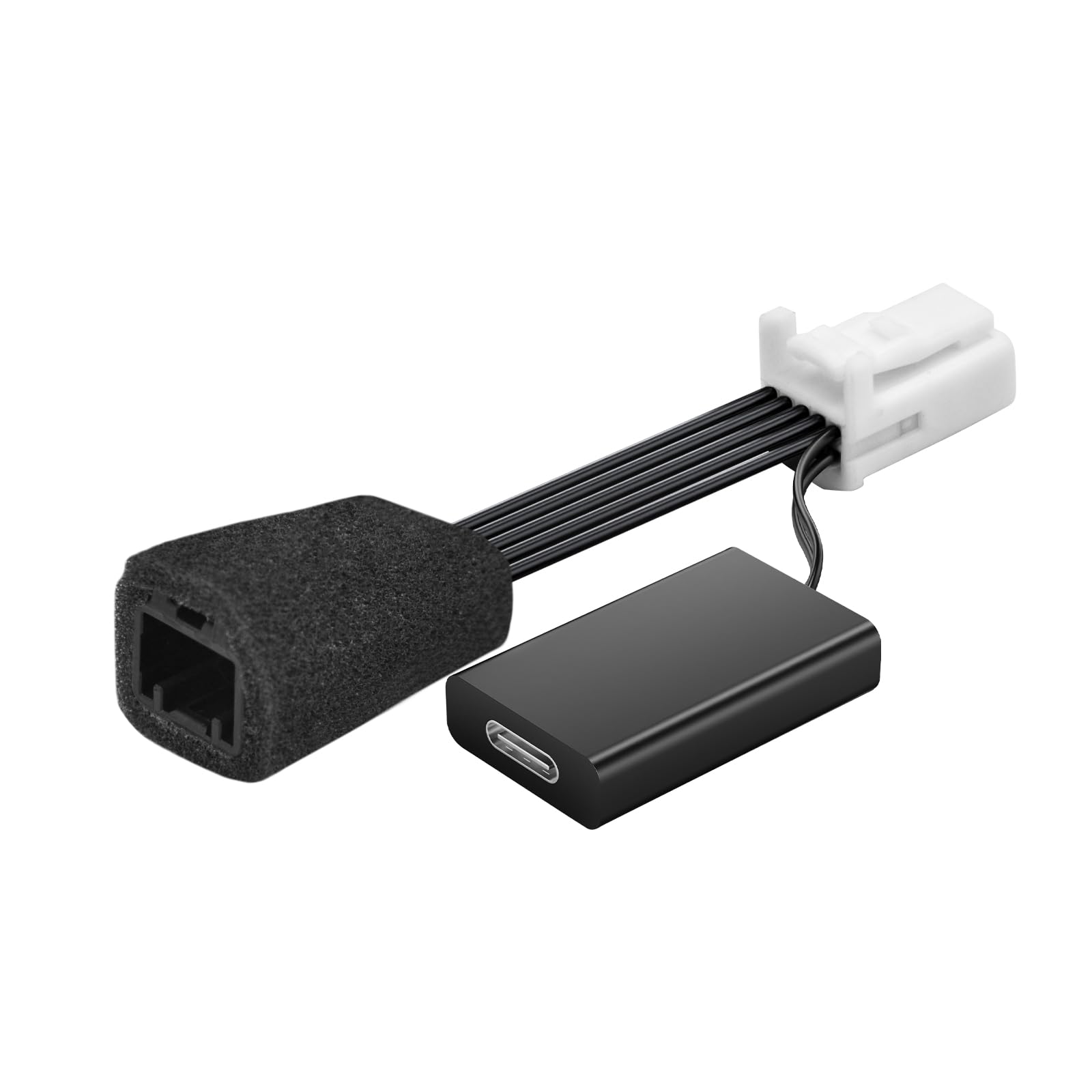
Many Kia and Hyundai models carry a 10-pin connector behind the rearview mirror, feeding the auto-dimming function and whatever else lives in that housing. A family of small adapters exists to plug into it and hand you 5 V USB, which is the cleanest install available on this vehicle.
What is genuinely good about it: nothing is cut, nothing is spliced, the factory connector is passed through rather than replaced, and the cable is already at the top of the windscreen where the camera lives. There is no wire run down the A-pillar and no trim to remove beyond the mirror shroud. Twenty minutes, no tools beyond a plastic pry tool.
What it does not give you is constant power. The mirror feed is switched, so the camera runs while the van is on and stops when it is off. For a camera relying on its own supercapacitor that is fine; for parking mode it is nothing.
Two cautions worth stating plainly. First, confirm the connector on your PV5 before you buy — the 10-pin housing is common across the brand but trim and market variations exist, and an adapter for the wrong pinout is not a thing you can adapt further. Second, treat any adapter's claimed output as a specification to verify against your camera's requirement: a camera that wants 2 A and gets less will brown out under load rather than fail cleanly, which presents as random reboots and corrupted files.
Fuse-Tap Hardwiring and the Cut-Out That Makes It Safe
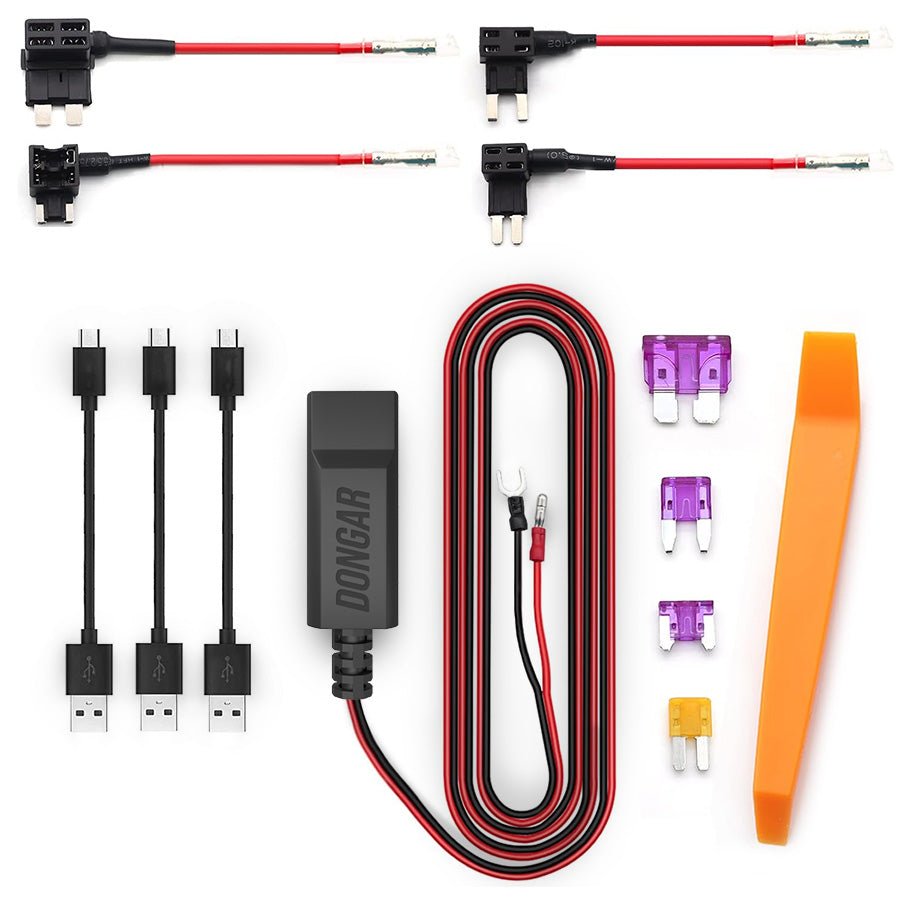
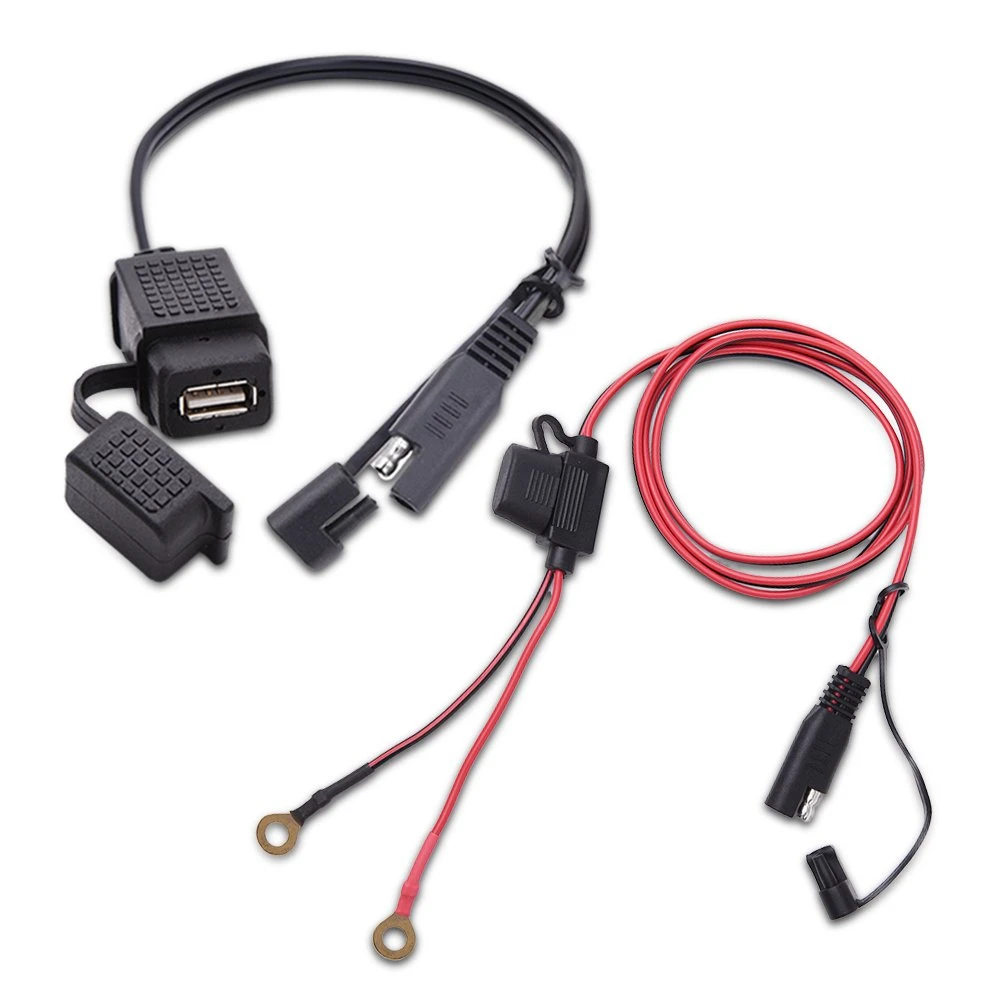
If you want parking mode, this is the only route that delivers it, and it is not as invasive as it sounds. An add-a-fuse tap slots into an existing fuse position and gives you a second protected circuit alongside the original. No factory wire is cut.
- Two circuits, not one. A proper kit takes a constant feed and an ignition-switched feed, so the camera can tell whether the van is running and change modes accordingly. One wire gets you power; two get you parking mode that knows when to start.
- The tap must match the fuse type. Micro2, mini and low-profile mini are different physical parts, and forcing the wrong one into a slot damages the fuse box terminal. Look before you order.
- Fuse the tap itself. The add-a-fuse holds two fuses: the original circuit's and a small one for your new branch. The new branch fuse should be sized for the camera, not for the circuit you borrowed from.
- Ground to a factory bolt, not to a bracket. A poor ground is a resistance in series with everything, and it shows up as voltage sag under load rather than as a dead camera.
- Set the cut-out and then verify it. Most kits offer a selectable threshold. Choose one, leave the van parked, and check that the camera actually stops. A cut-out you have not seen operate is a cut-out you are trusting on faith.
The one thing not to do, on this vehicle or any other, is splice into a factory harness. You compromise the insulation, create a joint that corrodes, and hand the dealer a reason to look elsewhere on a warranty claim — and you gain nothing a fuse tap does not already give you.
Longevity: What Deep Cycling Costs You Over a Season
The failure people expect is a flat battery on one particular morning. The failure that actually happens is slower and more expensive.
A conventional 12 V starter battery is designed to deliver a large current briefly and then be recharged immediately. Discharging it deeply and leaving it there sulphates the plates, and the damage accumulates. A camera drawing a third of an amp for three days at a time will not kill a battery in one event; it will take capacity out of it repeatedly until the battery no longer has the reserve it started with, at which point the same three days becomes two, then one.
The tell is the pattern, not the incident: if the van is fine after a short park and marginal after a long one, and the margin is getting worse month by month, the parasitic load has been eating the battery for a while.
This is a much stronger argument for the cut-out than the stranding scenario is. A cut-out set conservatively costs you some recording time on a long park. A 12 V battery replaced early costs considerably more than the kit, and on an EV a weak 12 V battery produces symptoms across the whole vehicle that look nothing like a battery problem.
Bottom Line: Which One to Buy
The head-to-head resolves cleanly once you answer one question about how you use the van.
Buy the 10-pin mirror adapter if you do not need parking mode. It is the least invasive thing you can do to a new van, it takes twenty minutes, and it leaves no trace when you sell. The Dongar and Mangoal and FitDVR style adapters all address the same connector; check the pinout against your own van and check the stated output against your camera's requirement.
Buy an add-a-fuse hardwire kit with a low-voltage cut-out if you do. It is the only option on this list that keeps a camera alive with the van asleep, and the cut-out is the part that makes it safe rather than the part that makes it expensive. Two circuits, matching fuse type, factory ground bolt, and verify the cut-out works before you rely on it.
Use V2L for camp gear, not for the camera. The traction pack is the right power source for a kettle, a compressor fridge or a laptop while you are there. It is the wrong one for a device whose whole job is to be awake when you are not, because the outlet is not.
Named, not linked: the adapters above are named because the connector family is what matters, not a particular seller. Amazon blocks automated checks from this server, so we cannot currently confirm that any specific listing is live and selling the product it claims — one adapter listing previously linked from this page had already drifted to a different product. Rather than send you to a page nothing has verified, we have left the links off.