
Where to Start
Would you pay $280 just to be told your backup camera is broken? That's what a dealership quoted my friend for a black screen on his 2017 F-150. The truth is, most backup camera issues aren't some complex electronic mystery; they're usually simple wiring glitches or physical damage that a dealership will happily charge you a fortune to "diagnose." Don't get fleeced out of hundreds for a fix that might take less than 20 minutes.
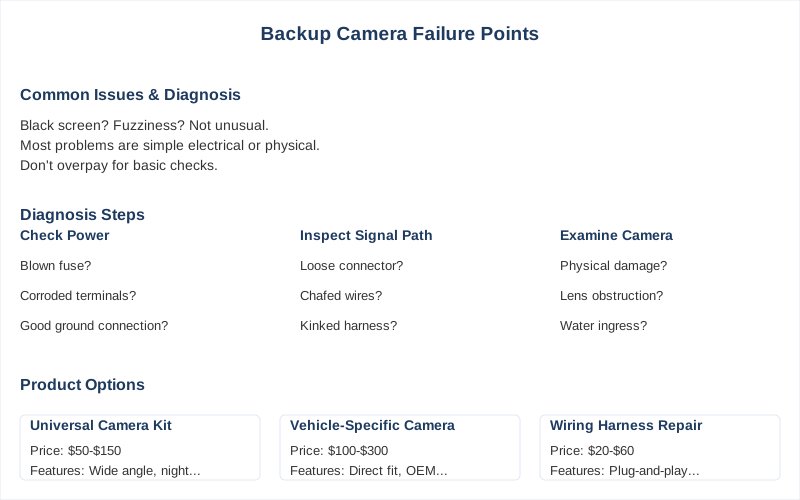
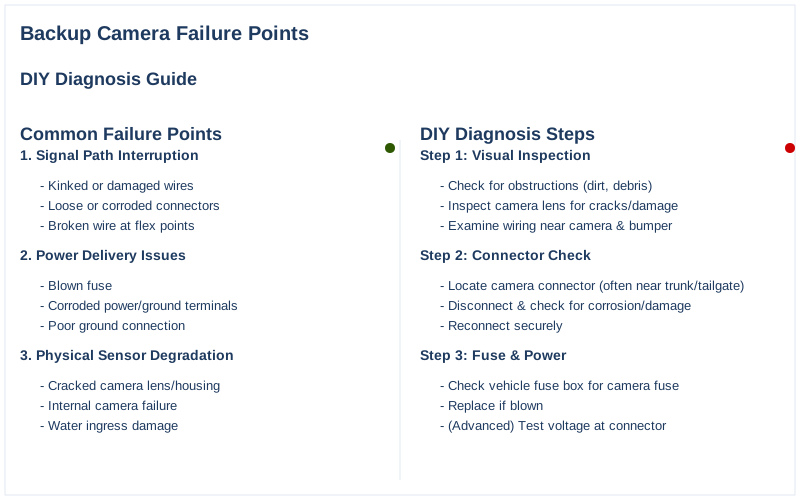
Think of the signal path as a garden hose. If the hose is kinked (damaged wire), disconnected (loose connector), or the spigot's off (no power), you get no water. If the nozzle is busted (bad camera sensor), the water comes out wrong. This isn't rocket science, it's basic circuit integrity and mechanical stress on components. Many common issues stem from this principle. Power delivery failures are usually due to corroded terminals, a blown fuse, or a compromised ground. Water ingress is the enemy, turning copper green and increasing resistance until the voltage drop starves the camera. A camera might pull only 150mA, but if the resistance on the 12V supply jumps, that voltage sags. This isn't just 'bad luck,' it's electrochemical degradation. Mechanical stress causes wiring to chafe, connectors to vibrate loose, and camera housings to crack. The tailgate wiring harness, for instance, flexes thousands of times over a vehicle's life. This repeated bending creates fatigue cracks in the copper strands, leading to intermittent opens or shorts. Experts note damaged wiring as a common issue. You're not looking for a 'ghost in the machine,' you're looking for a physical failure. Most backup camera failures aren't complex. They're typically a result of the environment or cheap manufacturing. The camera lens itself, often plastic, degrades from UV exposure and abrasion from road grime. This leads to reduced optical clarity, manifesting as a blurry or hazy image, especially at night. It's not 'magic fog,' it's surface wear and tear. AUTO-VOX highlights dirty lenses as a cause. Wiring is another huge culprit. The wires run through tight spaces, exposed to vibration, temperature swings, and sometimes even moisture. The PVC insulation cracks from thermal cycling, exposing copper to corrosion. This increases resistance, causing voltage drops and intermittent signal loss. The TadiBrothers blog points out wiring faults as a primary issue. My 2011 Mazda3 had a kinked harness in the trunk lid that would flicker the camera when I slammed the hatch. The camera module itself often uses a CMOS sensor, which can fail due to voltage spikes or prolonged exposure to high temperatures. The seals around the lens and housing degrade, allowing moisture in. This leads to internal corrosion on the circuit board, shorting out components or causing intermittent operation. Understanding these failure modes means you're not just guessing. You're systematically eliminating possibilities based on the underlying physics. It's about knowing if you're dealing with a physical obstruction or an electrical open circuit. Your backup camera isn't failing because of bad luck; it's physics. Whether it's a lack of power, a broken signal path, or a physically degraded component, the failure mode is diagnosable. Most issues boil down to mechanical stress on wiring, thermal cycling on solder joints, or water ingress causing electrochemical corrosion. Camera Source outlines these common causes. Start with the simplest, cheapest checks: clean the lens, check the fuse. Move to electrical diagnostics with a multimeter. Inspect wiring for physical damage. Only then consider replacing components. This systematic approach saves you money and prevents unnecessary parts swaps. Don't let a dealership charge you $180 for a 'diagnosis' that involves cleaning a lens or replacing a $3 fuse. Understand the underlying failure modes, and you'll be able to tackle most of these problems yourself. It's about empowering yourself with knowledge, not just throwing parts at a problem. A proper splice, using heat-shrink butt connectors and a crimping tool, will outlast the rest of the wiring harness. It's about creating a mechanically sound, environmentally sealed connection. A dealer might charge $200 for a new section of harness; your $5 heat-shrink kit will hold up just as well, if not better, against vibration and moisture. Yes, you need a multimeter. Reverse lights turning on only tells you there's *some* voltage, not if it's the correct 12V or if there's excessive voltage drop under load. A camera might need 12V +/- 0.5V to function reliably. Eyeballing it is how you replace good parts and waste money. If you've truly verified power, ground, and signal from a known-good camera, the problem is your head unit. The internal video input circuit or its associated software has failed. This means a new or refurbished head unit, which is a $500-$2000 problem. Time to hit the junkyard or find an aftermarket upgrade. A flickering camera itself won't 'damage' the rest of your system, but the underlying cause can. Intermittent shorts or high resistance can stress the 12V power supply circuit, potentially blowing fuses repeatedly or causing minor thermal cycling on the head unit's input stage. It's more an annoyance than a system killer, but fix the root cause. It's rarely *just* a software glitch that an update fixes. While a head unit reset can clear a temporary hang-up, persistent 'no signal' issues are almost always hardware: a broken wire, a dead camera, or a failed input on the head unit. Software usually fails consistently, not intermittently. Don't wait for a mythical update to fix a bent pin.The Short Answer
The Reality Check
Component
How It Fails
Symptoms
Fix Cost
Camera Lens
UV degradation, abrasion, dirt buildup.
Blurry, hazy, low contrast image.
$0 (cleaning) - $150 (new camera)
Wiring/Connectors
Chafing, corrosion, fatigue cracks from flexing.
Intermittent signal, no signal, flickering.
$5 (splice kit) - $200 (harness replacement)
Camera Module
Moisture ingress, thermal stress, sensor failure.
Black screen, static, distorted image.
$80 - $400 (OEM camera)
Fuse
Overcurrent from short, aging, vibration.
No power to camera/display.
$3 (single fuse)
Head Unit/Display
Internal component failure, software glitch.
Black screen, 'No Signal' error, frozen image.
$500 - $2000 (new head unit)
How to Handle This
What This Looks Like in Practice
Mistakes That Cost People
Key Takeaways
Spec Comparison
Frequently Asked Questions
Can I really fix a backup camera wire myself, or will a splice eventually fail, costing me more in the long run?
▼
Do I actually need a multimeter to diagnose this, or can I just eyeball voltage by checking if the reverse lights come on?
▼
What if I've checked everything - power, ground, continuity, and even tried a new camera - and it still won't display?
▼
Can a constantly flickering backup camera permanently damage my car's electrical system or the head unit?
▼
I heard that sometimes the problem is just a software glitch that updates can fix. Is that true, or is it always a hardware issue?
▼
Sources