
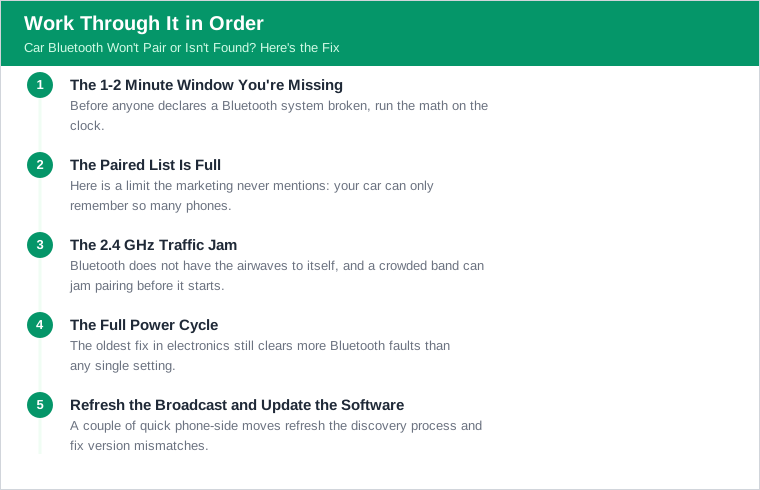
The 1-2 Minute Window You're Missing
Before anyone declares a Bluetooth system broken, run the math on the clock. Car pairing mode usually times out after only about 1-2 minutes. The phone must be searching within that window, or the head unit quietly drops off the list and stops advertising itself. Miss the window and the car looks invisible even though nothing is wrong with it.
This is the most common false alarm there is. Someone puts the car into pairing mode, then spends two minutes digging through the phone's settings menus, and by the time they open the Bluetooth device list the car has already given up. The phone shows nothing, the driver concludes the car cannot be found, and the actual problem is that the two devices were never looking for each other at the same moment.
The fix is sequence and speed. Open the phone's Bluetooth screen and have it actively scanning first, then put the car into pairing mode, so both are searching inside the same short window. If the car does not appear within a minute or two, do not keep waiting - restart pairing mode on the car to reopen the window and try again immediately. Get the timing right and a surprising number of not-found complaints evaporate before you touch anything else. Assume the timeout before you assume the hardware.
The Paired List Is Full
Here is a limit the marketing never mentions: your car can only remember so many phones. Most car systems store a limited paired-device list, commonly about 5-8 devices - some hold 5-10. Many Mazda systems cap the list at 7 devices, and a common limit is 8 stored devices before the oldest is dropped. Once that list is full, adding a new device is not guaranteed to just work.
The failure mode is subtle. When the list fills, the system deletes the oldest device's data to make room, and re-pairing may fail during that shuffle - especially if the device you are trying to add is one whose old, stale entry is being half-remembered. Families are the classic case: several phones, a couple of tablets, a previous owner's devices, and a rental or two, all stacked into a seven- or eight-slot memory that is long since full.
The cure is housekeeping. Go into the car's Bluetooth device list and delete every entry you do not actively use - old phones, one-time guests, duplicates of your own device. Clearing that list gives the system clean slots to work with and removes the stale entries that jam up a re-pair. A head unit that refused a new phone for weeks often pairs on the first try the moment the clutter is cleared out. The memory was full; the hardware was fine.
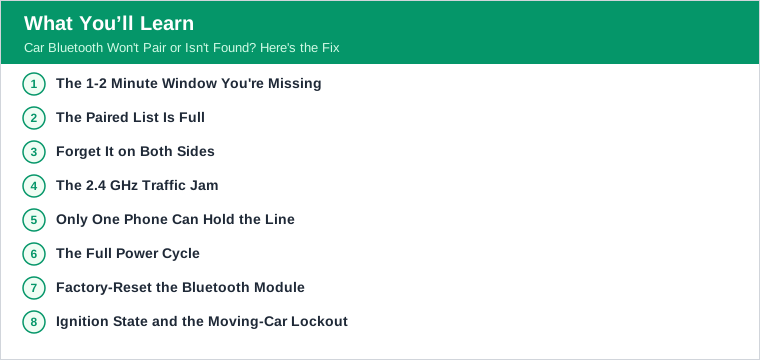
Forget It on Both Sides
When a phone and car that used to work suddenly will not connect, the culprit is usually a mismatched memory rather than a fault. A stale cached pairing key - a link-key mismatch after a phone or car software update - is a leading cause of won't-connect, and it requires forgetting the link on both sides. Each device stored a security key when they first paired, and if one side's key changes, the two no longer agree and the connection is refused.
The mistake most people make is forgetting only one side. Delete the car from the phone but leave the phone in the car's memory, and the car keeps presenting its old, now-invalid key; the handshake fails again. The link is a two-party agreement, and clearing just one party leaves the stale key alive on the other. That is why a half-hearted delete-and-retry so often changes nothing.
Do it properly: delete or forget the car from the phone, then delete the phone from the car, so both sides drop the old key completely. Then pair fresh as if the two had never met. This is the standard fix after any OS update or infotainment update, both of which can rotate the stored keys and break a previously flawless connection overnight. If a pairing that worked yesterday fails today for no obvious reason, a stale key is the first thing to clear - on both sides, not one.
The 2.4 GHz Traffic Jam
Bluetooth does not have the airwaves to itself, and a crowded band can jam pairing before it starts. Bluetooth operates in the crowded 2.4 GHz band, and interference from WiFi, USB 3.0 hubs, and other 2.4 GHz devices can disrupt discovery and pairing. In a car packed with a mobile hotspot, a dash cam, wireless earbuds, and a phone charger, that band can get noisy enough to garble the delicate initial handshake.
It helps to separate range from interference, because people blame the wrong one. Bluetooth Classic audio range is about 10 m (33 ft) line-of-sight, and inside a vehicle range is rarely the limiting factor - the phone is a couple of feet from the head unit. So if pairing is flaky at arm's length, distance is not the problem; interference or one of the other issues in this guide is. For reference, Google Fast Pair even requires the phone within about 0.5 m (1.6 ft) of the accessory to initiate, which shows how close devices already are in a car.
The practical move is to thin out the noise during pairing. Temporarily switch off nearby 2.4 GHz sources - a hotspot, a USB 3.0 device plugged into the car, spare Bluetooth gadgets - and pair with fewer radios fighting for the band. Once the devices are paired and bonded, they hold a connection far more robustly than they establish one, so the interference mostly matters during that first fragile handshake. Clear the air for a minute and let the pairing complete.
Only One Phone Can Hold the Line
A common 'won't connect' scenario is not a failure at all - it is a seat already taken. Most car stereos allow only one active audio and hands-free connection at a time even though several devices are paired. A second phone that is already connected can block a new one from taking over, so your phone pairs but never becomes the active device, and the audio stays with someone else's handset.
This is the daily reality in any two-phone household. A partner's phone connects automatically the moment they get in, claims the single active slot, and then your phone - paired and present - simply cannot grab the line. From your seat it looks like your phone will not connect, when in truth the car is connected, just to the other device. The system is working as designed; it only has room for one active audio link.
The fix is to manage the active connection, not to re-pair. Disconnect the other phone - turn off its Bluetooth, or manually disconnect it in the car's menu - and then connect yours, which is now free to claim the slot. Some systems let you switch the active device directly from the infotainment screen without disconnecting anything. Either way, recognize the symptom: if your phone pairs fine but never gets the audio, look for the other device holding the line before you troubleshoot your own.
The Full Power Cycle
The oldest fix in electronics still clears more Bluetooth faults than any single setting. A full power cycle - turn off both the phone and the car (ignition off, doors closed to let the head unit sleep), then restart - clears many pairing failures. The emphasis is on full: not just a screen tap, but genuinely letting the infotainment system power all the way down.
The detail people skip is the head unit's sleep behavior. Many infotainment systems stay awake for a while after the ignition is off, keeping their Bluetooth stack running with whatever glitched state it was in. Simply turning the key off and back on may never actually restart the module. Turning the car off, closing the doors, and walking away for a minute lets the head unit fully sleep, so that when it wakes it re-initializes its Bluetooth cleanly.
Pair that with a phone restart and you clear transient stack glitches on both ends at once. Software Bluetooth stacks - on phones and head units alike - accumulate temporary state that a reboot wipes, and a genuine dual power-cycle resolves a large share of intermittent pairing and discovery problems. It costs two minutes and no tools. Before escalating to a factory reset, do the full power cycle properly, because it fixes the same problems with far less hassle.
There is a reason this step outranks the fancier ones in the order. A power cycle keeps all your existing pairings intact while still clearing the transient glitch, where a factory reset wipes every device and forces a full rebuild. You get most of the benefit with none of the collateral damage, which is exactly why it belongs above the reset on the list. Try the cheap, non-destructive fix first, every single time, and reserve the more drastic memory wipe for the rare case that actually survives it.
Factory-Reset the Bluetooth Module
When a device simply will not appear no matter what you try, the next step is to wipe the car's Bluetooth memory clean. Factory-reset the car's Bluetooth module - via the infotainment settings menu, following the owner's manual - when a device won't show up at all. This clears every stored pairing, every stale key, and every corrupted entry in one move, returning the system to the state it shipped in.
It is a bigger hammer than forgetting a single device, and it comes with a cost: every phone in the family will need to be re-paired afterward, because the reset erases them all. That is why it sits below the power cycle and the single-device forget in the order - it works, but it inconveniences everyone who uses the car. Reach for it when the targeted fixes have failed, not before.
Follow the manual, because the procedure varies by manufacturer and the reset is sometimes buried in a service or settings submenu, occasionally behind a code. Some systems offer a Bluetooth-only reset that spares your other infotainment settings; others fold it into a broader system reset. Do the Bluetooth-specific one where possible. After the reset, pair the primary phone first, confirm it connects cleanly, and only then add the rest - so you know the module itself is healthy before you rebuild the whole device list.
Ignition State and the Moving-Car Lockout
Sometimes pairing fails for a reason that is entirely by design: the car will not let you pair right then. Ensure the ignition is in the correct accessory or run state, because some head units disable pairing while the vehicle is moving or in certain ignition positions. A system in the wrong state can refuse to enter pairing mode at all, which reads as a fault but is actually a safety interlock doing its job.
The moving-car lockout catches people off guard. Many manufacturers block Bluetooth pairing while the vehicle is in motion, so a passenger trying to pair on the highway simply cannot, no matter how correctly they follow the steps. The car is not broken; it is refusing to let a driver fiddle with pairing while driving. Pull over and put the car in park, and the same steps that failed a moment ago work fine.
Ignition position matters too. Some head units only allow pairing with the ignition in the accessory or run position, and an attempt made with the car fully off - or in a position that keeps the infotainment half-asleep - will not take. Before assuming the module is dead, confirm the car is parked, the ignition is in the right state, and the infotainment is fully awake. Get the state right and the pairing menu behaves normally, because the interlock was the only thing standing in the way.
Refresh the Broadcast and Update the Software
A couple of quick phone-side moves refresh the discovery process and fix version mismatches. Toggling the phone's Bluetooth off and on, or leaving Airplane mode, refreshes the discovery broadcast so the car can find it. When a phone has been advertising a stale state, a simple toggle re-broadcasts a clean signal, and the car that could not see it a moment ago picks it up. It is a two-second step that is worth doing before anything more involved.
Airplane mode is a frequent hidden culprit. A phone that got bumped into Airplane mode - or left it partially, with Bluetooth still off - will never appear to the car, and the owner spends ages troubleshooting the head unit while the phone's own radio is switched off. Confirm the phone's Bluetooth is genuinely on and the phone is out of Airplane mode before blaming the car for not finding it.
The longer-term fix is keeping software current. Keep the phone's OS and the head-unit firmware updated, since version mismatches between Bluetooth stacks cause discovery and pairing failures. Phones update constantly while car infotainment lags, and a growing gap between the two stacks can break a connection that used to work. If a specific phone stopped pairing after its latest update, check for a head-unit firmware update from the manufacturer - closing the version gap often restores the link that the update broke.
The Verdict: It's Almost Never the Hardware
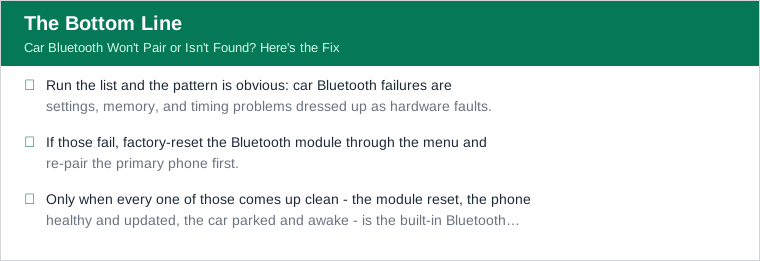
Run the list and the pattern is obvious: car Bluetooth failures are settings, memory, and timing problems dressed up as hardware faults. Catch the 1-2 minute pairing window with the phone already scanning. Clear a full device list. Forget the link on both sides after any update to kill a stale key. Thin out the 2.4 GHz noise, free up the single active-connection slot, and do a full power cycle with the head unit allowed to sleep.
If those fail, factory-reset the Bluetooth module through the menu and re-pair the primary phone first. Confirm the ignition state and that you are parked, refresh the phone's broadcast with a toggle, leave Airplane mode, and update both the phone OS and the head-unit firmware to close any version gap. That sequence resolves the overwhelming majority of pairing and not-found problems without a single trip to a shop.
Only when every one of those comes up clean - the module reset, the phone healthy and updated, the car parked and awake - is the built-in Bluetooth genuinely suspect. And even then there is a cheap out: a plug-in Bluetooth car adapter sidesteps a truly dead factory module for a fraction of the cost of head-unit repair. But you will rarely need it, because the hardware is almost never the problem. Work the settings first; they are where the fix lives.