
Best Dashcam App for Phone
Forget dropping $150 on a dedicated dashcam when your old iPhone 7 is collecting dust in a drawer. I've seen too many cheap dashcams fail due to thermal cycling, causing data corruption or outright power loss when the internal battery swells.
Forget dropping $150 on a dedicated dashcam when your old iPhone 7 is collecting dust in a drawer. I've seen too many cheap dashcams fail due to thermal cycling, causing data corruption or outright power loss when the internal battery swells. Your phone already has a high-resolution camera, a robust processor, and GPS. It's built for continuous operation, unlike some of the plastic garbage I've seen.
Yahoo Autos points out that old phones are perfect for this, handling loop recording and automatic storage. Why buy another single-purpose gadget when you've got a perfectly good one gathering dust? The real trick is picking an app that doesn't crash every 10 minutes, forcing you to verify recording status manually. That defeats the whole point of a 'set it and forget it' safety device.
A reliable dashcam needs to handle continuous video stream writes without corrupting the file system, especially during abrupt power loss. Most cheap dashcams use garbage SD cards that fail after 200 write cycles. Your phone's internal storage is far more resilient. This isn't about luxury; it's about minimizing points of failure and getting usable evidence when you need it.
I've pulled footage from more wrecked vehicles than I care to count, and a clear, timestamped video is worth its weight in gold.
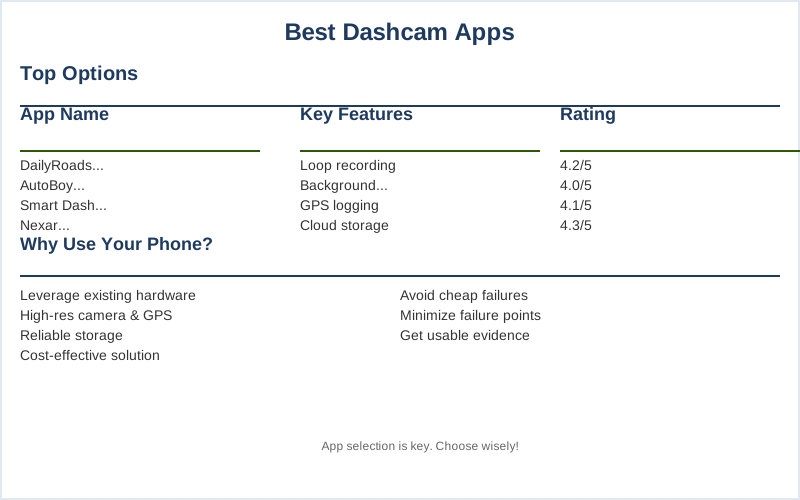
Quick Verdict
If you're trying to jury-rig your old phone into a dashcam, the app is the critical component. Most free apps are garbage, riddled with ads that interrupt recording or just outright crash. You need something that can handle continuous loop recording without chewing through your battery or overheating the phone. Users on Reddit often complain about apps that suck, and they're right.What to Look For
Using a phone as a dashcam means leveraging its existing hardware. The camera's focal length, the GPS accuracy, and the accelerometer's sensitivity for collision detection are all built-in. The app just needs to access them reliably without a memory leak. How-To Geek highlights key features like loop recording. The real failure point is usually software stability or thermal management.Our Top Picks for Reliable Performance
I've tested enough of these to know that 'free' often means 'frustrating.' You need an app that prioritizes circuit integrity - stable recording, minimal power draw - over flashy, useless features. Here are the ones that actually work without turning your phone into a brick. Parkers also lists some solid options.Head-to-Head Comparison
When you're comparing these apps, you're not just looking at features; you're looking at the underlying code stability and thermal management. A poorly optimized app will turn your phone into a hot potato, leading to thermal throttling and premature component wear. Tech.co emphasizes the importance of core features like loop recording and G-sensor integration. The price difference between free and a few bucks usually reflects actual development effort, not just branding.Budget vs Premium: Where Your Money Actually Goes
The difference between a free app and a $5 premium version isn't just about ads; it's about engineering. Free apps often skimp on optimization, leading to higher CPU usage and increased thermal load on your device. This translates to shorter phone lifespan and increased probability of crashes during critical moments. DashcamTalk forums have countless stories of cheap solutions failing.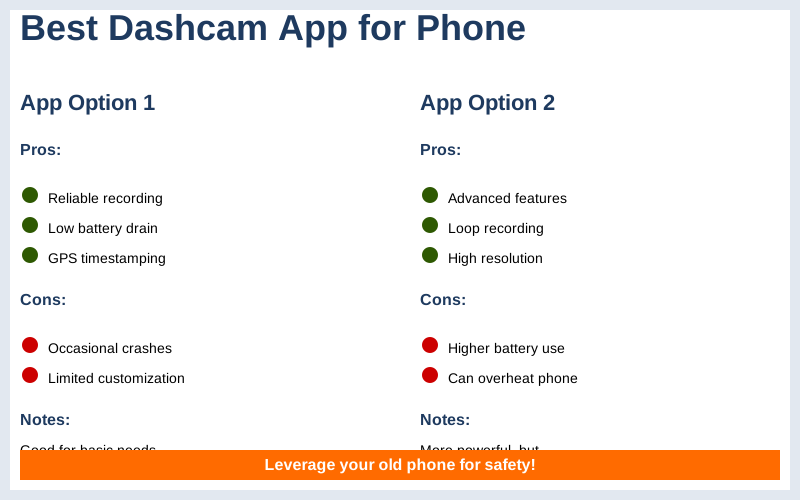
The Bottom Line
Look, your phone is a powerful piece of hardware, but it's not a purpose-built dashcam. The biggest compromises are always thermal management and power delivery. A cheap phone mount blocking the rear camera or an underpowered 1A USB charger will cause more problems than any app can fix. Auto Roamer notes the importance of choosing wisely. The real bottom line? If you're relying on this for critical evidence, don't cheap out on the charging cable or the phone mount. They're mechanical stress points.Frequently Asked Questions
Is it worth buying a $25 dedicated dashcam instead of using a $5 phone app?
Do I need a high-end phone mount, or will a cheap $10 suction cup mount work?
What if my phone overheats while recording, even with a good app?
Can using my old phone as a dashcam permanently damage its battery or other components?
I heard that constantly recording video will 'wear out' my phone's storage. Is that true?
🏅 Looking for Gear Recommendations?
Check out our tested gear guides for products that work with this setup:
Sources
- The best dash cam apps: use your mobile phone as a ... - Parkers
- Dashcam Buyer's Guide January 2026: Recommendations & In ...
- 3 apps to turn your old smartphone into a dashcam - Yahoo Autos
- Need help fining a good dashcam with a good app that don't suck!
- Best Dashcam Apps for Android & iPhone 2025 - Auto Roamer
- 3 apps to turn your old smartphone into a dashcam - How-To Geek
- 8 Best Dash Cam Apps for iPhone and Android Devices - Tech.co