
Two Different Problems People Both Call “Lag”
There are two completely different complaints hiding behind “my backup camera lags,” and they have different causes and different fixes. The first is a startup delay: you shift into reverse, the screen sits blank or frozen for a beat, and then the picture finally snaps in. The second is live latency: the image is there, but it TRAILS your real movement — you turn the wheel or roll back a foot, and the screen catches up a fraction of a second later. Both feel like “lag” in the moment, but one is about how long the system takes to wake up and the other is about how fast video travels from the lens to the dash.
Getting these mixed up is why so many fixes fail. People chase a startup delay by swapping the camera when the real holdup is the head unit booting; or they live with a dangerous live-video lag thinking it’s “just how the screen turns on.” The distinction matters because a slow startup is mostly an annoyance you can usually shorten, while genuine live latency is a safety problem — a half-second of trailing video at 3 mph is real distance you can’t see in time. This guide separates the two, gives you a 30-second test to tell which one you have, and then walks the cheapest-first fixes for each. None of it requires replacing the camera as the first move.
It’s worth saying up front why the camera is so rarely the culprit. The camera is a small sensor and a lens; it does very little on its own except wait for power and send a picture. Almost everything that makes a system feel slow lives in the parts AROUND the camera — the wiring that wakes it, the unit that decides when to show its feed, and the path the video has to travel to get there. That’s good news, because those are the cheap, accessible parts. Throw money at a new camera and you’ll usually keep the same delay; spend an afternoon on the wiring and the head unit instead and you’ll often get most of your time back.
Startup Delay: Why the Screen Is Blank for a Beat After You Shift
When you select reverse, a surprising amount has to happen before an image can appear. The transmission position has to be sensed, the vehicle network (or a dedicated trigger wire) has to tell the display “we’re in reverse,” the camera has to receive power and complete its own power-on sequence, its image sensor has to expose and stabilize, and the screen has to switch its video source over to the camera feed. Each of those steps eats time. On a healthy factory system the whole chain typically finishes in roughly one to two seconds — quick enough that you barely notice.
A delay becomes a fault when it stretches past that. If you are waiting three, four, or more seconds — or if the screen shows the radio or map for a long moment before flipping to the camera — something in that wake-up chain is slow. The usual suspects are a head unit that was fully asleep and has to cold-boot, a camera with a cheap power supply that takes time to come up, a marginal trigger feed that has to charge before the display believes you’re in reverse, or an aftermarket interface module inserting its own switching delay. The tell is consistency: a startup delay is the SAME length almost every time and it ends with a normal, sharp picture. If instead the camera sometimes doesn’t come on at all, that’s a different failure — a backup camera not working intermittently points at power and trigger wiring, not speed. Startup delay means the picture always arrives; it just arrives late.
One more distinction worth nailing down early: a delay is not the same as a no-show. If the screen never switches to the camera at all and you’re staring at the radio or a black panel, that is a camera that won't turn on in reverse — an open trigger wire, a blown fuse, or a dead camera — and no amount of patience produces a picture. A startup delay, by contrast, always resolves into a working image; you’re only arguing about how many seconds it took. Time it honestly with the engine running and the car safely in park. If the number is steady and short, you’re chasing speed, and the work is in the wake-up chain rather than in hunting a dead wire.
- The transmission position has to be sensed.
- The vehicle network or a trigger wire has to signal 'we're in reverse.'
- The camera has to power up and its image sensor has to expose and stabilize.
- The screen has to switch its source over to the camera feed.
Live Latency: When the Picture Trails Your Real Movement
Live latency — engineers call it “glass-to-glass” delay, lens glass to screen glass — is the time between something happening behind your car and you seeing it on the dash. With the picture already up, wave your hand behind the bumper: if your hand on screen lags noticeably behind your real hand, you have live latency. A plain analog camera feeding a screen directly is usually the fastest, often well under a tenth of a second. The more processing sits in the path, the slower it gets: digital cameras that compress and enhance the image, format converters (analog-to-AHD, or anything routed through an HDMI board), and especially WIRELESS kits that have to digitize, transmit, and buffer the video can push the total to a quarter-second or more.
Why it matters: latency turns into distance. At a walking-pace 3 mph you cover about 4.4 feet every second, so even a quarter-second of trailing video is more than a foot of travel you’re seeing late — and a child or a bumper doesn’t wait for the screen to catch up. A small, fixed delay on an otherwise sharp picture is normal and tolerable. What is NOT normal is latency bad enough that the image clearly stutters, smears, or arrives in visible chunks; that points at a transmission or processing problem you can usually reduce. The key difference from startup delay: startup delay happens once, at the beginning, and then the feed is real-time. Live latency is continuous — it never catches up while you’re moving.
There’s a simple mental model that keeps this straight. Picture the video as water in a hose: startup delay is how long it takes for water to start coming out after you open the tap, while latency is how long water already in the hose takes to travel from one end to the other. A short, fat, simple hose (a wired analog camera straight to the screen) delivers almost instantly. A long, kinked hose with filters bolted on (wireless links, converters, image processors) makes the water lag even once it’s flowing. Cheap kits add filters and kinks; good wired installs keep the hose short and straight. That’s why the same words — “my camera lags” — can mean a one-second hiccup on one car and a genuinely unsafe trailing image on another.
Latency turns into distance: at a walking-pace 3 mph you cover about 4.4 feet every second, so even a quarter-second of trailing video is more than a foot of travel you're seeing late.
Which One Do You Have? A 30-Second Self-Test
You can sort startup delay from live latency without any tools, parked safely with the engine running. First, the startup test: with the car in park, shift to reverse and silently count how long until a clear picture appears, then shift back to park. Do it three or four times. If the gap is consistent — say, always about three seconds — and the picture is sharp once it lands, you have a STARTUP delay, and the fix lives in the wake-up chain (head unit, trigger feed, camera power-up).
Second, the latency test: once the picture is up and stable, hold your hand behind the car and wave it side to side, watching the screen. If your on-screen hand keeps pace with your real hand, your live latency is fine and your only issue (if any) is startup speed. If the on-screen hand visibly lags, drags, or moves in little jumps, you have LIVE latency. A third clue separates the camera from the screen: if you have more than one way to view the feed, or you can try the camera on another monitor, do. A delay that follows the CAMERA to a new screen is in the camera or its transmission; a delay that stays with the SCREEN regardless of source is the display or its processing. Note whether the problem is new or always existed, too — a delay that suddenly got worse is a failing part or a loose connection, while one that was there from day one is usually the design of a budget kit doing exactly what budget kits do.
- Startup test: count how long until a clear picture appears, a few times — a consistent gap with a sharp result is a startup delay.
- Latency test: wave a hand behind the car; if the on-screen hand drags or jumps, that's live latency.
- Camera vs screen: a delay that follows the camera to another monitor is in the camera or its transmission, not the display.
Startup-Delay Causes and Fixes, Cheapest First
Start with the free checks. Reseat and inspect the trigger feed first — on many installs the camera and the display take their “you’re in reverse” signal from the reverse-light circuit, and a corroded splice or a marginal ground makes that signal slow to rise, so the display dithers before switching. Clean and tighten those connections. If the camera is wired to the reverse lights for POWER as well, that same weak feed delays the camera’s own power-up; running the camera from a relay-fed, fused source that switches with reverse gives it clean, instant power and often shaves the delay noticeably.
Next, look at the head unit. Many infotainment systems drop into a deep sleep when the car sits, and a cold boot has to finish before the camera view can draw — that’s why the very first reverse after the car has sat overnight is often the slowest. There is usually little you can do about a factory unit’s boot time except keep its software updated, since manufacturers do ship start-up improvements. On AFTERMARKET head units the delay is frequently the unit’s own slow source-switching or a cheap camera-input interface; a firmware update, or a better interface module that switches faster, is the real fix there. Finally, some installs include a delay-timer module (it keeps the camera on for a second or two after you shift out of reverse); if one was wired into the turn-on side by mistake, it can add delay going IN. Replacing the camera should be your LAST move for a startup delay — the camera is rarely what’s slow to wake the system.
Battery and charging health belong on this list too, because a system fed by a weak 12-volt supply wakes up sluggishly. A tired battery, a corroded ground strap, or a parasitic drain that leaves everything starting from a low state can stretch the boot of both the head unit and the camera. If your delay got worse as the car aged, or it’s noticeably worse in cold weather when battery voltage sags, have the battery and charging system checked before you assume the electronics are at fault. Clean, confident power is the cheapest performance upgrade a backup camera can get, and it fixes a surprising number of “slow to wake” complaints that owners blame on the camera or the screen.
- Reseat and clean the reverse-light trigger feed and its ground.
- Give the camera clean, relay-fed power instead of a weak reverse-light tap.
- Update the head unit's software and check for slow source-switching on aftermarket units.
- Check battery and charging health, since a weak 12-volt supply wakes everything sluggishly.
Live-Latency Causes and Fixes, Cheapest First
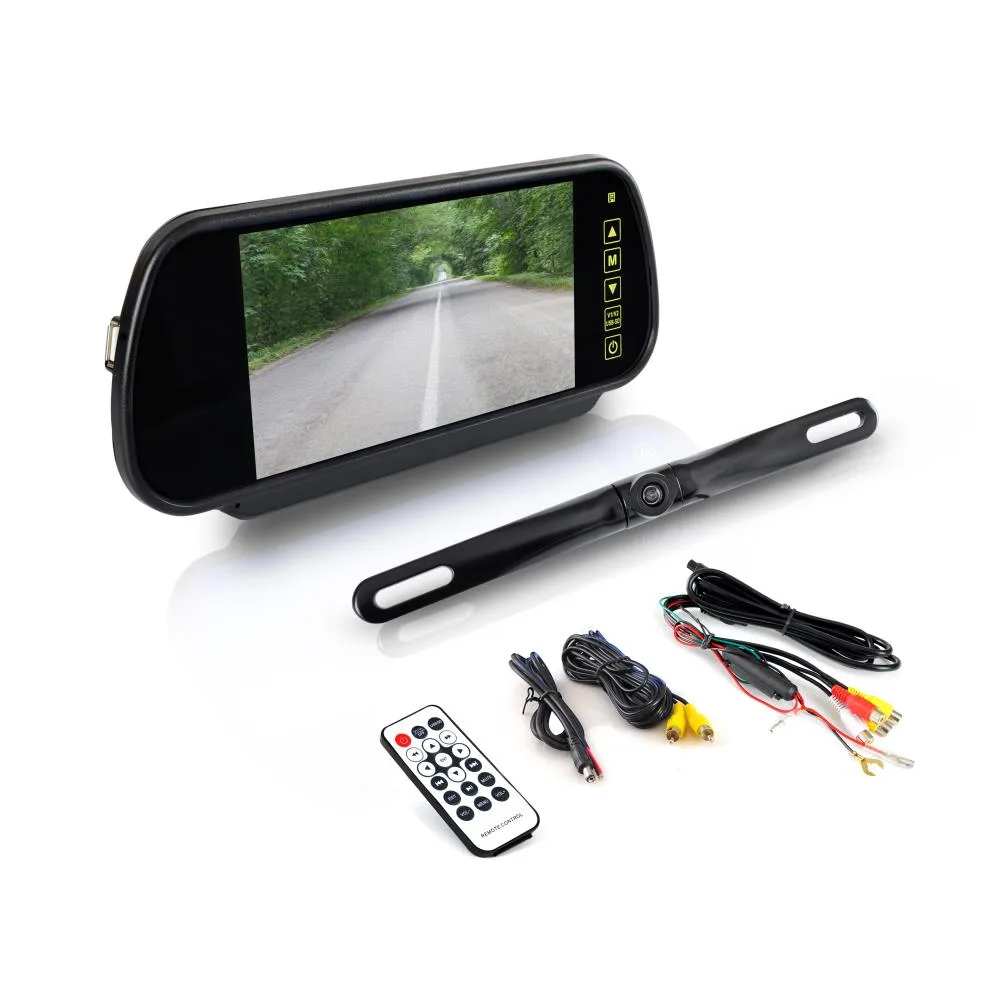
Live latency is mostly decided by the hardware in the video path, so the fixes are about removing processing rather than cleaning connections. If your system is a wireless backup camera, the radio link is almost always the dominant source of lag: the camera digitizes and compresses the video, the transmitter sends it, and the receiver buffers and decodes it before it ever reaches the screen, and any interference forces re-sends that add even more delay. The single most effective fix for wireless lag is to go WIRED — a direct analog cable run removes the entire transmit-and-buffer stage. If wired isn’t an option, shortening the distance between transmitter and receiver, clearing the 2.4 GHz band of other devices, and improving antenna placement all reduce the re-sends that make latency spike.
On wired systems, latency comes from conversion and processing. A camera that outputs a heavily “enhanced” digital image, or a signal forced through an analog-to-digital converter or an HDMI board to reach a modern screen, adds a processing beat every time. Feeding a plain analog (CVBS) camera straight into a screen that accepts an analog input is typically the lowest-latency setup you can build. If you’re buying, latency is rarely on the spec sheet, so favor simple wired kits and reputable brands over the cheapest no-name option — the bargain kits are where the worst lag lives. And don’t confuse latency with a low frame rate or a dim night image: a choppy or smeary picture can be a weak signal or a struggling sensor rather than true delay, which is its own diagnosis.
It also helps to separate latency from picture-quality faults that ride along with it. A weak or interfered feed can show up as backup camera flickering, rolling bands, or a momentary freeze, and people lump all of that under “lag” even though the cures differ. True latency is a clean image that simply arrives late; flicker and freezing are the image itself breaking up. If your complaint is really the picture stuttering rather than trailing, you’re closer to a power, ground, or interference problem than to a processing delay. When the lag is genuine and continuous, though, the lever is always the same: take processing and radio hops out of the path. Every converter you remove and every foot of wireless you replace with copper buys back real time.
Factory Systems vs Aftermarket Kits: Where the Delay Lives
Knowing whether your camera is factory or aftermarket tells you where to look first. On a FACTORY system, startup delay is usually dominated by the infotainment unit’s boot and source-switching behavior, and live latency is usually low because the automaker tuned the camera-to-screen path as one engineered system. When a factory camera that used to be snappy gets slow, suspect a software state issue or a developing fault rather than the original design — a software update or a dealer diagnostic is the right path, because the camera talks to the car’s network rather than a simple video wire.
AFTERMARKET kits are the opposite. Their startup delay often comes from an add-on interface module deciding when to switch the screen, and their live latency depends entirely on which parts you (or the installer) chose — a wireless transmitter and a cheap converter stack the delays, while a clean wired analog install stays fast. This is also why two cars with the “same” problem need different fixes: an aftermarket head unit that takes three seconds to show the camera is a switching-and-firmware issue, while a factory unit that does the same after sitting overnight is a boot-time issue you mostly manage rather than cure. If your camera is wireless and the lag is the real complaint, the wireless backup camera signal path is the first thing to interrogate; if it’s a wired aftermarket unit, start at the head unit’s settings and firmware.
When the Delay Is Normal — and When It’s a Safety Problem
Some delay is simply physics, and chasing zero is a waste of time. Every system needs a moment to wake the display, power the camera, and lock the image, and every video path adds at least a little glass-to-glass latency. A startup delay of about a second or two on a factory car, and a small, steady latency on an otherwise crisp picture, are both within the range of normal and not worth tearing the dash apart over. There is even a regulatory floor to lean on: U.S. federal rear-visibility rules (NHTSA’s FMVSS No. 111, the standard that made backup cameras mandatory on new light vehicles built from May 2018 on) require the rearview image to be DISPLAYED within two seconds of shifting into reverse. A compliant factory system is engineered to clear that bar, which is a useful sanity check: if your factory camera reliably blows well past two seconds, that’s outside how it was designed to behave.
Treat it as a SAFETY problem — not just an annoyance — when the delay hides the moment you actually need the camera. A long startup delay means you begin backing before you can see, and genuine live latency means what you see is already in the past while the car is moving. In either case, don’t let the screen lull you: keep checking mirrors and turning to look directly, back slowly, and never treat a laggy camera as a complete picture of what’s behind you. The camera is an aid, and a slow one is a weaker aid — fix it, and until you do, drive as though it isn’t fully there.
The Bottom Line
Before you spend a dime, decide WHICH lag you have, because the two have almost nothing in common. A startup delay — a blank beat after you shift, then a sharp picture — lives in the wake-up chain: the trigger feed, the camera’s power, and the head unit’s boot and source-switching. A live latency — a picture that trails your real movement the whole time you’re rolling — lives in the video path: wireless transmission first, then conversion and processing. The 30-second test (count the startup gap, then wave your hand for latency) tells you which camp you’re in, and a quick check on another screen tells you whether the camera or the display owns it.
From there the order is the same as any good diagnosis: cheapest and most likely first. For startup delay, clean the trigger connections, give the camera a clean relay-fed power source, and update the head unit before you ever suspect the camera. For live latency, get off wireless and out of unnecessary converters — a plain wired analog path is the fastest you can build. Replacing the camera is almost never the right first move for either problem. And remember the floor: a second or two to start and a faint, steady latency are normal; multi-second startups and visibly trailing video are not. Match the fix to the symptom and you’ll get the picture back in time to actually use it.