
A dark night picture is usually light starvation, not a dead camera
Most backup cameras carry no light source of their own. They show you whatever light the scene already has, so a black night image is almost always a lighting problem long before it is a hardware fault.
When a backup camera looks crisp in daylight and turns into a near-black void at night, the temptation is to assume the camera has failed. It usually has not. The overwhelming majority of reverse cameras are passive: they have no built-in illumination and simply render whatever light reaches the lens. At night that light comes from two sources, your reverse lamps and the surrounding ambient light, and when either falls short the picture goes dark. Diagnosing this as a lighting problem first saves you from replacing a perfectly good camera over what is really a dim bulb or a dirty lens.
The single fact that explains most night complaints is the reverse-light dependency. Because the camera points down and back at the ground directly behind the bumper, the only meaningful illumination in a dark lot is your own reversing lamps. Anything that weakens that pool of light, a low-output bulb, an aimed-away lamp, or a swap to a poorly chosen LED, leaves the camera with nothing to work with. The sensor is not broken; it is being asked to make a picture out of darkness.
This guide separates the real causes and gives you a quick triage to find yours, then walks the cheapest-first fixes for each before you spend a cent on new hardware. If you are still unsure the camera can ever cope with darkness, the companion piece on whether a backup camera can work at night covers the capability question; this page is narrowly about the fault: it used to be usable at night, or you expected it to be, and now the screen is too dark to trust. We will find out why, in order, starting with the light.
Triage first: camera, reverse lights, or screen?
Before changing anything, spend two minutes deciding which of three things owns the fault, because the fix for each is completely different. Park somewhere dark with the engine running, shift to reverse, and work this short list.
- Check the reverse lights themselves. Walk behind the car in reverse and look: are both reverse lamps actually lit and bright, or dim, yellowed, or out? Weak reverse lights are the most common cause of a dark camera.
- Wipe the lens and look again. A film of road grime or water spots scatters and absorbs the little light there is; a clean lens can transform a marginal night picture in seconds.
- Shade is not the issue, brightness is: check the screen. Turn cabin lights off and look at the display; if it seems locked dim, the screen may be stuck in a night or low-brightness mode rather than the camera being dark.
- Compare to daytime behavior. If the camera is sharp by day and only fails in the dark, the sensor works and the problem is light or display, not a dead unit.
- Look for any glow at all. A faint, grainy image that brightens near the reverse lamps confirms a passive camera starved of light, not a failed one.
The purpose of the triage is to split the problem before you spend, because a dim reverse bulb, a dirty lens, and a screen stuck in night mode each look identical on the display yet cost nothing and minutes to fix. If the camera is sharp by day and merely dark at night, you have already ruled out the expensive failure. If instead the picture is also soft, snowy, or wrong in daylight, that is a different diagnosis entirely, closer to a blurry or grainy backup camera, and you should chase that rather than night performance. Most of the time this two-minute list points straight at the cheap cause.
How a camera sees in the dark, and why a cheap one can't
A camera does not see in the dark the way your eyes do. Your eyes adapt over minutes and pull usable detail from very little light; a small camera sensor captures only the light that lands on it during each brief frame, and if there is little light, there is little picture. The relevant spec is minimum illumination, quoted in lux on a camera's data sheet. A basic camera might list a minimum illumination of around 1 lux, roughly the light of deep dusk, while a genuinely low-light unit may be rated at 0.1 lux or lower. Below its rated figure the sensor simply cannot form a clean image, and you get the dark, grainy void.
Sensor size and quality decide where that floor sits. A larger sensor with bigger pixels gathers more light per frame, so it holds detail in dimmer scenes; a tiny budget sensor hits its limit early and goes to noise and black much sooner. This is the same hardware truth that, at the bright end of the day, governs whether a camera washes out in sun, low-light and high-contrast performance both trace back to sensor quality. A camera that disappoints in the dark very often struggles in harsh light too, because both failures come from a cheap sensor working with a narrow slice of brightness.
To fight the dark, better cameras add gain and noise reduction, electronically amplifying the dim signal. Gain helps but it is not free: turned up, it brightens the scene while also amplifying noise, so the image gets lighter and grainier at the same time. That is why a heavily boosted night picture can look snowy. The honest takeaway is that a passive camera with a modest sensor has a hard physical floor; no setting conjures light that is not there. Knowing the floor exists is what tells you when to add light to the scene rather than keep fiddling with a camera that is already doing its best.
The reverse-light dependency most owners never realize
Your reverse lamps are the headlights for your backup camera. If they are dim, aimed wrong, or were swapped for weak LEDs, the camera has almost nothing to see by, no matter how good it is.
Here is the insight that resolves the largest share of dark-at-night cameras: a passive reverse camera leans on your reversing lamps as its primary light source after dark. Those lamps throw a pool of white light onto exactly the patch of ground the camera is framing, and the camera renders it. Anything that weakens that pool dims the picture directly. A factory incandescent reverse bulb, often around a 21-watt 921-type lamp, throws a broad warm flood that cameras render well; the trouble usually starts when that bulb ages, corrodes in its socket, or gets swapped.
The LED swap is the classic self-inflicted version. Owners frequently report that after replacing reverse bulbs with cheap LED units, the camera image went noticeably darker at night, even though the lamp looks bright to the eye. The reasons are practical: many budget reverse LEDs actually emit less usable flood than the incandescent they replaced, they throw a narrow tight beam instead of a broad wash, and their cooler color can render less favorably on a small sensor. The bulb passes a glance test while starving the camera of the even, broad illumination it needs.
The fixes follow directly from the cause. Confirm both reverse lamps light and are bright, clean corroded sockets, and if you swapped to LEDs and the camera went dark, try a quality reverse LED with a genuinely high lumen output and a wide pattern, or revert to incandescent for that position. Where the factory lamps simply cannot cover a large area behind a truck or van, a small LED auxiliary reverse light aimed at the camera's field adds the flood the camera needs and transforms the night picture. Add light to the scene and a passive camera that looked broken often turns out to have been fine all along.
It might be the screen, stuck dim at night
Before condemning the camera, rule out the display, because a meaningful share of dark-at-night complaints are really a screen problem. Many head units and mirror monitors run an automatic day/night mode that dims the screen heavily after dark to avoid blinding the driver. That is helpful for a navigation map, but when the same dimming is applied to a backup feed, a picture that is genuinely usable can be rendered too dark to read. The camera is sending a fine signal; the screen is simply turned down too far to show it.
There is an easy way to separate the two. With the dark camera image up at night, manually raise the display's brightness, or temporarily disable the automatic night dimming if the menu allows. If the picture brightens to something usable, the camera was never the problem, the screen was throttling it. If the image stays black even at full screen brightness, the darkness is coming from upstream at the camera or the lighting, and you move back to the reverse-light and lens checks. This one test routinely settles the question in under a minute.
Screen-side fixes are quick and cost nothing. Check for a separate night-brightness setting and raise it, confirm the day/night sensor is not covered or stuck, and make sure no aggressive auto-dimming is overriding your manual brightness. On systems with both a camera-side and a display-side adjustment, remember there are two sets of controls and the display one is the more likely culprit for a too-dark night image. None of this touches the camera, because in these cases the camera was doing its job and only the screen needed turning up. It is the cheapest possible outcome, a menu setting rather than a part, so it is always worth confirming before you reach for a screwdriver or your wallet.
The night-vision numbers that actually matter
These are the figures that decide whether a camera can cope with darkness, drawn from typical published camera specifications rather than any hands-on estimate. Treat them as manufacturer-rated values for comparison shopping, not measured results from a bench test.
| Spec (manufacturer-rated) | Typical figure | Why it decides the night picture |
|---|---|---|
| Minimum illumination (basic camera) | ~1 lux | Needs roughly dusk-level light; goes dark in an unlit lot. |
| Minimum illumination (low-light camera) | ~0.1 lux or lower | Holds a usable image in much dimmer scenes. |
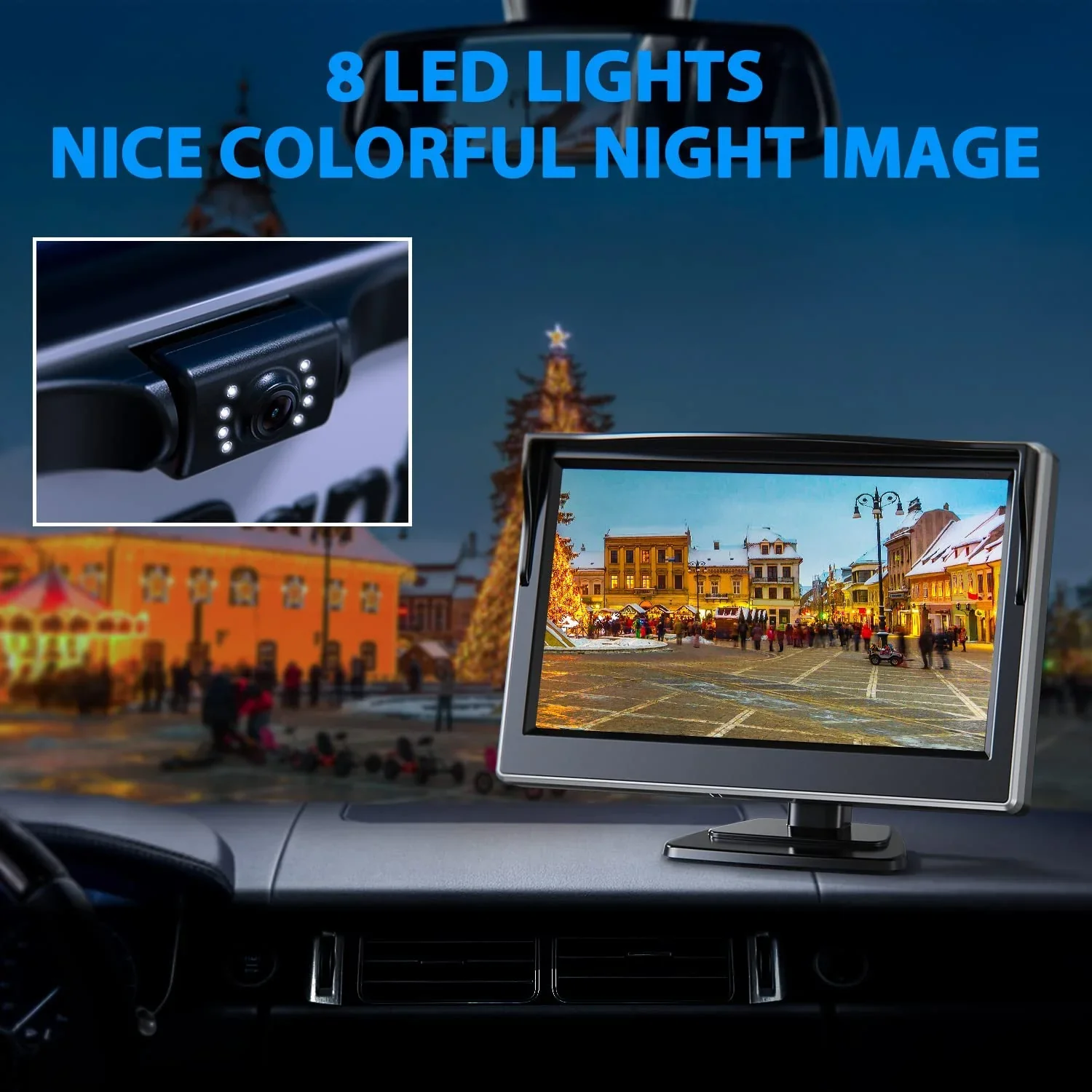
| Infrared (IR) LEDs | Present or absent | Built-in 850 nm IR lets the camera light its own short-range scene. |
| Factory reverse bulb output | ~21 W incandescent (921-type) | The camera's main light source at night; weak LEDs starve it. |
| Sensor size | Larger is better | Bigger pixels gather more light, so the dark floor sits lower. |
Read the table as a buying-and-diagnosis tool rather than a scoreboard. The two minimum-illumination rows explain most of it: if your camera is a basic 1-lux unit and the scene is darker than that, no setting saves it, and the cure is either more light on the scene or a lower-lux camera. The IR row is the other lever, an infrared-equipped camera carries its own light and does not depend entirely on your reverse lamps, which is why it is the upgrade that most reliably fixes a stubborn dark picture.
Notice what the table does not promise: a high resolution number says nothing about night performance. A 1080p camera with a poor sensor and no IR can be useless in the dark, while a modest-resolution camera rated to 0.1 lux or fitted with IR LEDs can be perfectly usable. When the dark picture persists after the cheap fixes, these are the specs to compare, and they are the reason matching the camera to the lighting matters more than chasing megapixels.
Fix it cheapest-first: the night-darkness checklist
Work these in order; each rules out a free or cheap cause before you reach a hardware upgrade. The whole sequence takes a few minutes in a dark spot with the car in reverse.
- Clean the lens. Road film and water spots scatter the scarce light; a thorough wipe is the single fastest improvement and costs nothing.
- Confirm and brighten the reverse lights. Make sure both lamps work and are bright; if you fitted cheap LEDs and the camera went dark, switch to a high-output wide-pattern reverse LED or revert to incandescent.
- Raise the screen brightness. Turn up the display, and disable or correct any automatic night dimming that is throttling the backup feed.
- Check the camera's own settings. If it has a brightness, gain, or night setting, raise it, accepting that more gain means a brighter but grainier image.
- Add light to the scene. Where factory lamps cannot cover the area, mount a small auxiliary reverse light aimed at the camera's field so the camera has something to render.
- Reverse near a wall or under a light first. As a test, backing toward any ambient light confirms a passive, light-starved camera rather than a failed one.
The point of the order is to exhaust the cheap, common causes, dim bulbs, a dirty lens, a throttled screen, before spending on hardware, because together they account for most dark-at-night cameras and every one is quick to address. Owners who work this list usually restore a usable picture for the price of a bulb and a rag. If you have run all of it and the image is still a black void in any reasonable light, and especially if the camera also misbehaves by day, you may be looking at a backup camera that isn't working at all, which is a broader failure diagnosis rather than a night-specific one.
When darkness is the hardware limit, and the upgrade that fixes it
If you have cleaned the lens, brightened the reverse lamps, raised the screen, and added what light you can, and the picture is still too dark in ordinary nighttime conditions, you have reached the camera's physical floor. A passive unit with a modest sensor and a 1-lux-ish minimum illumination cannot manufacture light that is not there, and no further fiddling changes that. At this point the honest answer is hardware: the camera is out-matched by the dark, and the fix is a unit built for it rather than another setting.
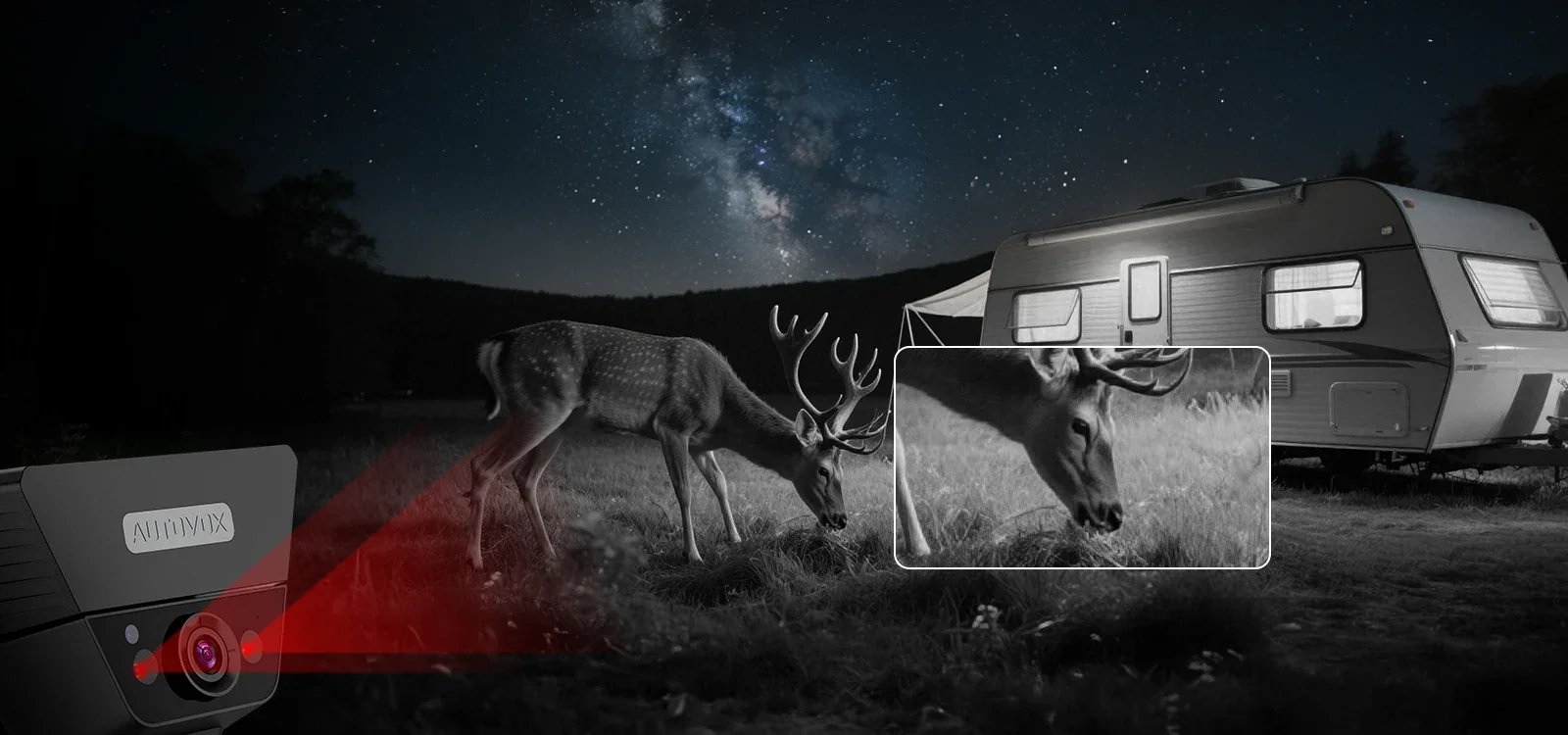
The most reliable upgrade is a camera that brings its own light. An aftermarket camera with infrared LEDs emits 850 nm infrared that the sensor sees but your eyes barely do, effectively lighting the short-range scene directly behind the bumper without dazzling anyone. Because it does not depend entirely on your reverse lamps, an IR camera sidesteps the whole reverse-light-dependency problem that starves passive units. The trade-off to understand is range and rendering: IR illuminates only a limited distance and produces a flatter, often monochrome-looking near-field image, but for the close maneuvering a backup camera is actually for, that is exactly the zone you need lit.
If you would rather stay passive, the alternative is a camera with a genuinely low minimum illumination and a quality named sensor, paired with strong, broad reverse lighting. That combination can give a clean color picture under modest ambient light without IR. Either way, the lesson is to match the hardware to the conditions: an IR camera for truly unlit reversing, or a low-lux camera plus good reverse lamps where some ambient light exists. Spend here only after the cheap fixes fall short, and the upgrade will actually solve the darkness rather than paper over a dim bulb you could have replaced for the price of a coffee.
The verdict: light the scene before you replace the camera
A backup camera that is too dark at night is far more often starved of light than broken. Feed it light, from the reverse lamps, a clean lens, and a screen turned up, and the picture usually returns.
The pattern behind almost every dark-at-night camera is the same: a passive sensor with no light of its own, rendering a scene that simply does not have enough light in it. That is why the fix is so often free. Confirm both reverse lamps are bright and broad, suspect any cheap LED swap that traded usable flood for a glance-test glow, wipe the lens clean, and rule out a screen stuck dim in night mode. Work that order and you will resolve the large majority of cases for the cost of a bulb, with the camera you already own.
When the cheap steps genuinely fall short, the diagnosis is a hardware floor rather than a fault. A basic camera rated near 1 lux cannot see in an unlit lot, and the honest upgrade is either an infrared camera that lights its own short-range scene or a low-lux camera backed by strong reverse lighting. Match the hardware to the darkness you actually park in, and you buy a real fix instead of a brighter version of the same starvation.
Above all, do not let a dark screen become your only source of truth. When the picture is black, do what drivers did before cameras: back slowly, use your mirrors, and turn to look over your shoulder. A camera blinded by darkness is precisely when a physical glance matters most. Light the scene so the camera earns its keep after dark, and until you do, treat a black image as a reason to slow down and look, not a green light to keep reversing into the night.